Introduction
For much of the past decade, Rich Internet Applications (RIAs) have transformed expectations for browser-based software. Instead of static HTML pages, users now expect responsive interfaces, sophisticated data visualization, multimedia capabilities, and desktop-like experiences delivered through the browser.
Microsoft's Silverlight platform has played a major role in this evolution. Since its introduction, Silverlight has enabled developers to build rich applications using familiar .NET technologies such as C#, XAML, and Visual Studio while leveraging Windows Communication Foundation (WCF), LINQ, and the broader .NET ecosystem.
The release of Silverlight 5 Beta marks another significant milestone for the platform. It introduces numerous enhancements aimed at improving graphics performance, media playback, hardware acceleration, debugging, and enterprise application development.
At the same time, the web development landscape is changing rapidly. HTML5 is attracting growing interest from browser vendors and standards organizations. Enterprises evaluating new application platforms must carefully balance the maturity of Silverlight against the increasing capabilities of open web technologies.
As of April 2011, however, Silverlight remains an important platform for many enterprise organizations. Existing investments in .NET, Visual Studio, and XAML make it a compelling option for building sophisticated line-of-business applications.
This article examines the improvements introduced in Silverlight 5 Beta, evaluates its architectural strengths, discusses enterprise adoption scenarios, and explores where it fits within modern application strategies.
The Evolution of Rich Internet Applications
Traditional web applications have historically relied on HTML, JavaScript, and CSS.
While suitable for many business applications, earlier browser technologies often struggled to deliver:
- ◆Rich graphics
- ◆Smooth multimedia
- ◆Advanced animations
- ◆Complex data visualization
- ◆Desktop-like responsiveness
- ◆Hardware acceleration
Rich Internet Application frameworks such as Silverlight addressed these limitations by providing a managed runtime within the browser.
What Silverlight Brings to Enterprise Development
Silverlight enables developers to build applications using technologies already familiar within many Microsoft-centric organizations.
Core capabilities include:
- ◆C# programming
- ◆XAML-based user interfaces
- ◆.NET libraries
- ◆LINQ
- ◆WCF integration
- ◆Rich media support
- ◆Hardware-accelerated graphics
- ◆Data binding
These features reduce the learning curve for enterprise teams already developing Windows applications.
What's New in Silverlight 5 Beta
Silverlight 5 Beta introduces several notable improvements.
Key enhancements include:
- ◆Hardware-accelerated 3D graphics
- ◆Improved text rendering
- ◆64-bit browser support
- ◆Enhanced media playback
- ◆Better debugging capabilities
- ◆Improved data binding performance
- ◆Expanded trusted application features
- ◆Additional developer productivity improvements
Collectively, these enhancements target both user experience and enterprise development efficiency.
Hardware-Accelerated Graphics
One of the most visible additions is support for hardware-accelerated 3D graphics.
Potential enterprise scenarios include:
- ◆Engineering visualization
- ◆Product demonstrations
- ◆Geographic information systems
- ◆Scientific applications
- ◆Manufacturing dashboards
GPU acceleration can significantly improve rendering performance for graphics-intensive applications.
Improved Text Rendering
Business applications frequently display large amounts of textual information.
Silverlight 5 Beta introduces improved text rendering intended to enhance readability and visual quality.
Applications benefiting from these improvements include:
- ◆Financial systems
- ◆Document management
- ◆Reporting dashboards
- ◆Healthcare applications
- ◆Customer relationship management platforms
Improved typography contributes directly to user productivity during prolonged application usage.
Enhanced Media Support
Silverlight has consistently emphasized multimedia capabilities.
The Beta continues this focus through improved playback functionality and enhanced media controls.
Organizations delivering:
- ◆Corporate training
- ◆Product demonstrations
- ◆Educational content
- ◆Internal communications
may benefit from these capabilities.
Comparing Silverlight and Traditional Web Applications
| Feature | Traditional HTML Applications | Silverlight 5 Beta |
|---|---|---|
| Programming Model | HTML, CSS, JavaScript | C#, XAML |
| Graphics | Browser Dependent | Hardware Accelerated |
| Multimedia | Browser Capabilities | Rich Media Platform |
| Data Binding | JavaScript Frameworks | Built-in |
| UI Components | HTML Controls | Rich XAML Controls |
| .NET Integration | Limited | Native |
| Desktop-Like Experience | Moderate | Extensive |
Silverlight continues to emphasize rich user experiences while leveraging the Microsoft development ecosystem.
Enterprise Architecture Considerations
Silverlight applications typically integrate with existing enterprise infrastructure.
A common architecture may resemble:
Silverlight Client
        |
HTTP / WCF Services
        |
Application Server
        |
Business Services
        |
SQL Server Database
Business logic remains on the server while Silverlight provides a responsive presentation layer.
Enterprise Use Cases
Financial Trading Platforms
Interactive dashboards, market visualization, and analytical tools benefit from responsive interfaces and advanced graphics.
Business Intelligence
Executive reporting systems often require charts, interactive filtering, and responsive data presentation.
Healthcare Applications
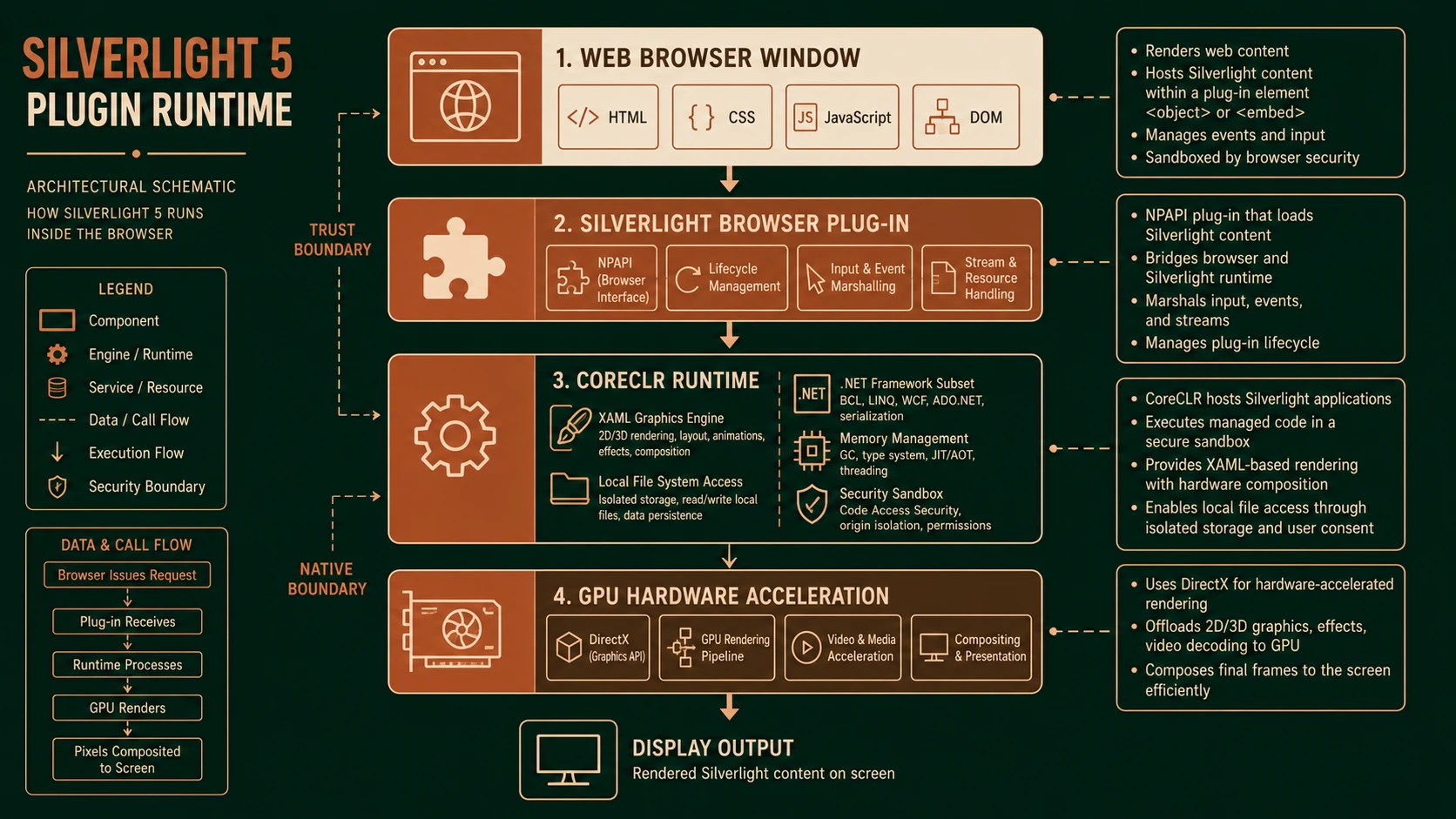
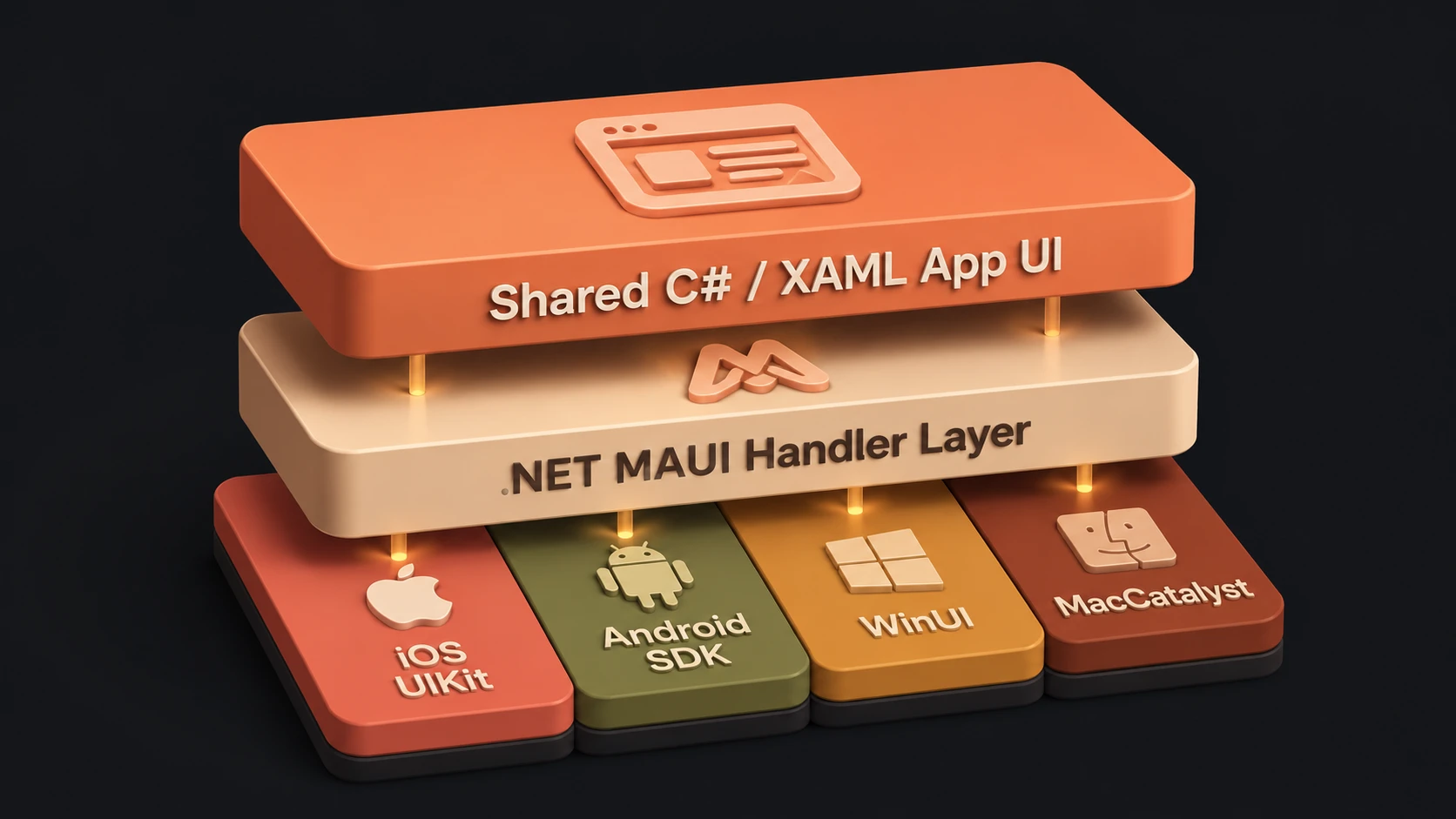
System architecture diagram and conceptual workflow layout for Silverlight 5 Beta.
Patient management systems and medical imaging viewers can benefit from rich visualization capabilities.
Manufacturing
Operational dashboards displaying production metrics and equipment monitoring are well suited to responsive interfaces.
Enterprise Resource Planning
Organizations building modern user interfaces for ERP systems can leverage data binding, rich controls, and .NET integration.
Developer Productivity
Silverlight continues to align closely with Microsoft development tools.
Enterprise teams benefit from:
- ◆Visual Studio integration
- ◆Expression Blend support
- ◆Familiar debugging tools
- ◆Shared .NET libraries
- ◆Strong typing
- ◆XAML designer capabilities
These tools simplify development while reducing onboarding time for experienced .NET developers.
Performance Considerations
Organizations should evaluate several factors during application planning.
Performance depends upon:
- ◆Network latency
- ◆Service response times
- ◆Client hardware
- ◆Data transfer volume
- ◆UI complexity
- ◆Graphics rendering
Hardware acceleration can improve responsiveness, but efficient application design remains essential.
Browser Plug-ins in the Enterprise
Many enterprise environments maintain standardized desktop configurations.
This can simplify deployment of browser plug-ins compared to public-facing consumer websites where organizations have less control over client environments.
Internal business applications therefore remain practical candidates for Silverlight deployment, particularly where centralized IT management exists.
Best Practices
Organizations adopting Silverlight 5 Beta should consider the following recommendations.
- ◆Design responsive interfaces.
- ◆Separate presentation from business logic.
- ◆Minimize unnecessary network requests.
- ◆Optimize service communication.
- ◆Reuse existing .NET libraries.
- ◆Test across supported browsers.
- ◆Secure service endpoints.
- ◆Profile application performance.
- ◆Document deployment requirements.
These practices improve maintainability while maximizing application quality.
Common Mistakes
Several implementation issues should be avoided.
Treating Rich Interfaces as an Excuse for Complexity
Sophisticated graphics should support business workflows rather than distract users.
Excessive Client Processing
Business rules should generally remain within the server-side application layer.
Ignoring Deployment Requirements
Organizations should verify that client environments satisfy Silverlight runtime requirements.
Poor Service Design
Responsive interfaces depend upon efficient backend services.
Underestimating User Training
Introducing new interaction models may require user education in enterprise environments.
Adoption Recommendations
Organizations evaluating Silverlight 5 Beta should proceed incrementally.
Phase 1
- ◆Evaluate Beta features in development environments.
- ◆Train development teams.
- ◆Build prototype applications.
Phase 2
- ◆Modernize selected internal business applications.
- ◆Benchmark performance.
- ◆Gather user feedback.
Phase 3
- ◆Standardize UI development practices.
- ◆Expand deployment where business value is demonstrated.
- ◆Continue monitoring platform evolution.
Phase 4
- ◆Review long-term application strategy.
- ◆Evaluate interoperability with emerging web technologies.
- ◆Continue refining enterprise user experiences.
A phased adoption strategy minimizes operational risk while allowing organizations to assess platform maturity.
Evaluating Silverlight in 2011
Enterprise technology decisions should reflect organizational requirements rather than industry enthusiasm alone.
Organizations with significant investments in the Microsoft ecosystem may find Silverlight particularly attractive for internal business applications requiring rich user interfaces, strong tooling, and close integration with existing .NET infrastructure.
At the same time, architects should continue monitoring the evolution of browser capabilities and emerging web standards as they mature.
Looking Ahead
Silverlight 5 Beta demonstrates Microsoft's continued commitment to delivering a sophisticated platform for Rich Internet Applications. Enhancements such as hardware-accelerated graphics, improved media capabilities, 64-bit browser support, and developer productivity improvements reinforce its position as a capable framework for enterprise software development.
As organizations evaluate application strategies throughout 2011, Silverlight remains a compelling choice for many internal enterprise scenarios, particularly where advanced user experiences and deep .NET integration are priorities. At the same time, the continued advancement of browser technologies encourages architects to evaluate each project individually, selecting the platform that best aligns with business requirements, development expertise, deployment environments, and long-term application goals.