The landscape of web application development is entering one of its most significant periods of transformation. For nearly a decade, organizations seeking highly interactive browser experiences have relied on browser plug-in technologies such as Adobe Flash and Microsoft's Silverlight to overcome the limitations of traditional HTML, CSS, and JavaScript.
In early 2010, however, the conversation is beginning to shift. The emergence of HTML5 as the next evolution of web standards has generated considerable excitement across the industry. Browser vendors are investing heavily in native multimedia support, richer graphics capabilities, improved offline functionality, and new JavaScript APIs that promise to reduce dependence on proprietary browser plug-ins.
At the same time, Microsoft is preparing Silverlight 4, the latest version of its Rich Internet Application (RIA) platform. Silverlight continues to evolve beyond media streaming and user interface development, introducing stronger enterprise capabilities, enhanced integration with the .NET Framework, improved printing support, richer controls, and trusted out-of-browser applications.
For enterprise architects, the decision is far from straightforward. Silverlight 4 represents a mature, productive development platform with strong tooling and enterprise integration, while HTML5 remains an emerging specification with uneven browser support. Understanding the strengths, limitations, and long-term implications of both approaches is essential before making strategic technology investments.
The Evolution of Rich Internet Applications
Traditional web applications built with HTML 4, JavaScript, and CSS have historically struggled to provide desktop-like user experiences.
Common limitations include:
- ◆Limited multimedia capabilities
- ◆Inconsistent browser behavior
- ◆Primitive graphics support
- ◆Restricted offline functionality
- ◆Basic user interface controls
- ◆Limited client-side processing
To address these shortcomings, browser plug-ins emerged as the preferred solution for building highly interactive applications.
Rich Internet Applications introduced:
- ◆Rich graphical interfaces
- ◆Video streaming
- ◆Animation
- ◆Vector graphics
- ◆Desktop-style interaction
- ◆Improved responsiveness
Silverlight has become one of Microsoft's primary technologies in this space.
What Silverlight 4 Brings to the Enterprise
Silverlight 4 builds upon the capabilities introduced in previous releases while focusing more directly on enterprise application development rather than media experiences alone.
Key enhancements include:
- ◆Improved printing support
- ◆Richer text capabilities
- ◆Webcam and microphone access
- ◆Better drag-and-drop functionality
- ◆Enhanced data binding
- ◆Additional controls
- ◆Trusted out-of-browser applications
- ◆Improved integration with existing .NET applications
These features position Silverlight as a viable platform for sophisticated business applications.
Familiar Development Experience
One of Silverlight's greatest strengths is its alignment with the Microsoft development ecosystem.
Development teams can leverage:
- ◆C#
- ◆Visual Basic
- ◆XAML
- ◆Visual Studio
- ◆Expression Blend
- ◆.NET programming skills
This reduces training requirements for organizations already invested in Microsoft technologies.
The ability to reuse existing knowledge shortens development cycles and simplifies enterprise adoption.
Enterprise Application Development
Silverlight is particularly well suited for applications requiring complex user interfaces.
Examples include:
- ◆Customer relationship management systems
- ◆Financial dashboards
- ◆Inventory management portals
- ◆Healthcare information systems
- ◆Business intelligence interfaces
- ◆Enterprise reporting applications
Its control model enables developers to construct sophisticated interfaces with relatively little custom infrastructure.
Out-of-Browser Applications
One of the most significant advancements in Silverlight 4 is the continued evolution of out-of-browser applications.
Applications can operate outside the browser while maintaining familiar deployment and update characteristics.
Enterprise advantages include:
- ◆Desktop-like experience
- ◆Easier application access
- ◆Improved user productivity
- ◆Better integration with local resources
Trusted applications further expand potential enterprise scenarios.
HTML5 Begins to Gain Momentum
While Silverlight continues to mature, HTML5 is attracting growing industry attention.
HTML5 is not simply a new markup language.
It introduces numerous capabilities designed to modernize the web platform.
Examples include:
- ◆Native video support
- ◆Audio elements
- ◆Canvas graphics
- ◆Improved form controls
- ◆Offline application support
- ◆Enhanced semantic markup
These additions have the potential to reduce reliance on browser plug-ins over time.
Standards-Based Development
Unlike proprietary browser plug-ins, HTML5 represents an open web standard.
Potential benefits include:
- ◆Cross-browser interoperability
- ◆Vendor independence
- ◆Long-term standards evolution
- ◆Broad industry participation
This open approach appeals to organizations seeking to minimize dependence on proprietary platforms.
Browser Support Challenges
Despite growing enthusiasm, HTML5 remains an evolving specification in early 2010.
Browser implementation varies considerably.
Development teams must account for:
- ◆Different feature availability
- ◆Inconsistent JavaScript support
- ◆Varying rendering behavior
- ◆Partial implementation of specifications
Cross-browser testing remains essential.
For enterprise environments requiring predictable deployment, these inconsistencies present meaningful challenges.
Comparing Development Models
Silverlight applications execute within the Silverlight runtime.
HTML5 applications rely upon browser-native technologies including HTML, CSS, and JavaScript.
Each model offers different advantages.
| Area | Silverlight 4 | HTML5 |
|---|---|---|
| Runtime | Silverlight plug-in | Native browser capabilities |
| Primary Languages | C#, Visual Basic, XAML | HTML, CSS, JavaScript |
| Development Tools | Visual Studio, Expression Blend | Browser-based tools and editors |
| Multimedia | Mature platform | Emerging native support |
| Browser Dependency | Requires Silverlight runtime | Browser implementation dependent |
| Standards | Microsoft platform | Open web standard |
Productivity Considerations
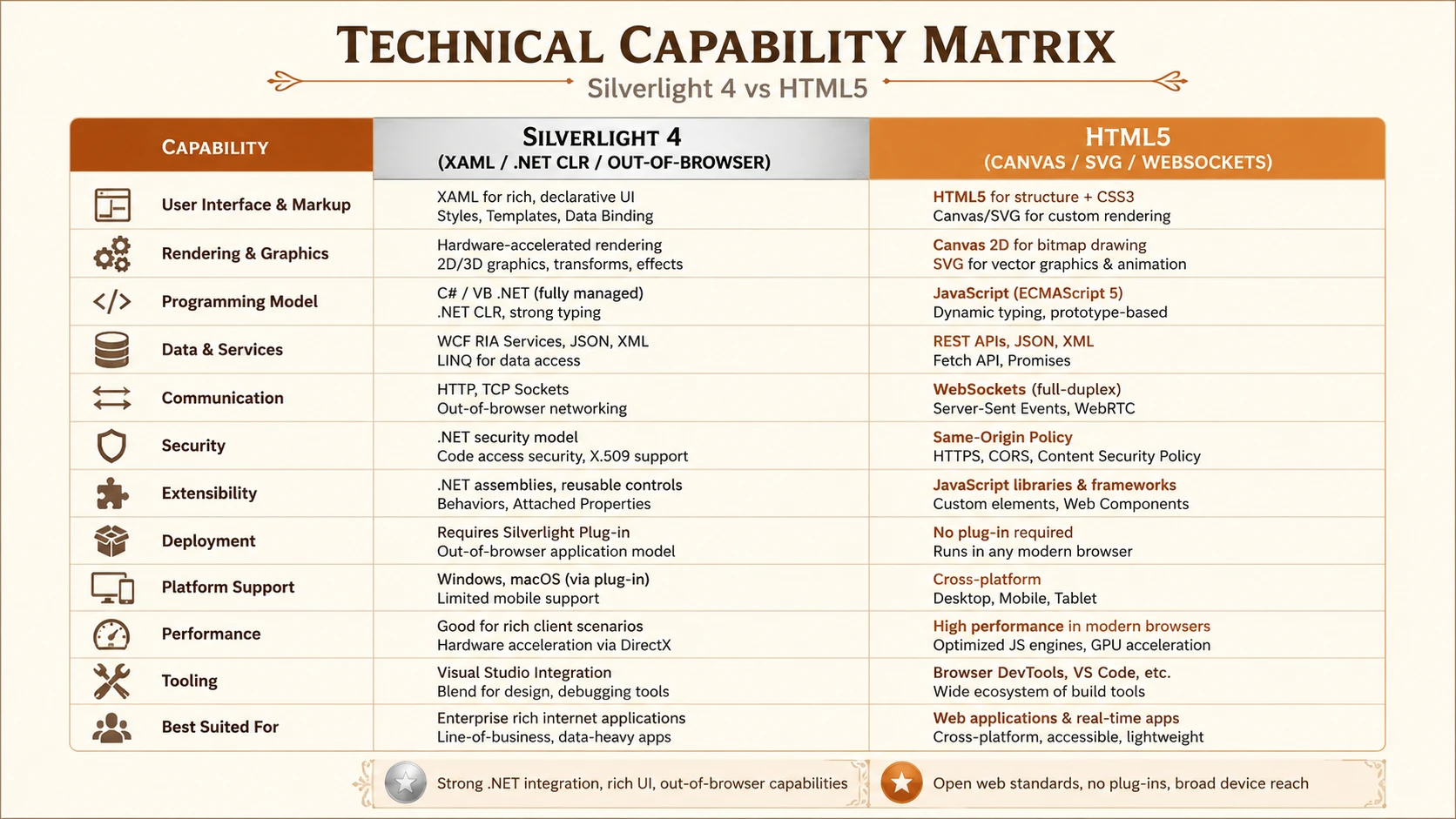
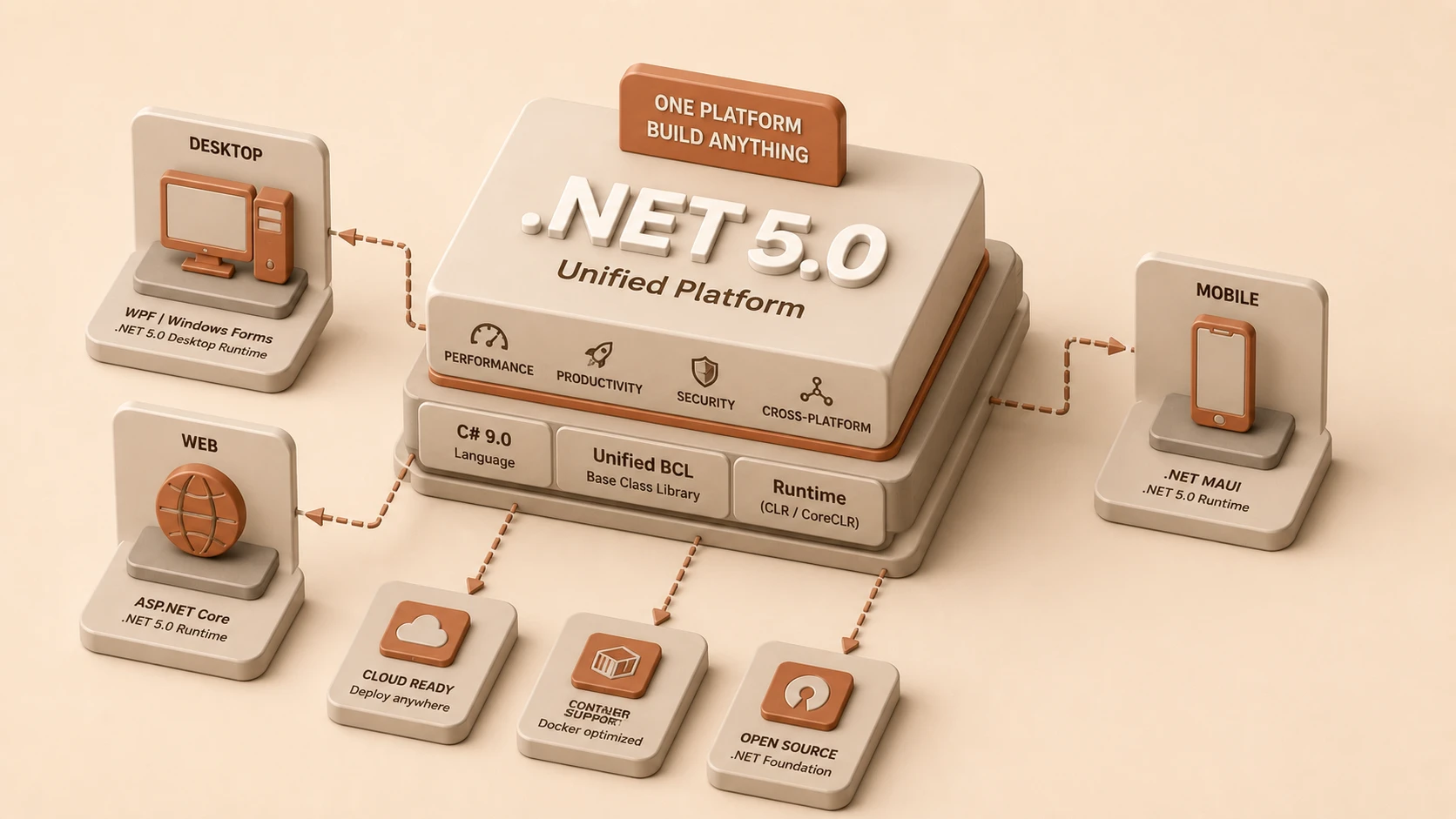
System architecture diagram and conceptual workflow layout for Silverlight 4 vs. HTML5.
Development productivity remains a critical enterprise concern.
Silverlight provides:
- ◆Strong tooling
- ◆Visual designers
- ◆Rich debugging
- ◆Integrated project templates
- ◆Mature development workflow
Many organizations already using Visual Studio can adopt Silverlight with relatively modest investment.
HTML5 development, while promising, currently relies more heavily on JavaScript and browser-specific testing.
User Interface Capabilities
Silverlight offers a comprehensive set of controls for enterprise interfaces.
Developers can create:
- ◆Data grids
- ◆Charts
- ◆Rich forms
- ◆Navigation systems
- ◆Media applications
- ◆Interactive dashboards
These capabilities are well suited for business applications requiring extensive user interaction.
HTML5 continues to evolve in this area, but many advanced interface capabilities still depend upon JavaScript libraries and custom development.
Multimedia Support
Historically, browser plug-ins have dominated online multimedia.
Silverlight provides:
- ◆High-quality video playback
- ◆Adaptive streaming support
- ◆Rich media experiences
- ◆Interactive media applications
HTML5 introduces native audio and video elements, representing an important milestone for standards-based multimedia.
However, browser support and codec compatibility remain active industry discussions.
Enterprise Deployment Considerations
Technology selection should consider operational realities.
Questions include:
- ◆Can browser plug-ins be deployed consistently?
- ◆What browsers are supported internally?
- ◆Are users centrally managed?
- ◆How frequently are desktop systems updated?
- ◆What security policies govern client software?
Organizations with standardized desktop environments may find Silverlight deployment relatively straightforward.
Integration with Existing Microsoft Platforms
Enterprises invested in Microsoft technologies gain several advantages from Silverlight.
Integration opportunities include:
- ◆ASP.NET applications
- ◆Windows Communication Foundation services
- ◆Existing .NET business logic
- ◆Active Directory environments
- ◆Microsoft development tools
This alignment reduces integration complexity for organizations already committed to the Microsoft ecosystem.
Performance Considerations
Performance should be evaluated according to actual application workloads.
Relevant factors include:
- ◆Startup time
- ◆Rendering performance
- ◆Client-side processing
- ◆Network usage
- ◆Memory consumption
Prototype testing remains the most reliable evaluation method before enterprise deployment.
Security Considerations
Enterprise security requirements remain unchanged regardless of development platform.
Organizations should evaluate:
- ◆Authentication mechanisms
- ◆Authorization models
- ◆Secure communications
- ◆Client permissions
- ◆Code execution boundaries
Silverlight applications operate within a managed runtime environment with defined security restrictions, while HTML5 applications continue to rely upon browser security models.
Best Practices for Technology Evaluation
Enterprise architects should avoid selecting technologies based solely on industry enthusiasm.
Recommended evaluation criteria include:
- ◆Business requirements
- ◆Existing development expertise
- ◆Long-term maintenance costs
- ◆Deployment strategy
- ◆Browser support requirements
- ◆Integration with current systems
- ◆Productivity expectations
- ◆Vendor roadmap
Pilot projects should precede large-scale technology adoption.
Common Mistakes
Organizations evaluating Rich Internet Application technologies frequently make several errors.
Common examples include:
- ◆Assuming HTML5 is immediately capable of replacing all plug-in technologies.
- ◆Ignoring browser compatibility challenges.
- ◆Selecting technology without considering developer expertise.
- ◆Underestimating deployment requirements.
- ◆Confusing consumer web trends with enterprise requirements.
Balanced technical evaluation produces better long-term decisions.
Enterprise Scenarios
Silverlight 4 is particularly attractive for:
- ◆Internal business applications
- ◆Data-intensive dashboards
- ◆Enterprise portals
- ◆Rich reporting systems
- ◆Applications requiring advanced user interfaces
HTML5 may be attractive for:
- ◆Public-facing websites
- ◆Standards-focused initiatives
- ◆Cross-browser web experiences
- ◆Progressive enhancement strategies
Many organizations may ultimately support both approaches depending on application requirements.
Decision Framework
| Requirement | Silverlight 4 | HTML5 |
|---|---|---|
| Rich Enterprise UI | Excellent | Emerging |
| .NET Integration | Excellent | Limited |
| Standards Compliance | Moderate | Excellent |
| Browser Independence | Requires plug-in | Native browser technology |
| Development Productivity | Strong Microsoft tooling | Improving ecosystem |
| Long-Term Industry Momentum | Uncertain | Growing interest |
Technology decisions should reflect current business needs rather than speculation alone.
Looking Ahead
As of March 2010, Silverlight 4 represents one of the most capable platforms available for building enterprise Rich Internet Applications. Its integration with the Microsoft ecosystem, productive development tools, mature programming model, and expanding enterprise feature set make it an attractive choice for organizations already invested in .NET technologies.
At the same time, HTML5 is emerging as a significant industry force. Although browser implementations remain inconsistent and the specification continues to evolve, the momentum behind open web standards cannot be ignored. Browser vendors are steadily expanding native capabilities that may eventually reduce dependence on proprietary runtimes.
For enterprise decision makers in 2010, the choice is less about declaring a single winner and more about aligning technology with business objectives. Organizations requiring mature enterprise tooling and sophisticated application interfaces may find Silverlight 4 the stronger immediate solution, while those planning for long-term standards-based web development should monitor the rapid evolution of HTML5. The coming years are likely to define the future direction of Rich Internet Applications as these two approaches continue to shape modern web development.