Two Blazors, One Name
One of the most persistent sources of confusion when evaluating Blazor for enterprise projects is that the brand name covers two architecturally distinct hosting models with completely different runtime characteristics, scalability profiles, and operational requirements. Making the wrong choice can mean significant rework six months into a project.
At SHIVAM ITCS, we have deployed both Blazor Server and Blazor WebAssembly in production across different client engagements — from a 50-user internal finance portal to a multi-tenant SaaS dashboard serving thousands of concurrent users. The lessons from those deployments inform everything in this guide.
Blazor Server: Architecture Deep Dive
In Blazor Server, your C# component code runs entirely on the ASP.NET Core server process. The browser acts as a thin rendering client. A persistent SignalR WebSocket connection links each browser session to its own server-side component tree.
Here is the event flow for every user interaction:
- 1.The user clicks a button in their browser
- 2.The click event is captured by the Blazor JavaScript shim and serialised
- 3.The serialised event is sent over the WebSocket to the server
- 4.The server processes the event in the C# component — calling services, querying databases, computing new state
- 5.The component re-renders and Blazor computes the diff between old and new virtual DOM
- 6.Only the diff (a compact binary patch) is sent back over the WebSocket
- 7.The browser's Blazor JavaScript applies the patch to the real DOM
This architecture has profound implications. Because all rendering happens on the server, the browser downloads almost nothing — no .NET runtime, no application DLLs. The first page load is as fast as a traditional server-rendered MVC application.
// This Blazor Server component runs entirely on the server
// Direct access to EF Core, internal services, file system — no API layer needed
@page "/orders"
@inject AppDbContext DbContext

<h2>Orders (@orders.Count)</h2>
@foreach (var order in orders)
{
    <OrderCard Order="order" />
}

@code {
    private List<Order> orders = new();

    protected override async Task OnInitializedAsync()
    {
        // Direct EF Core query — no HTTP API required
        orders = await DbContext.Orders
            .Include(o => o.LineItems)
            .OrderByDescending(o => o.CreatedAt)
            .Take(50)
            .ToListAsync();
    }
}
Because the component runs inside the IIS or Kestrel server process, it has direct access to backend resources. As seen in the example, you can query your EF Core database context directly within the component code, eliminating the need to construct a separate controller layer or handle serialization overhead for simple operations.
Blazor WebAssembly: Architecture Deep Dive
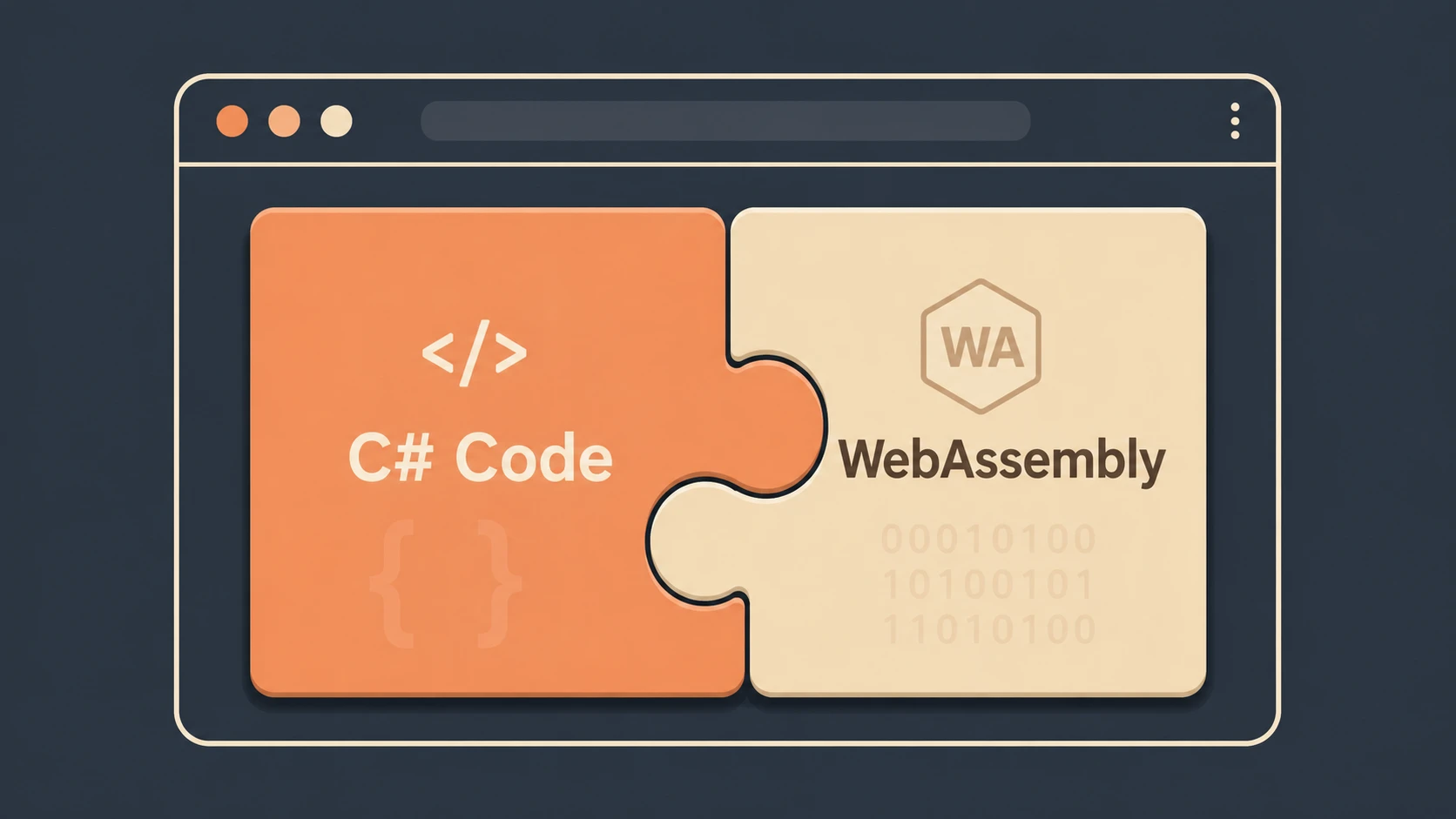
In Blazor WebAssembly, the .NET runtime and your compiled application assemblies are downloaded to the browser and execute client-side within the WebAssembly sandbox. There is no persistent connection to the server during normal operation. UI events are handled locally in the browser. HTTP calls go directly from the browser to REST or GraphQL APIs.
The flow for a user interaction:
- 1.The user clicks a button
- 2.The click event is handled directly by the .NET runtime running in the browser — no network involved
- 3.If the handler needs data, it makes an HTTP request to an API endpoint
- 4.The component re-renders locally in the browser
This is a fundamentally different scalability model. The server is only involved when the application needs data — not for every UI event.
The Scalability Comparison: The Most Critical Difference
This is where the architecture choice has the most significant enterprise impact, and it is the dimension teams most often underestimate when choosing Blazor Server.
Blazor Server Scalability
Each connected Blazor Server user maintains a server-side circuit — a persistent in-memory representation of their component tree. Microsoft's guidance puts the memory cost at approximately 250KB per circuit under typical load. The practical implications:
| Concurrent Users | Memory Cost | Infrastructure Requirement |
|---|---|---|
| 50 | ~12 MB | Any small server |
| 500 | ~125 MB | Standard VM |
| 5,000 | ~1.25 GB | Dedicated infrastructure planning |
| 5,000 | ~1.25 GB | Dedicated infrastructure planning |
| 50,000 | ~12.5 GB | Azure SignalR Service required |
Additionally, Blazor Server requires sticky sessions (server affinity) in load-balanced environments because each user's circuit is tied to a specific server process. Without Azure SignalR Service offloading the connection management, horizontal scaling is complex.
Blazor WebAssembly Scalability
Blazor WASM scales like a static file CDN. The server only handles API requests — stateless HTTP calls. No circuits, no persistent connections, no sticky sessions. You can scale your API tier independently using standard horizontal scaling, serverless functions, or any stateless approach. A CDN can serve the app files to millions of users with no server cost whatsoever.
Network Latency: The Blazor Server Achilles' Heel
Because every user interaction in Blazor Server requires a network roundtrip to the server and back, network latency directly impacts UI responsiveness.
- ◆For a user on a corporate intranet with under 10ms latency: imperceptible
- ◆For a user in Sydney connecting to a server in London: every button click has 300ms+ delay before the UI updates
The rule of thumb: Blazor Server works well when server latency stays below 100ms. Beyond that, users notice. For globally distributed applications, this means deploying regional Blazor Server instances — which adds significant operational complexity.
Initial Load Time Comparison
This is the reverse of the scalability story:
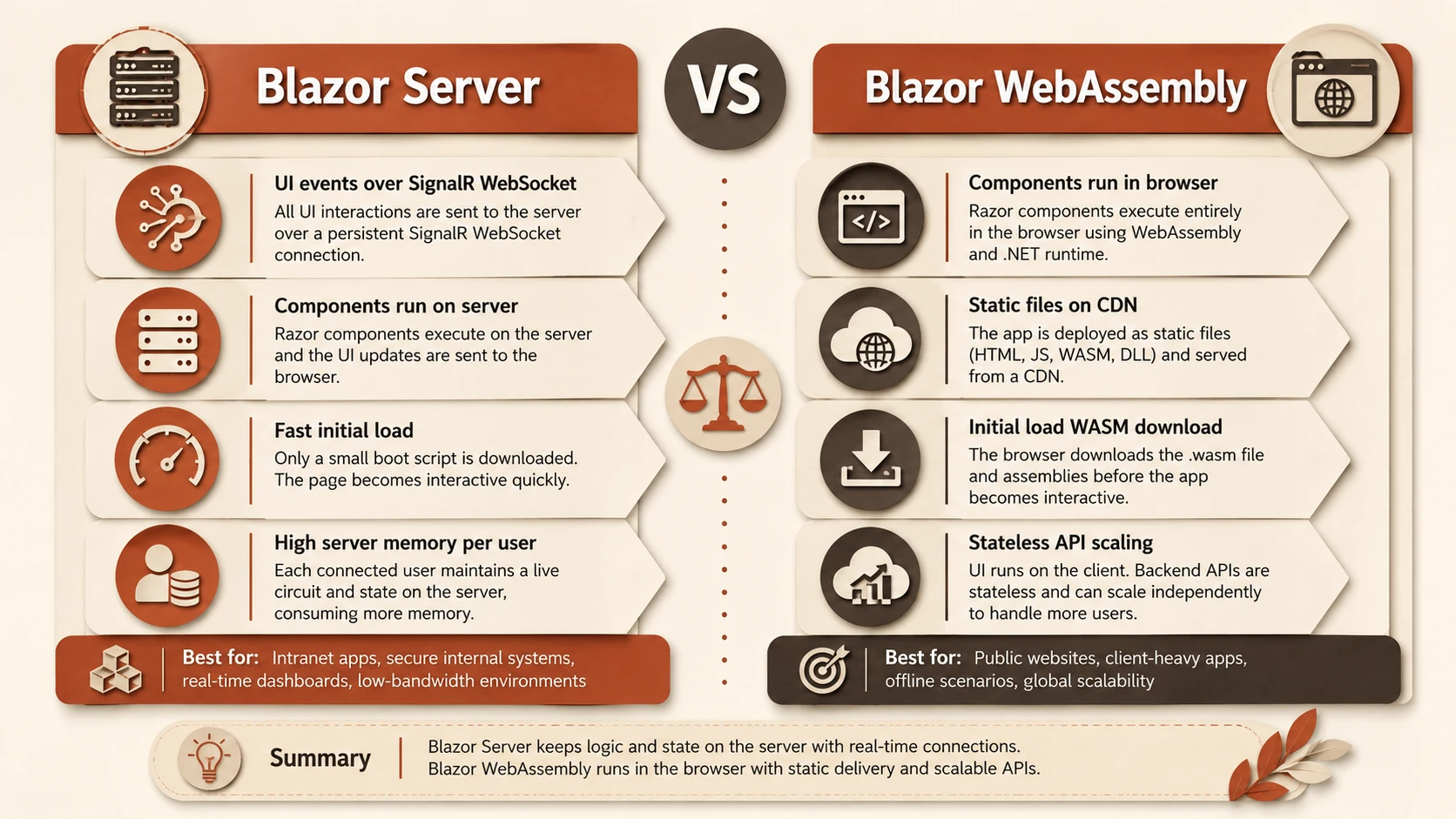
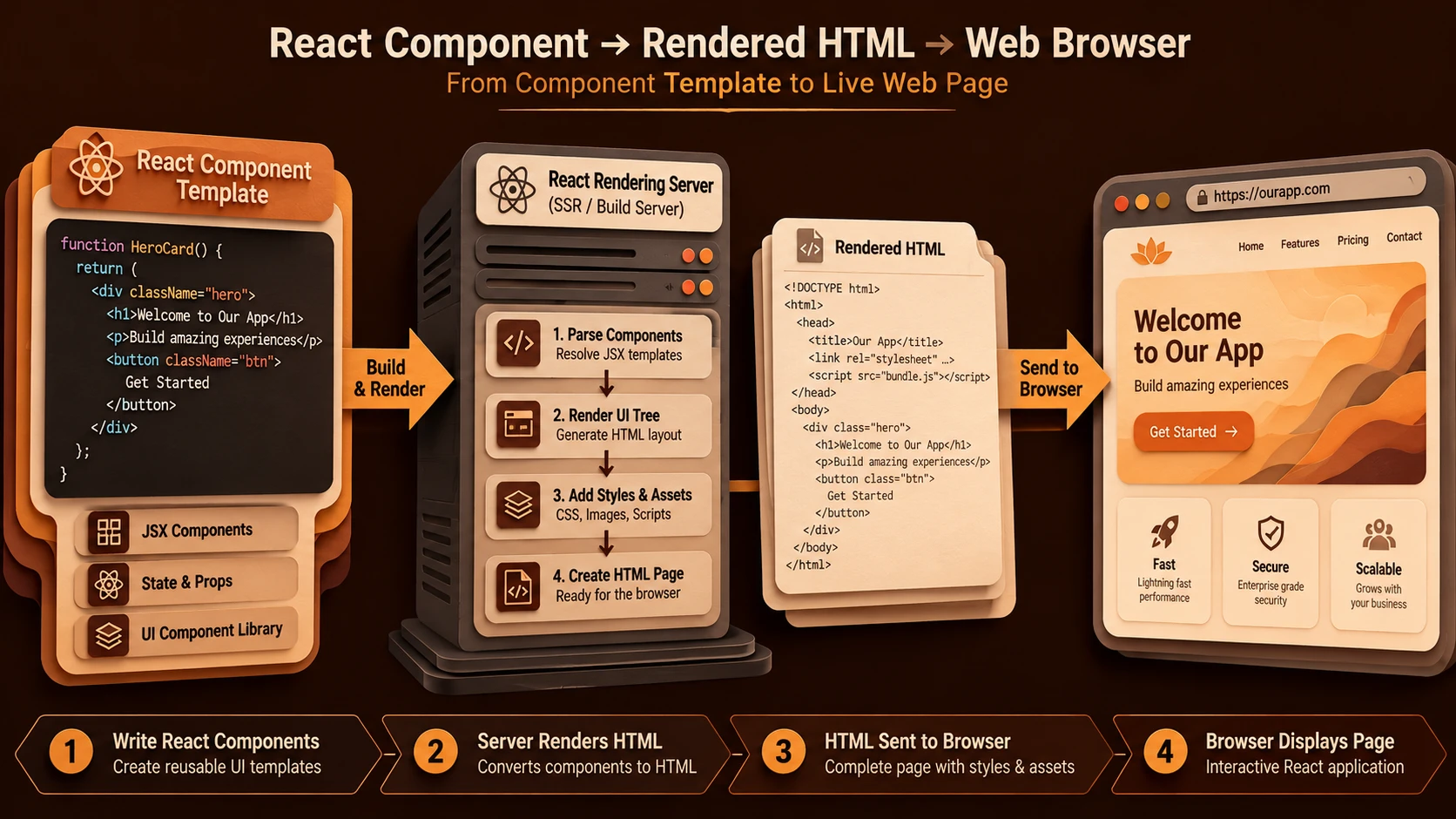
Comparison of Blazor Server and Blazor WebAssembly runtime and rendering pipelines.
- ◆Blazor Server initial load: Fast — just the page HTML, minimal CSS/JS. Comparable to traditional MVC.
- ◆Blazor WASM initial load: Slow on first visit — must download the .NET runtime (~10MB compressed) plus app DLLs. Subsequent visits use cached assets. AOT compilation and tree-shaking in .NET 6+ improve this significantly.
For applications where first impressions matter such as customer-facing products and public portals, this Blazor WASM penalty is significant. For internal tools where users access the app daily, the browser cache largely eliminates the problem after day one.
Development Experience Comparison
Blazor Server Development Advantages
- ◆Direct access to server resources: Inject EF Core contexts, file system services, internal message queues directly into components. No API layer required for data access.
- ◆Debugging: Standard .NET debugger experience. Set breakpoints in component code and hit them directly from browser interactions.
- ◆Faster iteration: No compilation to WASM. Hot reload is faster.
- ◆Simpler auth: Cookie-based ASP.NET Core authentication works out of the box.
Blazor WASM Development Advantages
- ◆Static deployment: Build artifacts are static files. Deploy to any CDN, static host, or Azure Static Web Apps — no server runtime required.
- ◆Offline capability: PWA service workers enable genuine offline operation.
- ◆Client-side computation: Heavy calculations, data transformations, and visualisations run locally without server load.
- ◆API-first architecture: Forces a clean separation between frontend and backend through a versioned API contract.
Security Model Differences
Blazor Server offers a security advantage that is underappreciated: business logic and data access code never leave the server. A determined user cannot reverse-engineer your pricing logic or data access patterns by inspecting browser assets, because none of that code runs in the browser.
Blazor WASM assemblies are downloaded to the browser. While they are .NET DLLs and not JavaScript, they can be decompiled using ILSpy or similar tools. Treat WASM code as public — put sensitive logic in API endpoints, not in client assemblies.
Real-Time Features Comparison
Real-time updates are where Blazor Server's persistent WebSocket becomes an advantage. Pushing updates from server to connected clients is simple and does not require complex routing wrappers:
// In Blazor Server component — receive real-time updates over existing SignalR connection
protected override async Task OnInitializedAsync()
{
    Hub.On<Order>("OrderUpdated", (order) =>
    {
        var existing = orders.FirstOrDefault(o => o.Id == order.Id);
        if (existing != null) { orders.Remove(existing); orders.Add(order); }
        InvokeAsync(StateHasChanged);
    });
}
In Blazor Server, the connection is already active. When a database event triggers, the server calls InvokeAsync(StateHasChanged) to push the visual updates back to the browser. Blazor WASM, on the other hand, requires manual configuration of a client-side SignalR library, opening a dedicated socket which increases network footprint.
The Hybrid Model: .NET 8 Unified Rendering
Starting with .NET 8, Microsoft introduced unified rendering — the ability to mix rendering modes within a single application. A page can use static SSR for its initial render (fast, SEO-friendly), then activate interactive Blazor Server or WASM components where needed. The Auto render mode starts as Blazor Server for instant interactivity, then migrates to WASM once the runtime downloads in the background.
@* .NET 8 — different render modes per component *@
<StaticPage />                          @* Rendered server-side as static HTML *@
<InteractiveChart @rendermode="InteractiveServer" />    @* SignalR real-time *@
<OfflineSection @rendermode="InteractiveWebAssembly" />  @* WASM *@
<SmartComponent @rendermode="InteractiveAuto" />  @* Best of both *@
This unified model allows architects to use static pages for marketing and SEO compliance, and selectively enable interactivity only in specialized zones like transaction panels and dashboards.
Decision Framework
Choose Blazor Server when:
- ◆User count is manageable (under 1,000 concurrent for a single server)
- ◆Users are geographically co-located with the server (intranet, regional app)
- ◆You need direct access to server resources without an API layer
- ◆Initial load time must be fast
- ◆Real-time collaborative features are a core requirement
- ◆Security requirements mandate keeping code and data server-side
Choose Blazor WebAssembly when:
- ◆Users are globally distributed
- ◆You need offline or PWA capabilities
- ◆Static hosting or CDN deployment is preferred
- ◆Scalability requirements exceed what Blazor Server can economically handle
- ◆You already have a mature REST or GraphQL API to consume
- ◆Client-side computation performance is important
Our Recommendation at SHIVAM ITCS
For internal enterprise tools — ERP dashboards, admin portals, finance applications, internal workflow tools — Blazor Server is almost always the right choice. Simpler deployment, no API layer needed for internal data, fast initial load, and natural real-time capabilities. The user count constraint rarely applies to internal tools.
For external-facing SaaS products serving thousands of concurrent users from multiple geographies — Blazor WASM with a well-designed ASP.NET Core API backend. The CDN-deployable static file model scales without operational complexity.
For .NET 8+ greenfield projects: seriously consider the unified rendering approach. Start with static SSR where possible, add Server or WASM interactivity only where needed.
The most expensive mistake is choosing Blazor Server for a public SaaS product without understanding the circuit memory model. We have consulted on exactly this scenario — teams that built beautiful Blazor Server apps and then discovered the infrastructure cost when user numbers grew. Do not let that be your project.
Conclusion
Blazor Server and Blazor WebAssembly are not competing technologies — they are complementary tools optimised for different scenarios. The key is understanding the architectural trade-offs before making a commitment. Use Blazor Server for internal enterprise tools with co-located users. Use Blazor WASM for public-facing, globally distributed, or offline-capable applications. And if you are on .NET 8+, let the unified rendering model give you the best of both worlds.