Five Years of Blazor: An Enterprise Architect's Honest Assessment
Blazor launched as a stable framework in May 2020 with enormous enthusiasm from the .NET community and justified scepticism from everyone else. Five years on, with .NET 9 shipped and .NET 10 in preview, it is time for an honest reckoning. Has Blazor delivered on its promise? Is it actually enterprise-production-ready, or is it a niche technology that clever developers use for side projects?
At SHIVAM ITCS, we have deployed Blazor in production across multiple enterprise client engagements since 2021. This is our real assessment.
The Short Answer
Yes — Blazor is enterprise-production-ready in 2025, with important nuances. The technology has matured dramatically. The rough edges of the 2020 release have been sanded down through five major .NET versions. The ecosystem has filled in. The tooling is stable. But readiness depends heavily on which Blazor hosting model you are choosing and whether your use case aligns with the framework's strengths.
What Has Changed Since 2020: A Timeline of Maturation
.NET 5 (November 2020): Foundation
The first major post-release update brought performance improvements and eliminated several early bugs that made production deployments uncomfortable. CSS isolation — scoped CSS per component — shipped here, addressing a critical gap for real-world projects.
.NET 6 (November 2021): Performance Leap
Ahead-of-Time (AOT) compilation for Blazor WebAssembly arrived in .NET 6, dramatically improving runtime performance for compute-heavy client-side code. JS interop improvements reduced marshalling overhead. Hot Reload stabilised. This release is when production Blazor WASM became a genuinely comfortable choice for new projects.
.NET 7 (November 2022): Streaming and Enhanced Navigation
Blazor 7 introduced streaming rendering — the ability to send a page with a loading placeholder, then stream the dynamic content when ready from the server. Enhanced navigation and form handling improved the Blazor Server experience.
.NET 8 (November 2023): The Architectural Breakthrough
This is the most important Blazor release since the original. .NET 8 introduced the unified rendering model — the ability to compose Server, WebAssembly, and static SSR rendering within a single application. Per-component render mode annotations let you choose the right rendering model for each piece of your UI. The Auto render mode starts as Blazor Server for instant interactivity, then migrates to WASM once the runtime downloads.
.NET 9 (November 2024): Refinement and Performance
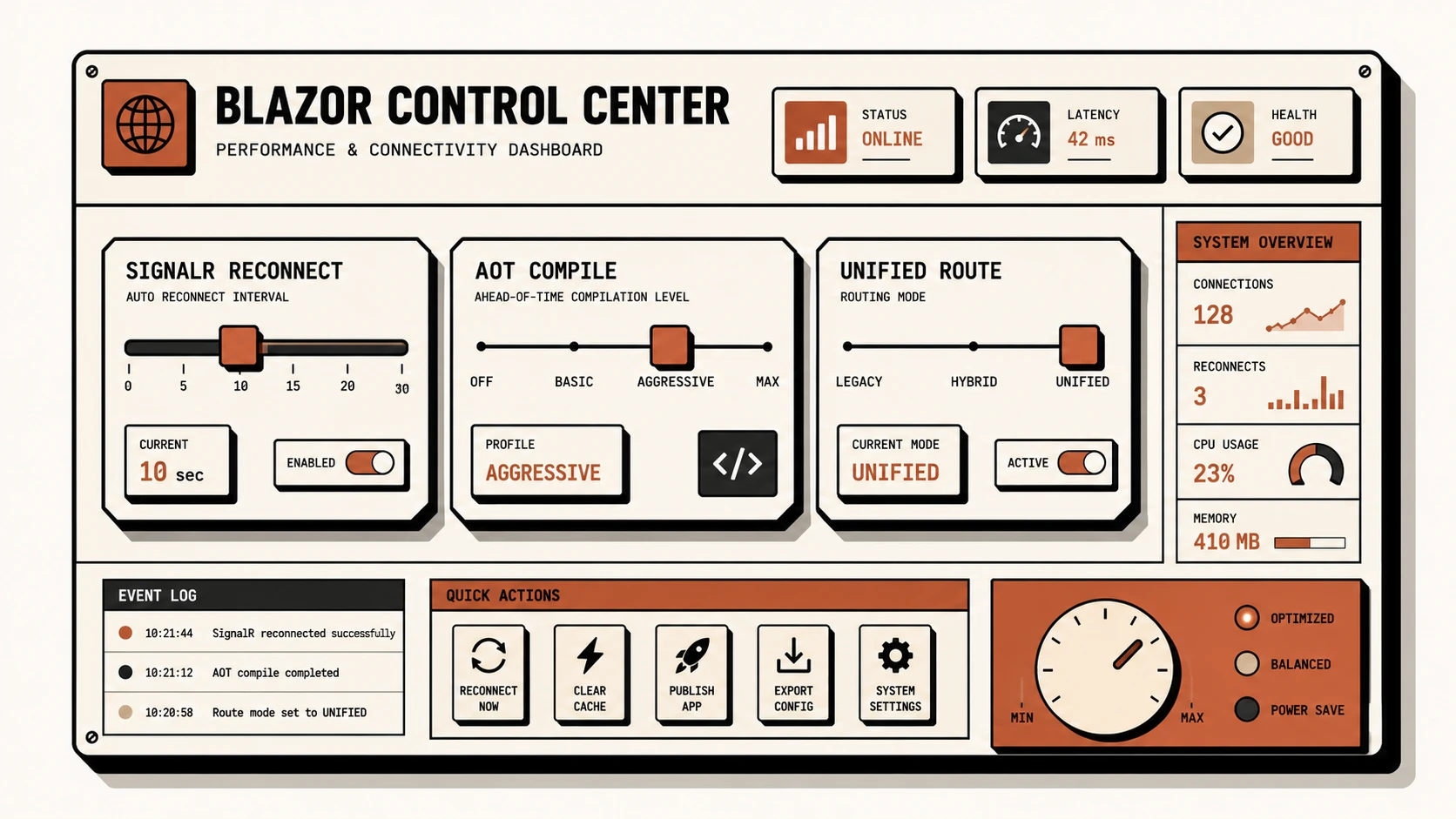
Reconnection improvements for Blazor Server, performance optimisations across the rendering pipeline, and better diagnostics tooling. .NET 9 felt like a stability and polish release — the framework running well rather than introducing major new capabilities.
The Unified Rendering Model: Understanding .NET 8's Game Changer
The unified rendering model deserves extended attention because it resolves the most painful architectural decision in early Blazor adoption. We configure render modes declaratively to specify exactly where code execution runs:
@* A Blazor page in .NET 8+ can mix render modes *@

@* Static SSR — rendered server-side as HTML, no interactivity, SEO-friendly *@
<MarketingHero />
<ProductGrid Products="@featuredProducts" />

@* Blazor Server — interactive, real-time, server-side state *@
<LiveInventoryWidget @rendermode="InteractiveServer" />

@* Blazor WASM — runs in browser, offline capable *@
<ComplexDataVisualization @rendermode="InteractiveWebAssembly"
                           Data="@analyticsData" />

@* Auto mode — starts as Server, migrates to WASM silently after download *@
<ConfigurableForm @rendermode="InteractiveAuto" />
In unified rendering, static components require zero active connections or runtime downloads, functioning as optimized static HTML. Adding @rendermode="InteractiveServer" configures SignalR connections for real-time controls, while @rendermode="InteractiveWebAssembly" compiles to clients-side WebAssembly targets, making components highly adaptable.
Enterprise Readiness Scorecard
Authentication and Authorization: Production Ready
Blazor integrates with standard identity providers. Azure Active Directory via MSAL.NET, Auth0, Okta, IdentityServer — all have stable, well-documented integration paths. The AuthorizeView component and [Authorize] attribute work identically to their ASP.NET Core counterparts.
// Program.cs (Blazor Server with Azure AD)
builder.Services.AddAuthentication(OpenIdConnectDefaults.AuthenticationScheme)
    .AddMicrosoftIdentityWebApp(builder.Configuration.GetSection("AzureAd"))
    .EnableTokenAcquisitionToCallDownstreamApi()
    .AddInMemoryTokenCaches();
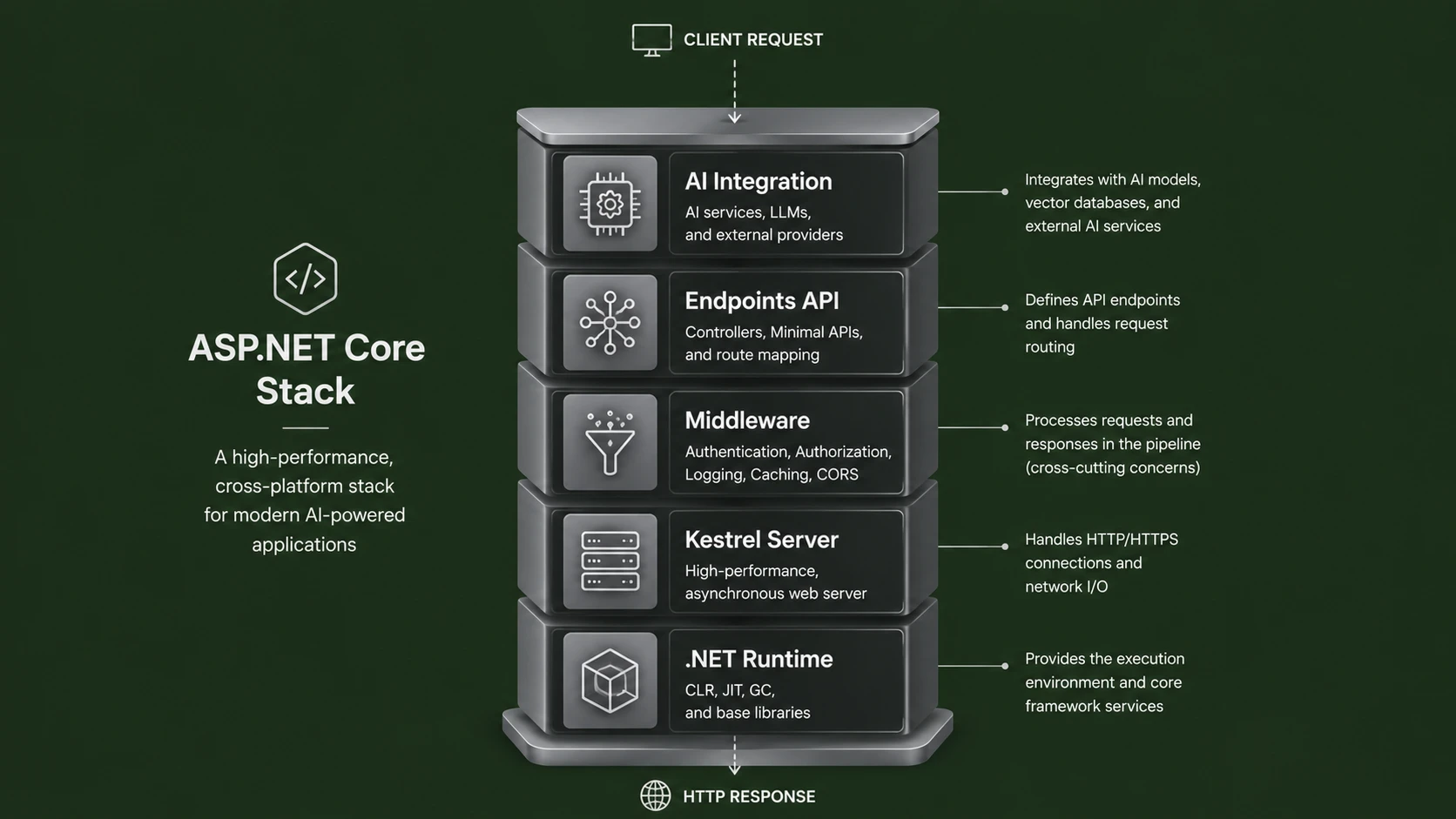
The programmatic service builder configures identity filters during cold start, linking standard Microsoft Identity configurations directly to the Kestrel hosting layer.
Component Ecosystem: Production Ready
In 2020, the Blazor component library ecosystem was thin. In 2025, it is mature and competitive with React and Angular options:
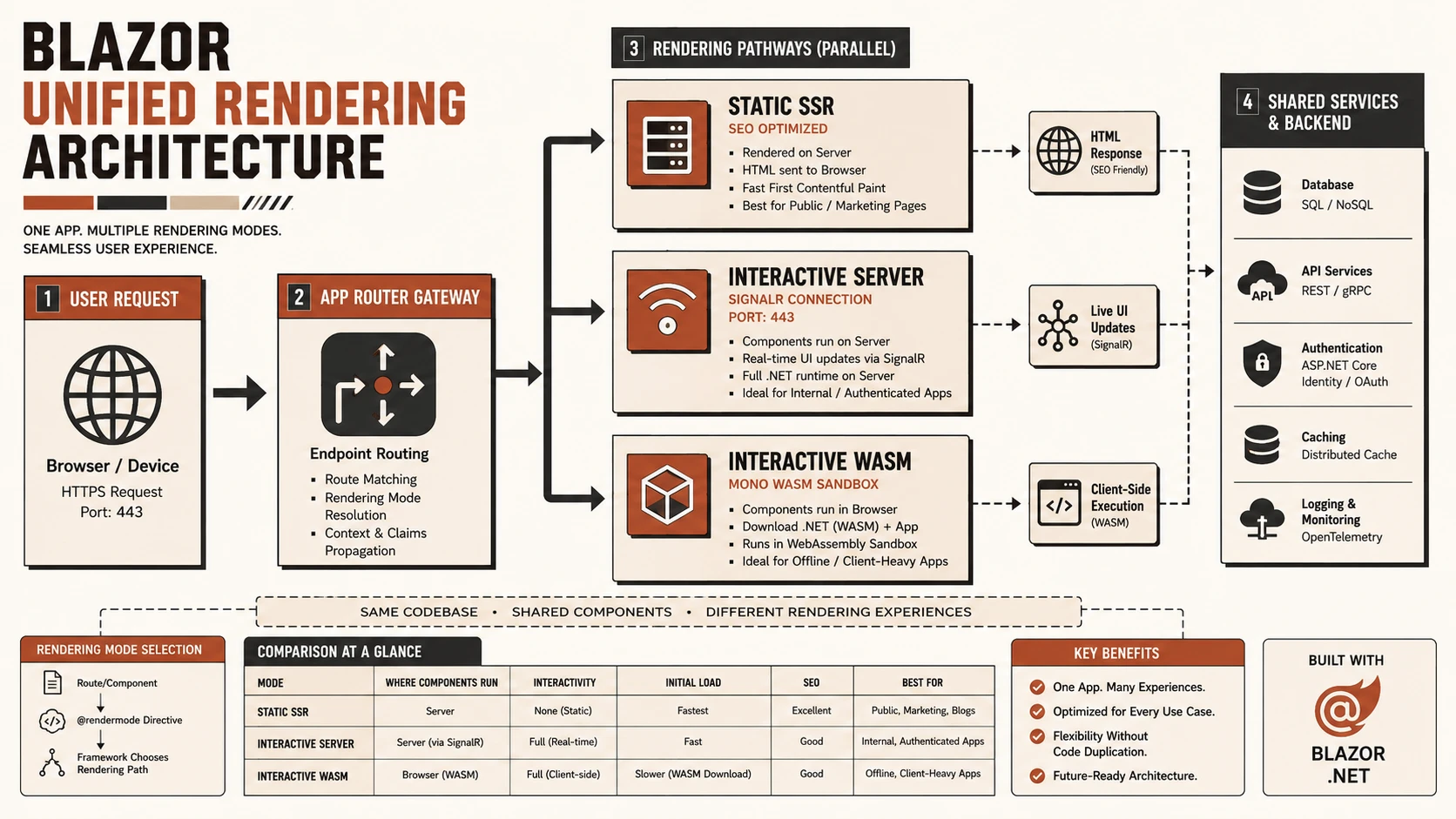
Blazor unified rendering architecture showing Static SSR, Interactive Server, and Interactive WASM modes.
- ◆MudBlazor: Material Design components, completely free, excellent documentation, active development. Our go-to for internal tools.
- ◆Radzen Blazor: Free tier with outstanding DataGrid (virtual scrolling, server-side filtering/sorting) and Chart components.
- ◆Telerik UI for Blazor: Progress Software's enterprise component suite — comprehensive, polished, properly licensed for commercial use.
- ◆Syncfusion Blazor: Over 80 components including Word, Excel, and PDF processing components that integrate with the UI.
Performance: Situationally Ready
Blazor Server performance is excellent for co-located enterprise applications — intranet deployments, regional apps, single-datacenter SaaS. The persistent SignalR connection enables sub-50ms UI updates for geographically appropriate deployments.
Blazor WASM performance with .NET 9 AOT compilation is competitive with large Angular or React applications for compute-medium apps. Initial load remains the biggest concern — a trimmed, AOT-compiled, Brotli-compressed Blazor WASM app delivers roughly 2 to 4MB on first load.
The honest caveat: on lower-end Android devices accessing Blazor WASM, interaction latency can be noticeable. The .NET runtime overhead is real on 2019-era Android hardware.
SEO: Requires Configuration
Blazor WASM is client-rendered — Google indexes it, but not as reliably or quickly as server-rendered content. For SEO-critical pages, the .NET 8 static SSR mode solves this: pages are pre-rendered on the server as static HTML, then optionally hydrated with interactivity.
@* SSR — rendered server-side, fully indexed by Google *@
@rendermode null

<h1>@Product.Name</h1>
<p>@Product.Description</p>
@* Interactive component added only where needed *@
<AddToCartButton ProductId="@Product.Id" @rendermode="InteractiveServer" />
Setting @rendermode null instructs the server to output pure HTML markup without setting up WebSockets, matching SEO standards and loading instant initial pages for crawler bots.
Tooling: Production Ready
Visual Studio 2022 on Windows provides an excellent Blazor development experience: Blazor-aware IntelliSense in razor files, Hot Reload for XAML and C# changes, and integrated debugging that lets you set C# breakpoints and hit them from browser interactions.
VS Code with C# Dev Kit has improved substantially and is workable for Blazor development, though the tooling depth does not match Visual Studio.
Production Checklist for Blazor Server at Scale
Scaling Blazor Server to support hundreds of concurrent user sessions requires careful optimization of active sockets, connection memory buffers, and response headers:
// 1. Azure SignalR Service — offload connection management for 500+ concurrent users
builder.Services.AddSignalR()
    .AddAzureSignalR(config["Azure:SignalR:ConnectionString"]);

// 2. Configure circuit disconnect handling
builder.Services.AddServerSideBlazor(options =>
{
    options.DisconnectedCircuitMaxRetained = 100;
    options.DisconnectedCircuitRetentionPeriod = TimeSpan.FromMinutes(3);
    options.JSInteropDefaultCallTimeout = TimeSpan.FromSeconds(60);
});

// 3. Response compression (critical for initial JS bundle)
builder.Services.AddResponseCompression(opts =>
{
    opts.EnableForHttps = true;
    opts.Providers.Add<BrotliCompressionProvider>();
    opts.Providers.Add<GzipCompressionProvider>();
});

// 4. Distributed cache for session state (multi-server)
builder.Services.AddStackExchangeRedisCache(options =>
{
    options.Configuration = config["Redis:ConnectionString"];
});

// 5. Health checks
builder.Services.AddHealthChecks()
    .AddDbContextCheck<AppDbContext>()
    .AddSignalRHub<ComponentHub>("/blazorhub");
Using the Azure SignalR Service offloads active WebSocket connections from the application server, allowing horizontal scale-out of backend hosts. Response compression utilizing Brotli reduces the initial JavaScript bundle transfer payload footprint.
Real Production Architecture at SHIVAM ITCS
For a recent client project — a multi-tenant enterprise portal for a financial services firm with approximately 800 concurrent users — we deployed Blazor Server with this architecture:
- ◆Azure App Service (Linux containers), 3 instances, auto-scaled
- ◆Azure SignalR Service (Standard tier) handling all WebSocket connections
- ◆Azure AD for identity (MSAL.NET integration)
- ◆Azure SQL Database (EF Core 8 with query splitting for complex includes)
- ◆Azure Redis Cache for distributed session and token storage
- ◆Application Insights for Blazor circuit telemetry and error tracking
The result: P95 interaction latency of 45ms, zero circuit management issues, and a development team of 4 .NET developers who shipped a feature-rich portal in 6 months that would have taken 12+ months with a React frontend requiring a separate team and skillset.
Where Blazor Still Should Not Be Your First Choice
Honest enterprise architects acknowledge where a technology does not fit:
- ◆Public marketing sites: React with Next.js gives better SEO, better Core Web Vitals scores, and access to the largest frontend ecosystem
- ◆Consumer mobile web apps: If mobile web performance on low-end Android is critical, React with server components or Svelte will outperform Blazor WASM on the long tail of devices
- ◆Teams hiring from a broad talent market: If you need to hire 10 frontend developers quickly, the React talent market is 10x the size of the Blazor-experienced market
- ◆Third-party JS integration-heavy apps: If your app wraps numerous third-party JS widgets such as complex maps, trading charts, or rich text editors, the JS interop overhead adds friction
Our Verdict: Enterprise Ready With the Right Expectations
Blazor in 2025 is a mature, production-ready technology for a specific and valuable use case: web applications built by .NET development teams, primarily for internal enterprise use or B2B SaaS where the user base and geographic distribution are manageable.
The productivity argument is real and substantial. A .NET team building an internal ERP dashboard in Blazor versus the same team building it in React with a TypeScript API is not a close comparison — Blazor wins on shipping velocity, on shared validation logic, on unified debugging experience, and on total codebase simplicity.
The .NET 8 unified rendering model has answered the most persistent architectural criticism — you are no longer locked into a single rendering strategy for your entire application.
If you are a .NET engineering organisation and you are still starting new internal web applications in React because that is what you do for web, re-evaluate Blazor seriously. For the use cases it is built for, it is exceptional. The question is simply whether your use case is one of them.