Introduction
Since its introduction, .NET Core has steadily evolved from a lightweight, cross-platform runtime into a comprehensive application platform capable of supporting web services, cloud-native workloads, microservices, command-line tools, and distributed enterprise systems. Organizations have increasingly adopted .NET Core for new application development because of its performance improvements, cross-platform capabilities, side-by-side deployment model, and modern tooling.
However, one important segment of enterprise software has remained primarily dependent on the traditional .NET Framework: Windows desktop applications. Many organizations continue to maintain large investments in Windows Presentation Foundation (WPF) and Windows Forms applications that support finance, manufacturing, healthcare, engineering, logistics, and internal business operations.
The .NET Core 3.0 previews address this gap by introducing Windows desktop application support while continuing to improve ASP.NET Core, runtime performance, diagnostics, deployment tooling, and language evolution through preview support for C# 8.0 nullable reference types.
As of April 2019, these preview releases provide enterprise architects with an opportunity to evaluate the future direction of the .NET ecosystem while planning modernization strategies for both desktop and server-side applications.
Industry Background
Enterprise software development increasingly emphasizes:
- ◆Cross-platform execution
- ◆Cloud-native architecture
- ◆Microservices
- ◆Continuous Integration and Continuous Delivery
- ◆Containerized deployment
- ◆Desktop modernization
- ◆Improved code quality through compiler analysis
Organizations increasingly seek a unified development platform capable of supporting multiple application models without maintaining separate runtime ecosystems.
The Business Problem
Enterprise development teams commonly encounter:
- ◆Separate runtimes for desktop and server applications
- ◆Long-lived Windows desktop software
- ◆Null reference exceptions
- ◆Complex migration planning
- ◆Duplicate development standards
- ◆Fragmented deployment strategies
- ◆Increasing maintenance costs
Organizations require a modernization path that preserves existing investments while enabling adoption of newer runtime capabilities.
Understanding .NET Core 3.0
The .NET Core 3.0 previews continue expanding the platform through:
- ◆Windows Presentation Foundation support
- ◆Windows Forms support
- ◆C# 8.0 preview features
- ◆Nullable reference types
- ◆Runtime performance improvements
- ◆ASP.NET Core enhancements
- ◆Diagnostics improvements
The release represents a significant expansion of the platform rather than simply another runtime update.
Core Architecture
| Component | Responsibility |
|---|---|
| .NET Core Runtime | Executes managed applications |
| Common Language Runtime | Memory management and execution |
| ASP.NET Core | Web application framework |
| WPF | Windows desktop UI framework |
| Windows Forms | Traditional Windows desktop framework |
| Roslyn Compiler | Language analysis and compilation |
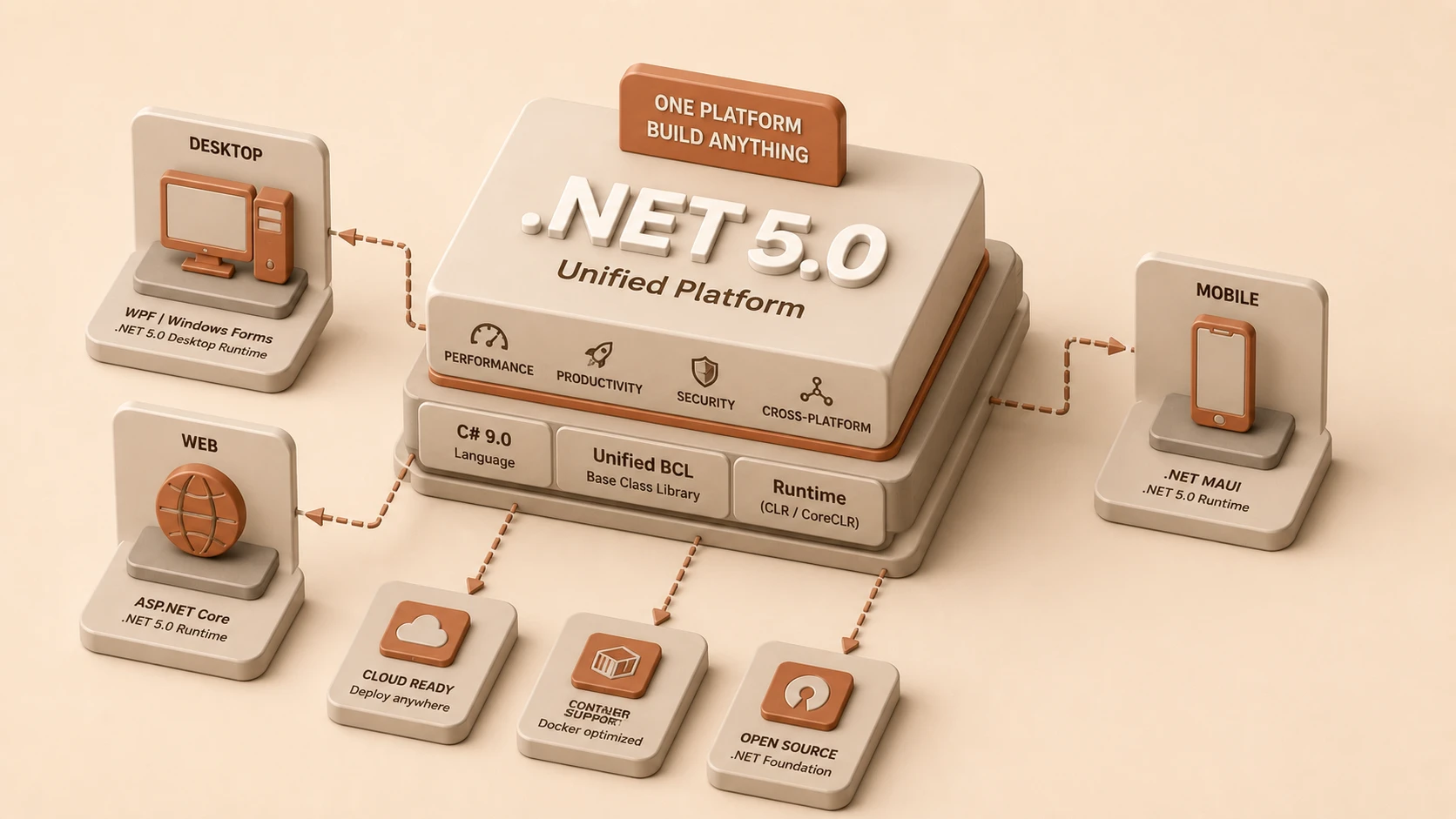
These components continue moving toward a unified development platform while supporting multiple application models.
Windows Desktop Support
One of the most significant additions in the .NET Core 3.0 previews is support for Windows desktop development.
Developers can begin evaluating:
- ◆Windows Presentation Foundation (WPF)
- ◆Windows Forms
within the .NET Core ecosystem.
Potential enterprise advantages include:
- ◆Modern runtime improvements
- ◆Unified SDK tooling
- ◆Simplified project structure
- ◆Shared development experience across application types
Organizations maintaining desktop software can begin assessing migration opportunities while preserving familiar UI technologies.
Desktop Application Architecture
A typical desktop application architecture includes:
- 1.User interface layer.
- 2.Business logic layer.
- 3.Data access services.
- 4.External integrations.
- 5.Runtime services.
- 6.Operating system interaction.
The preview enables this architecture to execute on the .NET Core runtime while maintaining compatibility with established desktop development patterns.
C# 8.0 Nullable Reference Types
// Declaring C# 8.0 Nullable Reference Types and compiler warnings enablement
#nullable enable
public class OrderProcessor
{
    public string OrderId { get; set; } = "SHV-001";

    // Nullable modifier: Customer property is allowed to be null
    public Customer? AssignedCustomer { get; set; }

    public void PrintCustomerName()
    {
        // Compiler warning: AssignedCustomer might be null here
        // Console.WriteLine(AssignedCustomer.Name);

        if (AssignedCustomer != null)
        {
            Console.WriteLine(AssignedCustomer.Name); // Safe execution
        }
    }
}
Perhaps the most important language enhancement introduced alongside the previews is nullable reference types.
Historically, every reference type in C# has been capable of containing a null value unless explicitly prevented by application logic.
This flexibility has contributed to one of the most common categories of production defects: null reference exceptions.
Nullable reference types introduce compiler analysis that distinguishes between:
- ◆Nullable references
- ◆Non-nullable references
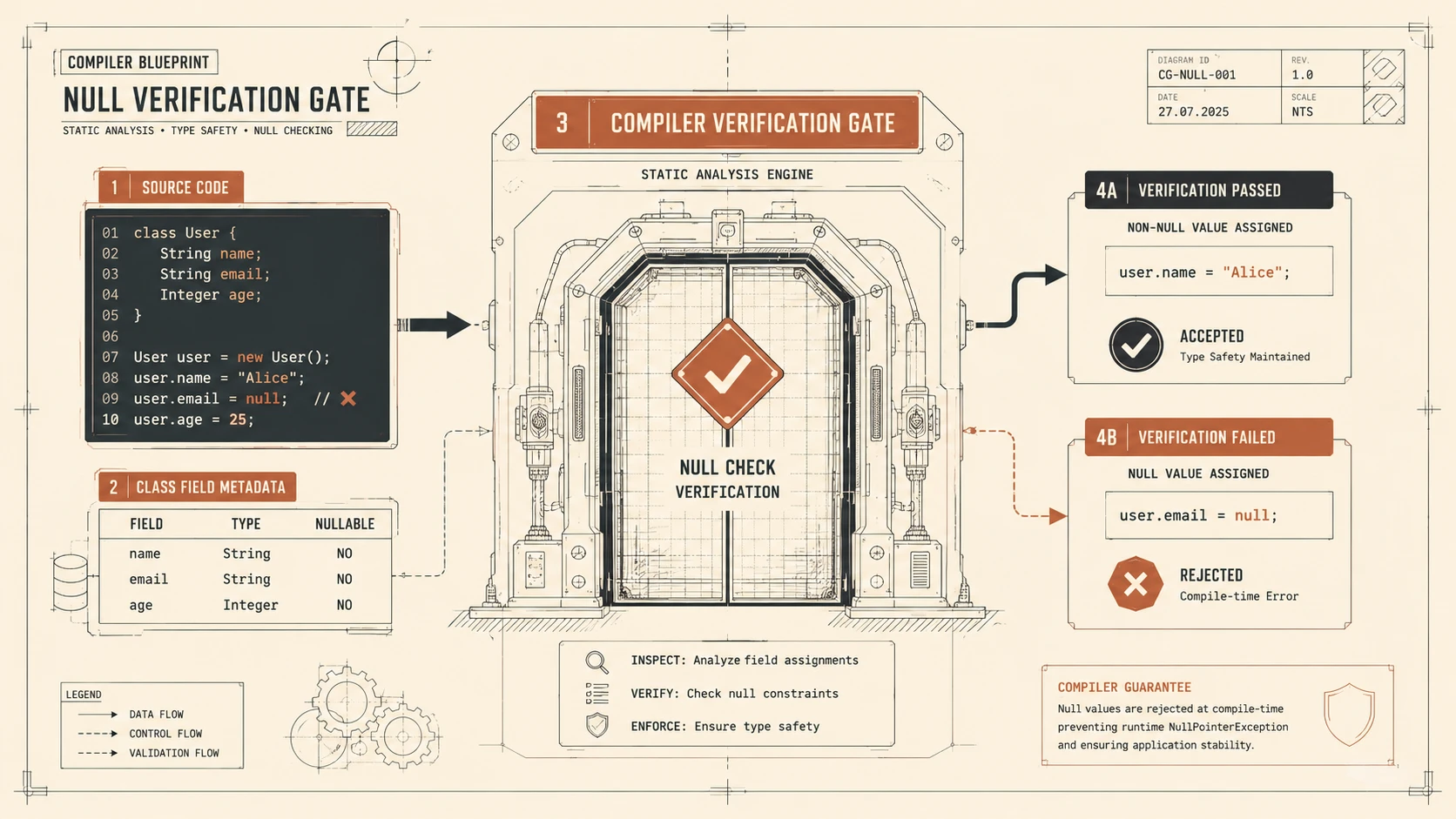
The compiler can then identify potential null safety issues during development rather than allowing many defects to remain undetected until runtime.
Compiler-Assisted Null Safety
Nullable reference types operate through compile-time analysis.
A typical workflow includes:
- 1.Source code is compiled.
- 2.The compiler evaluates nullability annotations.
- 3.Potential null usage is identified.
- 4.Warnings are reported.
- 5.Developers address potential issues.
- 6.Applications are deployed with improved confidence.
This approach strengthens code quality without fundamentally changing runtime behavior.
Migration Strategy for Nullable References
Large enterprise applications often contain millions of lines of code.
The nullable reference feature has therefore been designed for gradual adoption.
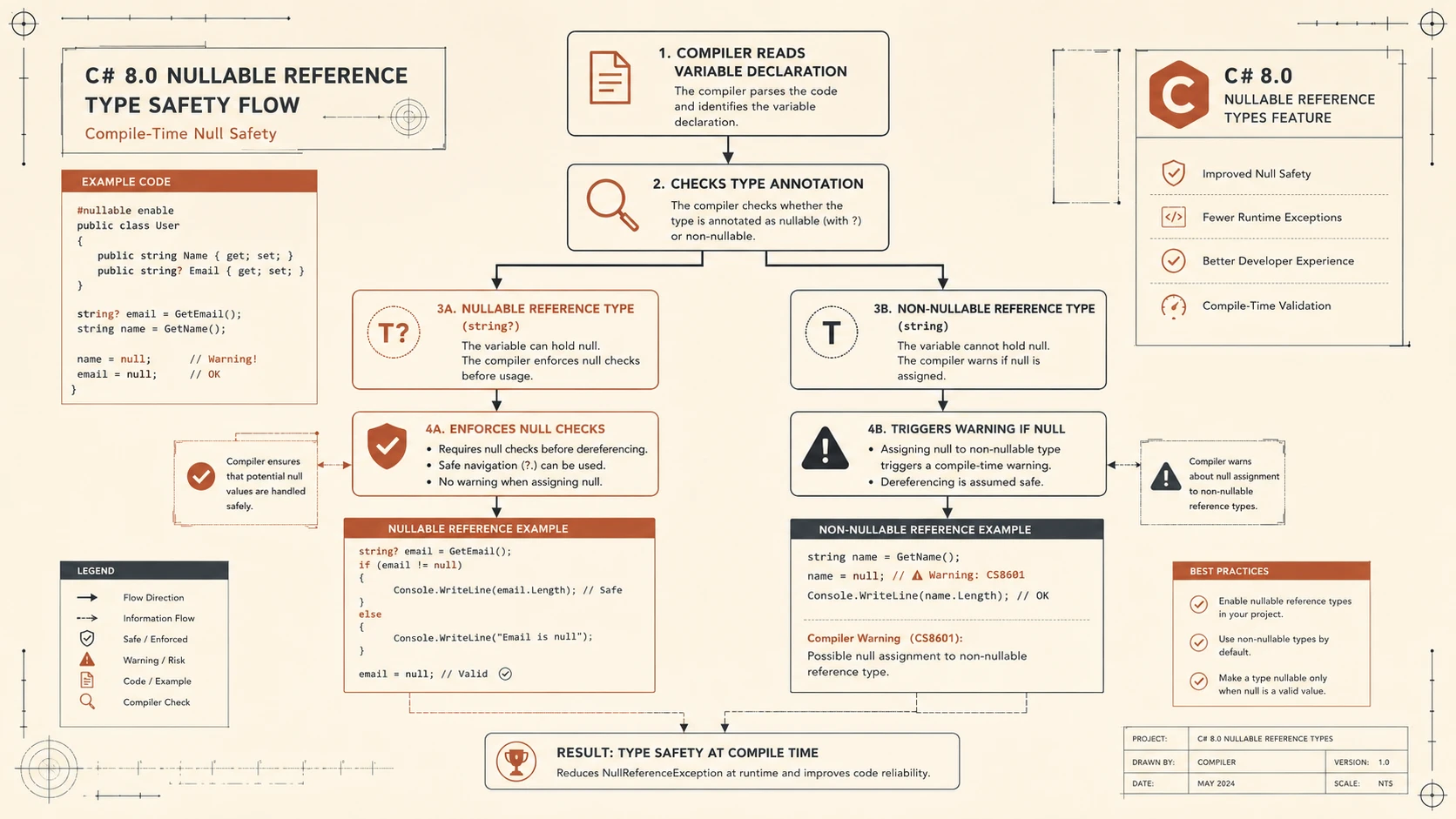
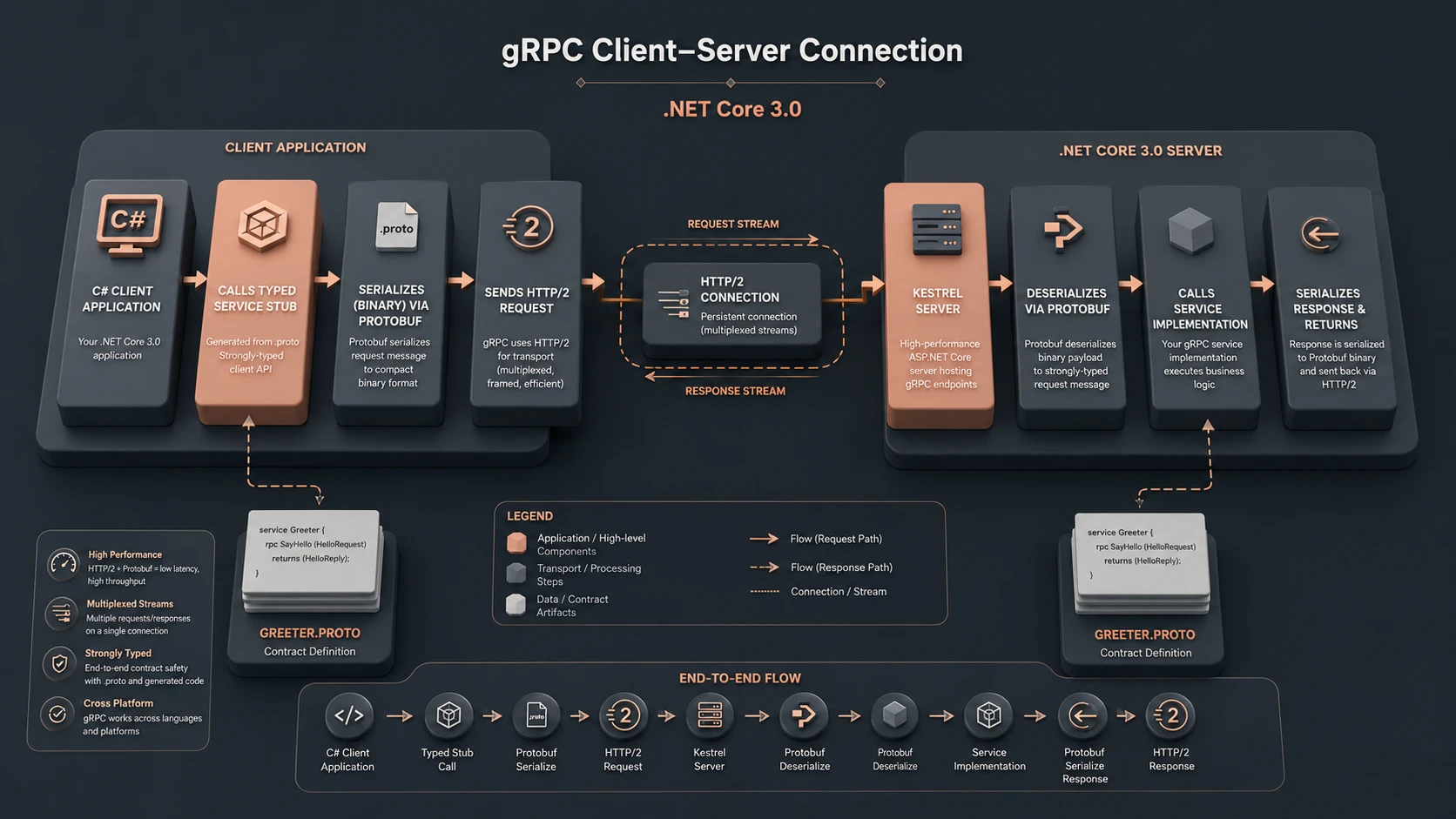
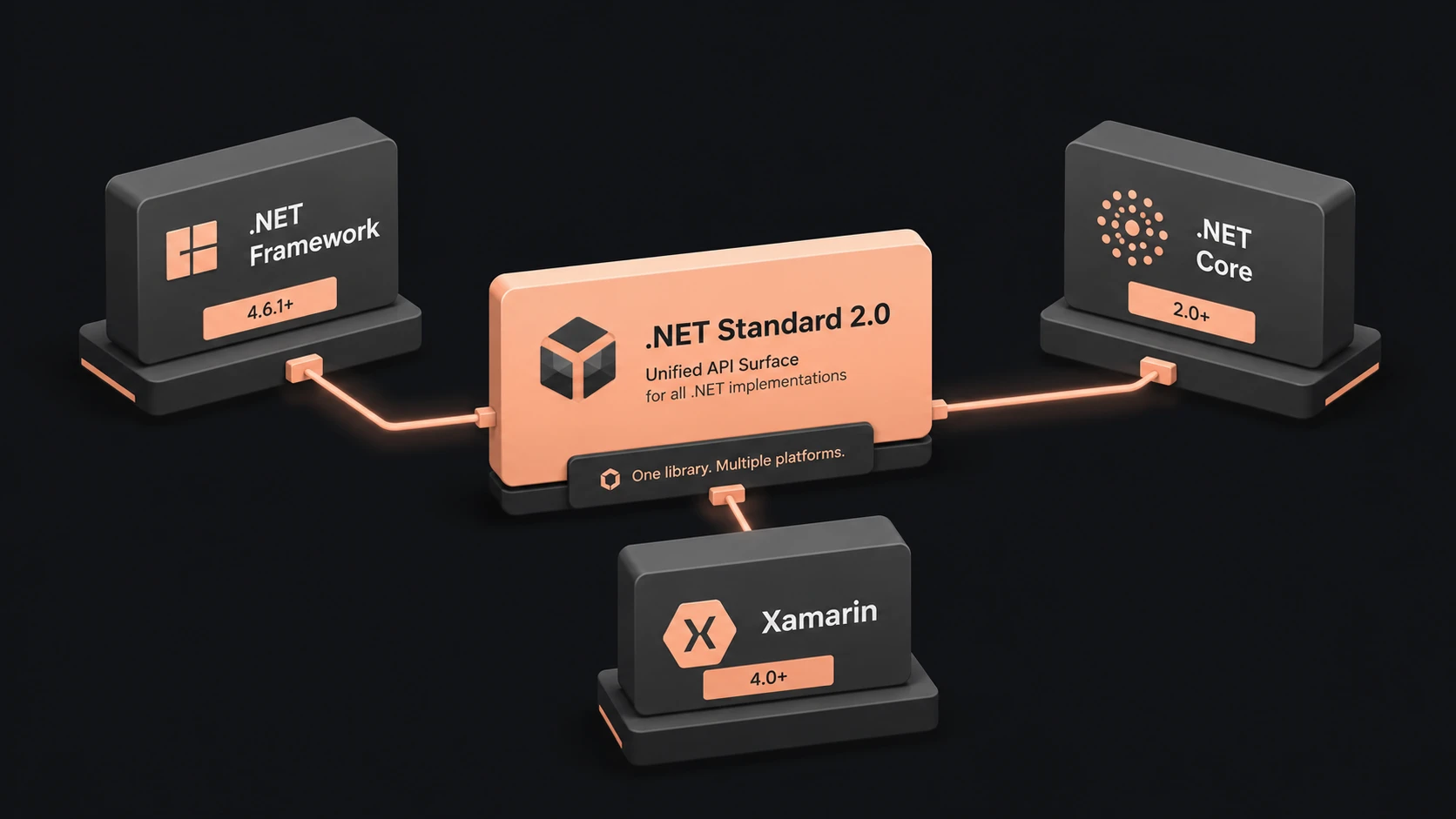
System architecture diagram and conceptual workflow layout for .NET Core 3.0 Previews.
Organizations can:
- ◆Enable analysis incrementally.
- ◆Migrate individual projects.
- ◆Modernize shared libraries.
- ◆Refine coding standards.
Incremental migration minimizes operational disruption while improving overall software quality.
Runtime Improvements
Beyond language evolution, .NET Core 3.0 continues improving:
- ◆Runtime performance
- ◆Memory allocation
- ◆Diagnostics
- ◆Deployment tooling
- ◆Platform compatibility
These improvements reinforce .NET Core's position as a modern enterprise runtime.
Enterprise Use Cases
| Scenario | Benefit |
|---|---|
| Internal Business Applications | Desktop modernization |
| Financial Systems | Reduced null reference defects |
| Enterprise Portals | Shared runtime ecosystem |
| Manufacturing Applications | WPF migration opportunities |
| Administrative Software | Unified development platform |
| Cloud Services | Continued ASP.NET Core improvements |
Organizations supporting both desktop and server workloads benefit from a more consistent platform strategy.
Performance Considerations
Development teams should evaluate:
- ◆Application startup
- ◆Memory utilization
- ◆Desktop rendering
- ◆Runtime diagnostics
- ◆Deployment size
- ◆Compiler analysis overhead during builds
Runtime performance should always be benchmarked using representative enterprise workloads.
Nullable reference analysis primarily affects compilation rather than runtime execution.
Security Considerations
The preview features do not alter core .NET security practices.
Organizations should continue implementing:
- ◆Authentication
- ◆Authorization
- ◆Input validation
- ◆Secure dependency management
- ◆HTTPS communication
- ◆Secure desktop deployment practices
Compiler-assisted null analysis complements secure software engineering but does not replace established security controls.
Scalability
.NET Core 3.0 supports long-term scalability by providing:
- ◆Unified runtime architecture
- ◆Improved language safety
- ◆Consistent tooling
- ◆Shared development practices
- ◆Modern deployment capabilities
These characteristics reduce maintenance complexity across large enterprise portfolios.
Best Practices
Organizations evaluating the previews should:
- ◆Pilot desktop migration projects before large-scale modernization.
- ◆Enable nullable reference analysis gradually.
- ◆Update coding standards.
- ◆Train development teams on nullability concepts.
- ◆Benchmark runtime performance.
- ◆Validate third-party library compatibility.
- ◆Maintain comprehensive automated testing.
- ◆Continue monitoring preview release notes.
Thoughtful evaluation reduces migration risk while improving long-term maintainability.
Common Mistakes
Development teams should avoid:
- ◆Treating preview features as production-ready without organizational validation.
- ◆Attempting complete migration in a single release cycle.
- ◆Ignoring compiler nullability warnings.
- ◆Assuming runtime behavior changes automatically eliminate null reference defects.
- ◆Skipping regression testing during desktop modernization.
- ◆Introducing inconsistent nullability conventions across projects.
Successful modernization depends upon disciplined migration planning rather than adopting new platform capabilities indiscriminately.
Technology Comparison
| Capability | .NET Core 2.x | .NET Core 3.0 Preview |
|---|---|---|
| ASP.NET Core | Yes | Yes |
| Cross-Platform Runtime | Yes | Yes |
| Windows Forms Support | No | Preview |
| WPF Support | No | Preview |
| Nullable Reference Types | No | C# 8.0 Preview |
| Unified Desktop Platform | Limited | Expanded |
The .NET Core 3.0 previews extend the platform beyond server-side development while strengthening language safety through compiler-assisted analysis.
Adoption Strategy
Organizations should approach .NET Core 3.0 previews incrementally.
A practical strategy includes:
- 1.Evaluate desktop application inventories.
- 2.Identify suitable pilot projects.
- 3.Test WPF and Windows Forms compatibility.
- 4.Enable nullable reference analysis for new code.
- 5.Benchmark runtime behavior.
- 6.Validate deployment tooling.
- 7.Continue monitoring preview releases before planning production migration.
An incremental approach allows organizations to gain operational experience while minimizing business risk.
Limitations
As of April 2019, several considerations remain.
Current observations include:
- ◆Desktop application support remains in preview.
- ◆C# 8.0 language features continue evolving.
- ◆Existing .NET Framework applications should be evaluated individually before migration.
- ◆Third-party component compatibility should be verified carefully.
Organizations should treat the previews primarily as evaluation opportunities while preparing long-term modernization strategies.
Looking Ahead
The .NET Core 3.0 previews represent an important expansion of Microsoft's modern application platform. By introducing Windows desktop application support and previewing C# 8.0 nullable reference types, the platform begins addressing two significant enterprise priorities: modernizing long-lived desktop applications and reducing one of the most common sources of runtime defects.
As of April 2019, enterprise architects should begin evaluating .NET Core 3.0 through pilot projects, desktop migration assessments, and compiler-assisted nullability analysis. Organizations that adopt these capabilities through disciplined experimentation, comprehensive testing, and incremental modernization will be well prepared for the next generation of enterprise .NET development.