Introduction
Responsive Web Design has become the standard approach for delivering applications across desktop computers, tablets, smartphones, and emerging device categories. While CSS has steadily evolved through features such as media queries, flexible box layouts, and improved positioning capabilities, creating sophisticated two-dimensional layouts often requires complex combinations of floats, nested containers, and framework-specific grid systems.
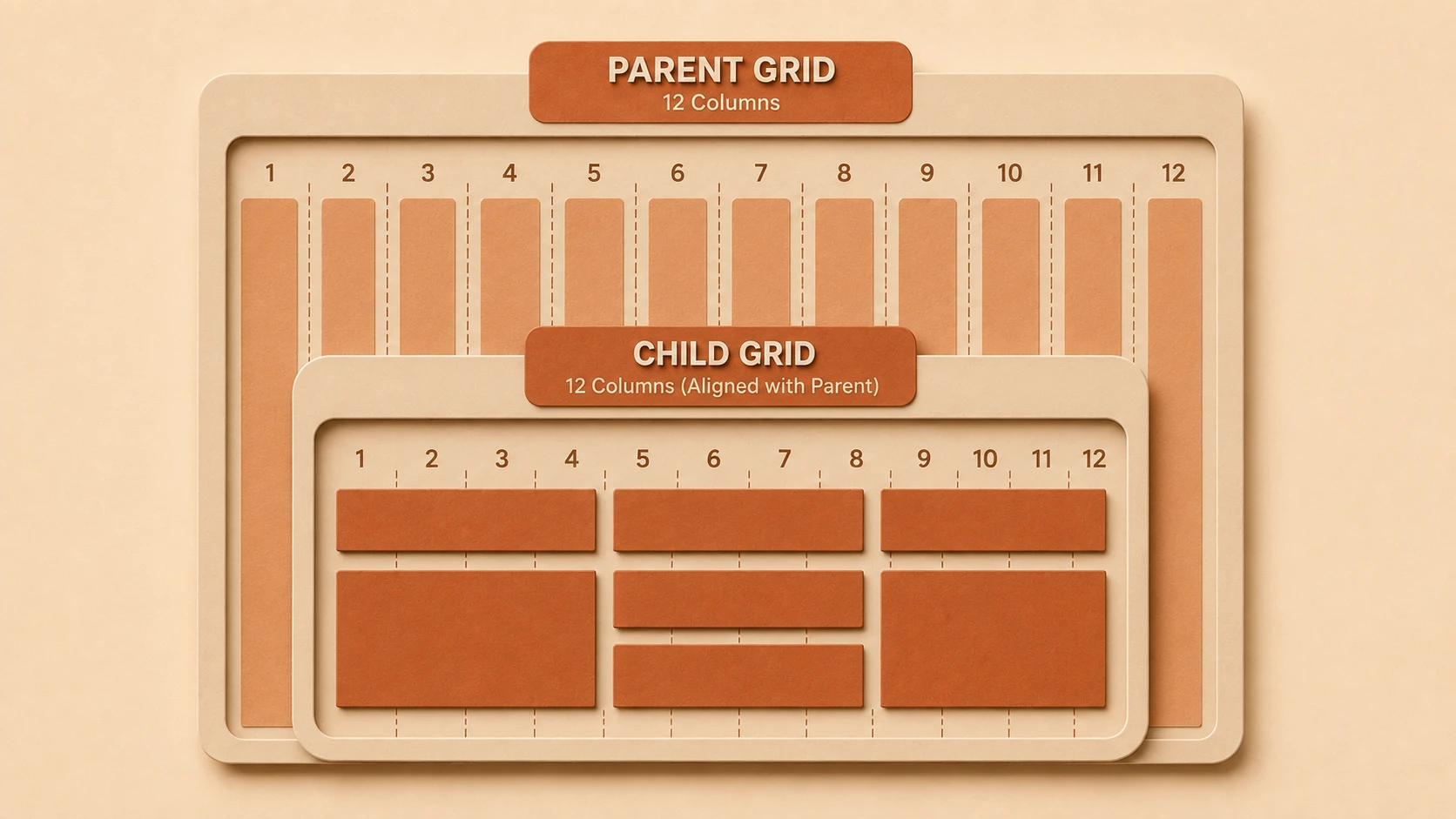
The CSS Grid Layout specification proposes a fundamentally different approach. Rather than treating layout primarily as a sequence of rows or columns, Grid introduces a true two-dimensional layout model capable of managing both axes simultaneously.
From the perspective of October 2014, CSS Grid remains an evolving specification with limited implementation across browsers. Nevertheless, it represents one of the most promising developments in modern front-end architecture and could significantly simplify enterprise interface development if broadly adopted.
Industry Background
Enterprise web applications have grown considerably more complex over the past decade.
Modern applications commonly include:
- ◆Administrative dashboards.
- ◆Business intelligence portals.
- ◆Customer relationship management systems.
- ◆Enterprise resource planning interfaces.
- ◆Content management platforms.
- ◆Multi-panel reporting environments.
Traditional CSS layout techniques have served these applications reasonably well but frequently require workarounds that increase maintenance complexity.
Developers routinely combine:
- ◆Floats.
- ◆Clearfix techniques.
- ◆Absolute positioning.
- ◆Nested containers.
- ◆CSS framework grids.
- ◆JavaScript layout adjustments.
These approaches solve practical problems but often produce code that is difficult to understand and maintain.
The Business Problem
Large front-end projects frequently encounter several layout challenges.
Organizations commonly experience:
- ◆Deeply nested HTML structures.
- ◆Complex float management.
- ◆Difficult responsive adaptations.
- ◆Repetitive layout code.
- ◆Increased maintenance costs.
- ◆Framework dependency for page layouts.
- ◆Inconsistent alignment across browsers.
As interfaces become more sophisticated, maintaining predictable layouts using existing CSS techniques becomes increasingly challenging.
A dedicated two-dimensional layout model seeks to address these concerns directly.
Understanding the Technology
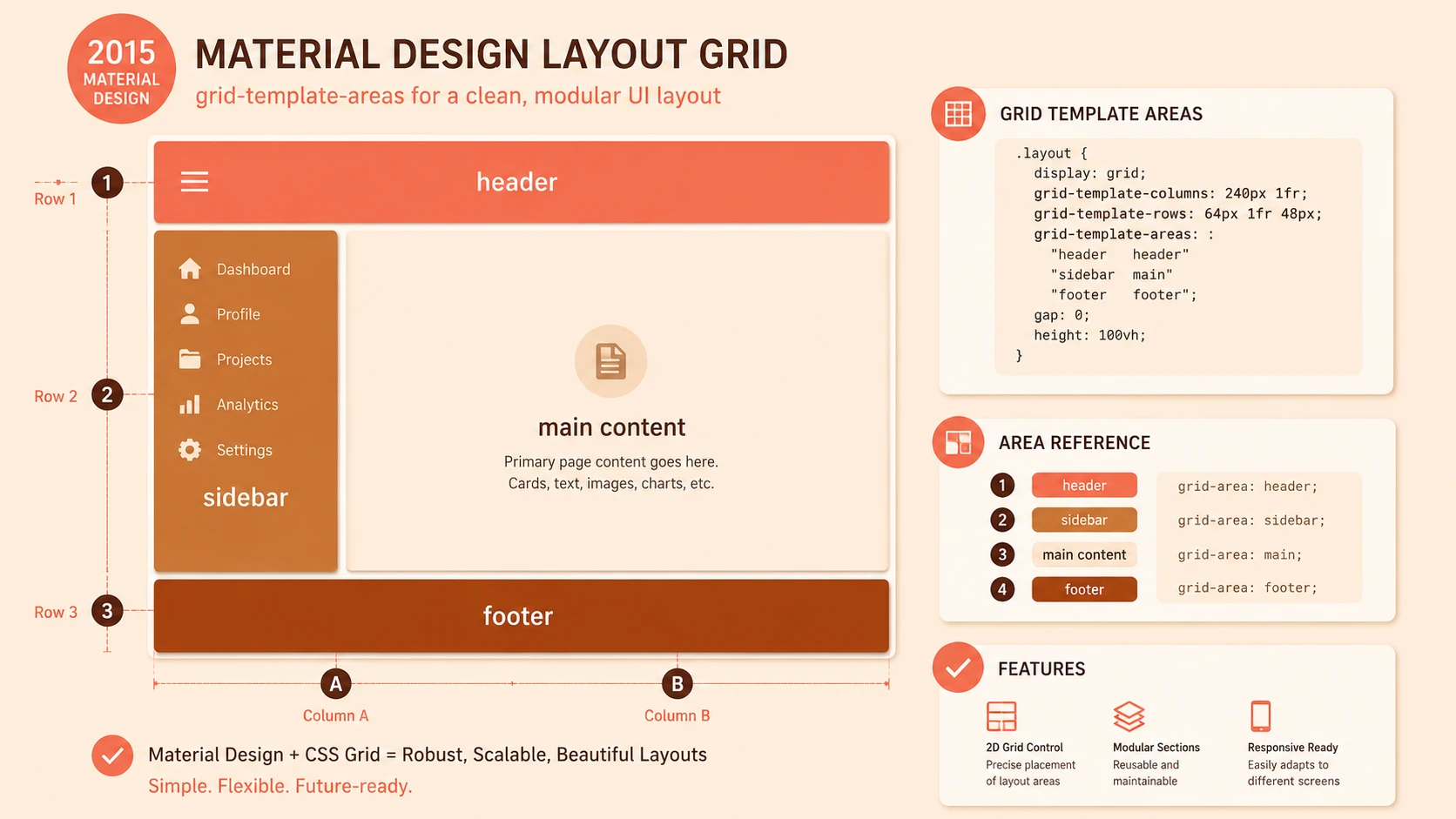
CSS Grid Layout introduces a grid-based layout system in which developers explicitly define rows and columns before positioning interface elements.
Unlike float-based layouts that depend heavily on document flow, Grid treats page structure as a coordinated two-dimensional arrangement.
Major concepts include:
- ◆Grid containers.
- ◆Grid items.
- ◆Rows.
- ◆Columns.
- ◆Grid lines.
- ◆Grid areas.
- ◆Flexible sizing.
- ◆Explicit placement.
These capabilities allow developers to describe page structure more directly while reducing dependence on layout workarounds.
Core Architecture
CSS Grid separates layout definition from individual content elements.
| Component | Responsibility |
|---|---|
| HTML Document | Defines semantic content |
| Grid Container | Establishes layout structure |
| Grid Tracks | Define rows and columns |
| Grid Items | Positioned within the grid |
| CSS Rules | Control sizing and placement |
| Browser Rendering Engine | Calculates final layout |
Rather than positioning each element independently, the browser computes layout according to the defined grid structure.
Key Features
Two-Dimensional Layout
Grid manages both horizontal and vertical positioning within a unified layout model.
Explicit Row and Column Definitions
Developers define layout structure directly instead of relying on floating elements.
Flexible Sizing
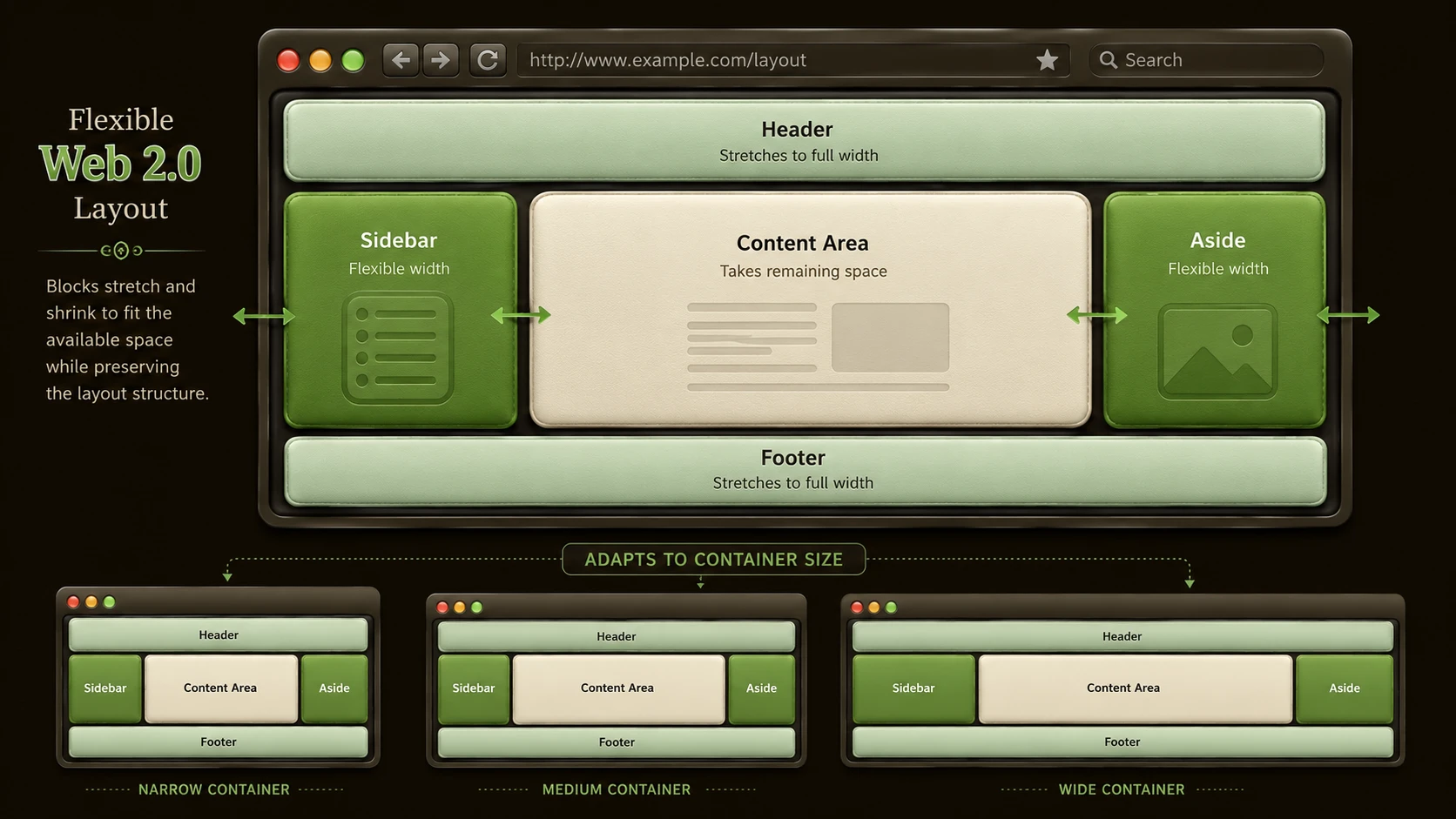
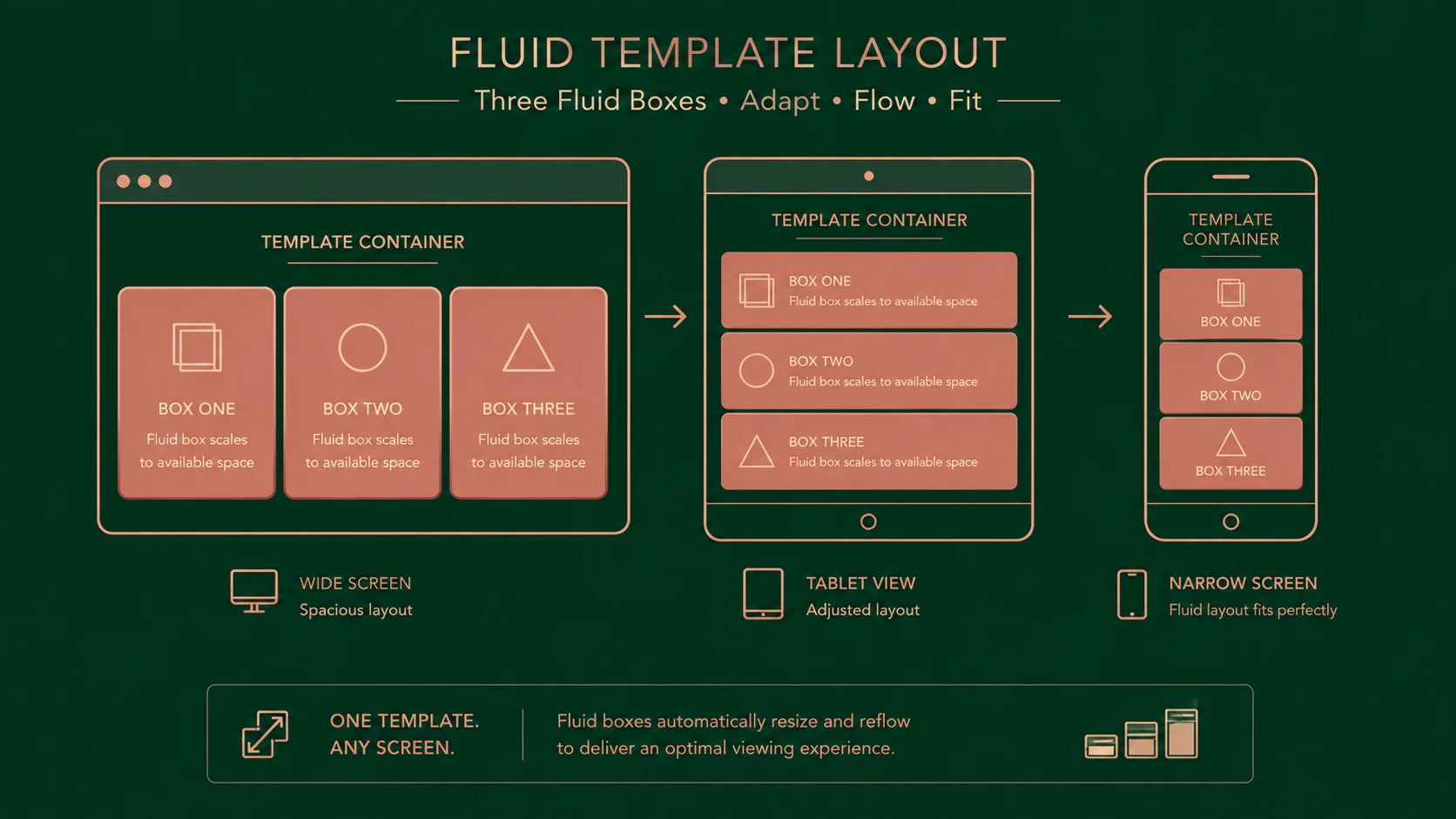
Rows and columns can adapt to available viewport space while maintaining predictable alignment.
Grid Areas
Multiple cells may be grouped into larger layout regions for application sections such as navigation, content, or sidebars.
Responsive Integration
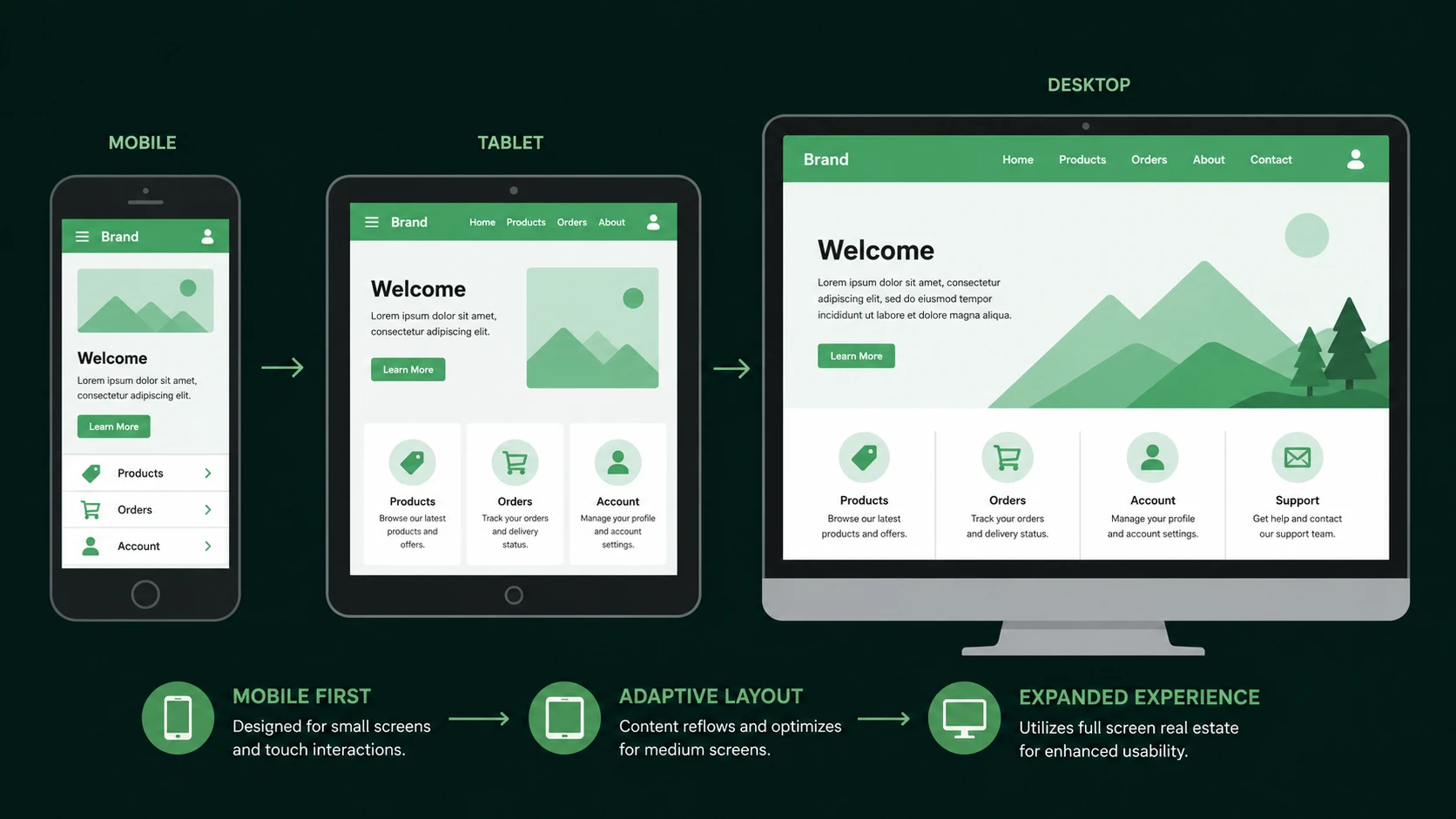
Grid layouts can work alongside media queries to support responsive interface design.
Reduced Markup Complexity
Many layouts that previously required nested containers may become easier to express through CSS alone.
How It Works
A simplified Grid rendering process appears below.
HTML Structure
      |
Grid Container
      |
Define Rows and Columns
      |
Assign Grid Items
      |
Browser Layout Engine
      |
Rendered Interface
The browser evaluates grid definitions before calculating the final placement of interface components.
Enterprise Use Cases
CSS Grid offers potential advantages across numerous enterprise applications.
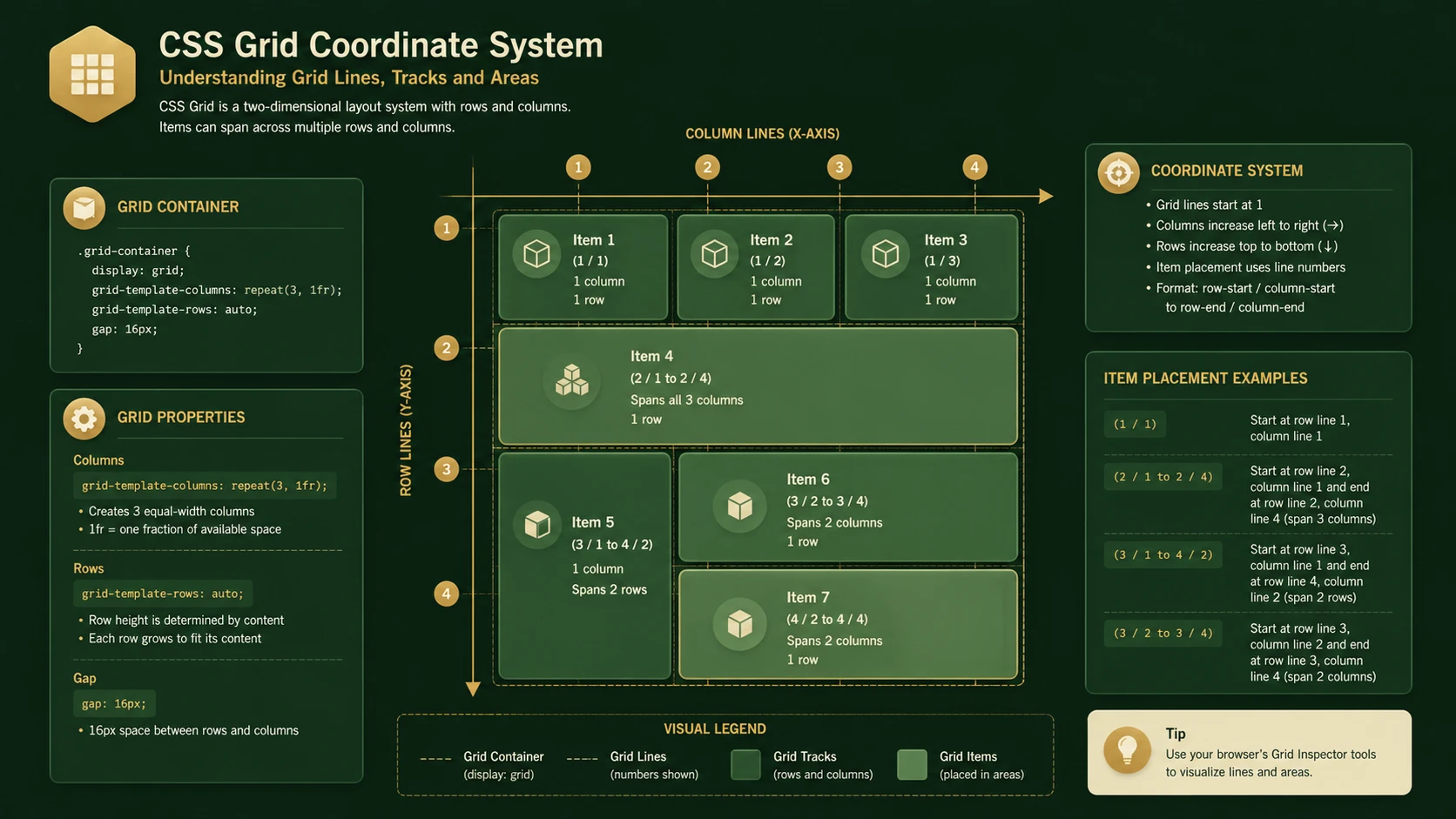
System architecture diagram and conceptual workflow layout for CSS Grid Layout.
Business Dashboards
Complex reporting interfaces containing multiple charts and information panels can be organized more consistently.
Administrative Portals
Navigation, content, notifications, and management panels can occupy well-defined layout regions.
Financial Systems
Data-intensive interfaces requiring precise alignment may benefit from two-dimensional positioning.
Content Management Systems
Editorial tools often require sophisticated page organization involving multiple functional areas.
Enterprise Collaboration Platforms
Applications combining messaging, navigation, and document management may benefit from more expressive layouts.
Performance Considerations
Grid primarily affects layout computation rather than application business logic.
Important considerations include:
- ◆Layout calculation efficiency.
- ◆Browser rendering performance.
- ◆Responsive layout complexity.
- ◆DOM structure size.
- ◆CSS maintainability.
Organizations should continue optimizing HTML structure and stylesheet organization regardless of layout methodology.
Security Considerations
CSS Grid introduces no new application security model.
Development teams should continue implementing:
- ◆Secure authentication.
- ◆Authorization.
- ◆HTTPS communication.
- ◆Input validation.
- ◆Content security practices.
Layout technologies improve presentation rather than application security.
Scalability
Grid promotes scalable front-end architecture by separating layout concerns from content structure.
Potential advantages include:
- ◆Improved stylesheet organization.
- ◆Easier interface maintenance.
- ◆Reduced dependence on layout-specific markup.
- ◆Better collaboration between design and development teams.
- ◆Simplified responsive adaptations.
These characteristics become increasingly valuable as enterprise interfaces continue expanding in complexity.
Best Practices
Organizations evaluating CSS Grid should:
- ◆Preserve semantic HTML.
- ◆Separate layout from application logic.
- ◆Continue using responsive design principles.
- ◆Test layouts across supported browsers.
- ◆Document layout conventions.
- ◆Evaluate Grid alongside existing responsive techniques.
- ◆Introduce Grid gradually through pilot projects as browser support evolves.
Careful evaluation helps organizations prepare for broader adoption while minimizing compatibility risks.
Common Mistakes
| Mistake | Business Impact |
|---|---|
| Assuming universal browser support | Compatibility issues |
| Ignoring responsive testing | Inconsistent layouts |
| Replacing proven layouts prematurely | Increased migration risk |
| Mixing multiple layout strategies unnecessarily | Maintenance complexity |
| Excessive layout nesting | Reduced readability |
| Ignoring browser implementation differences | Production inconsistencies |
Successful adoption requires balancing innovation with practical deployment considerations.
Technology Comparison
| Technology | Primary Layout Model | Best Suited For |
|---|---|---|
| Floats | One-dimensional document flow | Traditional page layouts |
| Inline-Block | Simple horizontal alignment | Basic responsive components |
| Flexbox | One-dimensional row or column layouts | Navigation, toolbars, flexible components |
| CSS Grid Layout | Two-dimensional row and column layouts | Complex application interfaces |
Grid complements existing layout techniques rather than eliminating their usefulness for simpler interface structures.
Adoption Strategy
Organizations should approach CSS Grid cautiously while the specification continues maturing.
Recommended roadmap:
- 1.Monitor browser implementation progress.
- 2.Evaluate Grid using internal prototype projects.
- 3.Continue relying on established responsive techniques for production applications where necessary.
- 4.Educate front-end teams on Grid concepts.
- 5.Develop reusable layout patterns.
- 6.Expand adoption as browser support becomes appropriate for enterprise deployment.
This incremental strategy reduces compatibility risks while preparing development teams for future standards.
Limitations
As of October 2014, CSS Grid Layout remains an emerging specification.
Organizations should recognize several considerations.
- ◆Browser implementations are still developing.
- ◆Production support varies across platforms.
- ◆Tooling continues to mature.
- ◆Existing responsive frameworks remain widely used.
- ◆Development teams require time to learn new layout concepts.
Grid should therefore be evaluated alongside existing responsive techniques rather than immediately replacing them.
Looking Ahead
From the perspective of October 2014, CSS Grid Layout represents one of the most significant proposed advances in front-end engineering since the introduction of responsive web design. By providing a true two-dimensional layout model, Grid has the potential to simplify interface architecture, reduce layout complexity, and improve maintainability for sophisticated enterprise applications.
Although widespread production adoption will depend on continued browser implementation and specification maturity, the underlying concepts address many long-standing limitations of traditional CSS layout techniques. Organizations that begin understanding Grid today will be well positioned to take advantage of its capabilities as support across browsers and development tools continues to evolve.