Introduction
For much of the modern web era, organizations developing mobile applications have faced a difficult architectural decision. Native applications delivered excellent device integration and offline capabilities but required separate development efforts for each operating system. Traditional web applications, while highly portable, remained dependent on continuous network connectivity and lacked many capabilities expected from modern mobile software.
Progressive Web Apps (PWAs) have emerged as an architectural approach that narrows this gap by combining responsive web technologies with offline execution, intelligent caching, background resource management, and installable web experiences. Central to this model is the Service Worker API, which enables applications to intercept network requests and manage local resources independently of the browser page.
Until now, one significant obstacle to broad enterprise PWA adoption has been incomplete browser support across major mobile platforms. With iOS 11.3 introducing native Service Worker support in Safari, Progressive Web Apps become a considerably more practical option for organizations seeking cross-platform web application strategies.
From the perspective of March 2018, Safari's implementation represents one of the most important milestones in the maturation of Progressive Web App technologies.
Industry Background
Enterprise mobility continues expanding across nearly every industry.
Organizations increasingly deploy:
- ◆Customer self-service portals.
- ◆Field service applications.
- ◆Retail commerce platforms.
- ◆Healthcare systems.
- ◆Financial applications.
- ◆Business dashboards.
- ◆Employee productivity tools.
Development teams increasingly seek solutions that provide:
- ◆Cross-platform compatibility.
- ◆Offline functionality.
- ◆Reduced maintenance costs.
- ◆Simplified deployment.
- ◆Secure execution.
- ◆Consistent user experiences.
Progressive Web Apps address many of these objectives through standardized browser capabilities.
The Business Problem
Organizations supporting both native and web applications frequently encounter several engineering challenges.
Common concerns include:
- ◆Separate platform-specific codebases.
- ◆Offline limitations.
- ◆Inconsistent browser support.
- ◆Deployment complexity.
- ◆High maintenance costs.
- ◆Fragmented user experiences.
- ◆Mobile development resource constraints.
Prior to iOS 11.3, incomplete Service Worker availability limited enterprise confidence in deploying Progressive Web Apps across all major mobile platforms.
Safari's implementation significantly improves deployment consistency.
Understanding the Technology
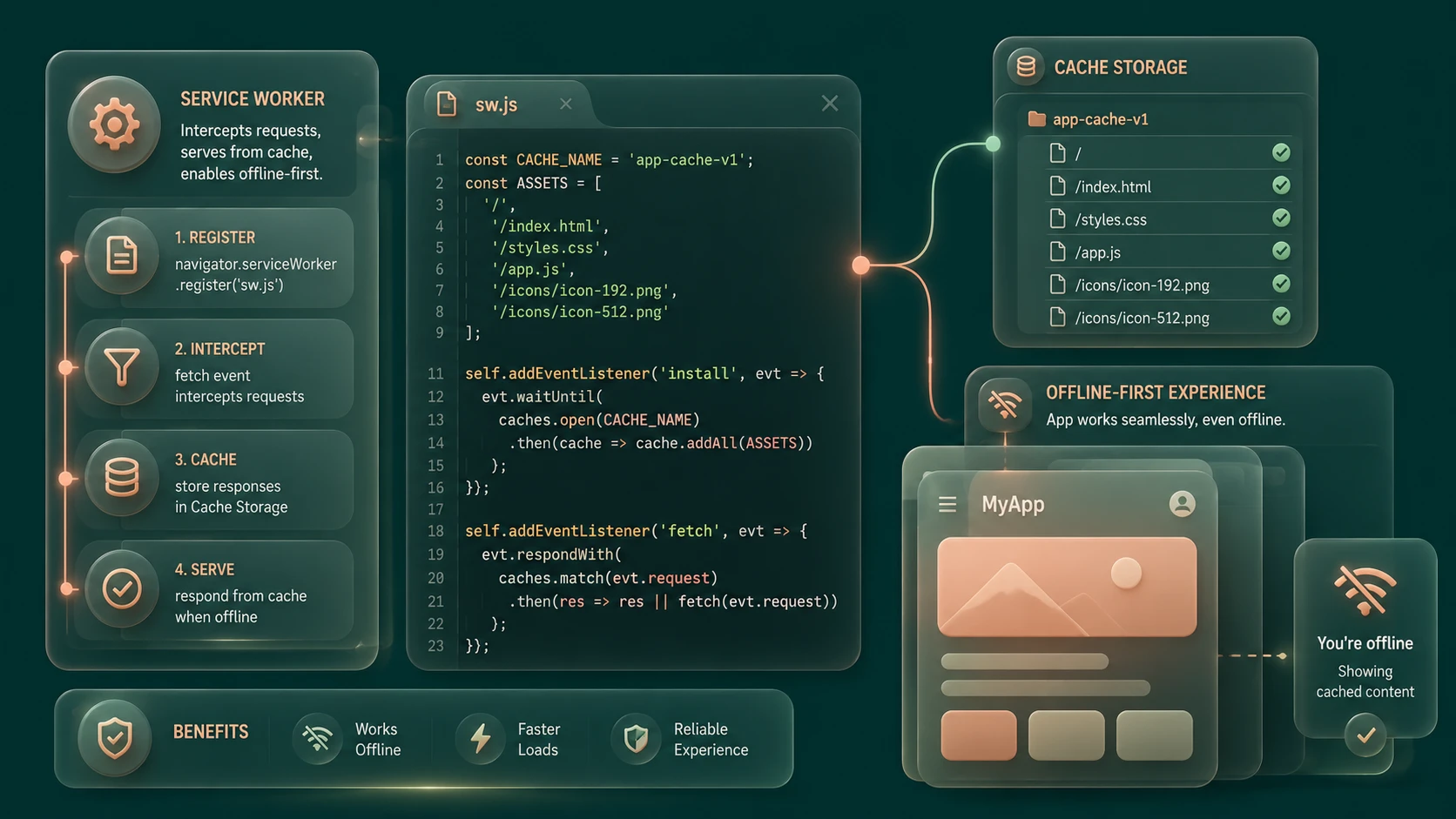
A Service Worker is a programmable background script executed independently of the active browser page.
Major responsibilities include:
- ◆Network request interception.
- ◆Resource caching.
- ◆Offline application support.
- ◆Background synchronization capabilities defined by browser support.
- ◆Performance optimization.
- ◆Application shell management.
Unlike ordinary JavaScript executing within a webpage, Service Workers operate separately from page rendering and respond to browser events.
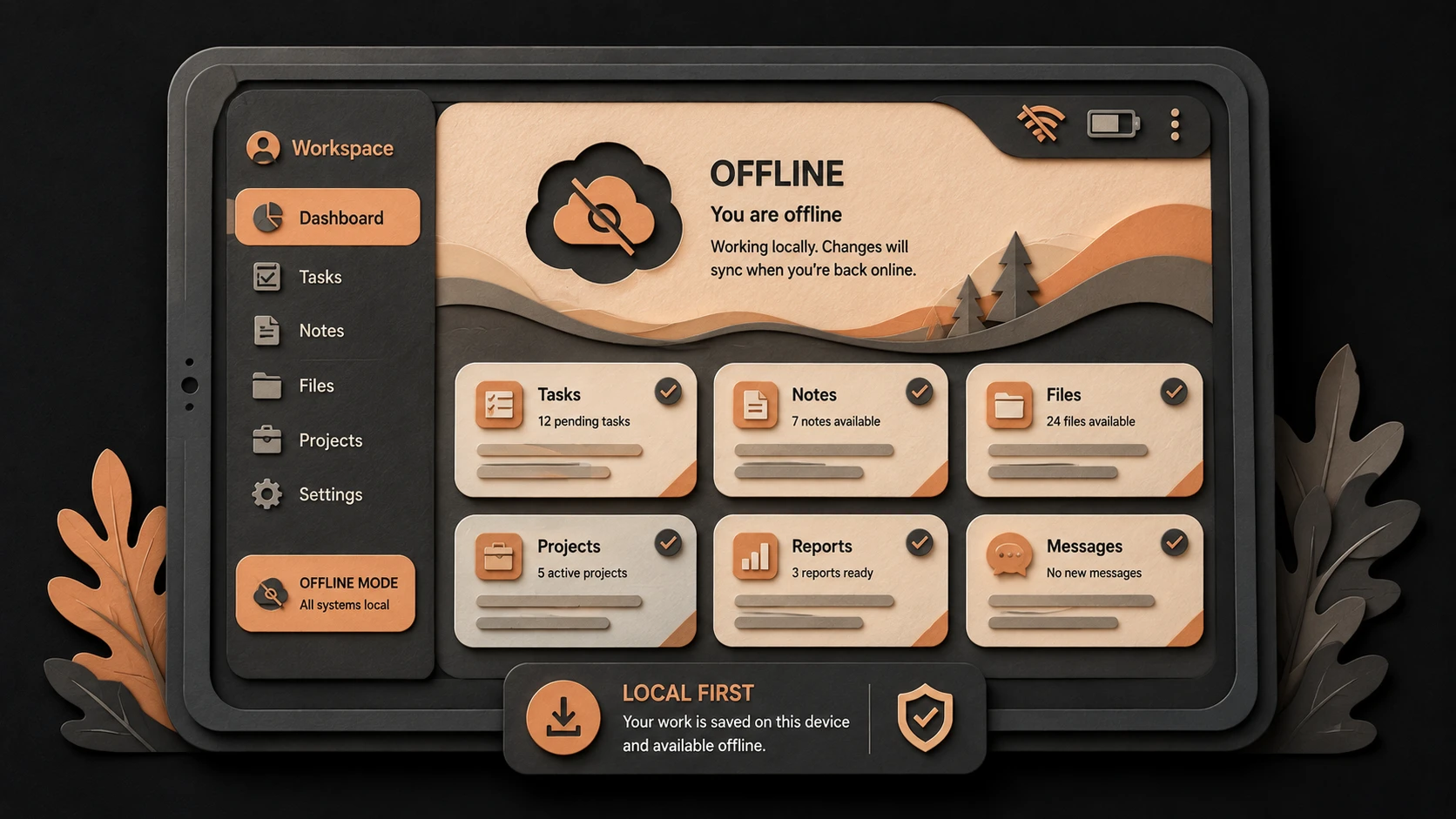
This architecture enables applications to continue functioning even when network connectivity becomes limited.
Core Architecture
A simplified Progressive Web App architecture appears below.
| Component | Responsibility |
|---|---|
| Browser UI | User interaction |
| Web Application | Business logic |
| Service Worker | Request interception and caching |
| Cache Storage | Offline application resources |
| Network Layer | Remote server communication |
| Backend Services | APIs and application data |
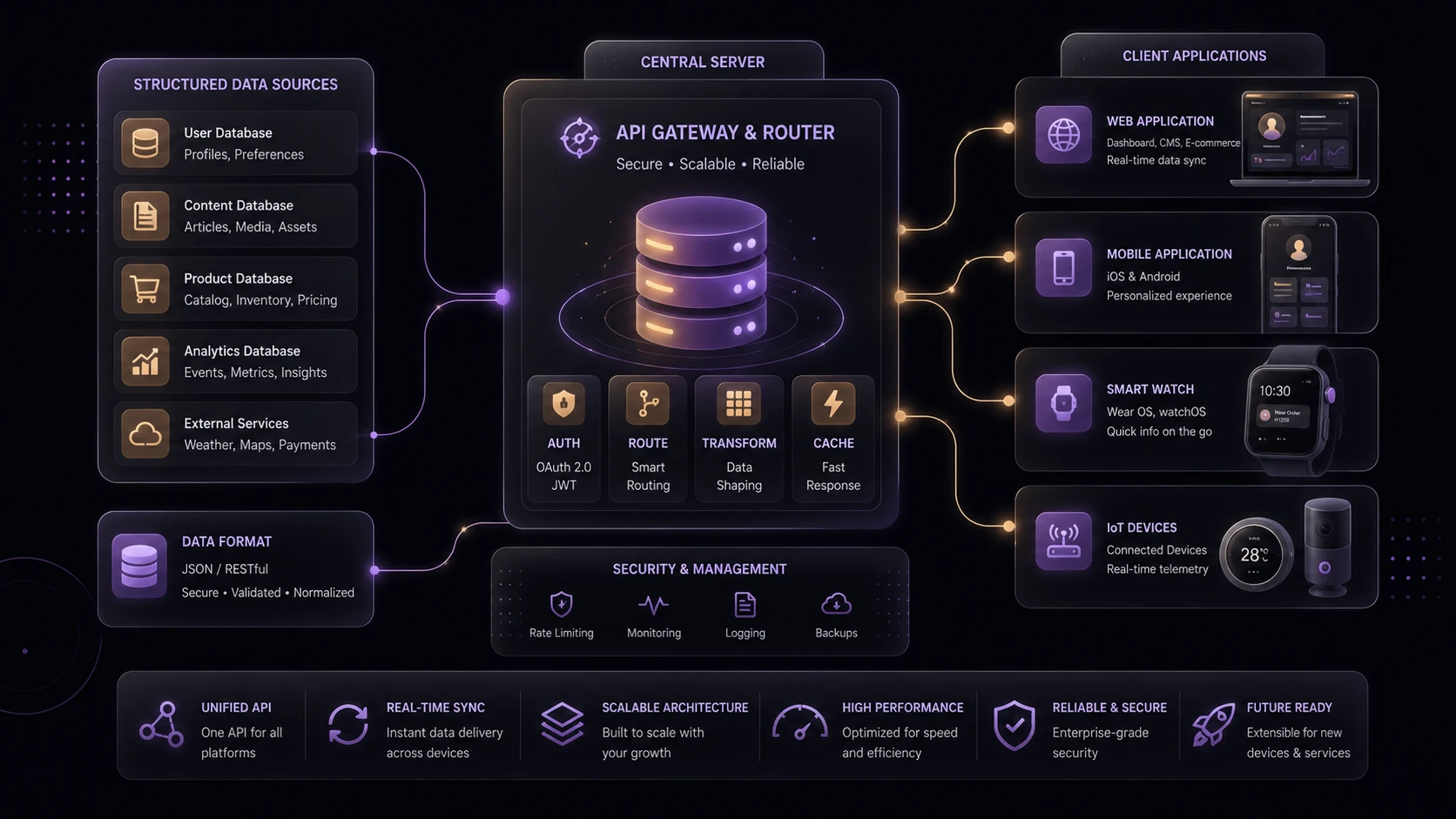
The Service Worker acts as an intermediary between the application and network, deciding whether requests should be served from local storage or retrieved from remote servers.
Key Features
Native Service Worker Support
The defining enhancement in iOS 11.3 is Safari's native implementation of Service Workers.
Applications can now register Service Workers directly within Safari, enabling offline resource management and intelligent request handling without relying on proprietary browser extensions.
This significantly strengthens Progressive Web App viability across major mobile browsers.
Offline Application Support
Applications can cache critical assets such as:
- ◆HTML.
- ◆CSS.
- ◆JavaScript.
- ◆Images.
- ◆Fonts.
Previously downloaded resources remain available even when network connectivity is unavailable or unreliable.
Intelligent Resource Caching
Developers gain fine-grained control over caching strategies.
Applications may determine when resources should be retrieved from local cache, refreshed from remote servers, or updated based on application-specific policies.
Improved Performance
Serving frequently requested resources from local storage reduces network latency and improves perceived application responsiveness.
Performance improvements become especially valuable on mobile networks with variable latency.
Cross-Platform Progressive Web Apps
Safari joining other modern browser implementations significantly improves confidence that Progressive Web Apps can be deployed across a broader range of mobile devices using standardized web technologies.
Secure Execution
Service Workers operate only within secure browsing contexts.
This architectural requirement encourages secure application deployment using HTTPS.
How It Works
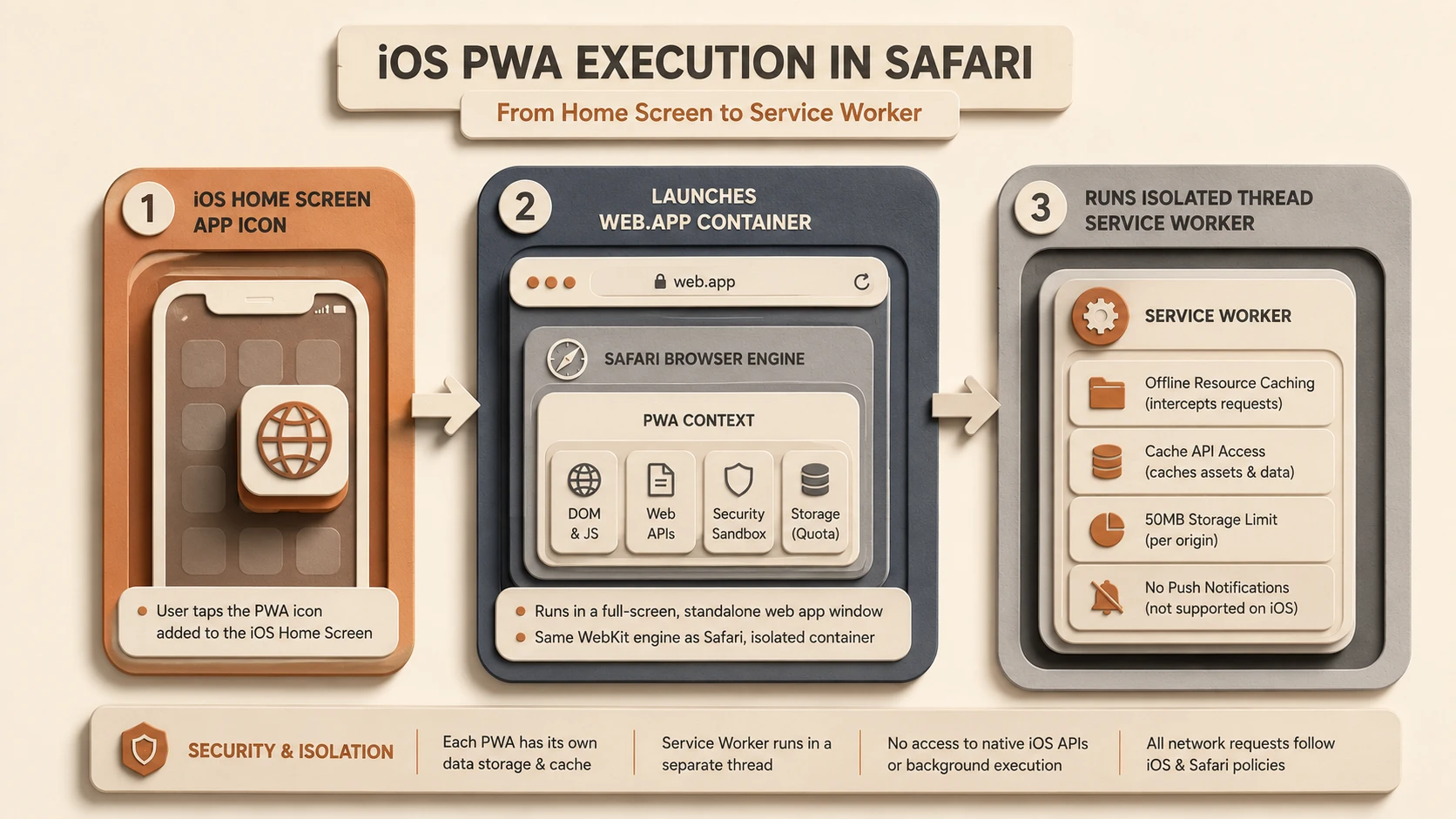
System architecture diagram and conceptual workflow layout for iOS 11.3: Safari Native Service Workers and PWA Support.
A simplified request workflow appears below.
User Request
      |
Browser
      |
Service Worker
      |
Cache Available?
   /         \
Yes          No
 |            |
Serve Cache  Network Request
      \      /
    Application Response
The Service Worker determines how each resource request should be handled based on application-defined caching logic.
Enterprise Use Cases
Field Service Applications
Employees working in locations with inconsistent connectivity benefit from offline access to previously synchronized resources.
Retail Commerce
Catalog browsing and interface assets remain available even when network conditions fluctuate.
Business Dashboards
Frequently accessed interface components can be served locally, improving application responsiveness.
Customer Self-Service Portals
Organizations can provide faster web experiences while reducing dependence on continuous network communication.
Internal Enterprise Applications
Cross-platform deployment simplifies support across diverse employee devices while maintaining a unified application architecture.
Performance Considerations
Service Workers primarily improve resource management rather than application computation.
Organizations should evaluate:
- ◆Cache strategy effectiveness.
- ◆Storage utilization.
- ◆Network latency.
- ◆Initial application download size.
- ◆Cache invalidation policies.
- ◆Offline startup performance.
Carefully designed caching strategies significantly influence user experience.
Security Considerations
Progressive Web Apps should continue following established security practices.
Organizations should implement:
- ◆HTTPS deployment.
- ◆Secure authentication.
- ◆Authorization.
- ◆Input validation.
- ◆Secure API communication.
- ◆Controlled cache management.
Because Service Workers can intercept network requests, careful cache management and secure deployment practices remain essential.
Scalability
Progressive Web Apps support scalable enterprise deployment through standardized browser capabilities.
Advantages include:
- ◆Cross-platform compatibility.
- ◆Offline operation.
- ◆Reduced server requests.
- ◆Improved responsiveness.
- ◆Unified application architecture.
These characteristics become increasingly valuable for organizations supporting diverse mobile environments.
Best Practices
Organizations adopting Service Workers should:
- ◆Deploy applications exclusively over HTTPS.
- ◆Cache application shell resources separately from dynamic data.
- ◆Design clear cache invalidation policies.
- ◆Test offline behavior extensively.
- ◆Monitor storage utilization.
- ◆Keep Service Worker implementations focused and maintainable.
- ◆Validate application behavior across supported browsers.
Thoughtful caching strategies are essential for reliable Progressive Web App experiences.
Common Mistakes
| Mistake | Business Impact |
|---|---|
| Caching every resource indiscriminately | Increased storage usage and stale content |
| Ignoring cache invalidation | Outdated application assets |
| Assuming offline support requires no testing | Production reliability issues |
| Deploying without HTTPS | Service Worker registration failure |
| Treating Service Workers as application threads | Architectural misunderstanding |
| Neglecting browser compatibility testing | Inconsistent user experience |
Successful PWA implementations require careful planning of caching behavior rather than simply enabling Service Workers.
Technology Comparison
| Characteristic | Traditional Mobile Website | Progressive Web App with Service Workers |
|---|---|---|
| Offline Capability | Limited | Supported through cached resources |
| Resource Loading | Network dependent | Cache and network strategies |
| Installation Experience | Browser bookmark | Installable web application where supported |
| Performance | Network latency dependent | Improved through intelligent caching |
| Cross-Platform Deployment | Yes | Yes, with enhanced application capabilities |
Service Workers extend traditional web applications while preserving browser portability.
Adoption Strategy
Organizations should adopt Progressive Web Apps through phased implementation.
- 1.Audit existing responsive web applications.
- 2.Identify offline usage scenarios.
- 3.Introduce HTTPS across all environments.
- 4.Implement Service Worker caching strategies.
- 5.Validate behavior on Safari 11.3 and other supported browsers.
- 6.Measure production performance before expanding deployment.
This incremental strategy minimizes operational risk while allowing organizations to evaluate the practical benefits of Progressive Web App architecture.
Limitations
As of March 2018, organizations should recognize several considerations.
- ◆Browser implementations continue evolving.
- ◆Progressive Web Apps should be thoroughly tested across supported platforms.
- ◆Cache management increases application complexity.
- ◆Development teams require experience with Service Worker lifecycle management.
- ◆Some advanced browser capabilities continue varying between platforms.
These considerations should guide enterprise planning before broad production deployment.
Looking Ahead
From the perspective of March 2018, Safari's native Service Worker implementation represents a significant milestone in the evolution of Progressive Web Apps. With support now available across the major browser ecosystem, enterprise organizations can increasingly evaluate PWAs as a practical alternative for many mobile application scenarios.
Rather than replacing native applications entirely, Progressive Web Apps provide a compelling architectural option for organizations seeking broad platform compatibility, improved offline capabilities, and simplified deployment using open web standards. As browser implementations continue maturing, Service Workers are positioned to become a foundational technology for the next generation of enterprise web applications.