Introduction
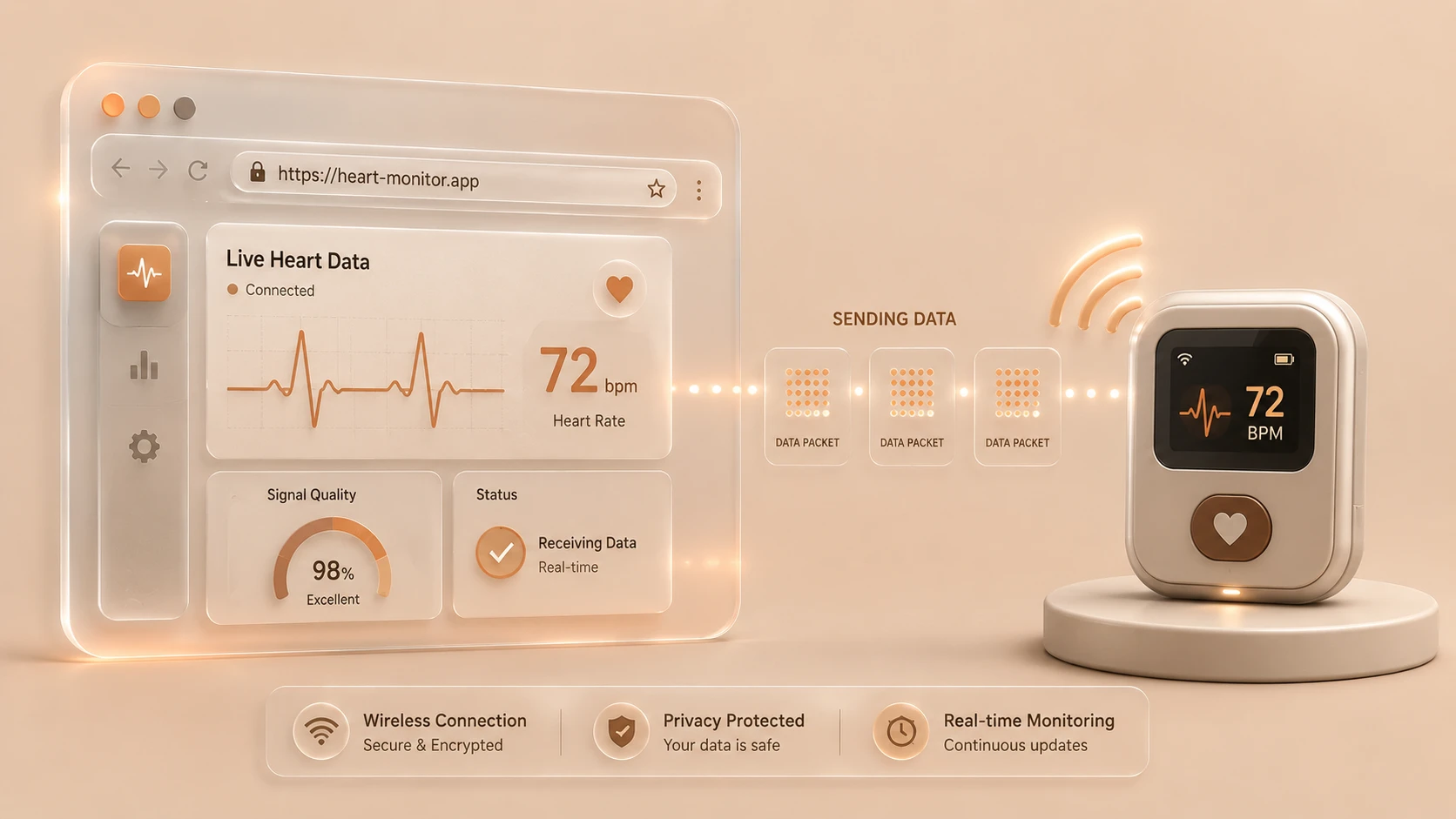
The Internet of Things (IoT) continues to expand beyond embedded devices into enterprise software platforms. Manufacturing systems, healthcare equipment, retail devices, logistics infrastructure, environmental sensors, and industrial automation increasingly rely on connected hardware capable of exchanging data with cloud applications.
Traditionally, browser applications have had limited ability to communicate directly with nearby physical devices. Developers often relied on native desktop applications, browser plug-ins, proprietary drivers, or intermediary software to bridge communication between web applications and Bluetooth-enabled hardware.
The emerging Web Bluetooth API seeks to remove many of these barriers by providing a standardized browser interface for communicating with Bluetooth Low Energy (BLE) peripherals using JavaScript. Instead of requiring platform-specific applications for every interaction, web applications can request permission to connect directly with supported devices through secure browser APIs.
As of February 2017, the Web Bluetooth API remains an emerging web platform capability. While browser support and implementation continue to evolve, the technology demonstrates how modern browsers are expanding beyond document rendering into broader application platforms capable of interacting with hardware.
Industry Background
Connected devices have become increasingly common across enterprise environments.
Typical deployments include:
- ◆Industrial sensors
- ◆Medical monitoring devices
- ◆Retail beacons
- ◆Smart building systems
- ◆Environmental monitoring
- ◆Asset tracking
- ◆Consumer wearable devices
At the same time, organizations increasingly prefer browser-based applications because they simplify deployment and maintenance across multiple operating systems.
Providing secure browser access to nearby hardware represents an important step toward reducing dependence on platform-specific applications.
The Business Problem
Organizations developing IoT solutions commonly encounter:
- ◆Platform-specific device software
- ◆Separate desktop and mobile applications
- ◆Complex driver installation
- ◆Proprietary communication interfaces
- ◆Difficult cross-platform deployment
- ◆Limited browser hardware access
- ◆Increased maintenance costs
A standards-based browser API has the potential to simplify device integration while reducing application complexity.
Understanding the Web Bluetooth API
The Web Bluetooth API enables JavaScript applications to discover and communicate with nearby Bluetooth Low Energy devices after obtaining user permission.
Rather than exposing unrestricted hardware access, browsers mediate communication through explicit user interaction and security controls.
The API is designed primarily for Bluetooth Low Energy devices rather than classic Bluetooth communication.
Potential application scenarios include:
- ◆Sensor monitoring
- ◆Device configuration
- ◆Health equipment
- ◆Smart home management
- ◆Industrial dashboards
- ◆Asset monitoring
The API expands browser capabilities while preserving user control over device access.
Core Architecture
| Component | Responsibility |
|---|---|
| Browser Application | Provides the user interface |
| JavaScript Application | Implements device communication |
| Web Bluetooth API | Exposes standardized browser interface |
| Browser Security Layer | Manages permissions |
| Bluetooth Low Energy Device | Provides services and characteristics |
| Cloud Services | Store and process collected data |
This architecture separates hardware communication from application logic while maintaining browser security boundaries.
Bluetooth Low Energy
The Web Bluetooth API targets Bluetooth Low Energy (BLE), a communication technology designed for devices that exchange relatively small amounts of data while minimizing power consumption.
Common BLE devices include:
- ◆Fitness sensors
- ◆Medical devices
- ◆Environmental sensors
- ◆Smart lighting
- ◆Industrial monitoring equipment
- ◆Asset tracking devices
BLE's low-power characteristics make it well suited for battery-powered IoT hardware.
Device Discovery
Communication typically begins with device discovery.
A typical workflow includes:
- 1.A user initiates a connection request.
- 2.The browser presents available Bluetooth devices.
- 3.The user selects a device.
- 4.Permission is granted.
- 5.The browser establishes a BLE connection.
- 6.Services and characteristics become available.
Explicit user interaction is a central element of the API's security model.
Services and Characteristics
Bluetooth Low Energy organizes device capabilities into services.
Each service contains one or more characteristics representing individual pieces of information or functionality.
Examples include:
- ◆Temperature readings
- ◆Battery status
- ◆Device configuration
- ◆Sensor measurements
- ◆Device identification
JavaScript applications interact primarily with these characteristics rather than directly manipulating hardware protocols.
Browser Communication
// Querying and connecting to a physical BLE Heart Rate sensor via Web Bluetooth
navigator.bluetooth.requestDevice({
  filters: [{ services: ['heart_rate'] }]
})
.then(device => {
  console.log('Connecting to BLE Device:', device.name);
  return device.gatt.connect();
})
.then(server => {
  console.log('GATT Connection established.');
  return server.getPrimaryService('heart_rate');
})
.catch(error => {
  console.error('Bluetooth Connection failed:', error);
});
After a connection is established, JavaScript applications may:
- ◆Read characteristic values
- ◆Write configuration data
- ◆Receive notifications
- ◆Monitor changing sensor values
The browser manages underlying Bluetooth communication while exposing a consistent programming interface.
Security Model
Hardware access introduces additional security considerations.
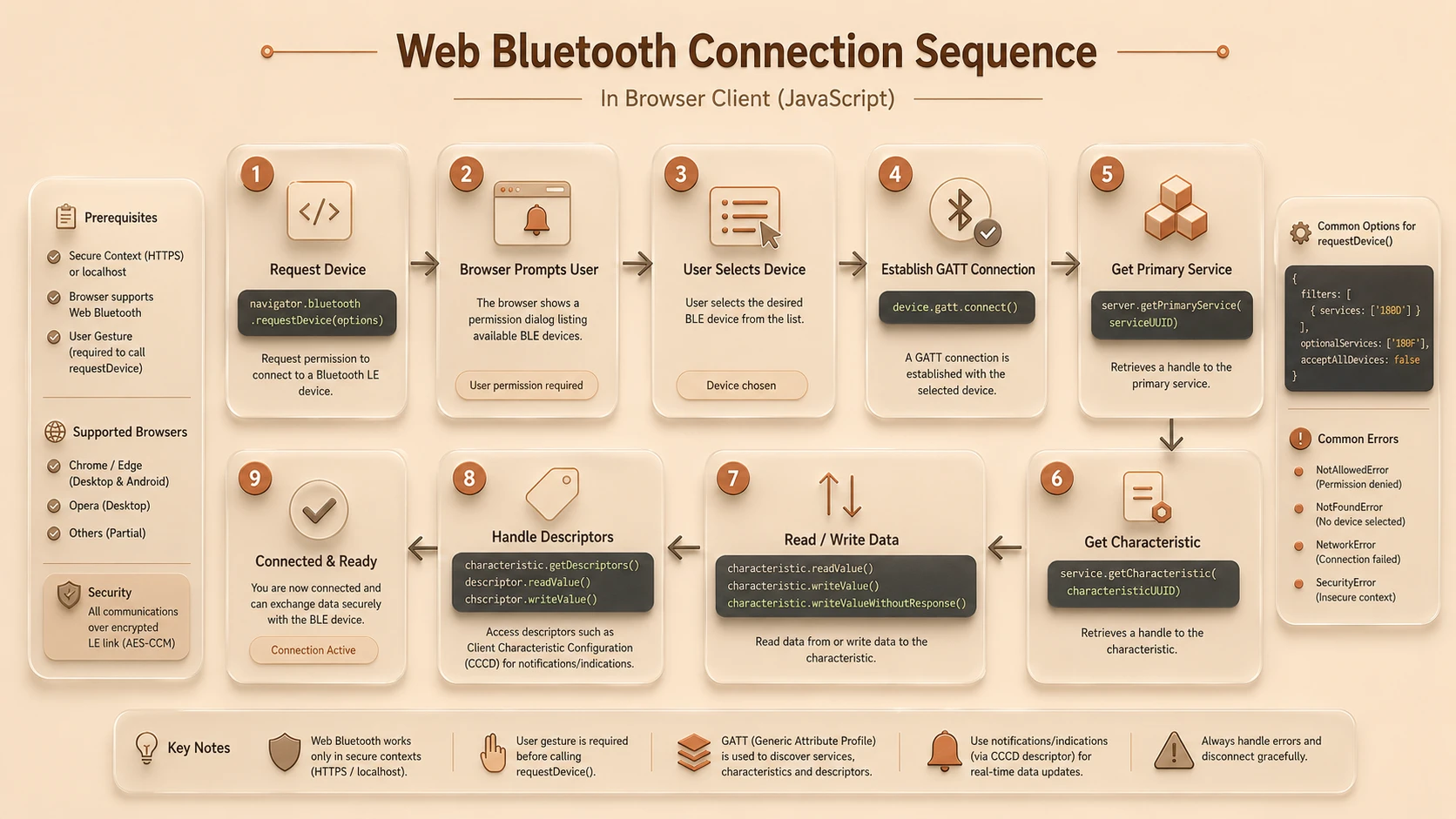
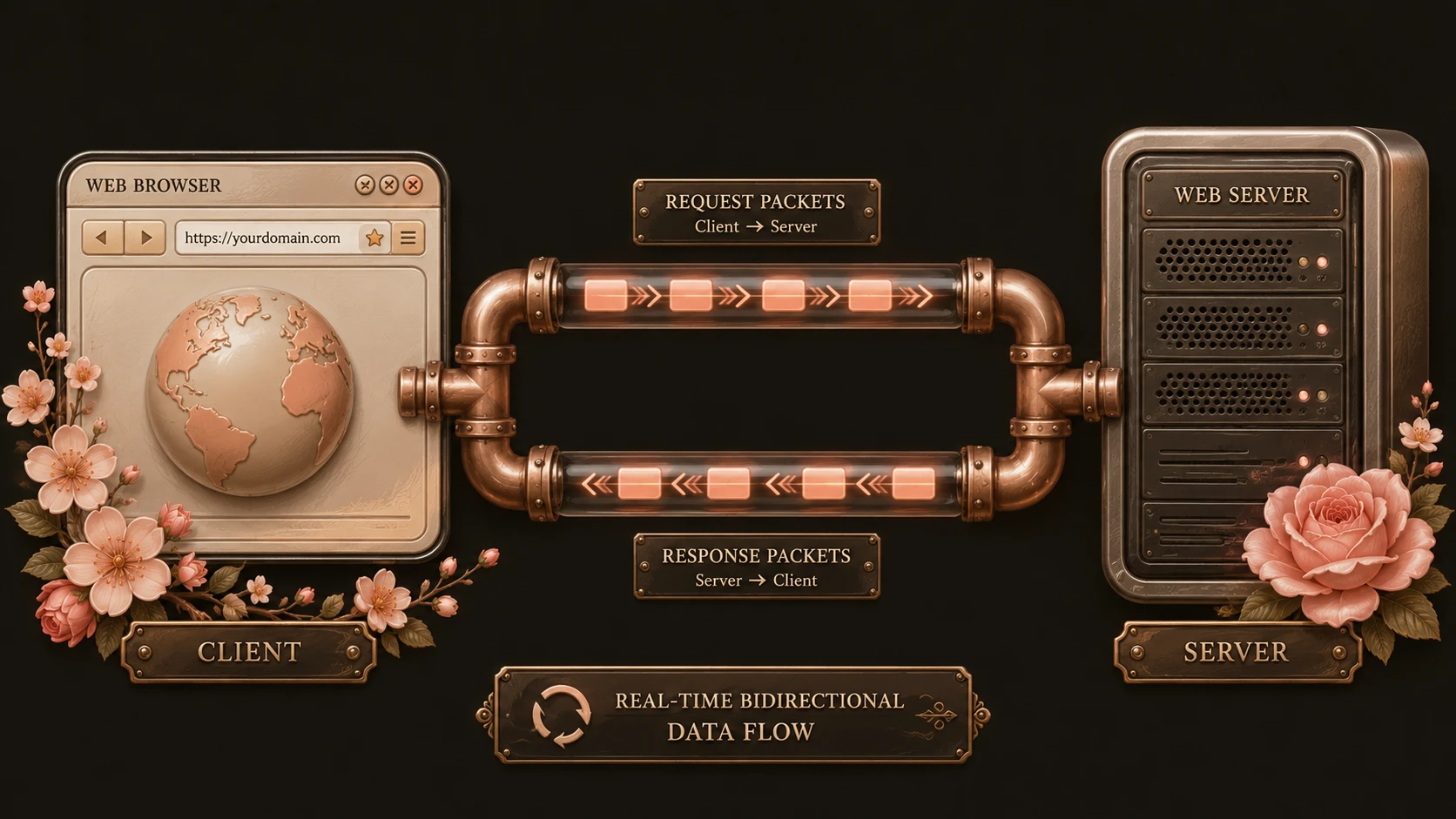
System architecture diagram and conceptual workflow layout for Web Bluetooth API.
The Web Bluetooth API incorporates several protections.
Typical security principles include:
- ◆Explicit user consent
- ◆Browser-managed permissions
- ◆Limited device visibility
- ◆Controlled access to Bluetooth services
Applications cannot silently connect to arbitrary nearby devices without user participation.
Integration with Enterprise Systems
Many enterprise IoT solutions combine local device communication with cloud services.
A typical architecture includes:
- 1.Browser application
- 2.Bluetooth Low Energy device
- 3.RESTful API
- 4.Business services
- 5.Analytics platform
- 6.Enterprise database
The browser becomes an intermediary between nearby hardware and centralized business systems.
Enterprise Use Cases
| Scenario | Benefit |
|---|---|
| Industrial Dashboards | Real-time equipment monitoring |
| Healthcare Applications | Device communication through the browser |
| Asset Tracking | Sensor integration |
| Manufacturing Systems | Equipment configuration |
| Smart Buildings | Environmental monitoring |
| Retail Solutions | Bluetooth beacon interaction |
Organizations building browser-based IoT applications benefit from reducing dependence on native client software.
Performance Considerations
Performance planning should evaluate:
- ◆Bluetooth signal quality
- ◆Device communication latency
- ◆Browser processing overhead
- ◆Notification frequency
- ◆Battery consumption
- ◆Network communication with backend systems
Performance characteristics depend on both the connected hardware and overall application architecture.
Security Considerations
Enterprise applications using the Web Bluetooth API should continue implementing:
- ◆HTTPS deployment
- ◆User authentication
- ◆Authorization
- ◆Input validation
- ◆Secure backend APIs
- ◆Audit logging
Hardware communication should complement existing enterprise security controls rather than bypass them.
Scalability
Although Bluetooth communication generally occurs between a browser and nearby devices, enterprise scalability depends upon the surrounding application architecture.
Organizations should design systems that support:
- ◆Modular device integration
- ◆Reusable communication components
- ◆Standardized APIs
- ◆Centralized monitoring
- ◆Cloud-based data processing
Scalable backend systems remain essential as connected device deployments expand.
Best Practices
Organizations evaluating the Web Bluetooth API should:
- ◆Request device access only when necessary.
- ◆Design clear permission workflows.
- ◆Handle connection failures gracefully.
- ◆Validate device communication thoroughly.
- ◆Separate hardware communication from business logic.
- ◆Secure all backend services.
- ◆Test across supported browser implementations.
- ◆Document supported Bluetooth devices.
Well-designed user experiences improve both security and usability.
Common Mistakes
Development teams should avoid:
- ◆Assuming unrestricted hardware access.
- ◆Ignoring browser permission requirements.
- ◆Mixing device communication with presentation logic.
- ◆Failing to handle connection interruptions.
- ◆Relying on unsupported browser implementations.
- ◆Treating browser communication as a replacement for secure backend validation.
Successful IoT applications balance usability, reliability, and security.
Technology Comparison
| Capability | Native Desktop Applications | Web Bluetooth API |
|---|---|---|
| Installation Required | Yes | Browser application |
| JavaScript Support | Limited | Native |
| User Permission Model | Platform dependent | Browser managed |
| Cross-Platform Deployment | Limited | Improved |
| Direct BLE Communication | Yes | Supported where implemented |
| Enterprise Maintenance | Higher | Potentially reduced |
The Web Bluetooth API brings standardized hardware communication into browser applications while preserving browser security principles.
Adoption Strategy
Organizations should evaluate the Web Bluetooth API through controlled pilot projects.
A practical approach includes:
- 1.Identify suitable Bluetooth Low Energy devices.
- 2.Develop a browser-based prototype.
- 3.Validate permission workflows.
- 4.Test communication reliability.
- 5.Integrate backend REST APIs.
- 6.Evaluate browser compatibility.
- 7.Expand deployment as implementation maturity increases.
Incremental adoption allows engineering teams to understand operational characteristics while minimizing deployment risk.
Limitations
As of February 2017, organizations should recognize several considerations.
Current observations include:
- ◆Browser support continues evolving.
- ◆The specification remains under active development.
- ◆Enterprise deployments should validate compatibility with supported browsers.
- ◆Device interoperability depends on Bluetooth Low Energy implementations.
Pilot deployments provide an effective method for evaluating practical production readiness.
Looking Ahead
The Web Bluetooth API represents an important step toward expanding browser capabilities beyond traditional web applications into physical device interaction. By providing a standardized JavaScript interface for Bluetooth Low Energy communication while maintaining explicit user permissions and browser-managed security, the API demonstrates how modern browsers are becoming increasingly capable application platforms.
As of February 2017, enterprise architects developing Internet of Things solutions should closely monitor the Web Bluetooth API as browser implementations continue to mature. Organizations that combine secure browser communication, modular application architecture, and scalable backend services will be well positioned to leverage standards-based hardware integration as the modern web platform continues evolving.