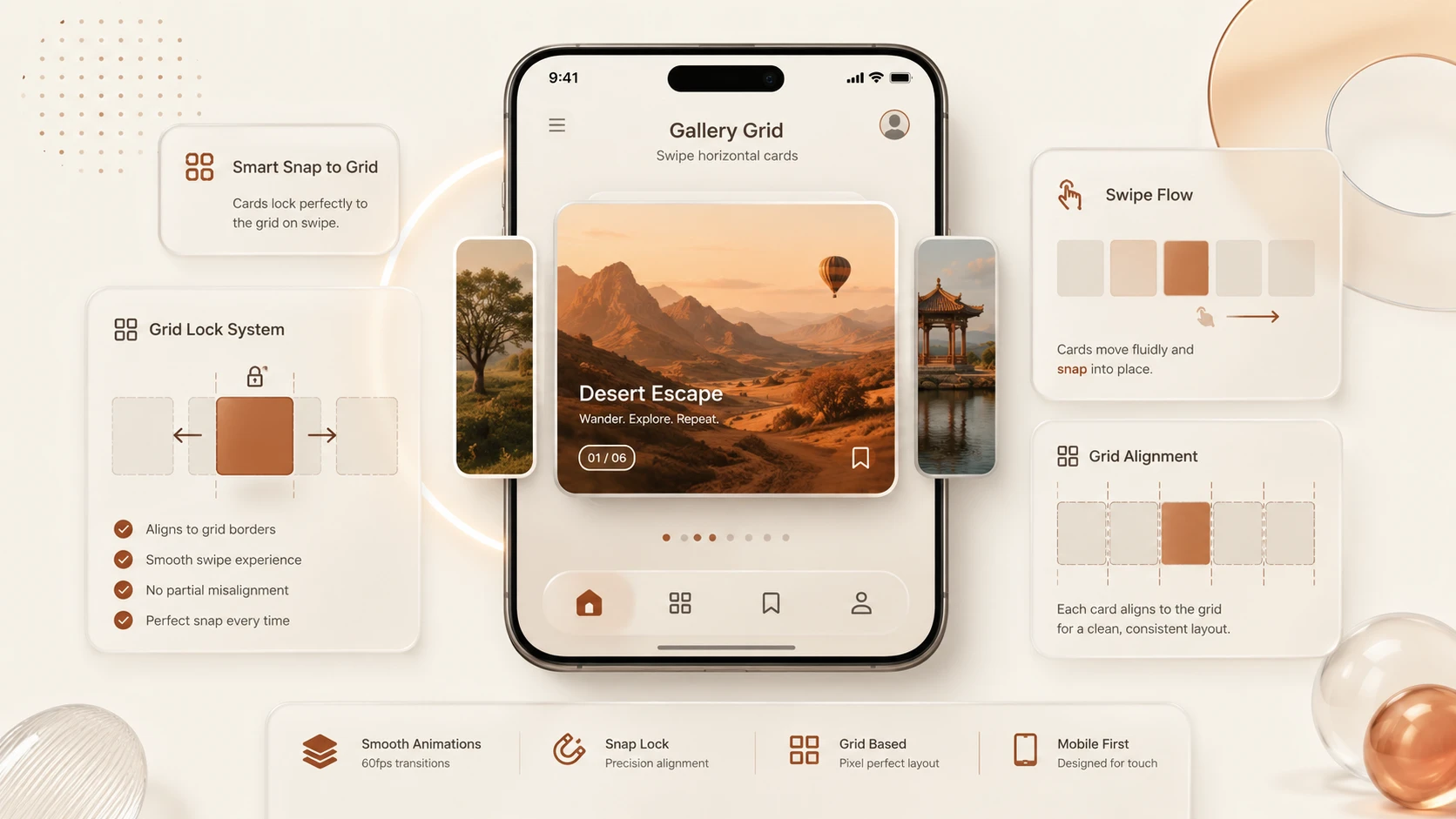
Introduction
Mobile browsing has fundamentally changed how users interact with websites. Touch gestures, horizontal swiping, and momentum scrolling have become standard user interface patterns across smartphones and tablets. As responsive web design matured, developers increasingly sought ways to create smooth scrolling experiences that felt native on mobile devices.
Historically, implementing carousels, image galleries, onboarding flows, and horizontally scrolling content required JavaScript libraries. While these libraries provided rich functionality, they also introduced additional downloads, increased execution time, complicated accessibility, and frequently required ongoing maintenance to remain compatible with changing browser engines.
CSS Scroll Snap offers a standards-based alternative. Rather than calculating scroll positions through JavaScript, developers can define snapping behavior directly using CSS, allowing browsers to manage scrolling and alignment natively.
With browser support continuing to improve during 2019, CSS Scroll Snap is becoming a practical option for many production interfaces, especially those emphasizing mobile-first design.
From the perspective of June 2019, CSS Scroll Snap represents an important milestone in reducing dependence on JavaScript for common user interface interactions.
Industry Background
Responsive web applications increasingly emphasize touch-first user experiences.
Organizations commonly build:
- ◆Product galleries.
- ◆Image carousels.
- ◆Mobile onboarding screens.
- ◆News readers.
- ◆Media browsers.
- ◆E-commerce catalogs.
- ◆Interactive dashboards.
These interfaces require:
- ◆Smooth scrolling.
- ◆Natural touch interactions.
- ◆Responsive layouts.
- ◆Fast rendering.
- ◆Minimal JavaScript.
- ◆Cross-browser consistency.
Modern CSS specifications increasingly allow browsers to provide these capabilities natively.
The Business Problem
Traditional JavaScript carousel libraries introduce several operational challenges.
Organizations commonly encounter:
- ◆Large JavaScript bundles.
- ◆Increased page load times.
- ◆Rendering delays.
- ◆Touch event inconsistencies.
- ◆Third-party dependency maintenance.
- ◆Accessibility concerns.
- ◆Browser compatibility issues.
Reducing client-side JavaScript has become an important objective for improving performance and simplifying long-term maintenance.
CSS Scroll Snap addresses many of these concerns through browser-native scrolling behavior.
Understanding the Technology
CSS Scroll Snap is a CSS specification that allows developers to define positions where scrolling naturally comes to rest.
Rather than manually calculating offsets with JavaScript, browsers automatically align scrolling content according to developer-defined rules.
Major capabilities include:
- ◆Horizontal scrolling.
- ◆Vertical scrolling.
- ◆Page snapping.
- ◆Gallery navigation.
- ◆Touch-friendly interaction.
- ◆Native browser scrolling.
- ◆Reduced JavaScript dependence.
The browser remains responsible for handling scrolling physics while CSS specifies snapping behavior.
Core Architecture
A simplified Scroll Snap architecture appears below.
| Component | Responsibility |
|---|---|
| HTML Container | Scrollable region |
| CSS Scroll Snap Container | Defines snapping behavior |
| Child Elements | Snap targets |
| Browser Rendering Engine | Native scrolling and alignment |
| Touch Input | User interaction |
The browser coordinates scrolling and snapping without requiring continuous JavaScript execution.
Key Features
Native Scroll Snapping
The defining capability of CSS Scroll Snap is browser-managed alignment.
Developers specify snap behavior using CSS while browsers determine the appropriate stopping position after user interaction.
This approach produces smoother scrolling experiences than many script-driven implementations.
Mobile-Friendly Interaction
Scroll Snap integrates naturally with touch interfaces.
Users can swipe through:
- ◆Product galleries.
- ◆Image collections.
- ◆Card layouts.
- ◆News articles.
- ◆Onboarding screens.
without requiring custom gesture libraries.
Reduced JavaScript Dependencies
Many common carousel implementations no longer require large JavaScript plugins.
Reducing client-side code contributes to:
- ◆Faster downloads.
- ◆Simpler maintenance.
- ◆Lower parsing overhead.
- ◆Improved reliability.
Better Performance
Because browsers implement snapping internally, scrolling remains closely integrated with the rendering engine.
Native implementations generally avoid repeated JavaScript calculations during user interaction.
Responsive Design Integration
Scroll Snap works naturally alongside existing responsive layouts built using Flexbox, CSS Grid, and modern viewport techniques.
Progressive Enhancement
Applications can progressively enhance scrolling experiences where browser support is available while maintaining usable layouts for browsers without complete implementation.
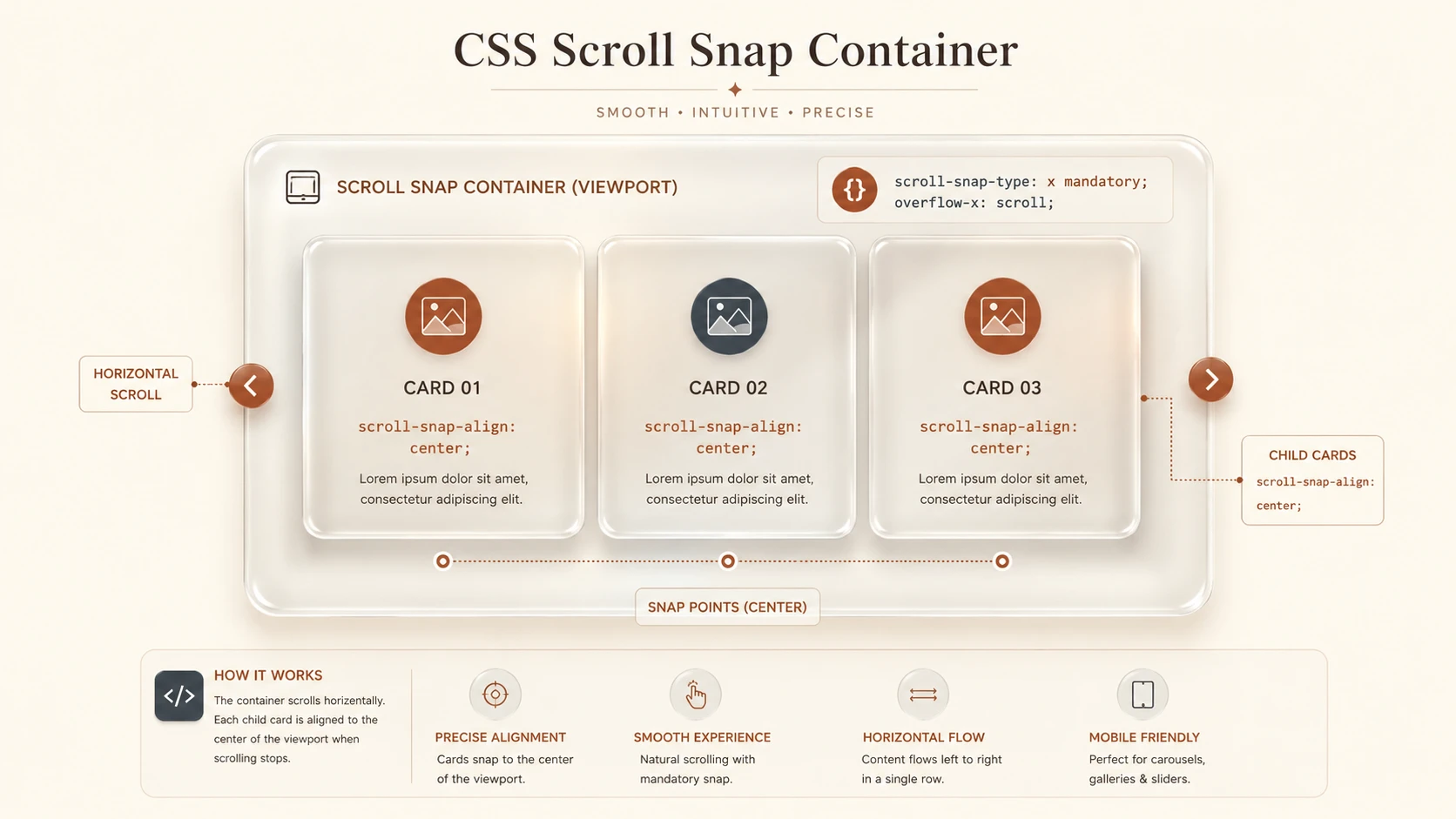
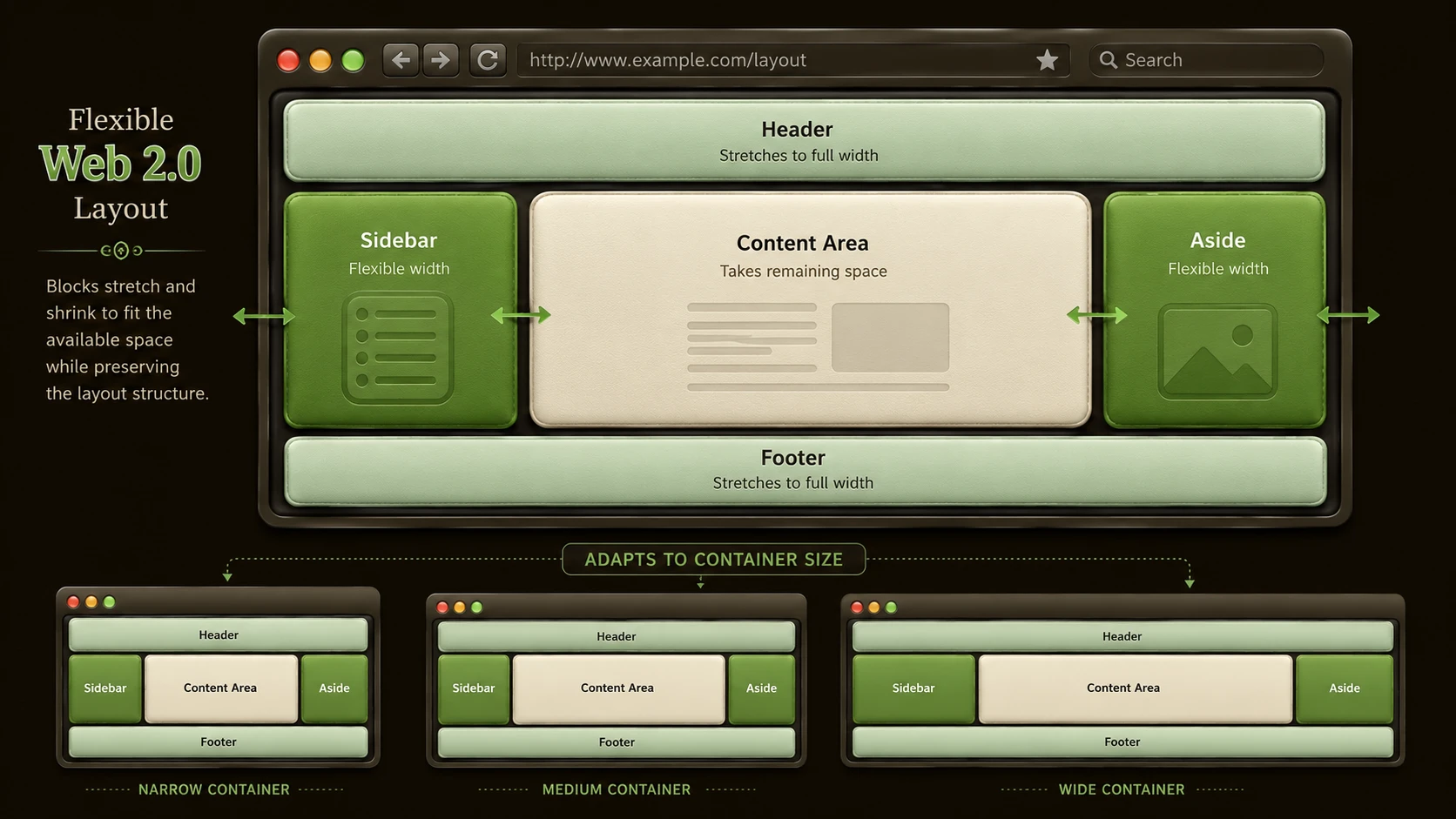
System architecture diagram and conceptual workflow layout for CSS Scroll Snapping Browser Support.
How It Works
A simplified rendering workflow appears below.
User Swipe
      |
Scrollable Container
      |
Browser Scroll Engine
      |
CSS Scroll Snap Rules
      |
Nearest Snap Position
      |
Aligned Content
The browser evaluates snap positions after scrolling and automatically aligns content according to CSS declarations.
Enterprise Use Cases
E-Commerce Product Galleries
Customers can browse product images through smooth horizontal scrolling without requiring JavaScript carousel frameworks.
News Applications
Article cards and featured stories can be presented as swipeable collections optimized for mobile reading.
SaaS Dashboards
Administrative panels containing horizontally scrolling widgets benefit from cleaner navigation.
Marketing Websites
Landing pages can implement onboarding sequences and feature showcases using browser-native scrolling behavior.
Internal Business Applications
Large data collections displayed as cards become easier to navigate on tablets and touch-enabled devices.
Performance Considerations
CSS Scroll Snap primarily improves interface implementation rather than introducing new rendering capabilities.
Organizations should evaluate:
- ◆Scroll responsiveness.
- ◆Browser rendering performance.
- ◆JavaScript bundle size.
- ◆Mobile interaction quality.
- ◆Touch latency.
- ◆Layout complexity.
Reducing JavaScript dependencies often contributes to better overall page responsiveness.
Security Considerations
CSS Scroll Snap is a presentation technology and introduces minimal security implications.
Organizations should continue implementing:
- ◆HTTPS.
- ◆Content Security Policy.
- ◆Secure API communication.
- ◆Authentication.
- ◆Authorization.
- ◆Dependency management.
Presentation improvements should complement comprehensive application security practices.
Scalability
CSS Scroll Snap improves front-end maintainability through:
- ◆Standards-based implementation.
- ◆Reduced JavaScript.
- ◆Better browser integration.
- ◆Simpler maintenance.
- ◆Responsive layout compatibility.
These characteristics benefit long-lived enterprise web applications.
Best Practices
Organizations adopting CSS Scroll Snap should:
- ◆Design mobile-first scrolling experiences.
- ◆Combine Scroll Snap with responsive layouts.
- ◆Test touch interactions across supported browsers.
- ◆Keep JavaScript enhancements optional where practical.
- ◆Validate keyboard accessibility.
- ◆Benchmark rendering performance.
- ◆Apply progressive enhancement for browsers with differing support levels.
Native browser capabilities should be preferred whenever they satisfy application requirements.
Common Mistakes
| Mistake | Business Impact |
|---|---|
| Assuming identical behavior across all browsers without testing | Inconsistent user experience |
| Replacing complex carousel features without evaluating requirements | Missing functionality |
| Ignoring accessibility testing | Reduced usability |
| Mixing excessive JavaScript with native scrolling | Increased implementation complexity |
| Overusing horizontal scrolling | Reduced content discoverability |
| Neglecting responsive testing | Poor mobile experience |
Organizations should evaluate Scroll Snap as a replacement for simple interaction patterns rather than every advanced carousel implementation.
Technology Comparison
| Characteristic | JavaScript Carousel Plugins | CSS Scroll Snap |
|---|---|---|
| JavaScript Requirement | Required | Minimal or none |
| Touch Interaction | Library implementation | Browser native |
| Bundle Size | Larger | Smaller |
| Rendering Integration | Script controlled | Browser managed |
| Maintenance | Plugin updates required | Standards-based CSS |
| Progressive Enhancement | Varies | Well suited |
CSS Scroll Snap simplifies many scrolling interfaces while reducing dependence on external JavaScript libraries.
Adoption Strategy
Organizations should adopt CSS Scroll Snap incrementally.
- 1.Identify JavaScript-powered galleries suitable for replacement.
- 2.Verify browser compatibility requirements.
- 3.Implement Scroll Snap using responsive layouts.
- 4.Test mobile interactions across supported devices.
- 5.Measure performance improvements.
- 6.Expand adoption following production validation.
This phased approach minimizes implementation risk while allowing engineering teams to benefit from browser-native scrolling behavior.
Limitations
As of June 2019, organizations should recognize several considerations.
- ◆Browser implementations continue maturing.
- ◆Some advanced carousel capabilities may still require JavaScript.
- ◆Accessibility should be validated throughout implementation.
- ◆Progressive enhancement remains an appropriate deployment strategy.
- ◆Production testing across target browsers is essential before organization-wide adoption.
These considerations should guide front-end modernization efforts.
Looking Ahead
From the perspective of June 2019, CSS Scroll Snap represents another example of the web platform absorbing functionality that previously depended upon JavaScript frameworks. By allowing browsers to manage snapping behavior directly, developers can build faster, cleaner, and more maintainable touch interfaces while reducing client-side complexity.
As browser support continues improving, CSS Scroll Snap is well positioned to become the preferred solution for many galleries, onboarding experiences, and horizontally scrolling layouts. Organizations focused on responsive design, performance optimization, and standards-based development should evaluate Scroll Snap as an increasingly practical alternative to traditional JavaScript carousel plugins for a wide range of enterprise web applications.