For more than a decade, enterprise web development has been heavily influenced by browser release schedules. Development teams often spent years supporting a relatively stable collection of browser versions, allowing application architecture, testing procedures, and deployment strategies to evolve at a predictable pace. Browser compatibility was certainly a challenge, but change itself occurred relatively slowly.
That landscape is beginning to shift.
Google has announced that Chrome will move toward a much faster release cycle, delivering new browser versions more frequently than traditional software vendors have historically done. Instead of waiting long periods between major releases, developers can now expect a steady stream of browser updates that introduce performance improvements, standards support, security enhancements, and platform capabilities.
While this strategy promises faster innovation, it also introduces important questions for enterprise software architects. How should organizations manage browser compatibility when the browser itself evolves continuously? How should testing strategies adapt? And what does this mean for long-term enterprise web application maintenance?
Although the industry is still evaluating the implications of this new approach in early 2011, Chrome's rapid release model may influence how browsers—and enterprise web development—evolve in the years ahead.
The Traditional Browser Lifecycle
Historically, browser vendors released major versions relatively infrequently.
A typical lifecycle often looked like this:
- ◆Long development cycle
- ◆Beta testing period
- ◆Major release
- ◆Security updates
- ◆Service packs
- ◆Next major version after an extended interval
Enterprise development teams built testing schedules around these predictable milestones.
Applications were certified against specific browser versions, documentation remained stable, and deployment planning was relatively straightforward.
A New Release Philosophy
Google's new strategy emphasizes continuous improvement.
Rather than bundling numerous changes into infrequent major releases, Chrome is expected to deliver updates much more regularly.
Potential objectives include:
- ◆Faster feature delivery
- ◆Quicker security improvements
- ◆More responsive standards implementation
- ◆Reduced backlog of browser enhancements
- ◆Continuous performance optimization
For browser users, updates may become less disruptive because individual releases contain smaller incremental improvements.
For enterprise development teams, however, the operational implications deserve careful consideration.
Why Browser Compatibility Matters
Enterprise applications frequently support thousands of employees, customers, suppliers, and business partners.
Browser compatibility directly affects:
- ◆Business productivity
- ◆Customer experience
- ◆Support costs
- ◆Application reliability
- ◆Security
Even minor rendering differences can introduce usability issues across large enterprise deployments.
Organizations therefore require structured compatibility strategies rather than relying on informal browser testing.
The Cost of Supporting Multiple Browsers
Many enterprise applications currently support several browsers simultaneously.
Typical targets include:
- ◆Internet Explorer
- ◆Mozilla Firefox
- ◆Google Chrome
- ◆Safari
- ◆Opera
Each browser implements web technologies with subtle differences.
Development teams must validate:
- ◆Layout rendering
- ◆JavaScript behavior
- ◆CSS compatibility
- ◆Form validation
- ◆AJAX functionality
- ◆Performance
Rapid browser releases increase the frequency of this validation process.
Standards Become Increasingly Important
As browser vendors accelerate innovation, adherence to web standards becomes more valuable.
Organizations should prioritize:
- ◆HTML
- ◆CSS specifications
- ◆JavaScript standards
- ◆DOM consistency
Applications built around standards are generally better positioned to adapt as browsers evolve.
Avoiding browser-specific behavior helps reduce long-term maintenance costs.
Enterprise Architecture Considerations
Modern web applications should separate presentation from business logic.
Typical architecture:
Browser
      |
HTML
CSS
JavaScript
      |
HTTP
      |
Application Server
      |
Business Services
      |
Database
When presentation logic follows standards-based development practices, browser changes become easier to manage.
Progressive Enhancement
Progressive enhancement is becoming an increasingly valuable development philosophy.
Applications should:
- ◆Deliver core functionality universally.
- ◆Enhance features where browser capabilities allow.
- ◆Avoid unnecessary browser dependencies.
- ◆Maintain accessibility.
This approach improves resilience across both older and newer browser versions.
JavaScript Libraries Reduce Complexity
Many organizations now rely on JavaScript libraries to abstract browser differences.
Popular libraries help normalize:
- ◆Event handling
- ◆DOM manipulation
- ◆AJAX requests
- ◆Animation
- ◆User interaction
Rather than writing browser-specific code repeatedly, development teams can leverage shared abstractions.
Even with these libraries, comprehensive testing remains essential.
Browser Testing Strategies
Rapid browser updates require more structured quality assurance processes.
Recommended testing areas include:
- ◆User interface rendering
- ◆Navigation
- ◆Forms
- ◆Authentication
- ◆Session management
- ◆Reporting
- ◆Performance
- ◆Accessibility
Testing should become an ongoing activity rather than a milestone performed only before major releases.
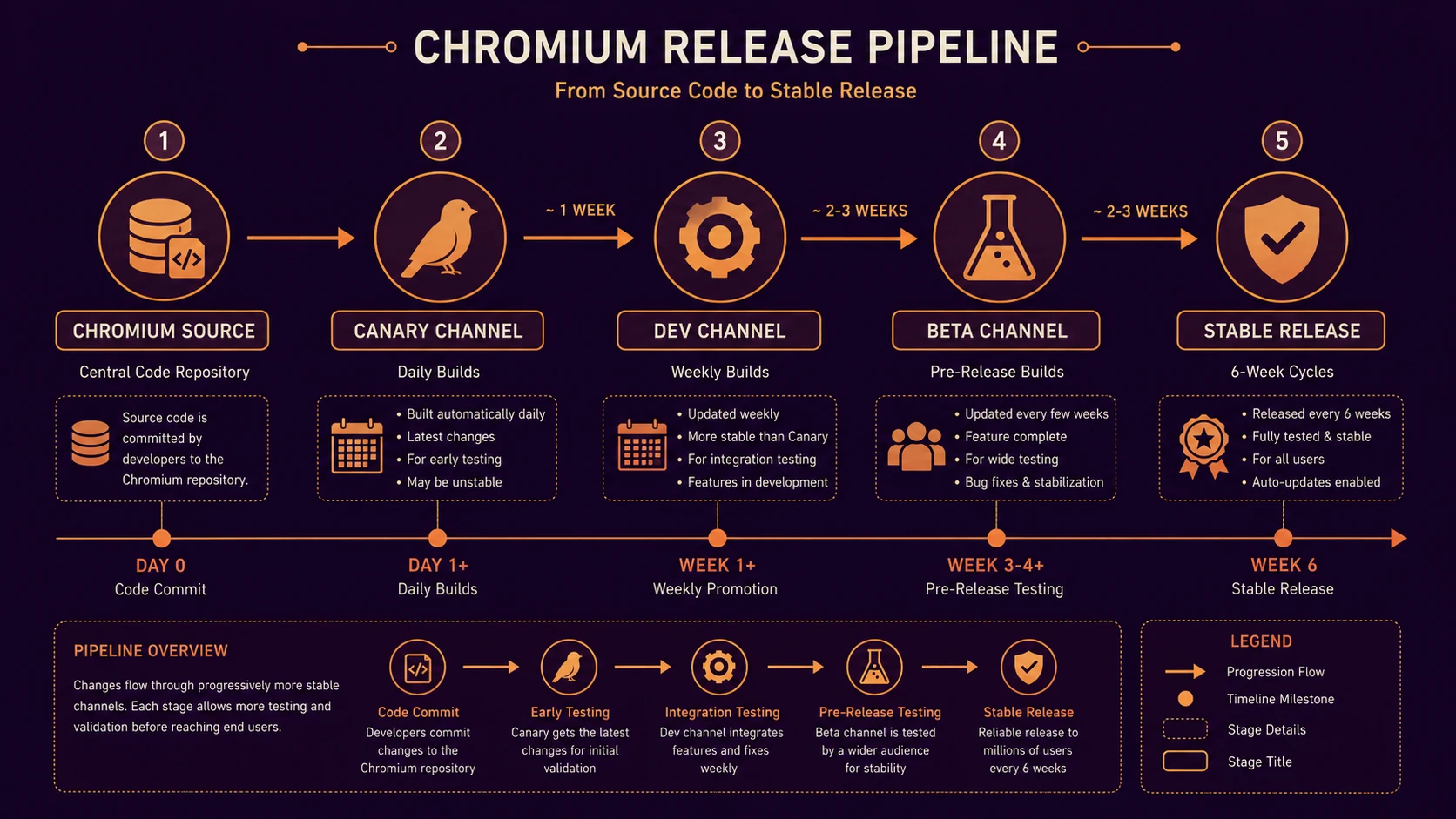
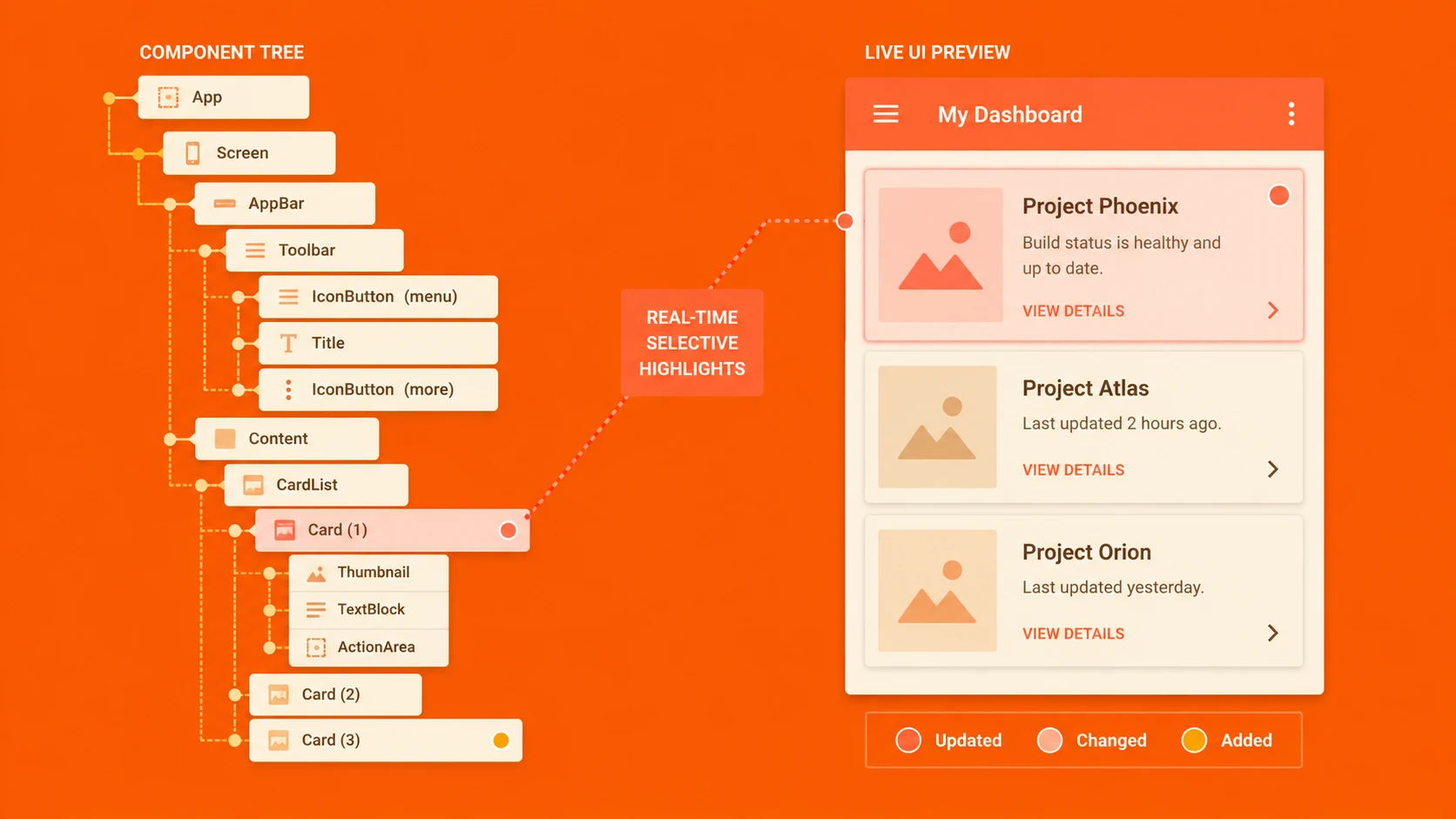
System architecture diagram and conceptual workflow layout for Chrome's Rapid Release Cycle.
Automated Testing Gains Importance
Manual browser testing becomes increasingly expensive as release frequency increases.
Organizations should evaluate automation for:
- ◆Regression testing
- ◆User interface verification
- ◆Functional testing
- ◆Continuous integration
- ◆Smoke testing
Automation cannot replace manual usability testing entirely, but it can reduce repetitive verification work.
Performance Considerations
Frequent browser releases often include performance improvements.
Enterprise developers should continue monitoring:
- ◆JavaScript execution
- ◆Page rendering
- ◆Network requests
- ◆Resource loading
- ◆Client-side responsiveness
Applications should be optimized according to measurable performance characteristics rather than assumptions about specific browser versions.
Enterprise Use Cases
Customer Portals
Organizations providing self-service portals benefit from broad browser compatibility because customers use diverse browsers and operating systems.
Internal Business Applications
Companies deploying browser-based ERP, CRM, or HR applications should establish certification procedures for supported browser versions.
E-Commerce Platforms
Retail websites require consistent rendering and reliable purchasing workflows across multiple browsers.
Government Services
Public-facing services should maximize compatibility to ensure accessibility for a broad user population.
Managing Browser Support Policies
Enterprise IT departments should establish clear browser support guidelines.
These policies may define:
- ◆Supported browsers
- ◆Minimum browser versions
- ◆Testing schedules
- ◆Update procedures
- ◆User communication plans
A documented policy helps align developers, operations teams, and business stakeholders.
Comparing Traditional and Rapid Release Models
| Traditional Browser Releases | Rapid Release Cycle |
|---|---|
| Infrequent major updates | Frequent incremental releases |
| Long certification cycles | More frequent compatibility validation |
| Larger feature bundles | Smaller continuous improvements |
| Longer planning horizon | Continuous adaptation |
| Slower standards adoption | Faster standards implementation |
Each model presents unique operational considerations for enterprise software teams.
Best Practices
Organizations adapting to faster browser evolution should consider several recommendations.
Follow Web Standards
Standards-based applications generally remain more compatible across browser versions.
Reduce Browser-Specific Code
Custom browser workarounds should be minimized wherever possible.
Increase Automated Testing
Regression testing should become a routine part of development.
Monitor Browser Updates
Development teams should review release information before deploying enterprise applications to production environments.
Maintain Clear Support Policies
Users should understand which browsers are officially supported.
Common Mistakes
Organizations transitioning to continuous browser updates often encounter several challenges.
Assuming Browser Behavior Remains Static
Frequent updates require ongoing compatibility evaluation.
Delaying Testing Until Deployment
Continuous testing reduces the risk of unexpected production issues.
Ignoring Web Standards
Proprietary browser-specific implementations may become more difficult to maintain over time.
Supporting Every Browser Equally
Organizations should define realistic support objectives based on business requirements.
Overlooking Performance
Compatibility alone is insufficient if application responsiveness degrades significantly.
Adoption Recommendations
Enterprise development teams should respond proactively to changing browser release models.
Recommended roadmap:
- 1.Review existing browser support policies.
- 2.Increase automated regression testing.
- 3.Standardize HTML, CSS, and JavaScript practices.
- 4.Monitor browser release announcements.
- 5.Expand compatibility testing into continuous development processes.
- 6.Document supported browser versions clearly.
- 7.Regularly review application performance across major browsers.
By modernizing browser management practices, organizations can better accommodate increasingly dynamic client platforms.
Looking Ahead
Google's rapid release strategy represents an important shift in how browser software is developed and delivered. Rather than treating browser innovation as a series of isolated major releases, the industry is beginning to move toward a model of continuous improvement.
For enterprise organizations, this change reinforces the importance of standards-based development, automated testing, and disciplined browser compatibility management. While the long-term impact of rapid browser release cycles is still unfolding in early 2011, development teams that adopt flexible architectures and continuous quality assurance practices will be better prepared to support an increasingly fast-moving web platform ecosystem.