The digital landscape is shifting, and with it, the very foundations of enterprise AI. For years, the promise of cloud-based AI was alluring: infinite scalability, minimal infrastructure management, and access to cutting-edge models. Yet, a growing number of enterprise leaders and architects are now facing a stark reality: the inherent trade-offs of public cloud LLMs often clash with core business imperatives around data sovereignty, cost predictability, and real-time performance. This realization is fueling a rapid pivot towards robust, on-premise solutions for Local LLM Inference.
Many organizations, particularly in highly regulated sectors like finance, healthcare, and government, are discovering that relying solely on public cloud APIs for sensitive or high-volume AI workloads creates unacceptable risks and unpredictable expenses. The drive to maintain absolute control over data, ensure regulatory compliance, and achieve ultra-low latency is pushing LLM deployment back into the private data center or even to the edge. This guide explores how to harness the power of Local LLM Inference using Ollama and Qwen, providing a practical blueprint for enterprise deployment.
Why Local LLMs Matter Now: Data Sovereignty, Cost, and Latency
Why are enterprises, after years of cloud-first mandates, reconsidering local AI deployments? The answer lies in a confluence of critical business and technical drivers that public cloud LLMs often struggle to address effectively.
Data Sovereignty and Compliance Imperatives
For industries handling Personally Identifiable Information (PII), Protected Health Information (PHI), or proprietary business data, the movement of data across geographical boundaries or into third-party cloud environments presents significant compliance risks. Regulations like GDPR, HIPAA, CCPA, and various industry-specific mandates often dictate strict data residency requirements. Sending sensitive prompts or receiving generated responses from a cloud-based LLM means relinquishing a degree of control over that data.
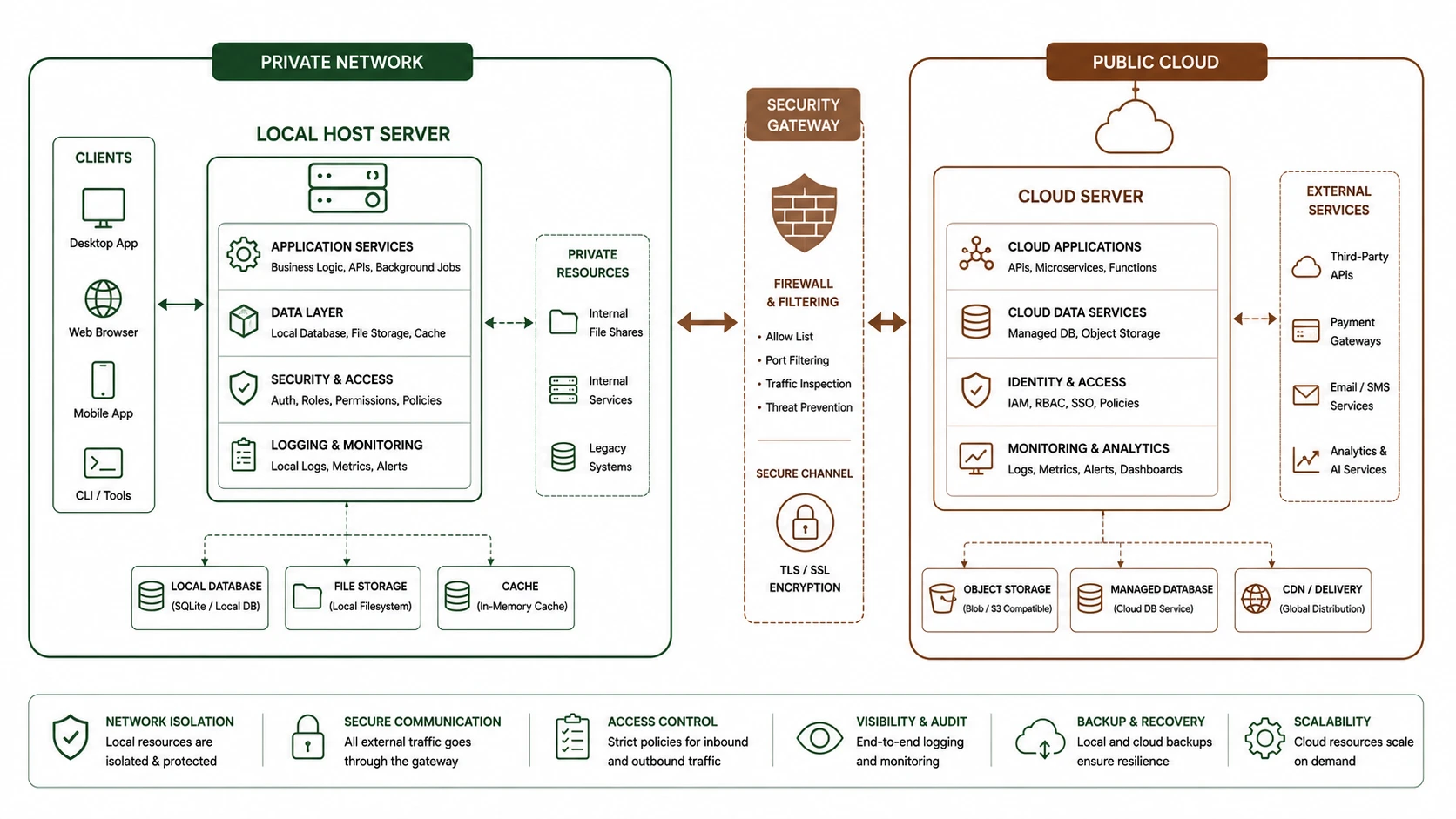
Local LLM Inference ensures that sensitive information never leaves your controlled network perimeter. By deploying models like Qwen locally with Ollama, enterprises can maintain absolute data sovereignty, simplifying compliance audits and significantly reducing the attack surface associated with data transit and external API exposure. This is not merely a technical preference; it is a fundamental requirement for risk management and legal adherence.
Cost Predictability and Optimization
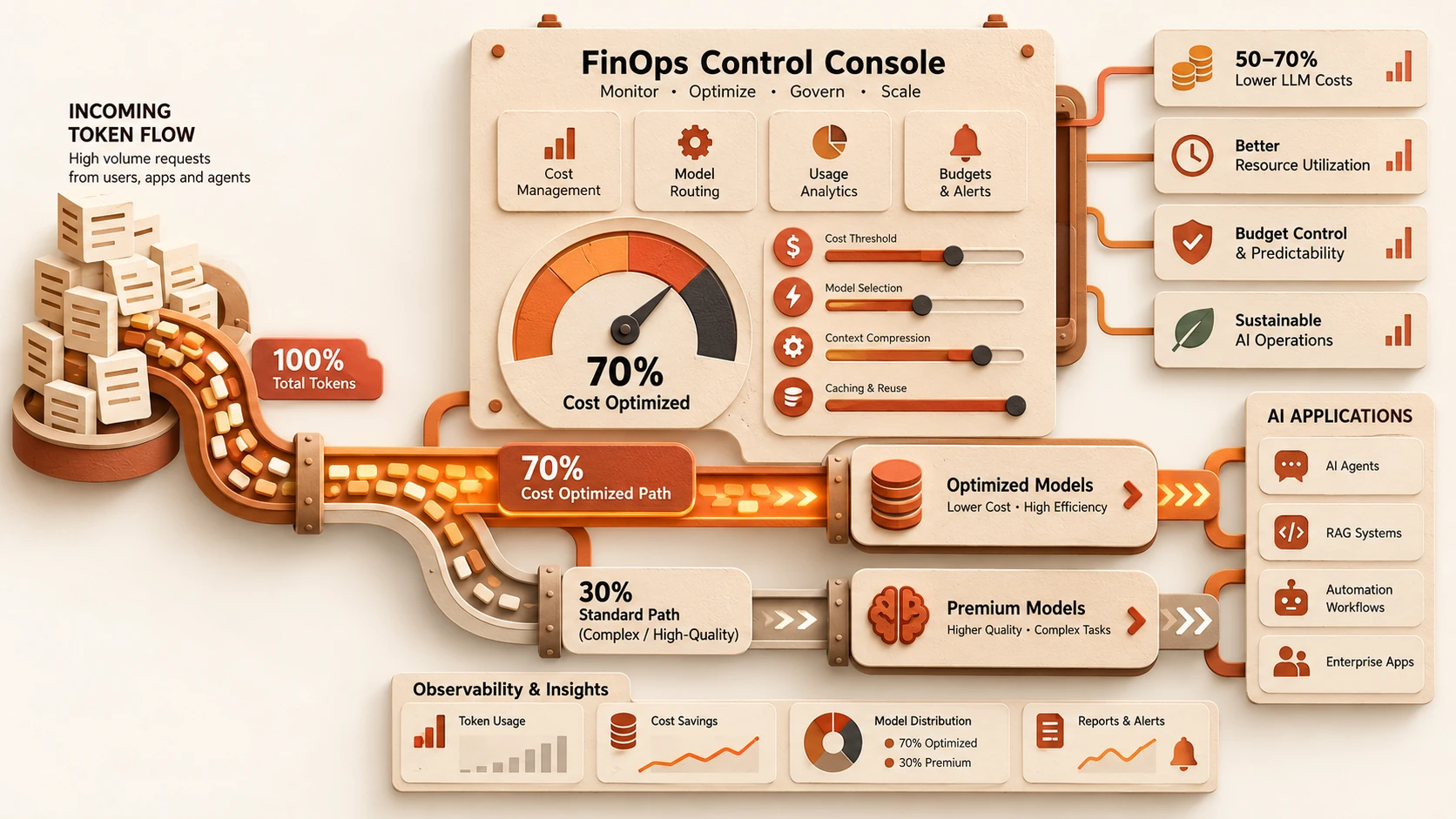
The pay-per-token model of many cloud LLM APIs can lead to unpredictable and rapidly escalating operational costs, especially as AI adoption scales within an organization. While the initial investment in powerful local hardware (GPUs, high-speed storage) might seem substantial, it transforms variable operational expenses (OPEX) into more predictable capital expenditures (CAPEX).
Over time, a well-optimized Local LLM Inference setup can offer significant cost savings, particularly for high-volume or frequently used AI applications. Enterprises gain greater control over their budget, making long-term financial planning for AI initiatives more stable and transparent. Furthermore, the ability to fine-tune and optimize models for specific local hardware with techniques like quantization directly impacts inference efficiency and throughput, further driving down the effective cost per inference.
Ultra-Low Latency and Real-Time Processing
Consider applications where every millisecond counts: real-time fraud detection, instant customer support chatbots, industrial automation, or critical decision-making systems. Relying on cloud LLMs introduces network latency, which can range from tens to hundreds of milliseconds, making these applications impractical or inefficient.
Local LLM Inference eliminates these network round-trips. By running the model directly on nearby hardware, inference times are dominated by the model's computational requirements, not network delays. This enables near-instantaneous responses, unlocking new possibilities for real-time AI applications that demand immediate feedback and minimal lag. The performance gains are often a decisive factor for adopting an on-premise strategy.
Understanding Ollama for Enterprise: A Robust Local LLM Runtime
Ollama has rapidly emerged as a powerful and user-friendly platform for running large language models locally. For enterprises, its appeal lies in its simplicity, open-source nature, and robust capabilities that streamline the deployment and management of Local LLM Inference environments.
What is Ollama?
Ollama is a lightweight, open-source framework designed to run LLMs on your local machine, supporting a wide range of models in the GGUF format. It provides a straightforward command-line interface (CLI) and a comprehensive REST API, making it easy for developers to integrate local LLMs into their applications. Its core strength for enterprises is abstracting away the complexities of model loading, GPU management, and inference serving.
Key Features for Enterprise Adoption
- 1.Simplified Model Management: Ollama allows users to download, install, and run various models with single commands. It handles model quantization (converting models to lower precision formats like 4-bit or 8-bit to reduce memory footprint and improve speed) and GPU offloading automatically.
- 2.Robust REST API: A standardized REST API enables seamless integration with existing enterprise applications, microservices, and workflows. This means developers can interact with local LLMs just as they would with cloud-based APIs, but with full control over the underlying infrastructure.
- 3.Cross-Platform Compatibility: Ollama runs on Linux, macOS, and Windows, offering flexibility across different enterprise environments.
- 4.Containerization Support: Its lightweight nature makes it ideal for Docker containers and Kubernetes deployments, facilitating scalable and orchestrated Local LLM Inference services.
- 5.Extensibility with Modelfiles: Ollama supports custom Modelfiles, allowing enterprises to create and share their own tailored LLM configurations, including system prompts, parameters, and fine-tuned models for specific use cases.
# Install Ollama (Linux example)
curl -fsSL https://ollama.com/install.sh | sh

# Pull a Qwen model (e.g., Qwen:7b-chat-q4_0)
ollama pull qwen:7b-chat-q4_0

# Run the model interactively
ollama run qwen:7b-chat-q4_0

# Start Ollama server (runs in background by default after install)
# ollama serve
Deep Dive into Qwen Models: Alibaba's Powerhouse for Local Deployment
When considering Local LLM Inference, the choice of model is as critical as the inference engine itself. Alibaba Cloud's Qwen series of models (Tongyi Qianwen) have garnered significant attention for their impressive performance, open-source availability, and suitability for enterprise use cases. This makes Qwen an excellent candidate for deployment with Ollama.
Why Qwen for Enterprise?
Qwen models are a family of pre-trained large language models developed by Alibaba Cloud. They are known for their strong capabilities across various NLP tasks, including code generation, summarization, translation, and complex reasoning. The key advantages for enterprises include:
- 1.Strong Performance: Qwen models, even in their smaller, quantized versions, often demonstrate competitive performance against other leading open-source models (like Llama or Mistral) on standard benchmarks.
- 2.Multilingual Support: Qwen models are designed with strong multilingual capabilities, which is a significant advantage for global enterprises operating in diverse linguistic environments.
- 3.Open Source & Accessible: Alibaba has released several Qwen models under permissive licenses, making them accessible for commercial use and integration into private enterprise solutions. Their availability in GGUF format is crucial for Ollama compatibility.
- 4.Versatility: From chat applications to code assistants and content generation, Qwen models can be adapted to a wide array of enterprise AI applications.
Qwen Model Variants for Local Inference

Local LLM Inference with Ollama and Qwen: An Enterprise Deployment Guide
Qwen offers various sizes, allowing enterprises to choose a model that balances performance with hardware constraints:
- ◆Qwen-1.8B: A compact model, ideal for edge devices or systems with limited GPU memory. Still surprisingly capable for many tasks.
- ◆Qwen-7B: A popular choice offering a good balance of performance and resource requirements, often performing well on a single mid-range GPU (e.g., NVIDIA RTX 3060/4060 with 12GB VRAM).
- ◆Qwen-14B / Qwen-72B: Larger models offering superior performance but requiring more substantial GPU resources. These might necessitate multi-GPU setups or distributed inference.
For Local LLM Inference with Ollama, the quantized versions (e.g., qwen:7b-chat-q4_0 or qwen:7b-chat-q5_K_M) are typically preferred. Quantization significantly reduces the model's memory footprint and speeds up inference by using lower precision numbers (e.g., 4-bit or 5-bit integers) instead of 16-bit or 32-bit floating points, with a minimal impact on accuracy for many common tasks.
Architectural Patterns for Enterprise Local LLM Inference
Deploying Local LLM Inference in an enterprise environment requires more than just running ollama run. It demands a robust, scalable, and secure architecture that integrates seamlessly with existing IT infrastructure. Here are several architectural patterns to consider, moving from simplest to most complex.
1. Standalone API Server (Single Node)
This is the simplest pattern, suitable for development, testing, or small-scale internal applications with low concurrency requirements.
- ◆Architecture: A single server (physical or virtual machine) hosts Ollama and the Qwen model. Client applications connect directly to Ollama's exposed REST API.
- ◆Pros: Easy to set up, minimal overhead, quick to prototype.
- ◆Cons: Single point of failure, limited scalability, resource contention if multiple models are loaded or high request volume.
2. Containerized Service (Docker/Podman)
Elevating from a standalone server, containerization provides isolation, portability, and easier management, making it a strong candidate for controlled environments.
- ◆Architecture: Ollama runs inside a Docker container (or Podman), exposing its API on a defined port. The container can be deployed on a single host or as part of a larger container environment.
- ◆Pros: Consistent environment across development and production, easier deployment and updates via CI/CD pipelines, resource isolation, improved portability.
- ◆Cons: Still a single point of failure if only one container instance is deployed; scaling requires manual orchestration.
3. Scalable Microservice (Kubernetes)
For production-grade enterprise applications requiring high availability, horizontal scalability, and robust management, Kubernetes is the gold standard for orchestrating containerized workloads.
- ◆Architecture: Multiple Ollama containers (pods) running Qwen models are deployed across a Kubernetes cluster. An Ingress controller and Load Balancer distribute incoming requests efficiently. Persistent storage (e.g., NFS, Ceph, S3-compatible object storage) can be used to store model weights, ensuring models are readily available to any pod. A vector database might also integrate here for RAG (Retrieval Augmented Generation) patterns.
- ◆Pros: High availability through replication and automated failover, horizontal scalability to handle fluctuating demand, automated healing of failed instances, fine-grained resource management, seamless integration with enterprise monitoring and logging tools.
- ◆Cons: Increased complexity in initial setup and ongoing management, requires significant Kubernetes expertise, higher infrastructure overhead.
graph TD
 A[Client Application] --> B(API Gateway)
 B --> C(Load Balancer)
 C --> D(Kubernetes Cluster)
 D --> E1(Ollama Pod 1)
 D --> E2(Ollama Pod 2)
 D --> E3(Ollama Pod N)
 E1 -- Qwen Model --> F[Persistent Storage]
 E2 -- Qwen Model --> F
 E3 -- Qwen Model --> F
 subgraph Kubernetes Cluster
 E1
 E2
 E3
 end
 subgraph Ollama Pods
 E1(Ollama Instance)
 E2(Ollama Instance)
 E3(Ollama Instance)
 end
Optimizing Performance, Scalability, and Security for Enterprise AI
Beyond architectural patterns, successful enterprise-grade Local LLM Inference hinges on meticulous attention to performance, scalability, and security.
Performance Optimization
- ◆Hardware Selection: Prioritize GPUs with ample VRAM (Video RAM) and high compute capabilities. For Qwen-7B, 12GB VRAM is a practical minimum, while larger models demand 24GB+ or multi-GPU setups. CPU inference is viable for smaller models or non-critical workloads but will be significantly slower.
- ◆Model Quantization: Leverage GGUF model formats and Ollama's built-in quantization capabilities. Choosing appropriate quantization levels (e.g.,
q4_K_Morq5_K_M) can drastically reduce memory footprint and improve inference speed with minimal impact on accuracy for many enterprise tasks. - ◆Batching Requests: For high-throughput scenarios, implement request batching where multiple prompts are processed simultaneously. This can significantly improve GPU utilization and overall throughput.
- ◆Model Caching: Ensure frequently used models are loaded into GPU memory to avoid repeated loading times.
Scalability Strategies
- ◆Horizontal Scaling with Kubernetes: Deploy multiple Ollama pods behind a load balancer. Kubernetes can automatically scale the number of pods based on CPU/GPU utilization or custom metrics.
- ◆Multi-GPU Inference: For very large models (e.g., Qwen-72B), consider splitting the model across multiple GPUs within a single server using frameworks that support this, or distributing inference across multiple nodes, each with powerful GPUs.
- ◆API Gateway: Implement an API Gateway to manage incoming traffic, handle authentication, rate limiting, and routing requests to the appropriate Ollama instances or models.
- ◆Observability: Integrate robust monitoring (e.g., Prometheus, Grafana), logging (e.g., ELK stack, Loki), and tracing (e.g., Jaeger) to track model performance, resource utilization, and identify bottlenecks in real-time. This is critical for proactive scaling and troubleshooting.
Security Best Practices
- ◆Network Isolation: Deploy the Ollama inference cluster within a dedicated, isolated network segment (VPC or VLAN) with strict ingress and egress rules. Only expose the necessary API endpoints through secure gateways.
- ◆Access Control and Authentication: Implement API keys, OAuth, or other enterprise-grade authentication mechanisms for access to the Ollama API. Ensure granular authorization to control which applications or users can access specific models.
- ◆Data Encryption: Encrypt model weights at rest on persistent storage and encrypt data in transit (TLS/SSL) between client applications, API Gateways, and Ollama instances.
- ◆Vulnerability Management: Regularly scan Ollama containers and underlying host systems for vulnerabilities. Keep all software dependencies updated.
- ◆Logging and Auditing: Implement comprehensive logging of all inference requests, responses, and system events. Establish an auditing process to ensure compliance and detect suspicious activity.
Key Takeaways: Charting Your Enterprise AI Future
The shift towards Local LLM Inference with powerful, open-source-friendly tools like Ollama and Qwen represents a strategic advantage for enterprises. It’s not just about running AI models; it's about reclaiming control over your data, optimizing costs, achieving real-time performance, and building a secure, compliant, and flexible AI infrastructure. By carefully planning your architecture, optimizing for performance, and prioritizing security, organizations can unlock the full potential of generative AI while mitigating the risks inherent in cloud-only approaches. The future of enterprise AI is increasingly hybrid, and mastering on-premise deployment is a critical capability for sustained innovation and competitive advantage.
Local Llm Inference With Ollama And Qwen: An Enterprise Deployment Guide plays a vital role in modern IT and AI-driven digital transformation.