Introduction
Web applications have evolved far beyond simple document-oriented websites. Enterprise portals, customer relationship management platforms, collaboration tools, business intelligence dashboards, and Software as a Service (SaaS) applications increasingly execute significant portions of their business logic inside the browser.
As client-side applications become more sophisticated, they require mechanisms for storing application data locally. Offline access, caching, synchronization, user preferences, temporary datasets, and application state management all depend on reliable browser storage.
Historically, developers relied on cookies for small amounts of persistent information, but cookies were never designed to function as an application database. HTML5 introduced several new client-side storage technologies, with LocalStorage providing simple key-value persistence and IndexedDB offering a transactional object database capable of storing significantly larger and more complex datasets.
Choosing between these technologies is an architectural decision that affects application performance, scalability, synchronization, and maintainability. Understanding their respective strengths and limitations is therefore essential for enterprise development teams.
Industry Background
The widespread adoption of HTML5, AJAX, RESTful APIs, and JavaScript application frameworks such as AngularJS, Backbone.js, Ember.js, and the emerging React ecosystem has shifted considerable application logic from servers to browsers.
Rather than requesting complete pages for every interaction, browsers now manage application state locally while communicating with backend services through lightweight JSON APIs.
This architectural evolution has increased demand for client-side persistence capable of:
- ◆Supporting offline usage
- ◆Reducing network requests
- ◆Caching frequently accessed data
- ◆Improving perceived responsiveness
- ◆Synchronizing application state
LocalStorage and IndexedDB address these needs using fundamentally different approaches.
The Business Problem
Enterprise web applications commonly require local persistence for:
- ◆User preferences
- ◆Cached API responses
- ◆Offline business operations
- ◆Large datasets
- ◆Temporary application state
- ◆Form recovery
- ◆Client-side search indexes
Selecting an inappropriate storage technology can result in poor performance, limited scalability, or unnecessary implementation complexity.
Organizations should evaluate storage requirements before selecting a client-side persistence strategy.
Understanding Client-Side Storage
Client-side storage allows applications to retain information within the user's browser between sessions.
Typical uses include:
- ◆Application configuration
- ◆Authentication metadata
- ◆Cached business data
- ◆Offline documents
- ◆Recently viewed information
- ◆User interface preferences
Different storage technologies are optimized for different workloads.
Core Architecture
Client-side persistence integrates with the broader application architecture.
| Component | Responsibility |
|---|---|
| Browser | Hosts storage engine |
| JavaScript Application | Reads and writes data |
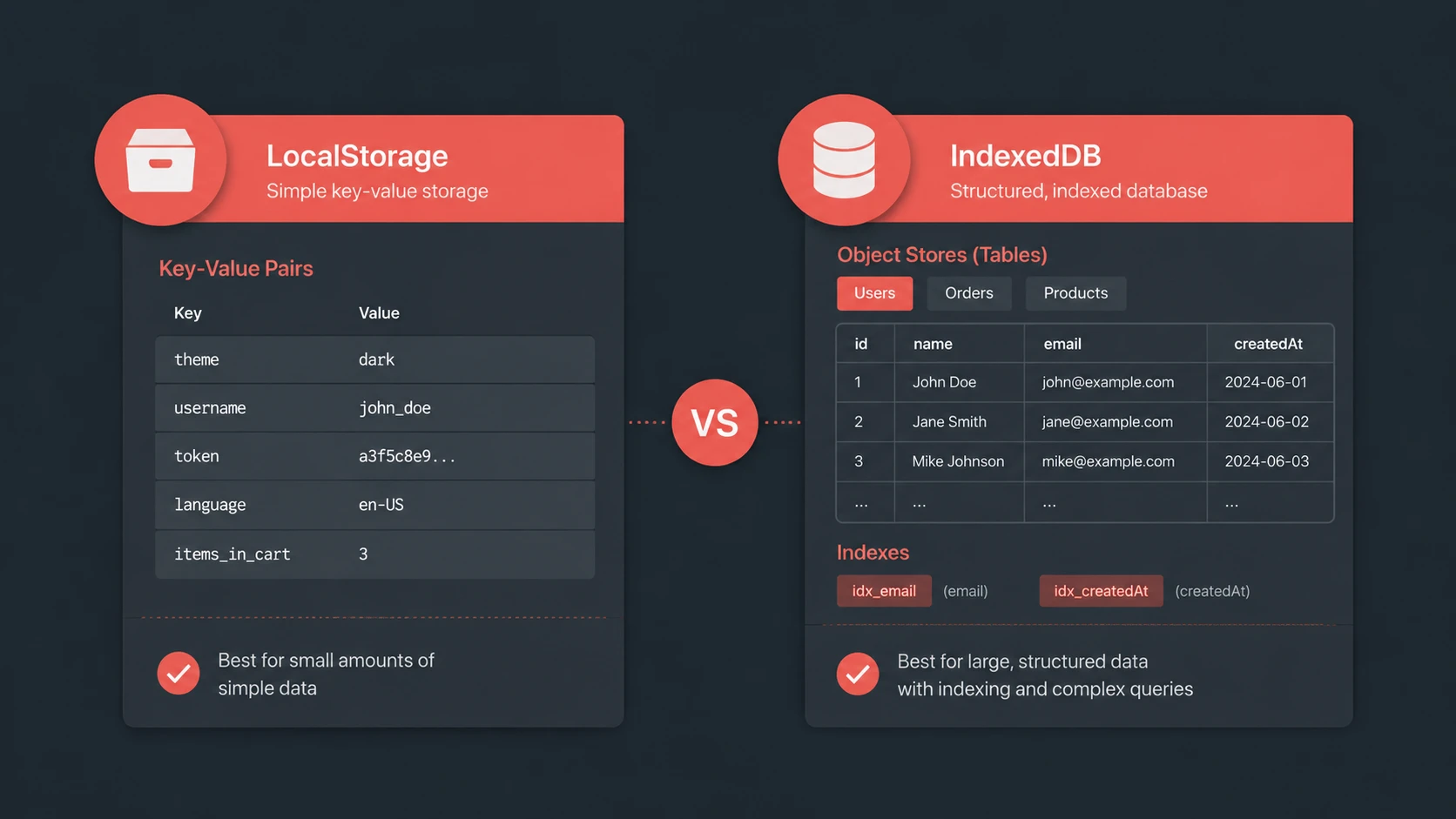
| LocalStorage | Simple key-value storage |
| IndexedDB | Structured object database |
| REST API | Synchronizes remote data |
| Application Cache | Improves responsiveness |
This separation enables applications to combine local responsiveness with centralized enterprise data management.
Understanding LocalStorage
// Storing and retrieving JSON data in LocalStorage
const userPreference = { theme: 'dark', fontSize: '16px' };

// Serialize and write to storage
localStorage.setItem('user_pref', JSON.stringify(userPreference));

// Read and deserialize from storage
const storedPref = JSON.parse(localStorage.getItem('user_pref'));
console.log('User preferred theme:', storedPref.theme);
LocalStorage provides a straightforward key-value storage mechanism.
Developers store values using string keys and retrieve them later during application execution.
Characteristics include:
- ◆Simple programming model
- ◆Persistent storage
- ◆String-based values
- ◆Synchronous access
- ◆Suitable for relatively small datasets
Because LocalStorage exposes a minimal API, it is well suited for storing lightweight application settings and preferences.
Understanding IndexedDB
// Opening a database connection and creating an object store in IndexedDB
const request = indexedDB.open("shivam_local_db", 1);

request.onupgradeneeded = function(event) {
  const db = event.target.result;
  // Create object store with key path autoIncrement
  const store = db.createObjectStore("logs", { keyPath: "id", autoIncrement: true });
  store.createIndex("timestamp", "timestamp", { unique: false });
};

request.onsuccess = function(event) {
  const db = event.target.result;
  console.log("Database initialized successfully!");
};
IndexedDB provides a significantly richer storage model.
Rather than storing simple strings, IndexedDB maintains structured object stores capable of handling complex application data.
Important characteristics include:
- ◆Object-oriented storage
- ◆Transaction support
- ◆Indexes
- ◆Cursor-based navigation
- ◆Large storage capacity
- ◆Asynchronous programming model
These capabilities make IndexedDB more appropriate for data-intensive web applications.
Data Model Comparison
The two technologies differ substantially in how information is organized.
| Capability | LocalStorage | IndexedDB |
|---|---|---|
| Storage Model | Key-value pairs | Object database |
| Data Types | Strings | Structured objects |
| Index Support | No | Yes |
| Transactions | No | Yes |
| Asynchronous Operations | No | Yes |
| Large Dataset Support | Limited | Excellent |
Applications should select the storage model that best matches their data requirements.
Performance Characteristics
Performance varies according to workload.
LocalStorage performs well for:
- ◆Configuration values
- ◆User preferences
- ◆Session metadata
- ◆Small cached values
IndexedDB is better suited for:
- ◆Thousands of records
- ◆Structured business objects
- ◆Offline datasets
- ◆Search indexes
- ◆Large application caches
IndexedDB's asynchronous design also reduces the likelihood of blocking browser execution during storage operations.
Offline Applications
One of IndexedDB's most compelling use cases is supporting offline-capable applications.
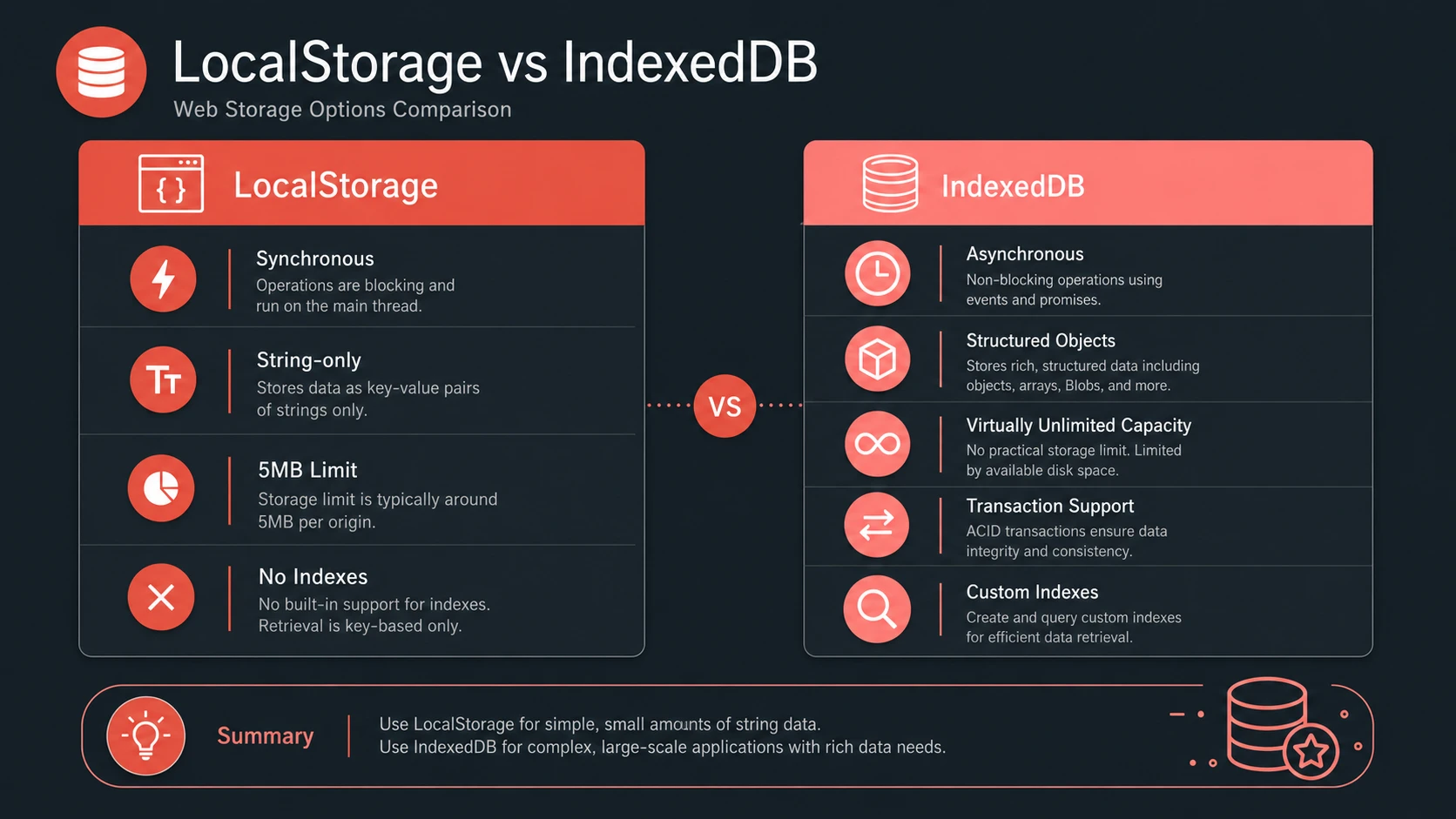
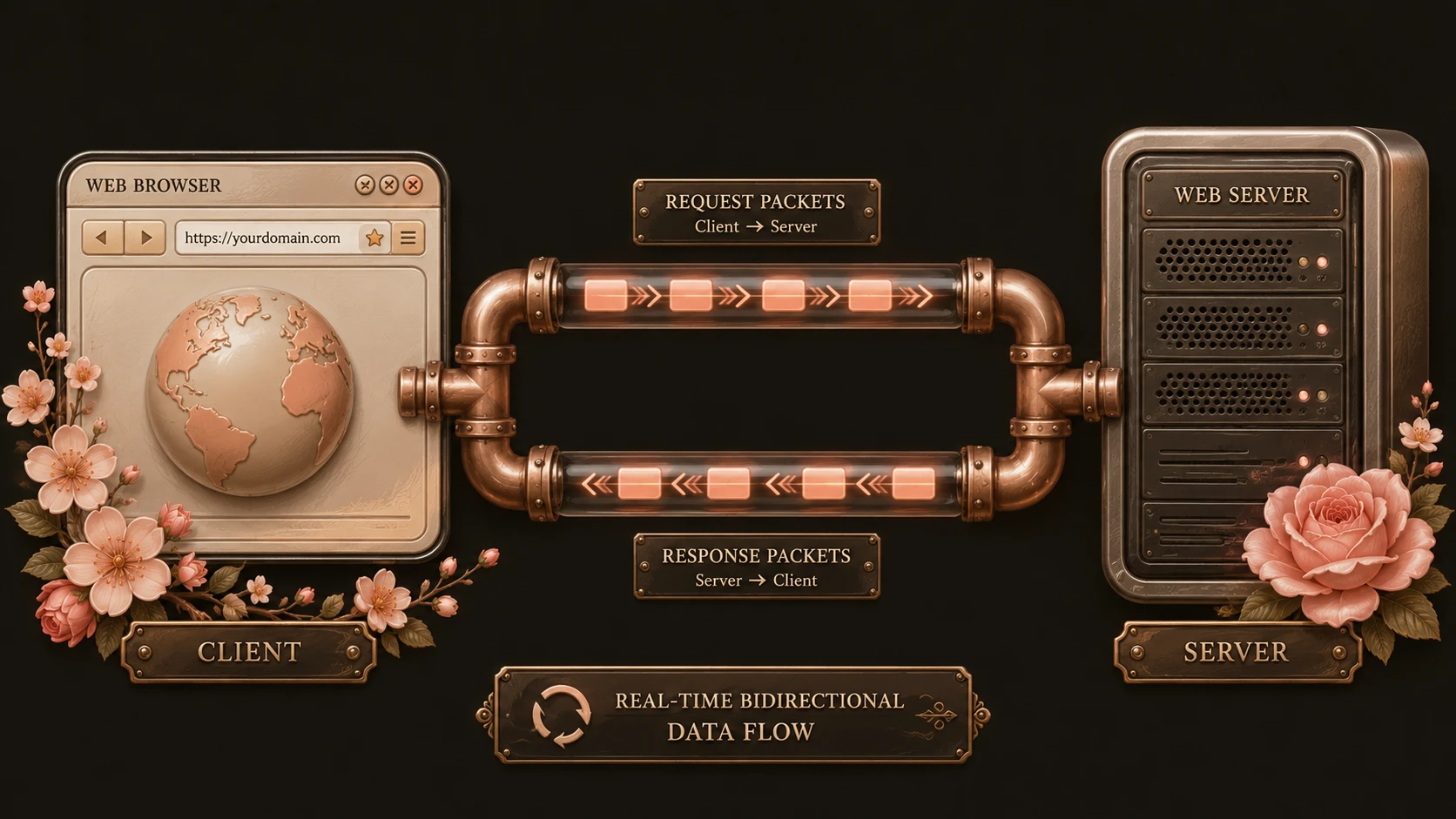
System architecture diagram and conceptual workflow layout for IndexedDB vs. LocalStorage.
Enterprise applications may store:
- ◆Customer information
- ◆Product catalogs
- ◆Field service records
- ◆Inventory data
- ◆Sales information
Users continue working while disconnected, synchronizing with backend systems once network connectivity becomes available.
LocalStorage can support limited offline scenarios but lacks many of the capabilities required for complex offline data management.
Data Synchronization
Many enterprise applications combine local persistence with RESTful APIs.
A common workflow includes:
- 1.Request data from the server.
- 2.Store retrieved data locally.
- 3.Display information immediately during future visits.
- 4.Synchronize updates when connectivity is available.
- 5.Refresh cached information periodically.
IndexedDB's structured storage model generally provides greater flexibility for synchronization workflows.
Enterprise Use Cases
| Scenario | Recommended Technology | Reason |
|---|---|---|
| User preferences | LocalStorage | Simple key-value storage |
| Theme settings | LocalStorage | Lightweight persistence |
| Offline CRM application | IndexedDB | Large structured datasets |
| Product catalog cache | IndexedDB | Indexed object storage |
| Business dashboards | IndexedDB | Cached reporting data |
| Session configuration | LocalStorage | Small persistent values |
Selecting storage technology according to workload improves maintainability and performance.
Performance Considerations
Organizations should evaluate:
- ◆Dataset size
- ◆Read frequency
- ◆Write frequency
- ◆Search requirements
- ◆Synchronization strategy
- ◆Browser responsiveness
Large structured datasets generally benefit from IndexedDB, while lightweight configuration data remains well suited for LocalStorage.
Security Considerations
Client-side storage should never be treated as a secure repository for sensitive information.
Organizations should:
- ◆Avoid storing confidential credentials.
- ◆Use HTTPS for communication.
- ◆Validate all server requests.
- ◆Protect authentication mechanisms.
- ◆Consider client-side storage vulnerable to local access.
Application security should continue to rely on server-side authorization and validation.
Scalability
As applications grow, storage architecture becomes increasingly important.
IndexedDB supports scalability through:
- ◆Structured object stores
- ◆Multiple indexes
- ◆Transaction processing
- ◆Efficient retrieval
- ◆Larger storage capacity
LocalStorage remains appropriate for relatively small amounts of persistent application configuration.
Best Practices
Organizations developing enterprise web applications should:
- ◆Use LocalStorage for lightweight configuration.
- ◆Select IndexedDB for structured application data.
- ◆Design synchronization carefully.
- ◆Handle storage failures gracefully.
- ◆Minimize unnecessary duplication.
- ◆Test across supported browsers.
- ◆Validate offline workflows.
- ◆Monitor application storage requirements.
Careful planning improves long-term maintainability.
Common Mistakes
Development teams frequently encounter several storage-related issues.
Common mistakes include:
- ◆Using LocalStorage as a database.
- ◆Storing large datasets synchronously.
- ◆Ignoring offline synchronization.
- ◆Saving sensitive information within browser storage.
- ◆Failing to design data migration strategies.
- ◆Selecting IndexedDB for very simple configuration scenarios.
Technology selection should reflect actual application requirements rather than feature availability.
Technology Comparison
| Feature | LocalStorage | IndexedDB |
|---|---|---|
| Learning Curve | Low | Moderate |
| Data Complexity | Simple | High |
| Query Capability | Limited | Indexed lookups |
| Storage Capacity | Smaller | Larger |
| Transaction Support | No | Yes |
| Enterprise Application Suitability | Configuration and preferences | Offline and data-intensive applications |
Both technologies address valuable but different application scenarios.
Adoption Strategy
Organizations introducing client-side persistence should begin by classifying application data.
A recommended approach includes:
- 1.Identify lightweight configuration data.
- 2.Store simple preferences using LocalStorage.
- 3.Evaluate offline data requirements.
- 4.Introduce IndexedDB for structured datasets.
- 5.Design synchronization with backend APIs.
- 6.Test browser compatibility.
- 7.Monitor storage usage over time.
A hybrid approach often provides the greatest flexibility for enterprise applications.
Limitations
Although both technologies improve browser capabilities, they each have limitations.
LocalStorage considerations include:
- ◆String-only storage
- ◆Synchronous execution
- ◆Limited query capabilities
- ◆Less suitable for large datasets
IndexedDB considerations include:
- ◆More complex programming model
- ◆Greater implementation effort
- ◆Asynchronous development patterns
- ◆Additional testing requirements
Architects should balance simplicity with long-term application needs.
Looking Ahead
As of August 2014, client-side storage is becoming a foundational capability for modern web application architecture. Enterprise applications increasingly demand responsive user experiences, offline functionality, and reduced dependence on continuous network connectivity.
LocalStorage remains an excellent solution for lightweight persistent configuration, while IndexedDB provides a far more capable foundation for structured, data-intensive browser applications. Organizations building next-generation HTML5 applications should evaluate both technologies as complementary tools, selecting the appropriate storage mechanism according to application complexity, scalability requirements, and long-term maintenance objectives.