Enterprise mobility has rapidly evolved from a specialized initiative into a strategic priority for organizations across nearly every industry. Smartphones and tablets are no longer viewed solely as communication devices. They are becoming business tools that support customer engagement, field operations, executive reporting, healthcare workflows, logistics, sales automation, and countless other enterprise scenarios.
This rapid expansion of mobile computing has introduced a critical architectural decision for development teams: should organizations build mobile web applications that run inside the browser, or should they invest in platform-specific native applications?
The answer is rarely straightforward. Both approaches offer compelling advantages, and both introduce trade-offs that must be carefully evaluated against business objectives, technical requirements, user expectations, and long-term maintenance costs.
As of mid-2011, the mobile ecosystem continues to mature. Apple iOS and Google's Android platform are expanding rapidly, while HTML5 capabilities are improving and mobile browsers are becoming increasingly capable. Enterprise architects should therefore evaluate mobile strategy based on business requirements rather than technology trends alone.
The Growth of Enterprise Mobility
Organizations increasingly rely on mobile technologies for:
- ◆Customer self-service
- ◆Sales force automation
- ◆Executive dashboards
- ◆Field service operations
- ◆Healthcare applications
- ◆Warehouse management
- ◆Inventory control
- ◆Business collaboration
These applications often require reliable access to enterprise systems regardless of user location.
Choosing the correct delivery model has become one of the most important architectural decisions in enterprise mobility.
Understanding Mobile Web Applications
Mobile web applications run inside a device's web browser using standard web technologies.
Typical technologies include:
- ◆HTML5
- ◆CSS3
- ◆JavaScript
- ◆AJAX
- ◆HTTP
Users access the application through a browser rather than installing software from an application marketplace.
The same application may serve multiple platforms with minimal modification.
Understanding Native Applications
Native applications are developed specifically for an operating system.
Examples include:
- ◆iOS applications
- ◆Android applications
- ◆Windows Phone applications
Native applications are installed directly on the device and execute using the operating system's native runtime environment.
They typically provide closer integration with device hardware and operating system services.
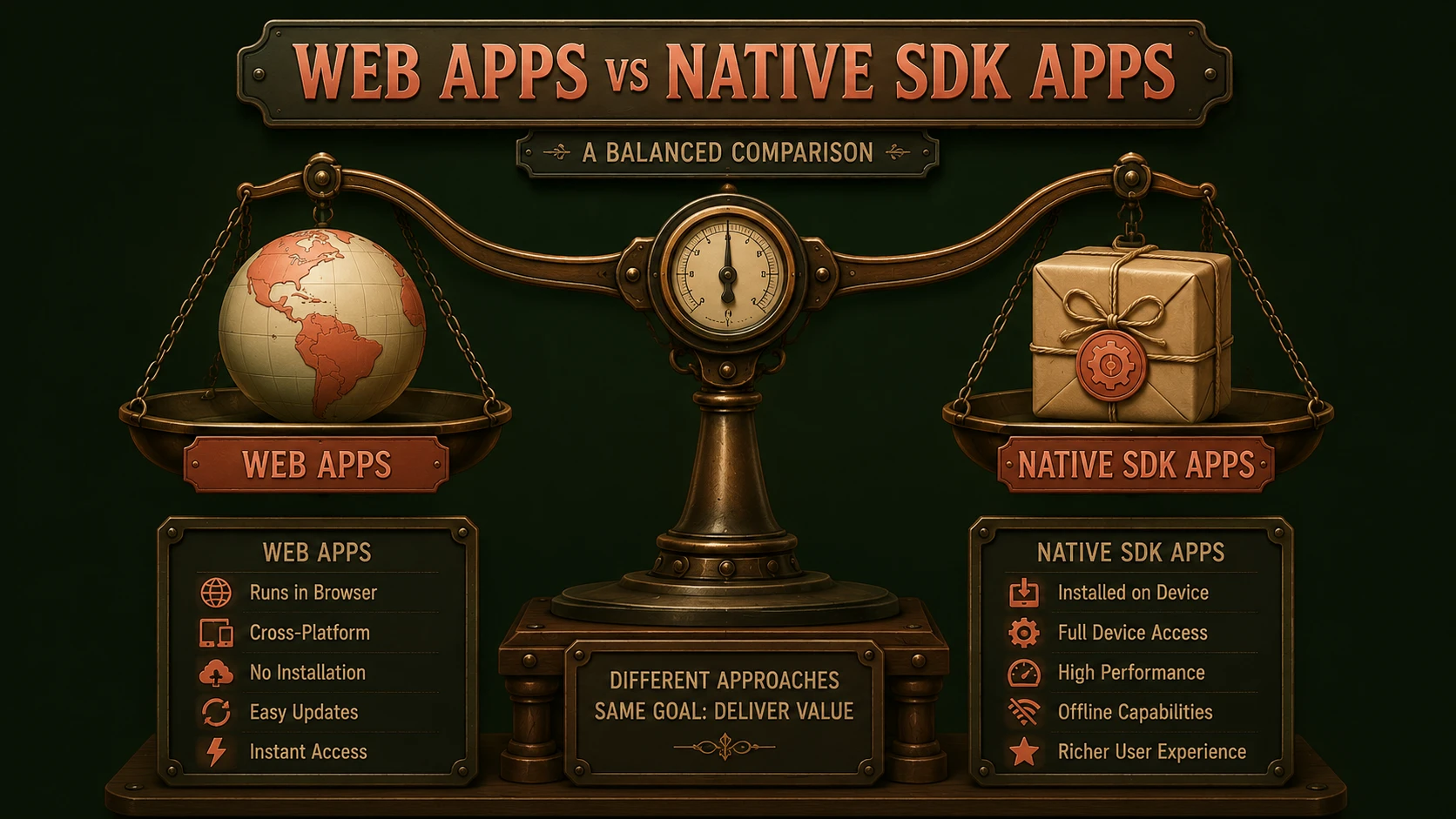
Comparing the Two Approaches
| Mobile Web | Native Applications |
|---|---|
| Browser-based | Installed on device |
| Single code base | Platform-specific development |
| Easier deployment | Application store distribution |
| Broad platform compatibility | Optimized user experience |
| Limited hardware integration | Full device capability access |
Neither approach is universally superior. Success depends on matching the technology to business objectives.
Enterprise Architecture
Both application models commonly rely on the same enterprise services.
Typical architecture:
Mobile Browser / Native App
            |
HTTP / HTTPS
            |
REST or Web Services
            |
Enterprise Application Server
            |
Business Services
            |
Enterprise Database
Keeping business logic within centralized service layers enables organizations to support multiple client technologies while minimizing duplicated business rules.
Advantages of Mobile Web Applications
Mobile web applications offer several practical benefits.
Cross-Platform Compatibility
A standards-based application can serve multiple mobile platforms from a single code base.
Simplified Deployment
Users access the latest application version immediately without downloading software updates.
Lower Maintenance Costs
Maintaining one application may reduce development effort compared to supporting multiple native platforms.
Easier Integration with Existing Web Infrastructure
Organizations already operating web applications can often reuse existing development knowledge and infrastructure.
Advantages of Native Applications
Native development provides several important capabilities.
Better Device Integration
Applications can more easily access:
- ◆Camera
- ◆GPS
- ◆Accelerometer
- ◆Contacts
- ◆Notifications
Improved Performance
Native applications generally provide smoother interaction for graphics-intensive or highly interactive experiences.
Offline Capabilities
Native applications may continue functioning even when network connectivity is unavailable.
Platform-Specific User Experience
Applications can follow interface conventions familiar to users of each operating system.
Performance Considerations
Performance requirements vary significantly across enterprise applications.
Applications involving:
- ◆Complex graphics
- ◆Large datasets
- ◆Real-time interaction
- ◆Frequent hardware access
may benefit from native implementation.
Conversely, information-centric business applications may perform well as mobile web solutions when supported by efficient server-side architecture.
Security Considerations
Enterprise mobility requires careful attention to security regardless of development approach.
Organizations should evaluate:
- ◆Authentication
- ◆Authorization
- ◆Secure communication using HTTPS
- ◆Session management
- ◆Data encryption
- ◆Device management policies
Security should be incorporated into architecture from the beginning rather than added after deployment.
User Experience
The user experience often influences adoption more than technical architecture.
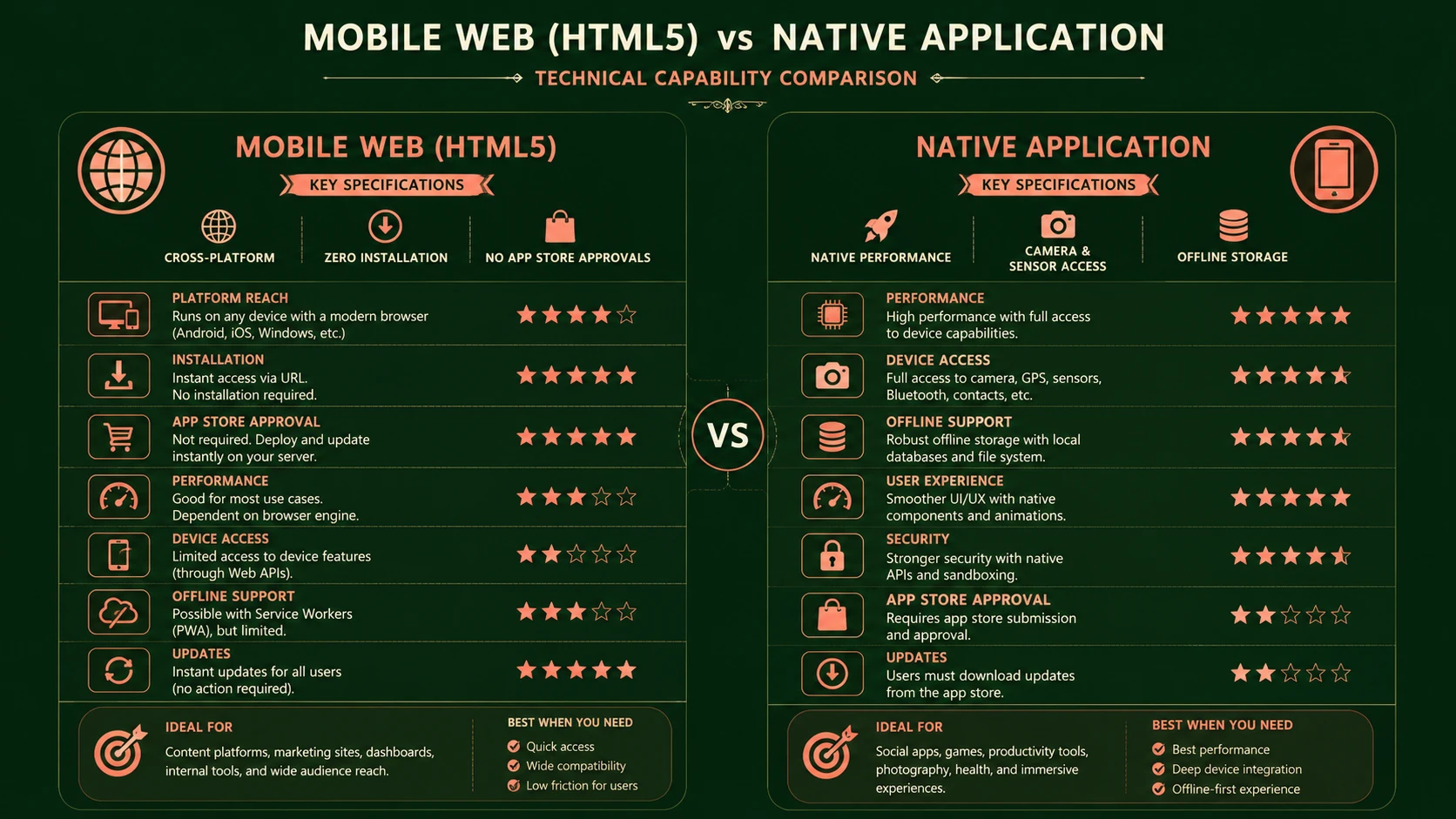
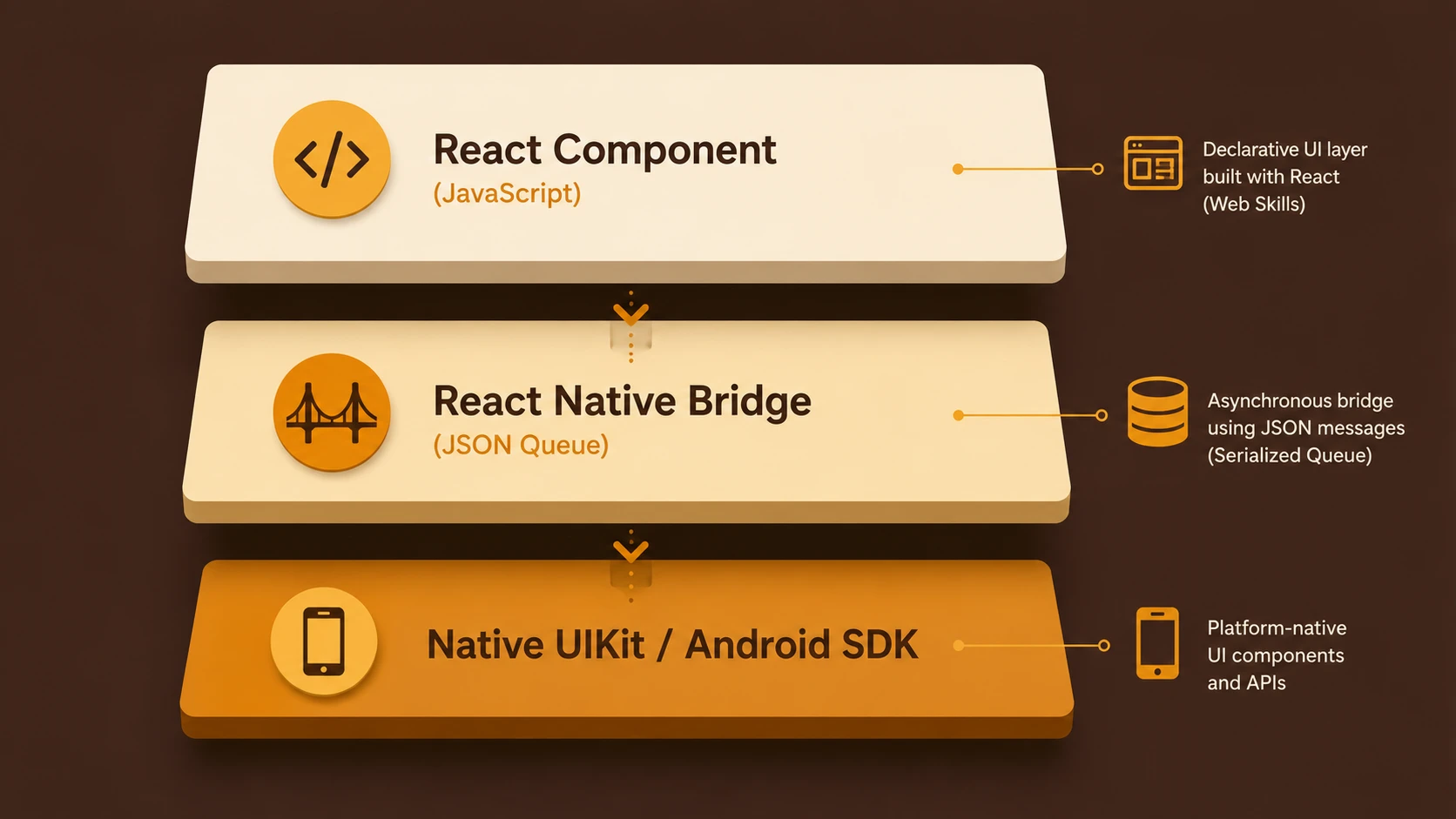
System architecture diagram and conceptual workflow layout for Mobile Web vs. Native Apps.
Developers should consider:
- ◆Navigation simplicity
- ◆Responsive interfaces
- ◆Readability
- ◆Input efficiency
- ◆Screen size adaptation
- ◆Performance consistency
Applications should prioritize business productivity over unnecessary visual complexity.
Enterprise Use Cases
Customer Portals
Mobile web applications often provide an efficient solution for customers accessing:
- ◆Account information
- ◆Support requests
- ◆Product catalogs
- ◆Order status
without requiring software installation.
Sales Automation
Native applications may be advantageous when representatives require offline access, GPS integration, or camera functionality.
Healthcare
Healthcare organizations may deploy native applications supporting patient information, clinical documentation, and barcode scanning while using secure web services for centralized data management.
Executive Dashboards
Both approaches can be appropriate depending on reporting complexity and connectivity requirements.
Development Team Considerations
Organizations should evaluate available expertise.
Native development often requires separate teams for each platform.
Mobile web development typically leverages existing web development skills.
Factors include:
- ◆Training requirements
- ◆Hiring availability
- ◆Existing technical expertise
- ◆Long-term maintenance
Development resources frequently influence architectural decisions as much as technology capabilities.
Long-Term Maintenance
Maintaining multiple native applications can introduce:
- ◆Separate release schedules
- ◆Platform-specific testing
- ◆Independent feature development
- ◆Multiple deployment processes
Mobile web applications simplify many of these operational concerns through centralized deployment.
However, browser compatibility and varying mobile capabilities still require comprehensive testing.
Best Practices
Organizations evaluating mobile strategies should consider several recommendations.
Build Service-Oriented Architectures
Centralized business services enable multiple client technologies.
Separate Business Logic
Avoid embedding business rules directly within client applications.
Design for Network Variability
Applications should handle changing connectivity gracefully.
Focus on User Tasks
Prioritize the activities users perform most frequently.
Evaluate Total Cost of Ownership
Development cost represents only one portion of the application's lifecycle.
Maintenance, testing, support, and future enhancements should also influence technology selection.
Common Mistakes
Enterprise teams often encounter similar challenges.
Selecting Technology Before Defining Requirements
Business objectives should guide architecture rather than current technology trends.
Ignoring Offline Requirements
Applications used by field employees may require functionality without continuous connectivity.
Duplicating Business Logic
Shared enterprise services reduce maintenance and improve consistency.
Underestimating Testing
Multiple devices, browsers, and operating systems require comprehensive quality assurance.
Assuming One Solution Fits Every Scenario
Different business applications may require different mobile strategies.
Decision Framework
Architects evaluating mobile projects should consider the following questions.
| Consideration | Mobile Web | Native App |
|---|---|---|
| Cross-platform support | Strong | Limited to platform |
| Device hardware access | Limited | Extensive |
| Deployment simplicity | High | Moderate |
| Offline operation | Limited | Strong |
| Development effort | Lower for multiple platforms | Higher across platforms |
The answers will vary according to individual business requirements.
Adoption Recommendations
Organizations developing enterprise mobility strategies should proceed methodically.
Recommended roadmap:
- 1.Identify business objectives.
- 2.Analyze user workflows.
- 3.Evaluate hardware integration requirements.
- 4.Design reusable enterprise services.
- 5.Build a pilot application.
- 6.Measure user adoption and operational performance.
- 7.Expand the mobile portfolio using lessons learned.
A structured evaluation process reduces implementation risk while improving long-term architectural consistency.
Looking Ahead
Enterprise mobility is entering a period of rapid innovation. Improvements in smartphone hardware, mobile browsers, wireless networks, and application platforms continue expanding the possibilities for business software.
Rather than viewing mobile web applications and native applications as competing technologies, organizations should recognize that each addresses different categories of business requirements. Mobile web applications offer broad accessibility and simplified deployment, while native applications provide deeper platform integration and enhanced user experiences.
Architects who focus on reusable service-oriented architectures, careful application design, and business-driven technology selection will be better positioned to support the continuing evolution of enterprise mobility throughout the coming years.