Introduction
Android application development has matured significantly over the past several years. Enterprise organizations increasingly depend on Android applications for customer engagement, workforce productivity, logistics, healthcare, retail, banking, and field service operations. As these applications continue growing in size and complexity, maintaining clean application architecture has become one of the primary challenges facing development teams.
Traditional Android applications often suffer from tightly coupled Activities, difficult lifecycle management, duplicated business logic, and inconsistent data persistence strategies. Developers have historically relied on third-party libraries or internally defined architectural patterns to overcome these limitations.
Google's introduction of Android Architecture Components represents an important effort to standardize application architecture across the Android ecosystem. Rather than prescribing a complete framework, Architecture Components provide a collection of lifecycle-aware libraries that simplify common development tasks while encouraging maintainable software design.
For enterprise mobile development teams, these components offer an opportunity to improve application reliability, reduce lifecycle-related bugs, and establish consistent engineering practices.
Industry Background
Enterprise Android applications increasingly support:
- ◆Customer self-service portals
- ◆Retail and commerce platforms
- ◆Banking applications
- ◆Healthcare systems
- ◆Logistics and transportation
- ◆Field workforce management
- ◆Business dashboards
- ◆Enterprise communication tools
As applications evolve, developers require architectures that separate presentation, business logic, and persistence while remaining resilient to Android lifecycle events.
The Business Problem
Traditional Android development commonly introduces several architectural challenges:
- ◆Activity lifecycle complexity
- ◆Configuration change handling
- ◆Memory leaks
- ◆Tightly coupled UI logic
- ◆Inconsistent persistence mechanisms
- ◆Difficult testing
Without standardized architectural guidance, large applications often become increasingly difficult to maintain.
Understanding Android Architecture Components
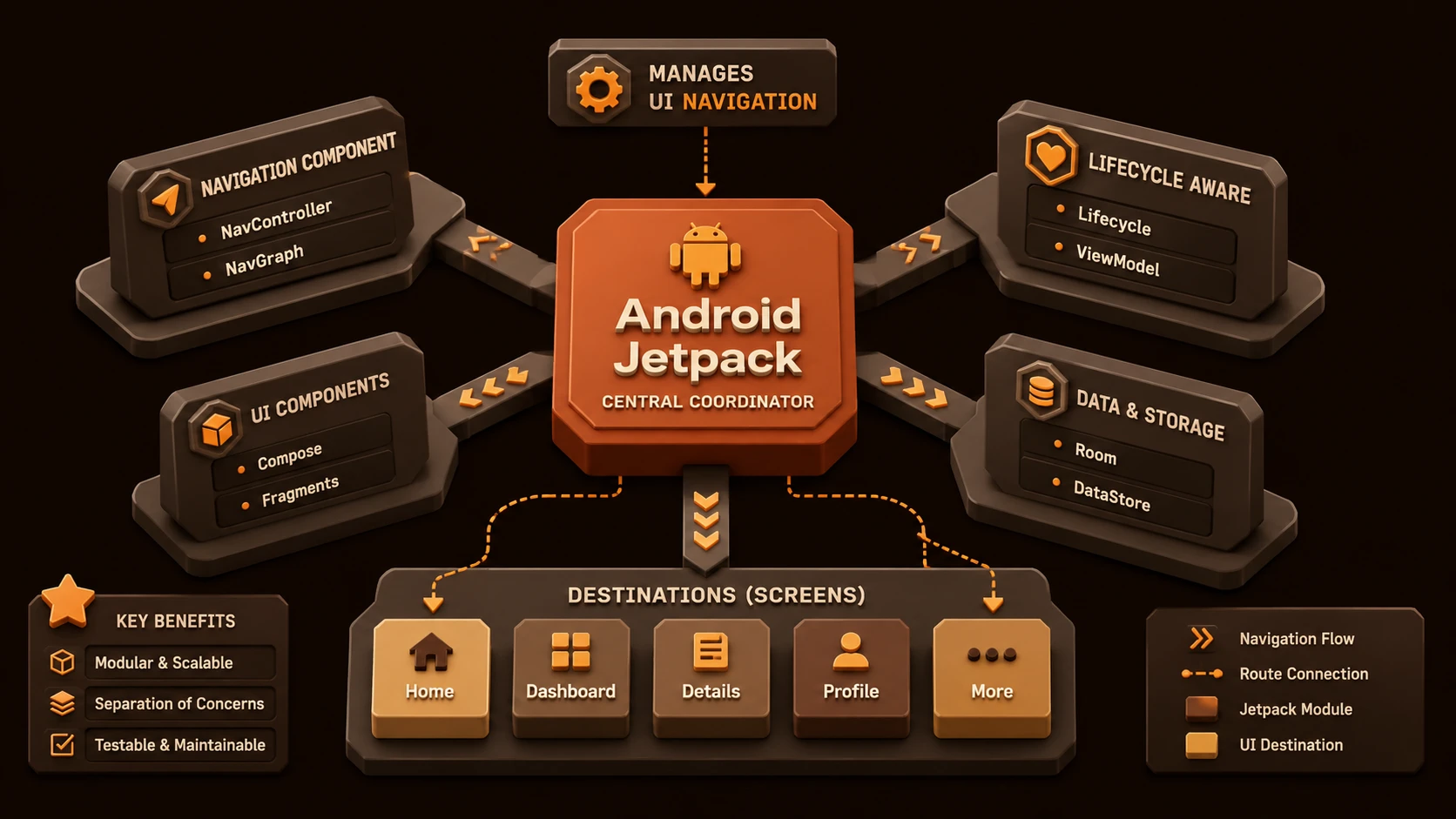
Android Architecture Components are a collection of official Android libraries designed to simplify application development by providing lifecycle awareness, structured data management, and recommended architectural patterns.
The primary objectives include:
- ◆Lifecycle-aware development
- ◆Separation of concerns
- ◆Improved maintainability
- ◆Simplified persistence
- ◆Better testability
- ◆Consistent application architecture
Rather than replacing existing Android APIs, these components extend the platform with reusable building blocks.
Core Architecture
| Component | Responsibility |
|---|---|
| Activity | User interface entry point |
| Fragment | Modular UI component |
| ViewModel | Holds UI-related data |
| LiveData | Observable lifecycle-aware data holder |
| Room | SQLite persistence abstraction |
| Lifecycle Library | Lifecycle observation and management |
| Repository | Coordinates application data sources |
Together these components encourage a layered application architecture.
How Android Architecture Components Work
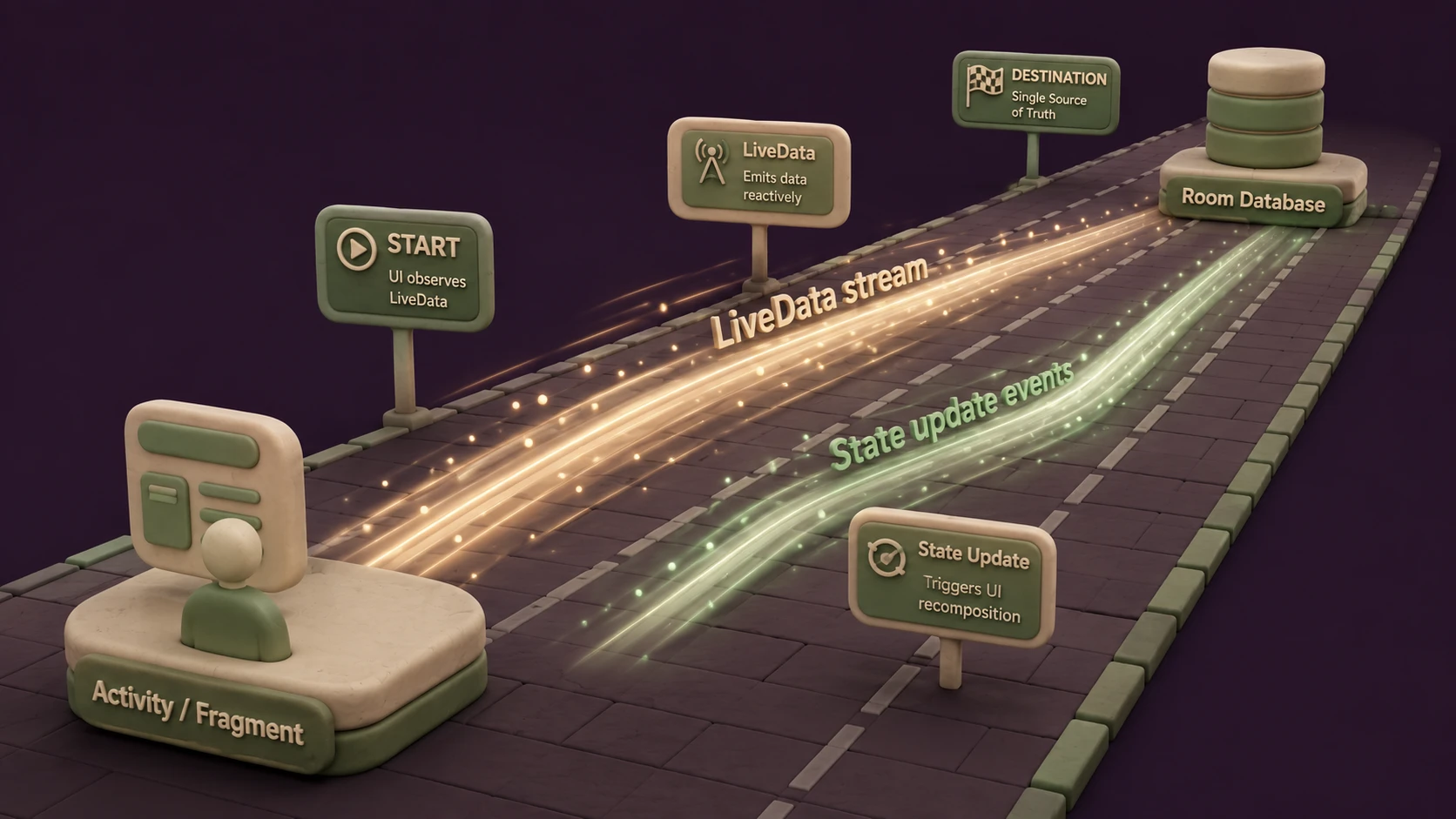
A typical application workflow includes:
- 1.User interacts with an Activity or Fragment.
- 2.The UI communicates with a ViewModel.
- 3.The ViewModel requests data through a Repository.
- 4.The Repository retrieves information from Room or remote services.
- 5.LiveData delivers updates to the UI.
- 6.Lifecycle-aware observers ensure updates occur only while the UI is active.
This separation reduces direct dependencies between user interface code and application logic.
ViewModel
// Android ViewModel implementation preserving state across device configuration changes
package com.shivamitcs.app;

import androidx.lifecycle.LiveData;
import androidx.lifecycle.MutableLiveData;
import androidx.lifecycle.ViewModel;

public class UserProfileViewModel extends ViewModel {
    private MutableLiveData<User> userLiveData = new MutableLiveData<>();

    public LiveData<User> getUser() {
        return userLiveData;
    }

    public void loadUserDetails(String userId) {
        // Load asynchronously and set live data
        User user = fetchUserFromRepository(userId);
        userLiveData.setValue(user);
    }
}
ViewModel provides a dedicated location for storing UI-related data independently of Activities and Fragments.
Advantages include:
- ◆Survives configuration changes
- ◆Separates business logic from UI
- ◆Simplifies testing
- ◆Reduces lifecycle-related code
By moving state management outside Activities, applications become easier to maintain.
LiveData
LiveData is an observable data holder designed with Android lifecycle awareness.
Unlike traditional observer implementations, LiveData automatically respects component lifecycle states.
Benefits include:
- ◆Automatic lifecycle management
- ◆Reduced memory leak risk
- ◆Simplified UI updates
- ◆Improved data consistency
Room Persistence Library
Room provides a higher-level abstraction over SQLite.
Key capabilities include:
- ◆Object mapping
- ◆Compile-time query validation
- ◆Simplified database access
- ◆Structured persistence layer
Room enables developers to continue using SQLite while reducing boilerplate database code.
Lifecycle Library
The Lifecycle library enables application components to observe lifecycle events without embedding excessive logic inside Activities.
Typical use cases include:
- ◆Network management
- ◆Resource cleanup
- ◆Analytics
- ◆Location updates
- ◆Background processing coordination
This encourages reusable lifecycle-aware components.
Key Features
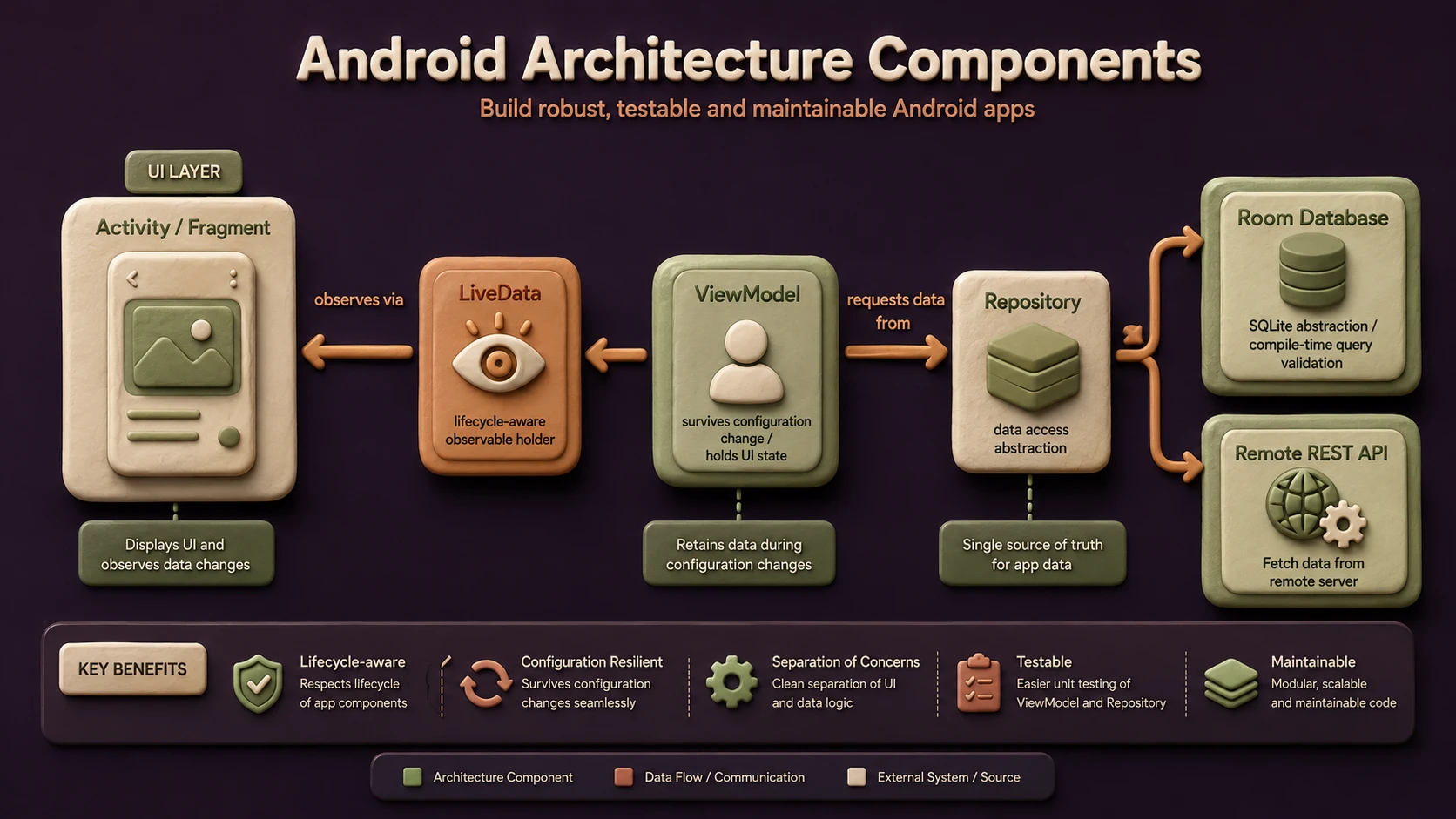
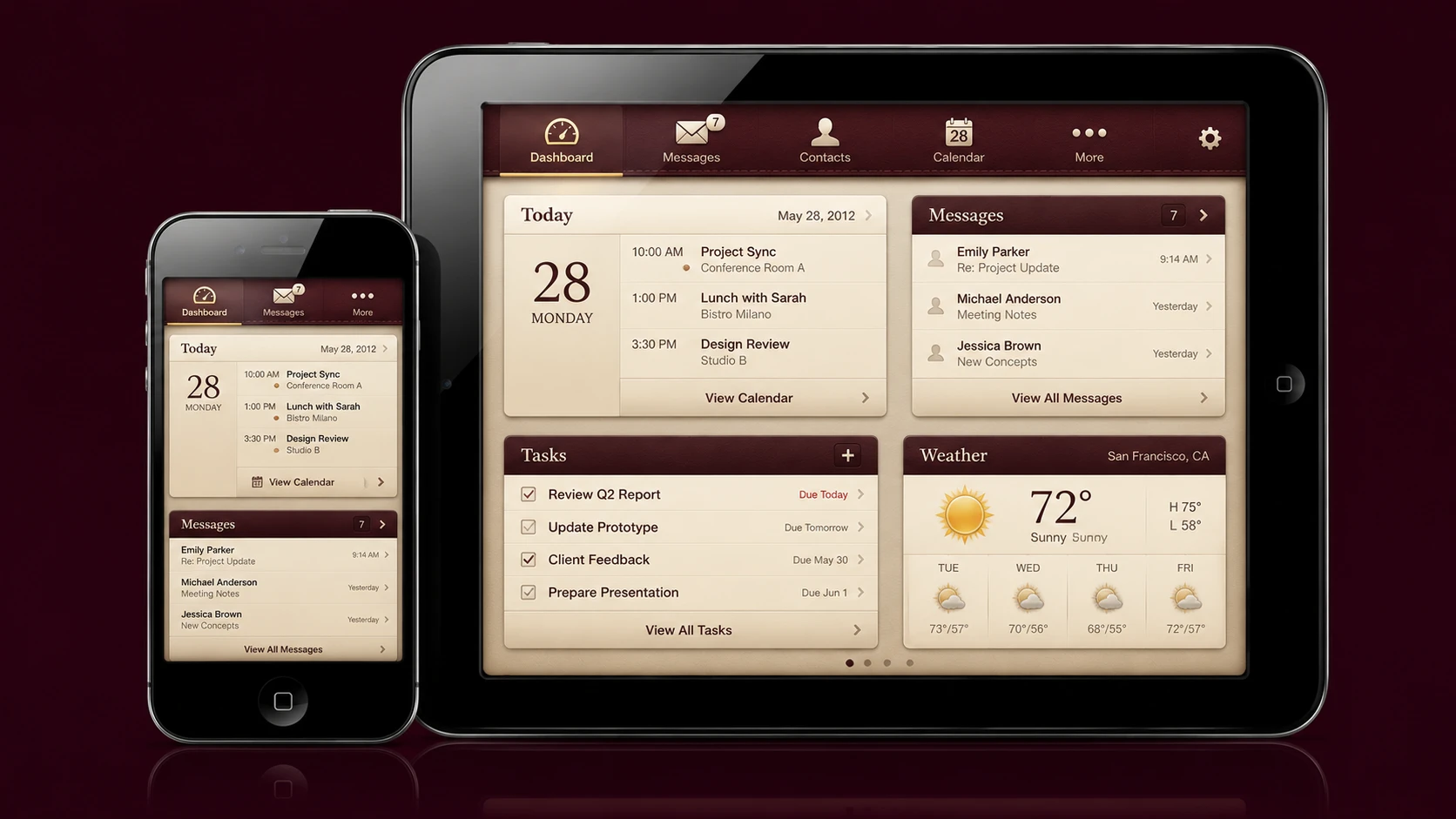
SDK framework stack showing unified platform layouts for unified target devices.
Lifecycle Awareness
Components automatically respond to lifecycle state changes, reducing common programming errors.
Separation of Concerns
Business logic moves outside Activities and Fragments into dedicated architectural layers.
Simplified Persistence
Room standardizes local database access while improving developer productivity.
Observable Data
LiveData simplifies communication between application layers.
Official Guidance
Architecture Components establish consistent architectural recommendations from the Android team.
Enterprise Use Cases
Enterprise Business Applications
Large internal applications benefit from modular architecture and improved maintainability.
Banking Applications
Lifecycle-aware state management improves reliability during device configuration changes.
Healthcare Systems
Structured data management supports complex application workflows.
Retail Applications
Consistent architecture simplifies long-term feature development.
Field Service Platforms
Offline data storage through Room supports mobile workers operating in varying network conditions.
Performance Considerations
Architecture Components primarily improve application structure rather than raw execution speed.
Performance considerations include:
- ◆Efficient lifecycle handling
- ◆Reduced unnecessary UI updates
- ◆Structured database access
- ◆Better memory utilization
- ◆Cleaner separation of responsibilities
Developers should continue profiling applications under representative workloads.
Security Considerations
Architecture Components complement existing Android security practices.
Enterprise applications should continue implementing:
- ◆Secure authentication
- ◆Authorization
- ◆Data encryption where appropriate
- ◆Secure local storage
- ◆Input validation
- ◆Network security using HTTPS
Application architecture improves maintainability but does not replace secure software engineering.
Scalability
Architecture Components support long-term application scalability through:
- ◆Modular design
- ◆Reusable business logic
- ◆Improved testing
- ◆Consistent data flow
- ◆Easier maintenance
- ◆Team collaboration
These characteristics are particularly valuable for enterprise applications maintained over multiple release cycles.
Best Practices
- ◆Keep Activities and Fragments focused on UI responsibilities.
- ◆Place business logic inside ViewModels.
- ◆Use LiveData for observable application state.
- ◆Centralize persistence through Room where appropriate.
- ◆Separate data access using Repository classes.
- ◆Test ViewModels independently.
- ◆Follow consistent architectural conventions.
- ◆Adopt Architecture Components incrementally.
Common Mistakes
| Mistake | Enterprise Impact |
|---|---|
| Keeping business logic inside Activities | Reduced maintainability |
| Ignoring lifecycle awareness | Memory leaks and crashes |
| Mixing persistence logic with UI | Tight coupling |
| Overcomplicating architecture | Lower developer productivity |
| Inconsistent data management | Difficult maintenance |
| Skipping automated testing | Reduced software quality |
Technology Comparison
| Capability | Traditional Android Development | Android Architecture Components |
|---|---|---|
| Lifecycle Handling | Manual | Lifecycle-Aware |
| UI State Management | Activity-Based | ViewModel |
| Observable Data | Custom Implementations | LiveData |
| Database Layer | Direct SQLite APIs | Room |
| Architectural Guidance | Developer Defined | Official Libraries |
| Maintainability | Varies | Improved |
Adoption Strategy
- 1.Evaluate existing Android projects.
- 2.Introduce ViewModel into new screens.
- 3.Adopt LiveData for UI updates.
- 4.Introduce Room for local persistence where appropriate.
- 5.Establish Repository patterns.
- 6.Train development teams.
- 7.Expand adoption module by module.
- 8.Standardize architecture across enterprise applications.
Limitations
As of May 2017, Android Architecture Components are newly introduced and the ecosystem surrounding them continues to evolve. Organizations should evaluate the libraries carefully before large-scale adoption and validate compatibility with existing application architectures and third-party frameworks. Teams should also expect architectural guidance and tooling to mature as adoption increases.
Looking Ahead
From the perspective of May 2017, Android Architecture Components represent an important step toward standardized Android application architecture. By introducing lifecycle-aware libraries such as ViewModel, LiveData, Room, and Lifecycle, Google provides enterprise developers with official guidance for building maintainable, testable, and scalable mobile applications. As the Android ecosystem continues adopting these components, organizations have an opportunity to reduce architectural inconsistency while improving the long-term quality of enterprise mobile software.