Introduction
Enterprise IT is experiencing one of its most significant transitions since the widespread adoption of client-server computing. For decades, organizations have invested heavily in on-premise infrastructure, deploying Microsoft Exchange Server, SharePoint Server, Active Directory, file servers, messaging systems, and collaboration platforms within their own data centers.
While this model provides complete control over infrastructure, it also requires ongoing investments in hardware, software licensing, maintenance, security updates, disaster recovery, storage expansion, and dedicated IT personnel.
Cloud computing is introducing an alternative approach. Rather than purchasing and managing every component internally, organizations can consume enterprise software as an online service.
Microsoft's launch of Office 365 represents a major milestone in this evolution. The platform combines Exchange Online, SharePoint Online, Lync Online, and Office Web Apps into a unified subscription-based service designed for businesses of all sizes.
As of June 2011, many CIOs, infrastructure architects, and IT managers are evaluating whether Software-as-a-Service (SaaS) can replace traditional on-premise deployments or whether existing infrastructure investments should remain the preferred strategy.
This article examines the architectural differences between SaaS and on-premise environments, explores the capabilities introduced by Office 365, and discusses practical considerations for enterprise adoption.
The Traditional On-Premise Model
For many organizations, enterprise productivity platforms have historically been deployed entirely within corporate data centers.
A typical environment includes:
- ◆Microsoft Exchange Server
- ◆SharePoint Server
- ◆Active Directory
- ◆File servers
- ◆Backup infrastructure
- ◆Disaster recovery systems
- ◆Email gateways
- ◆Hardware load balancers
While this approach offers significant administrative control, it also introduces operational complexity.
IT departments remain responsible for procurement, deployment, upgrades, monitoring, security, capacity planning, and hardware replacement.
Understanding Software-as-a-Service
Software-as-a-Service shifts much of the infrastructure responsibility from the customer to the service provider.
Rather than installing enterprise software locally, organizations subscribe to hosted services delivered over the Internet.
Common SaaS characteristics include:
- ◆Subscription pricing
- ◆Centralized infrastructure
- ◆Automatic updates
- ◆Browser-based administration
- ◆Reduced hardware requirements
- ◆Elastic capacity
Office 365 brings these concepts to Microsoft's enterprise productivity portfolio.
What Office 365 Includes
Office 365 combines several Microsoft online services into a single offering.
Major components include:
- ◆Exchange Online
- ◆SharePoint Online
- ◆Lync Online
- ◆Office Web Apps
Together, these services provide email, collaboration, document sharing, communication, and productivity capabilities without requiring organizations to deploy and maintain the underlying server infrastructure.
Comparing SaaS and On-Premise
| Feature | On-Premise | Office 365 (SaaS) |
|---|---|---|
| Infrastructure Ownership | Customer | Microsoft |
| Hardware Procurement | Required | Not Required |
| Software Updates | Customer Managed | Managed by Microsoft |
| Capacity Planning | Customer Responsibility | Service Managed |
| Initial Investment | Higher | Subscription Based |
| Deployment Speed | Longer | Faster |
| Administration | Extensive | Simplified |
| Internet Dependency | Moderate | High |
Each deployment model offers distinct advantages depending on organizational requirements.
Enterprise Architecture
A simplified Office 365 architecture may resemble:
Users
      |
Internet
      |
Office 365 Services
-----------------------------
| Exchange Online |
| SharePoint Online |
| Lync Online |
-----------------------------
      |
Corporate Directory Services
Unlike traditional deployments, core collaboration services operate within Microsoft's hosted infrastructure while organizations continue managing user identities and business processes.
Benefits of Office 365
Several factors make Office 365 attractive to enterprise organizations.
Reduced Infrastructure Management
Organizations no longer need to maintain dedicated messaging and collaboration servers.
Faster Deployment
New users and services can often be provisioned more quickly than traditional server deployments.
Predictable Costs
Subscription pricing helps organizations forecast operational expenses more consistently.
Automatic Service Updates
Platform maintenance becomes significantly simpler because Microsoft manages infrastructure updates.
Accessibility
Employees can access productivity services from multiple locations through Internet-connected devices.
Enterprise Use Cases
Small and Medium Businesses
Organizations without large IT departments may benefit from reducing infrastructure management responsibilities.
Distributed Enterprises
Companies operating multiple offices can centralize collaboration services while reducing local infrastructure requirements.
Professional Services
Consulting firms and service organizations increasingly depend on mobile access to email, documents, and collaboration tools.
Education
Educational institutions can simplify collaboration while reducing server administration.
Growing Organizations
Rapidly expanding businesses may benefit from scalable subscription services that accommodate changing workforce requirements.
Considerations Before Migration
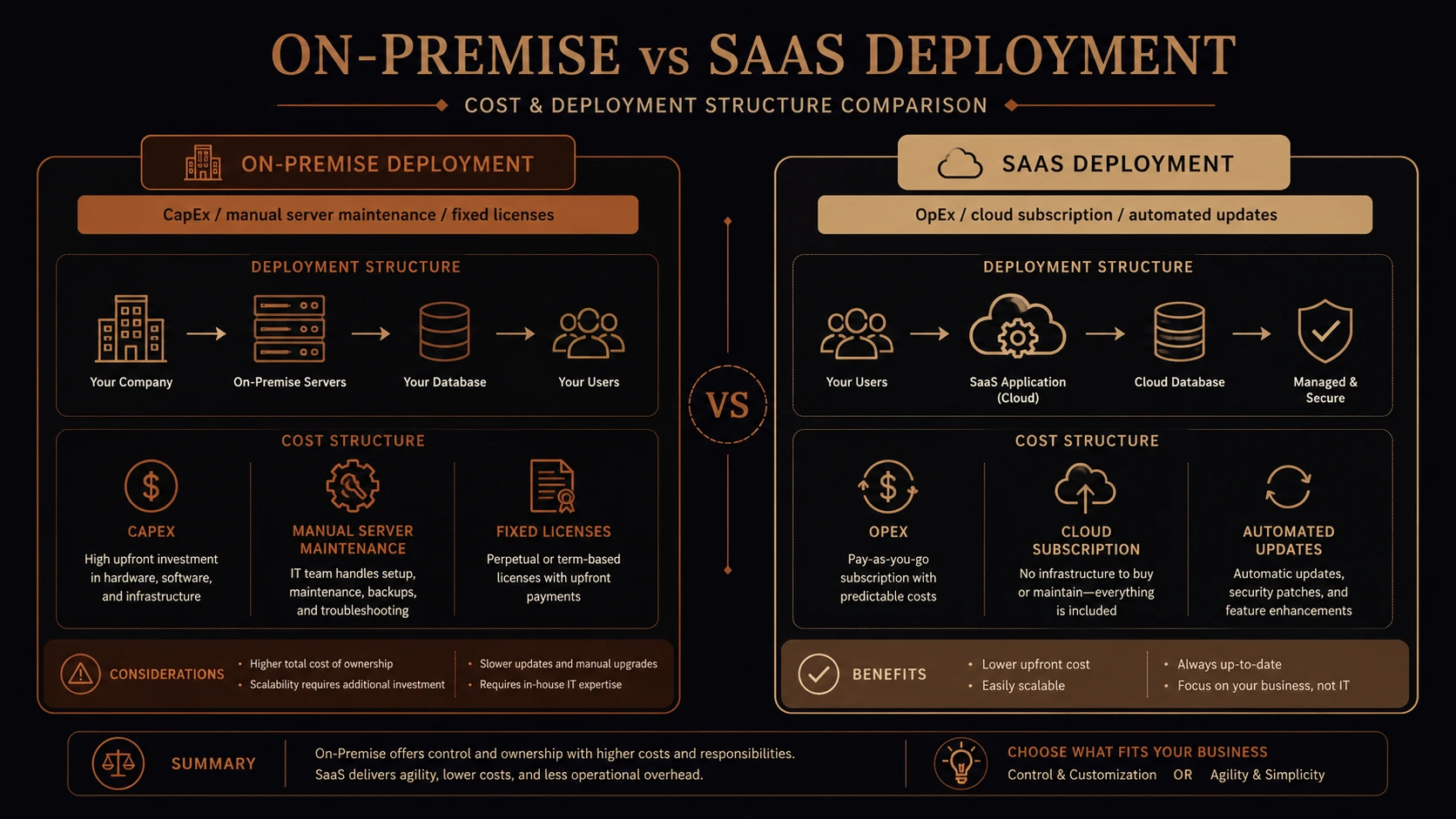
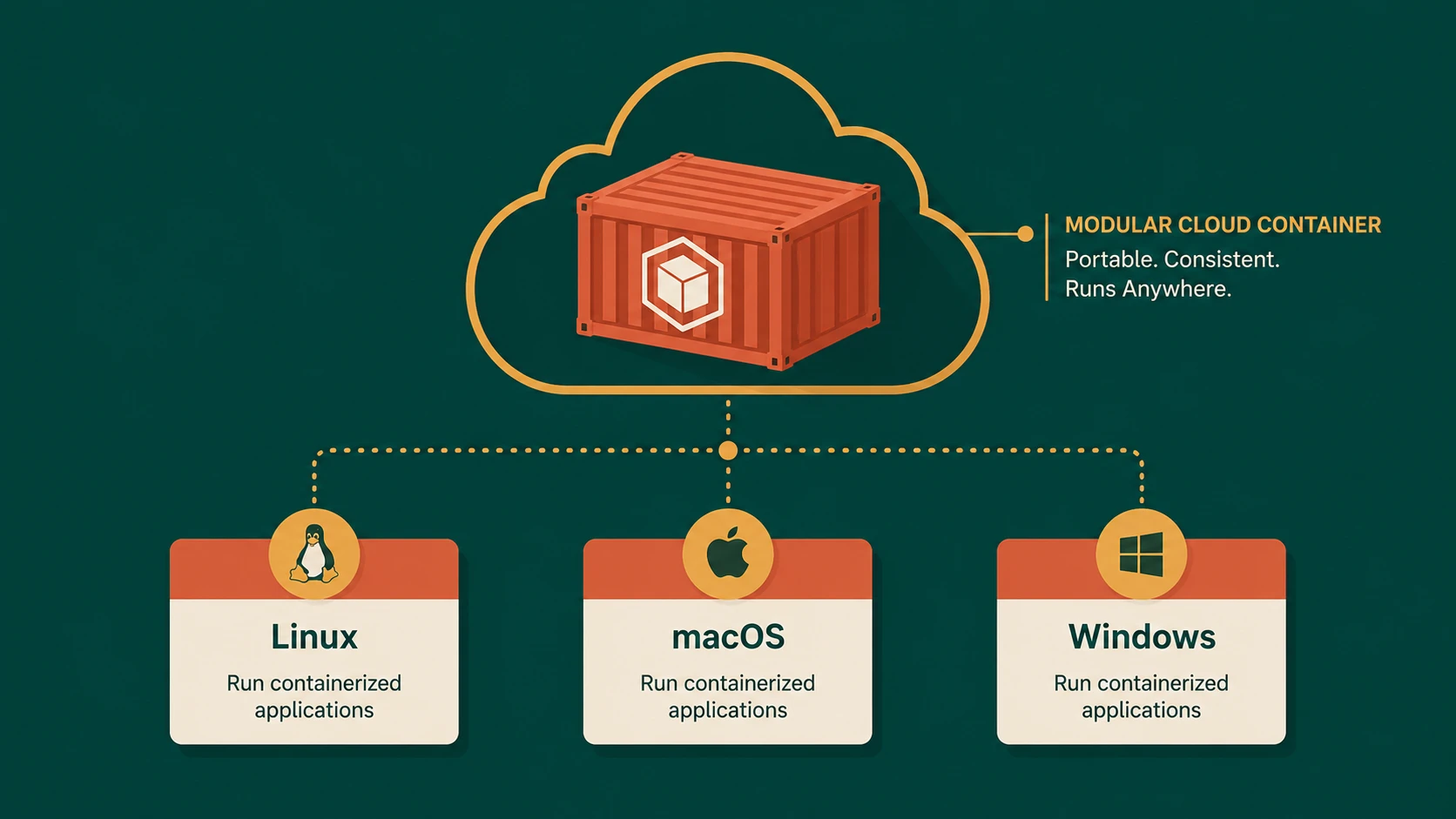
Cloud-hosted software service model replacing on-premise application servers.
Office 365 introduces many advantages, but organizations should evaluate several important factors.
Network Connectivity
Reliable Internet access becomes increasingly important when collaboration services operate in the cloud.
Existing Infrastructure
Organizations with recent investments in Exchange Server or SharePoint Server should evaluate migration timing carefully.
Compliance
Certain industries maintain regulatory requirements affecting data storage, auditing, and governance.
Application Integration
Existing line-of-business applications may depend upon current messaging or collaboration infrastructure.
Migration planning should include compatibility testing.
User Training
Although Office applications remain familiar, administrative processes and collaboration workflows may evolve.
Performance Considerations
Application responsiveness depends upon:
- ◆Internet bandwidth
- ◆Network latency
- ◆Browser performance
- ◆Client hardware
- ◆Organizational connectivity
Organizations should evaluate network readiness before migrating critical workloads.
Security Considerations
Moving collaboration services to the cloud changes operational responsibilities but does not eliminate security requirements.
Enterprise organizations should continue emphasizing:
- ◆Strong authentication
- ◆Identity management
- ◆Access control policies
- ◆Secure endpoint management
- ◆User education
Security governance remains a shared responsibility between the service provider and the customer.
Best Practices
Organizations evaluating Office 365 should follow several recommendations.
- ◆Inventory existing collaboration systems.
- ◆Assess network capacity.
- ◆Pilot migrations with selected departments.
- ◆Train administrators and end users.
- ◆Document migration procedures.
- ◆Review compliance requirements.
- ◆Validate application integrations.
- ◆Monitor service performance.
- ◆Develop support processes before organization-wide deployment.
A structured migration strategy reduces operational risk.
Common Mistakes
Several implementation issues frequently affect cloud migration projects.
Migrating Without Assessment
Organizations should understand current workloads before selecting a deployment model.
Ignoring Network Readiness
Cloud services depend upon reliable Internet connectivity.
Underestimating Change Management
Technology transitions require communication and user education.
Overlooking Integration Dependencies
Existing applications should be evaluated for compatibility with hosted services.
Treating Cloud Adoption as Only a Technical Project
Business processes, governance, and operational support should evolve alongside technology.
Adoption Recommendations
Organizations should approach Office 365 adoption through incremental phases.
Phase 1
- ◆Evaluate current messaging and collaboration infrastructure.
- ◆Identify migration candidates.
- ◆Assess compliance requirements.
Phase 2
- ◆Conduct pilot deployments.
- ◆Validate application compatibility.
- ◆Gather user feedback.
Phase 3
- ◆Expand migrations to additional departments.
- ◆Optimize administrative processes.
- ◆Standardize support procedures.
Phase 4
- ◆Review operational metrics.
- ◆Continue refining governance.
- ◆Evaluate additional cloud opportunities where appropriate.
A phased migration allows organizations to minimize disruption while gaining operational experience.
Choosing Between SaaS and On-Premise
The decision between SaaS and on-premise infrastructure should be based on business objectives rather than technology trends.
Organizations requiring extensive customization, specialized compliance controls, or existing infrastructure investments may continue benefiting from on-premise deployments.
Conversely, businesses prioritizing simplified administration, predictable operational costs, and rapid deployment may find Office 365 an attractive alternative.
In many cases, the most practical strategy involves evaluating workloads individually rather than adopting a single deployment model for every business application.
Looking Ahead
The launch of Office 365 represents an important milestone in enterprise cloud computing. By delivering messaging, collaboration, and productivity services through a subscription-based model, Microsoft is expanding the range of deployment options available to enterprise organizations.
As businesses continue evaluating cloud strategies throughout 2011, Office 365 provides a compelling opportunity to reconsider how collaboration infrastructure is deployed and managed. While traditional on-premise environments continue to serve many organizations effectively, the emergence of mature Software-as-a-Service platforms encourages enterprise architects to assess where cloud-based productivity services can reduce operational complexity while supporting evolving business requirements.