Introduction
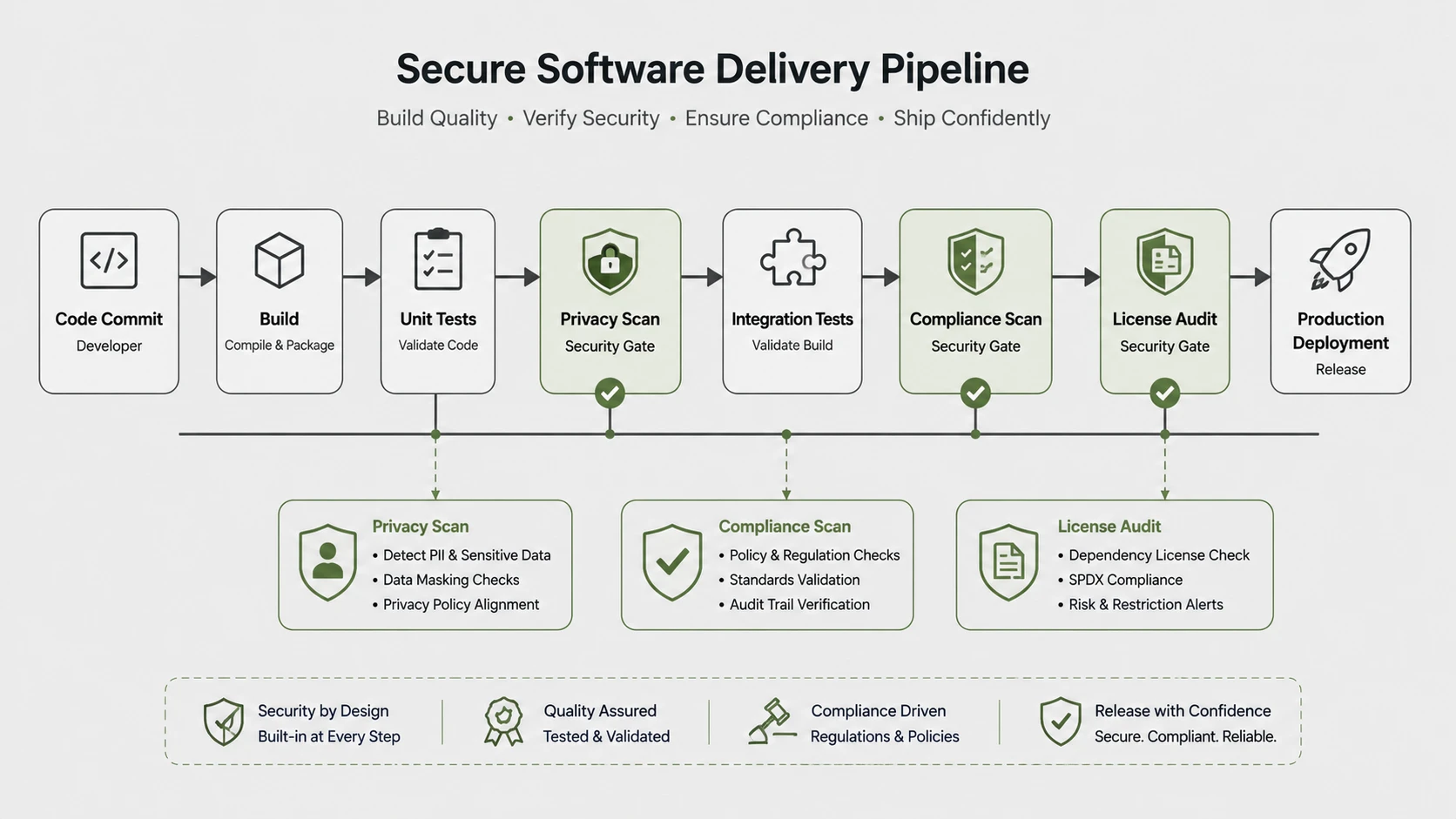
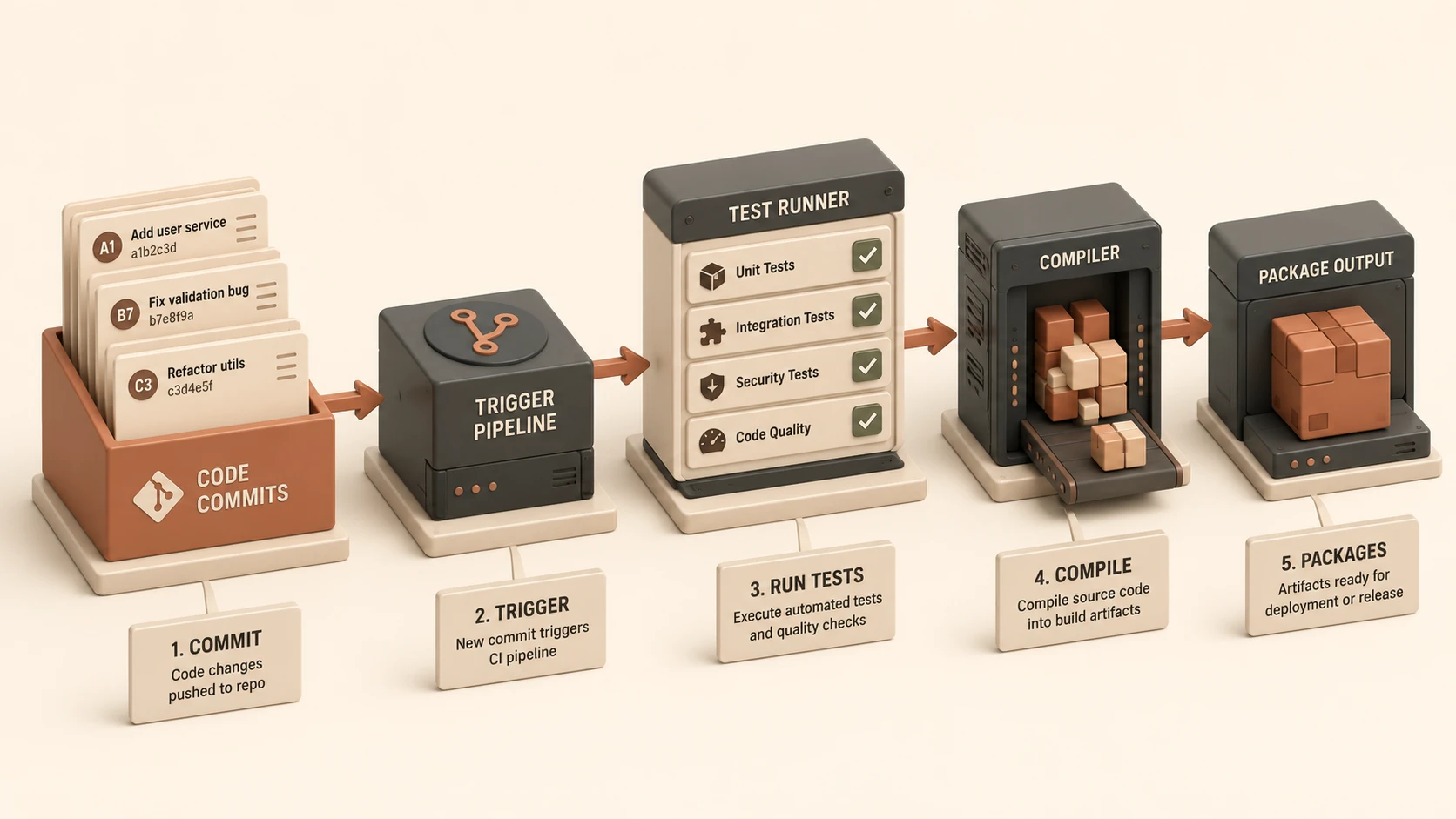
Over the last decade, Continuous Integration (CI) has evolved from an engineering best practice into an essential capability for modern software development. Organizations now expect every code change to trigger automated builds, execute unit tests, validate code quality, package deployment artifacts, and prepare applications for production delivery.
Historically, GitHub served primarily as the central repository for source code while organizations relied on external CI/CD platforms such as Jenkins, Travis CI, CircleCI, TeamCity, Bamboo, and Azure DevOps for automation. Although effective, this separation often required complex integrations, duplicated configuration, and additional infrastructure management.
The General Availability (GA) release of GitHub Actions represents a significant milestone in GitHub's evolution into a complete software development platform. By integrating workflow automation directly into repositories, GitHub enables development teams to define build, test, deployment, and operational workflows using declarative YAML configuration files.
For enterprise organizations, GitHub Actions offers a unified approach to software delivery by combining source control, collaboration, and automation within a single platform.
Industry Background
Modern software engineering organizations increasingly depend upon:
- ◆Continuous Integration
- ◆Continuous Delivery
- ◆DevOps automation
- ◆Infrastructure as Code
- ◆Cloud-native deployments
- ◆Containerized applications
- ◆Automated testing
- ◆Security validation
As software delivery accelerates, development teams require automation platforms that integrate naturally with existing development workflows.
The Business Problem
Traditional CI/CD environments commonly introduce:
- ◆Separate build servers
- ◆Multiple configuration systems
- ◆Infrastructure maintenance
- ◆Integration complexity
- ◆Fragmented developer workflows
- ◆Additional operational overhead
Organizations seek development platforms that reduce complexity without sacrificing flexibility.
Understanding GitHub Actions
GitHub Actions is an event-driven workflow automation platform integrated directly into GitHub repositories.
Rather than requiring external build orchestration tools, developers define workflows using YAML configuration files stored alongside application source code.
Primary objectives include:
- ◆Native CI/CD automation
- ◆Repository-centric workflows
- ◆Event-driven execution
- ◆Simplified deployment automation
- ◆Improved developer productivity
- ◆Reduced infrastructure management
Core Architecture
| Component | Responsibility |
|---|---|
| GitHub Repository | Stores source code and workflows |
| Workflow | Defines automation pipeline |
| Events | Trigger workflow execution |
| Jobs | Logical execution units |
| Steps | Individual workflow tasks |
| GitHub-hosted Runner | Executes workflow jobs |
| Marketplace Actions | Reusable automation components |
Together these components create a complete automation platform integrated into GitHub.
How GitHub Actions Works
A typical workflow includes:
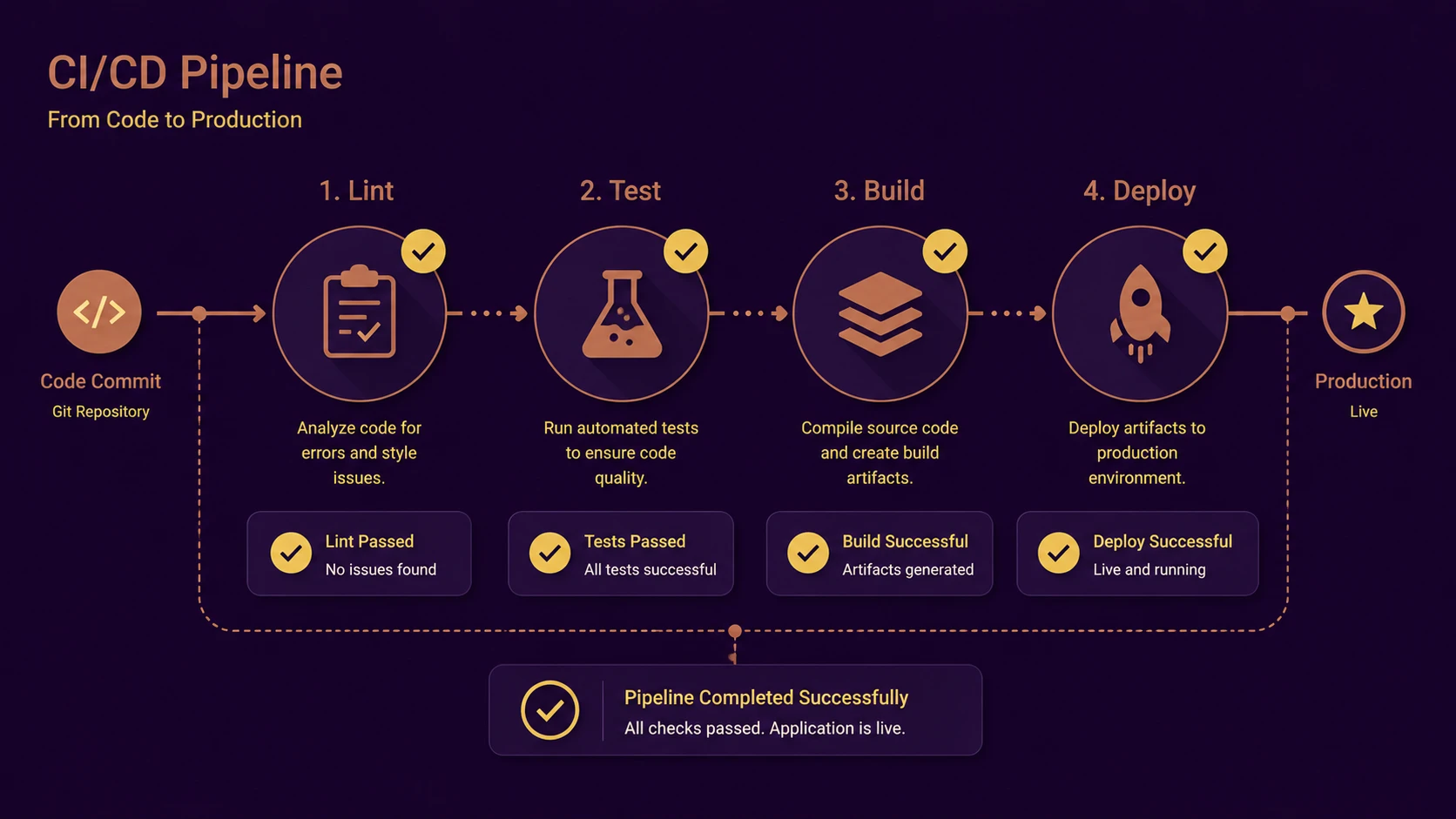
- 1.A developer pushes code to GitHub.
- 2.A configured repository event triggers a workflow.
- 3.GitHub provisions a workflow runner.
- 4.Jobs execute according to workflow configuration.
- 5.Steps perform compilation, testing, packaging, or deployment.
- 6.Results are reported within the repository.
- 7.Teams review workflow status before merging or releasing software.
This event-driven model simplifies software delivery automation.
Declarative Workflow Configuration
# .github/workflows/ci.yml standard GitHub Actions declarative build configuration
name: Continuous Integration Build
on: [push, pull_request]

jobs:
  build-and-test:
    runs-on: ubuntu-latest
    steps:
      - name: Checkout source code repository
        uses: actions/checkout@v2

      - name: Setup Node.js development environment
        uses: actions/setup-node@v2
        with:
          node-version: '14'

      - name: Install dependencies and execute test suite
        run: |
          npm ci
          npm run build
          npm test
GitHub Actions uses YAML files to define automation pipelines.
Workflow definitions specify:
- ◆Trigger events
- ◆Jobs
- ◆Execution environments
- ◆Dependencies
- ◆Environment variables
- ◆Reusable Actions
Storing workflow definitions alongside source code improves version control and simplifies collaboration.
GitHub-Hosted Runners
GitHub provides managed execution environments capable of running automation jobs without requiring organizations to provision dedicated build servers.
Benefits include:
- ◆Reduced infrastructure management
- ◆Faster project setup
- ◆Consistent build environments
- ◆Simplified maintenance
- ◆Elastic execution capacity
Organizations with specialized requirements may also deploy self-hosted runners.
Marketplace Actions
GitHub Marketplace provides reusable automation components that perform common workflow tasks.
Typical examples include:
- ◆Source checkout
- ◆Dependency restoration
- ◆Docker image builds
- ◆Cloud deployments
- ◆Notification services
- ◆Code quality analysis
Reusable Actions reduce duplication while encouraging standardized workflow design.
Key Features
Native Continuous Integration
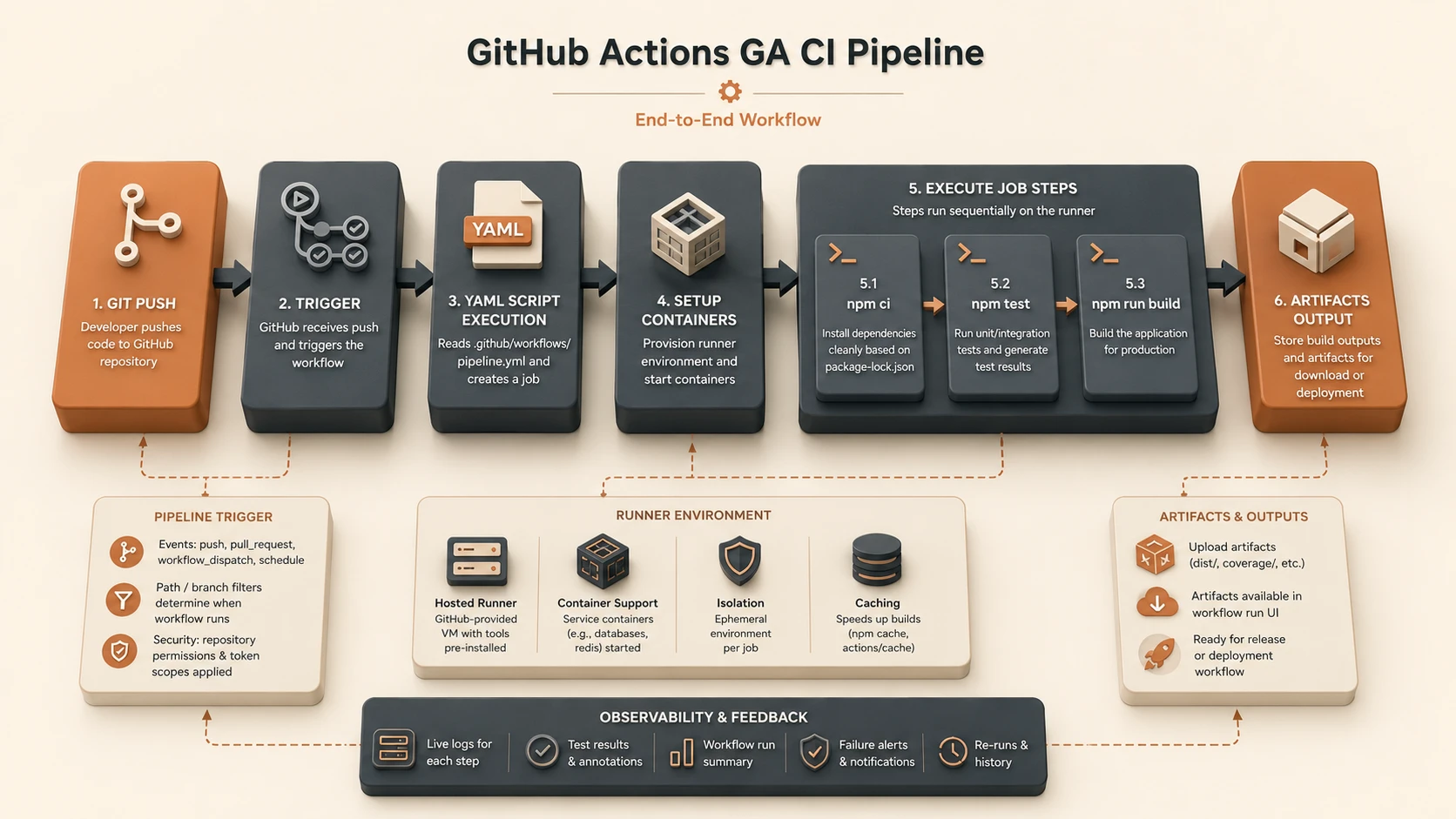
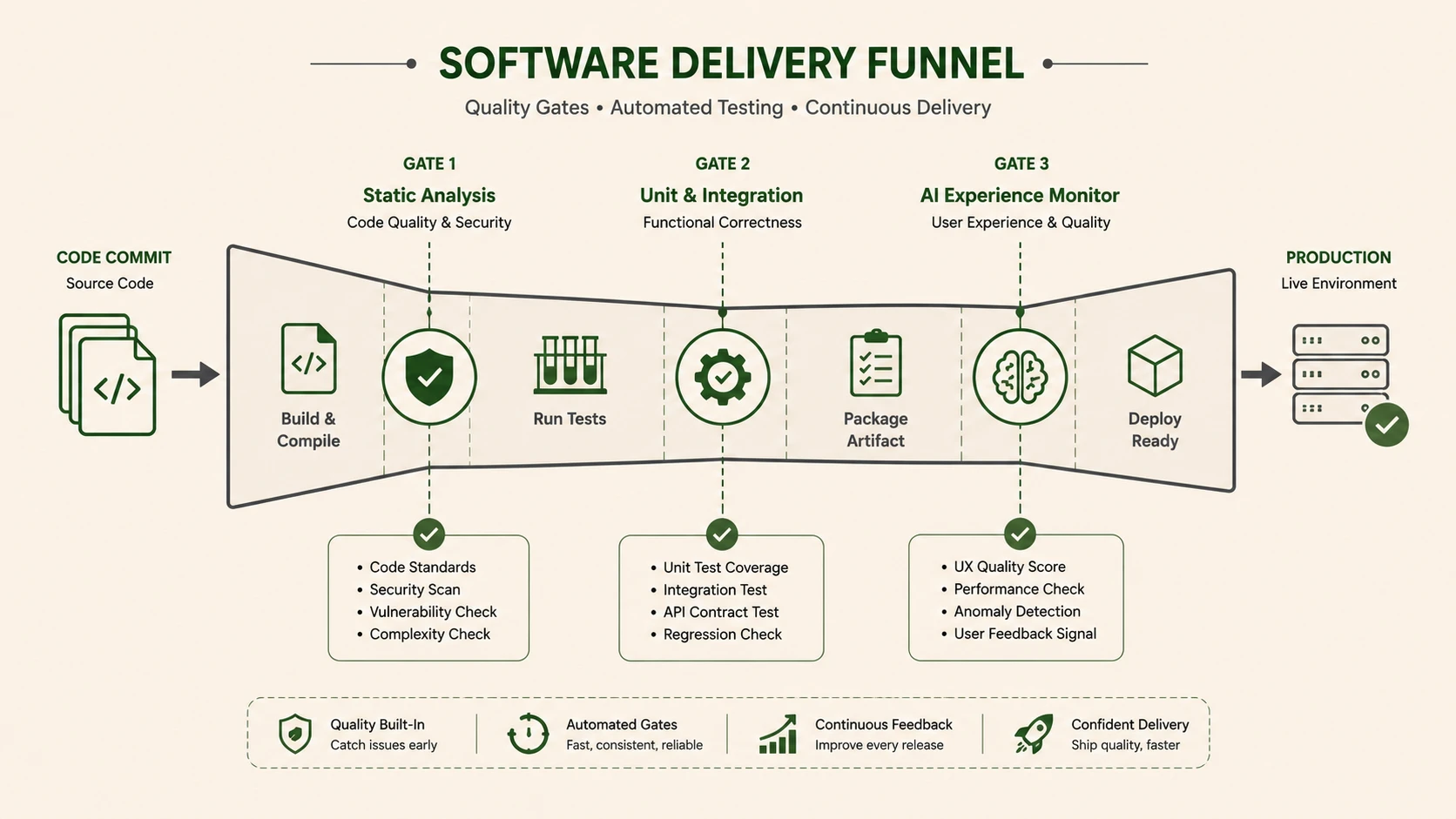
System architecture diagram and conceptual workflow layout for GitHub Actions GA Release.
Builds and tests execute automatically following repository events.
Event-Driven Automation
Workflows respond to pushes, pull requests, releases, issue events, and other GitHub activities.
GitHub-Hosted Execution
Managed runners eliminate much of the operational burden associated with maintaining CI infrastructure.
Marketplace Integration
Reusable Actions simplify workflow construction while encouraging community collaboration.
Unified Development Platform
Source control, collaboration, automation, and release workflows operate within the same ecosystem.
Enterprise Use Cases
Continuous Integration
Automatically build and validate every code commit.
Continuous Delivery
Package deployment artifacts following successful validation.
Container Build Pipelines
Automate Docker image creation and publishing.
Infrastructure Automation
Coordinate infrastructure provisioning and configuration tasks.
Enterprise Governance
Standardized workflows improve software delivery consistency across multiple engineering teams.
Performance Considerations
Organizations should evaluate:
- ◆Workflow execution duration
- ◆Build parallelization
- ◆Runner availability
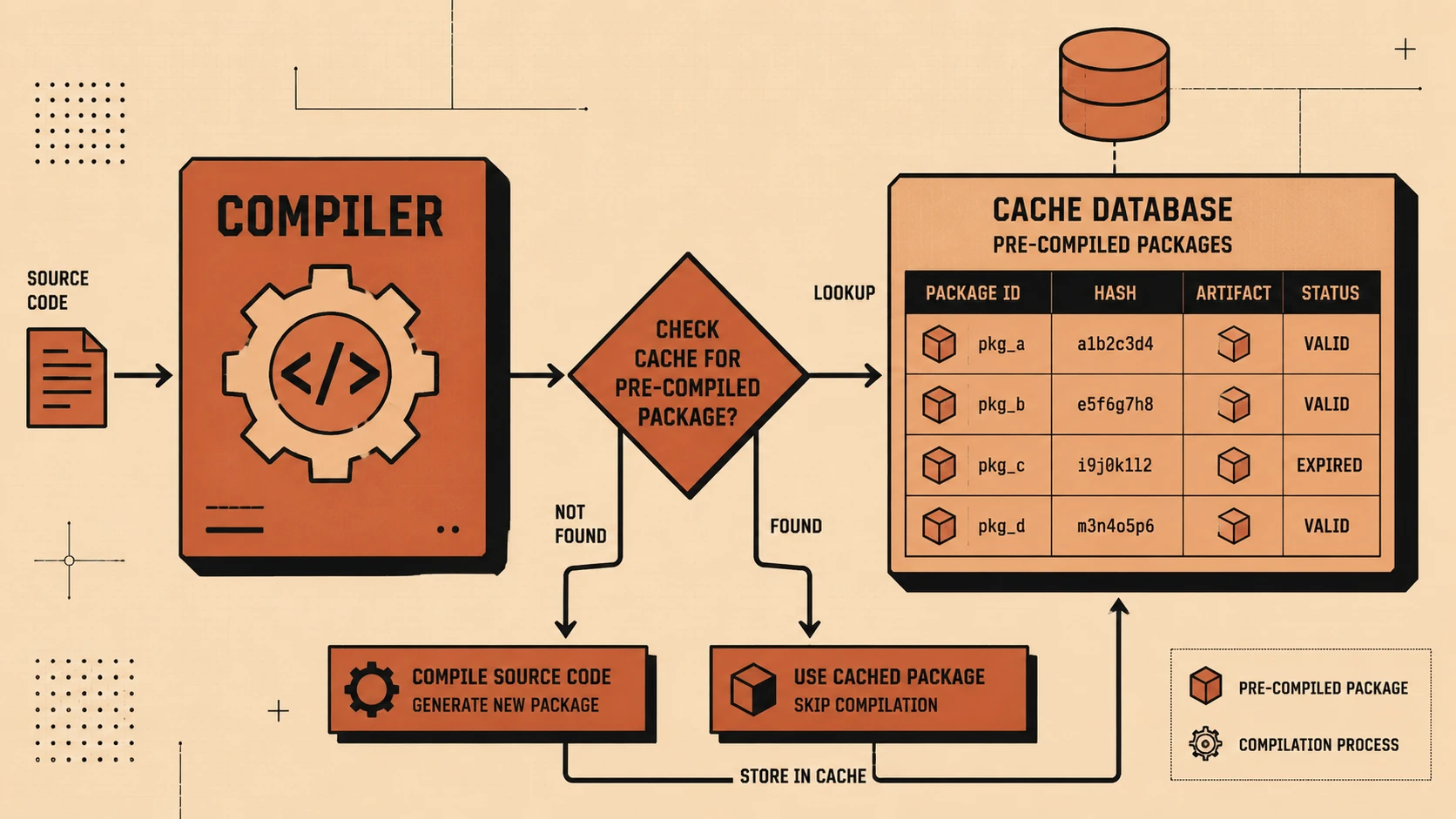
- ◆Dependency caching
- ◆Artifact generation
- ◆Pipeline throughput
Efficient workflow design reduces build time while improving developer feedback cycles.
Security Considerations
Enterprise deployments should implement:
- ◆Least-privilege repository permissions
- ◆Secure secret management
- ◆Branch protection policies
- ◆Dependency verification
- ◆Artifact validation
- ◆Controlled deployment approvals
Automation pipelines should follow the same security standards as application code.
Scalability
GitHub Actions supports enterprise scalability through:
- ◆Parallel workflow execution
- ◆Reusable workflow definitions
- ◆Managed execution environments
- ◆Repository-based configuration
- ◆Standardized automation
- ◆Integration with existing GitHub collaboration features
These capabilities simplify software delivery across large engineering organizations.
Best Practices
- ◆Store workflows within version control.
- ◆Keep jobs modular and reusable.
- ◆Cache dependencies where appropriate.
- ◆Protect deployment secrets.
- ◆Use Marketplace Actions from trusted publishers.
- ◆Validate pull requests before merging.
- ◆Separate build and deployment workflows.
- ◆Monitor workflow performance over time.
Common Mistakes
| Mistake | Enterprise Impact |
|---|---|
| Combining every task into one workflow | Reduced maintainability |
| Exposing sensitive credentials | Security risk |
| Ignoring workflow version control | Inconsistent automation |
| Excessive sequential execution | Longer build times |
| Skipping automated testing | Reduced software quality |
| Overlooking workflow monitoring | Difficult troubleshooting |
Technology Comparison
| Capability | Traditional CI Servers | GitHub Actions |
|---|---|---|
| Source Code Integration | External | Native |
| Workflow Definition | Server Configuration | YAML in Repository |
| Event Integration | Plugin-Based | Built-in |
| Managed Runners | Usually Self-Managed | GitHub-Hosted Available |
| Marketplace Extensions | Limited | GitHub Marketplace |
| Repository Visibility | Separate | Integrated |
Adoption Strategy
- 1.Identify existing CI/CD pipelines.
- 2.Migrate simple build workflows first.
- 3.Validate testing automation.
- 4.Configure repository secrets securely.
- 5.Introduce reusable workflow templates.
- 6.Benchmark execution performance.
- 7.Train development teams on workflow authoring.
- 8.Expand GitHub Actions adoption across enterprise repositories.
Limitations
As of November 2019, GitHub Actions is newly available as a General Availability platform, and organizations should evaluate feature completeness against existing enterprise CI/CD solutions before migrating complex production pipelines. Workflows requiring specialized environments, extensive on-premises integrations, or unique infrastructure may still benefit from self-hosted runners or complementary automation platforms.
Looking Ahead
From the perspective of November 2019, GitHub Actions represents one of the most significant developments in modern DevOps tooling. By integrating workflow automation directly into GitHub repositories, it simplifies Continuous Integration and Continuous Delivery while reducing operational complexity. Native event-driven workflows, managed runners, and reusable Marketplace Actions position GitHub as a unified platform for source control, collaboration, and software delivery, making it an increasingly compelling choice for enterprise engineering teams adopting modern DevOps practices.