Introduction
Since its introduction, React has steadily evolved from a lightweight UI library into one of the dominant platforms for building enterprise web applications. Organizations now use React to power Software-as-a-Service (SaaS) platforms, customer portals, analytics dashboards, financial trading systems, healthcare applications, internal business tools, and large-scale e-commerce platforms.
As application complexity has increased, developers have encountered new challenges. Modern interfaces simultaneously manage network requests, animations, user interactions, background rendering, large datasets, virtualization, routing, and state synchronization. Although React's reconciliation algorithm efficiently minimizes DOM updates, rendering large component trees synchronously can still affect perceived responsiveness.
The React team has introduced Concurrent Mode as a preview of a fundamentally different rendering strategy. Instead of treating rendering as a single uninterrupted operation, Concurrent Mode enables React to interrupt, prioritize, pause, resume, and discard rendering work when appropriate.
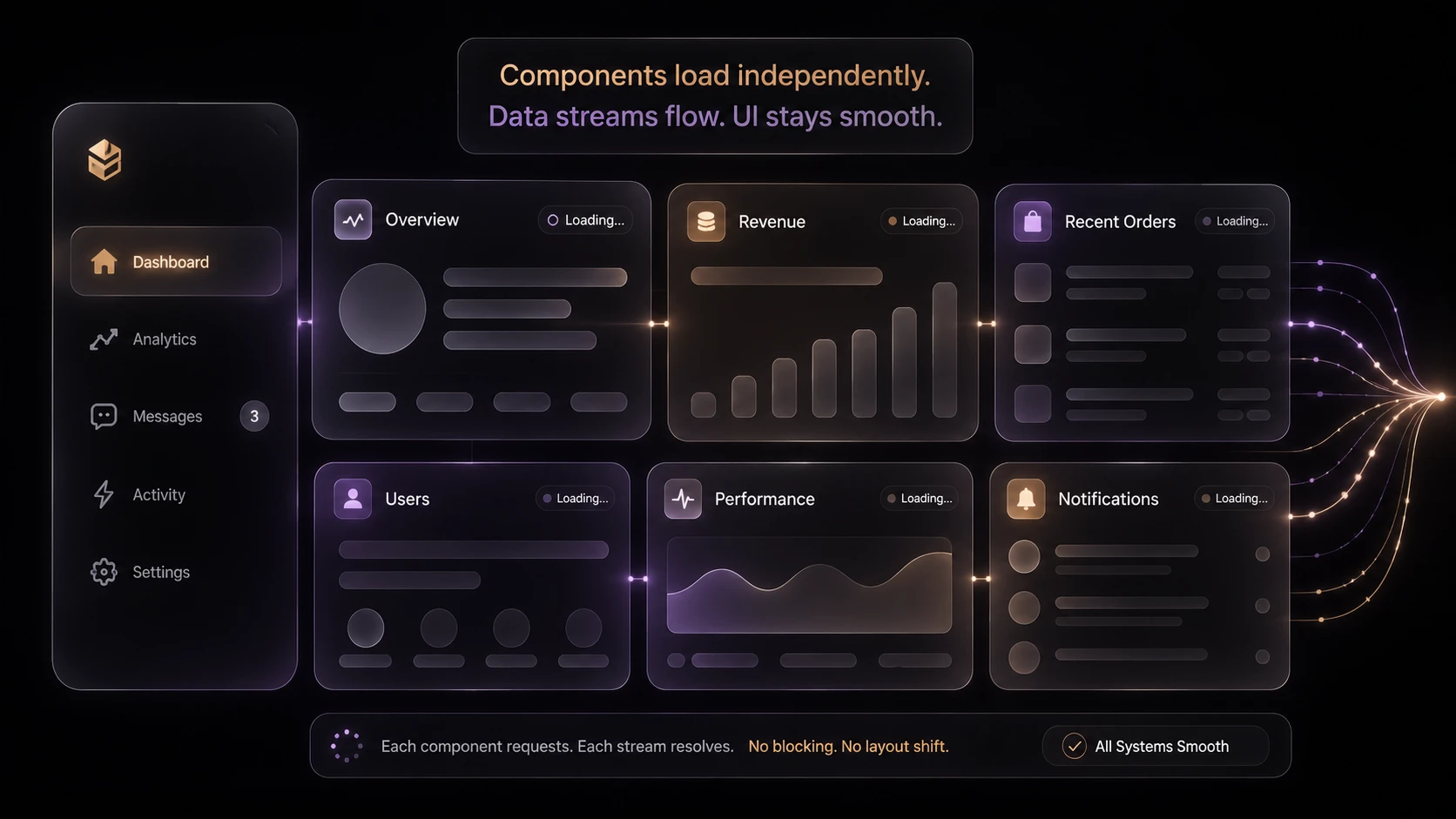
Alongside Concurrent Mode, Suspense is expanding beyond code splitting toward asynchronous data fetching, allowing components to declaratively describe loading states while React coordinates rendering.
As of December 2019, both Concurrent Mode and Suspense for data fetching remain preview technologies intended for experimentation rather than immediate production deployment.
Industry Background
Enterprise frontend development increasingly depends upon:
- ◆Single Page Applications
- ◆Progressive Web Applications
- ◆Component-based architectures
- ◆Client-side routing
- ◆Large state management systems
- ◆Real-time collaboration
- ◆Streaming APIs
- ◆Incremental user interface updates
Users increasingly expect interfaces that remain responsive even while processing significant amounts of client-side work.
The Business Problem
Large React applications commonly experience:
- ◆Blocking renders
- ◆Slow interaction during expensive updates
- ◆Loading spinners scattered throughout components
- ◆Complex asynchronous rendering logic
- ◆Difficult coordination between UI updates and network requests
- ◆Reduced responsiveness during heavy computation
Organizations require rendering architectures capable of improving perceived performance without increasing application complexity.
Understanding Concurrent Mode
Concurrent Mode introduces a new rendering model.
Rather than treating rendering as an indivisible task, React can:
- ◆Pause rendering
- ◆Resume rendering
- ◆Interrupt rendering
- ◆Restart rendering
- ◆Prioritize user interactions
Importantly, Concurrent Mode does not execute component rendering in parallel CPU threads.
Instead, it gives React greater control over scheduling rendering work so higher-priority updates can be processed before less important rendering tasks complete.
Core Architecture
| Component | Responsibility |
|---|---|
| React Scheduler | Prioritizes rendering work |
| Fiber Architecture | Represents component tree work units |
| Concurrent Renderer | Executes interruptible rendering |
| Suspense Boundary | Coordinates asynchronous rendering |
| Browser DOM | Receives committed UI updates |
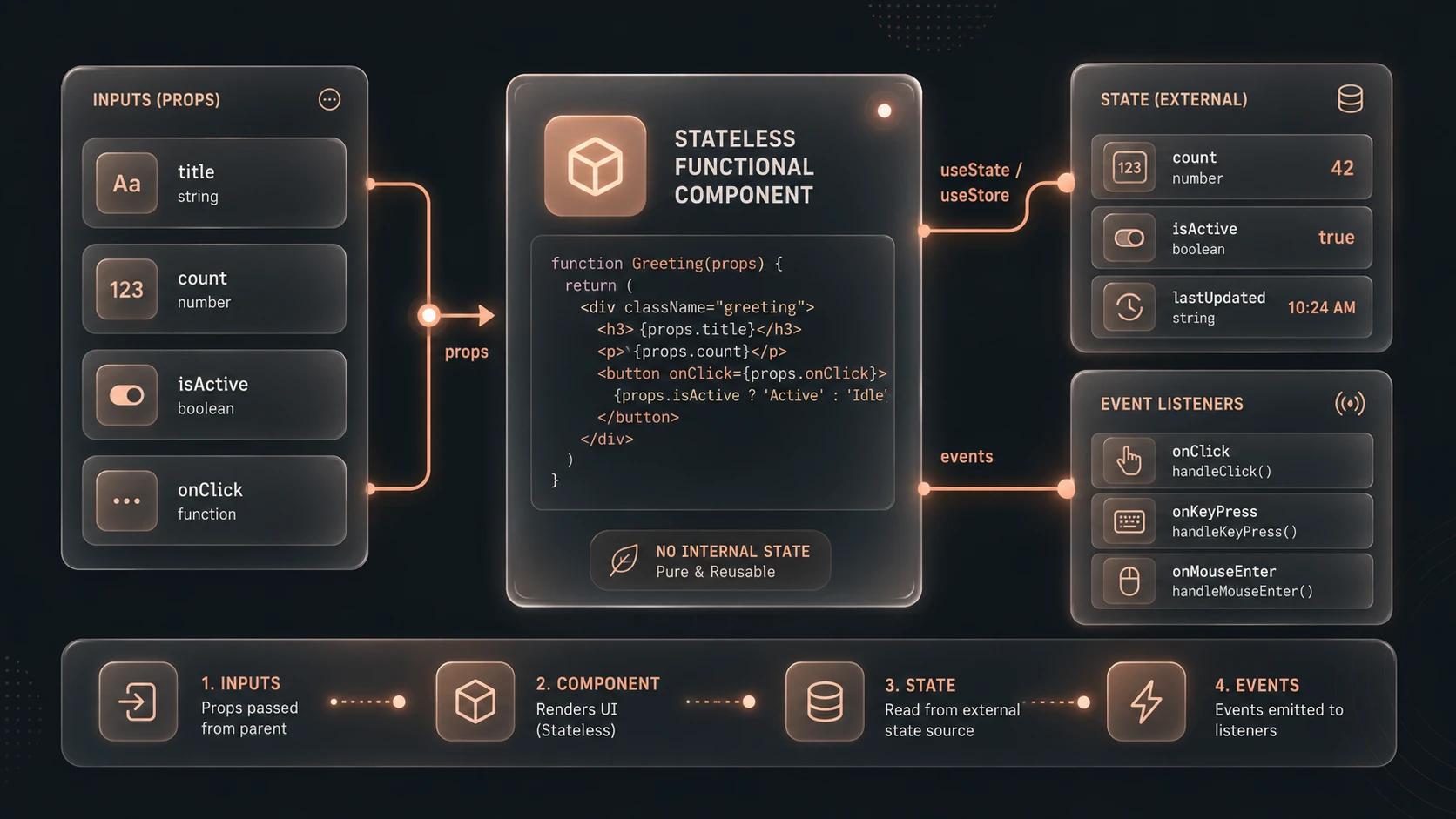
| Application Components | Describe interface state |
Concurrent Mode builds upon React Fiber, extending its scheduling capabilities rather than replacing the rendering engine.
Interruptible Rendering
Traditional React rendering generally processes an update until completion before yielding control.
Concurrent Mode allows React to divide rendering into smaller units.
Typical workflow:
- 1.State update begins.
- 2.React starts rendering.
- 3.Higher-priority user interaction occurs.
- 4.Current rendering work pauses.
- 5.Higher-priority update executes.
- 6.Previous rendering resumes or restarts if necessary.
- 7.Completed UI is committed to the DOM.
This scheduling model improves interface responsiveness under complex workloads.
Suspense for Data Fetching
// Implementing Suspense data fetching using React Concurrent Mode pattern
const resource = fetchProfileData(); // Custom resource fetcher

function ProfileDetails() {
  // Suspends rendering until user data resolves
  const user = resource.user.read();
  return <h1>{user.name}</h1>;
}

function App() {
  return (
    <React.Suspense fallback={<div>Loading profile...</div>}>
      <ProfileDetails />
    </React.Suspense>
  );
}
Suspense originally focused on lazy-loaded components.
The preview extends Suspense toward asynchronous data fetching.
Instead of manually coordinating:
- ◆Loading indicators
- ◆Request completion
- ◆Conditional rendering
- ◆Nested asynchronous logic
Components can declare loading boundaries while React manages when content becomes available.
Potential benefits include:
- ◆Cleaner component hierarchy
- ◆Declarative loading behavior
- ◆Reduced asynchronous boilerplate
- ◆More consistent user experience
Suspense Boundaries
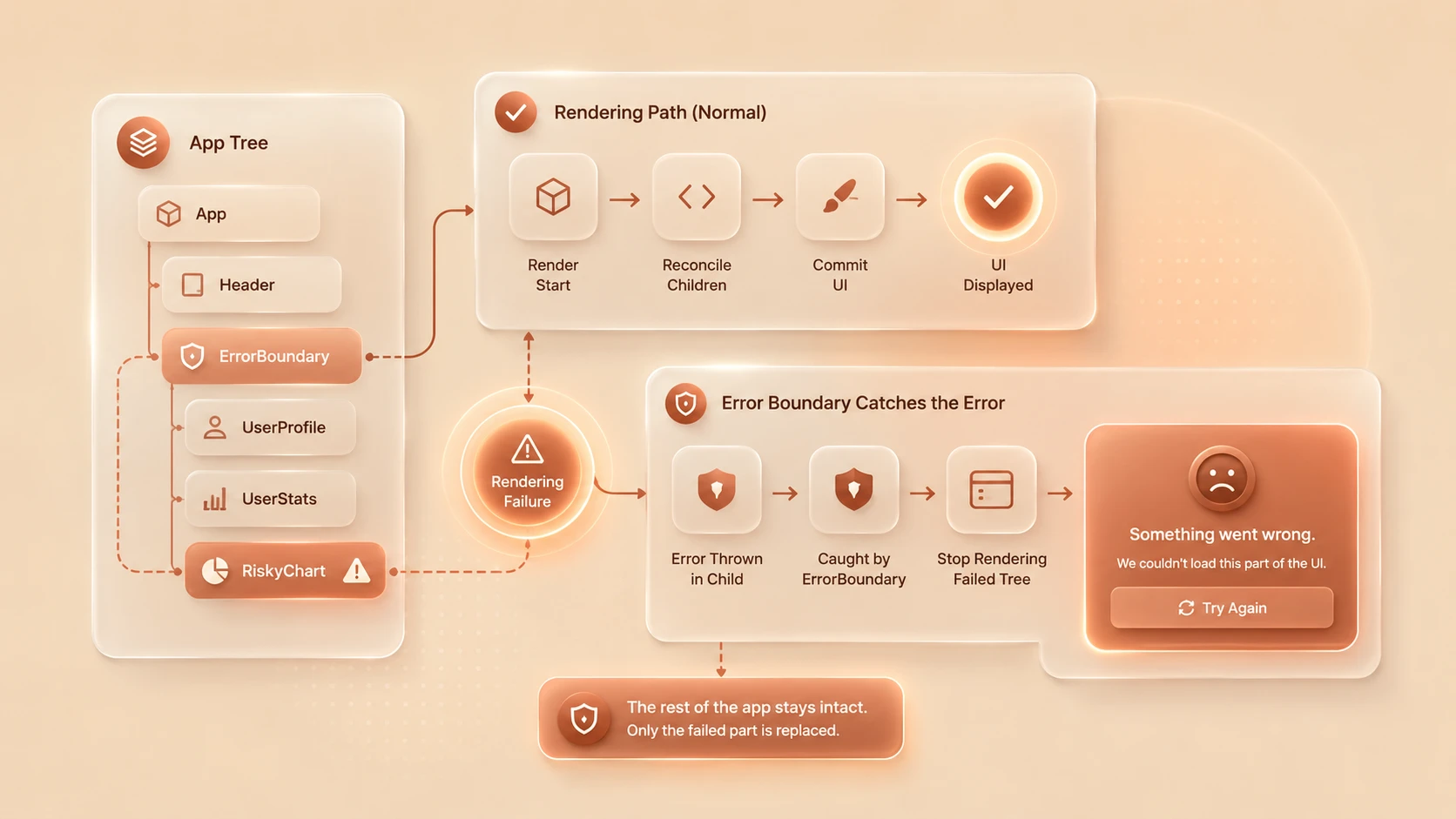
A Suspense boundary defines an area of the application that may temporarily wait for asynchronous work.
During loading:
- ◆Fallback UI is displayed.
- ◆Data continues loading.
- ◆Rendering resumes when resources become available.
This allows applications to avoid deeply nested loading conditions scattered across individual components.
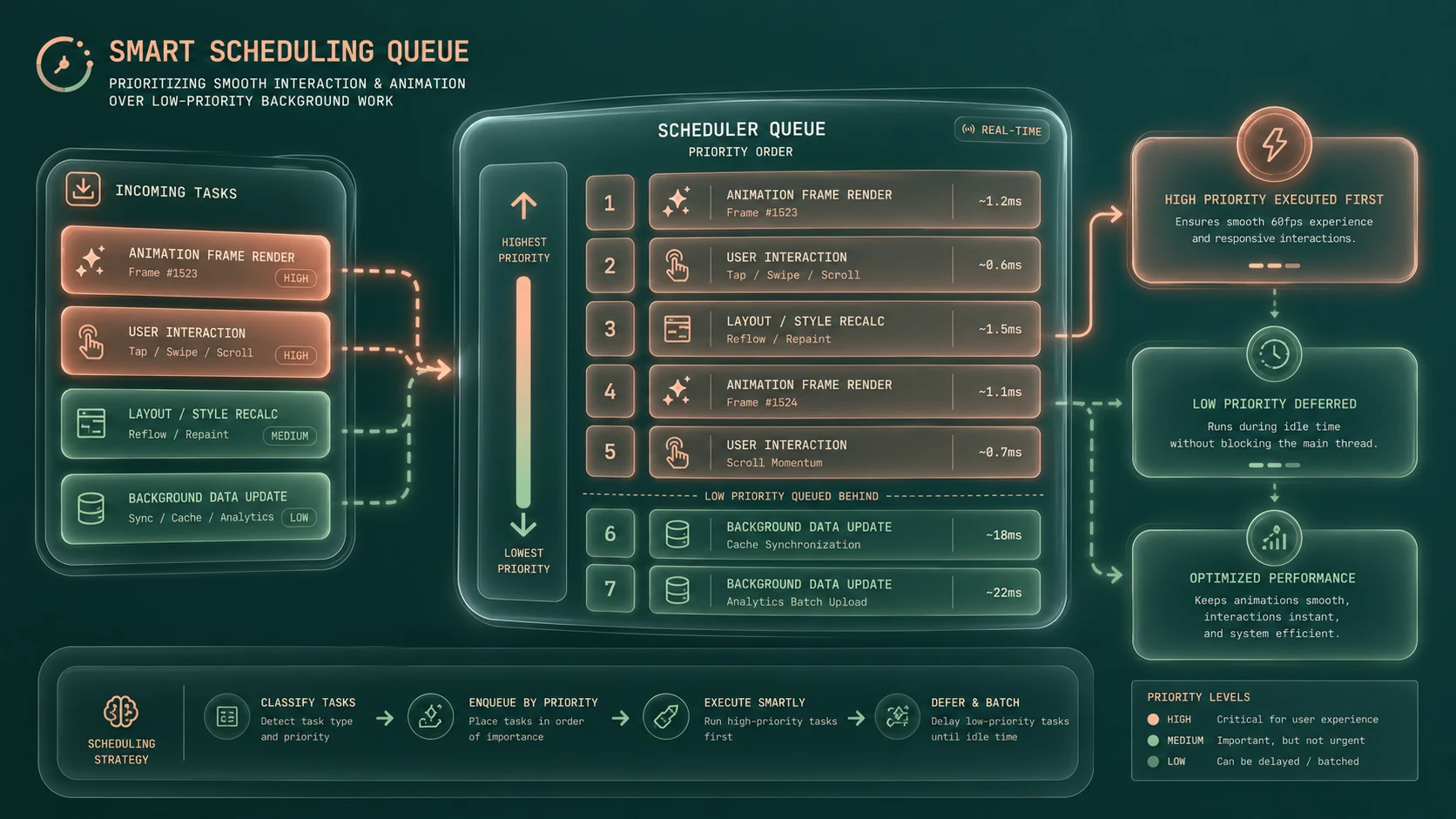
Scheduling Priorities
Concurrent Mode introduces the concept of rendering priorities.
Higher-priority work typically includes:
- ◆Typing into input fields
- ◆Button interactions
- ◆Navigation
- ◆Immediate visual feedback
Lower-priority work may include:
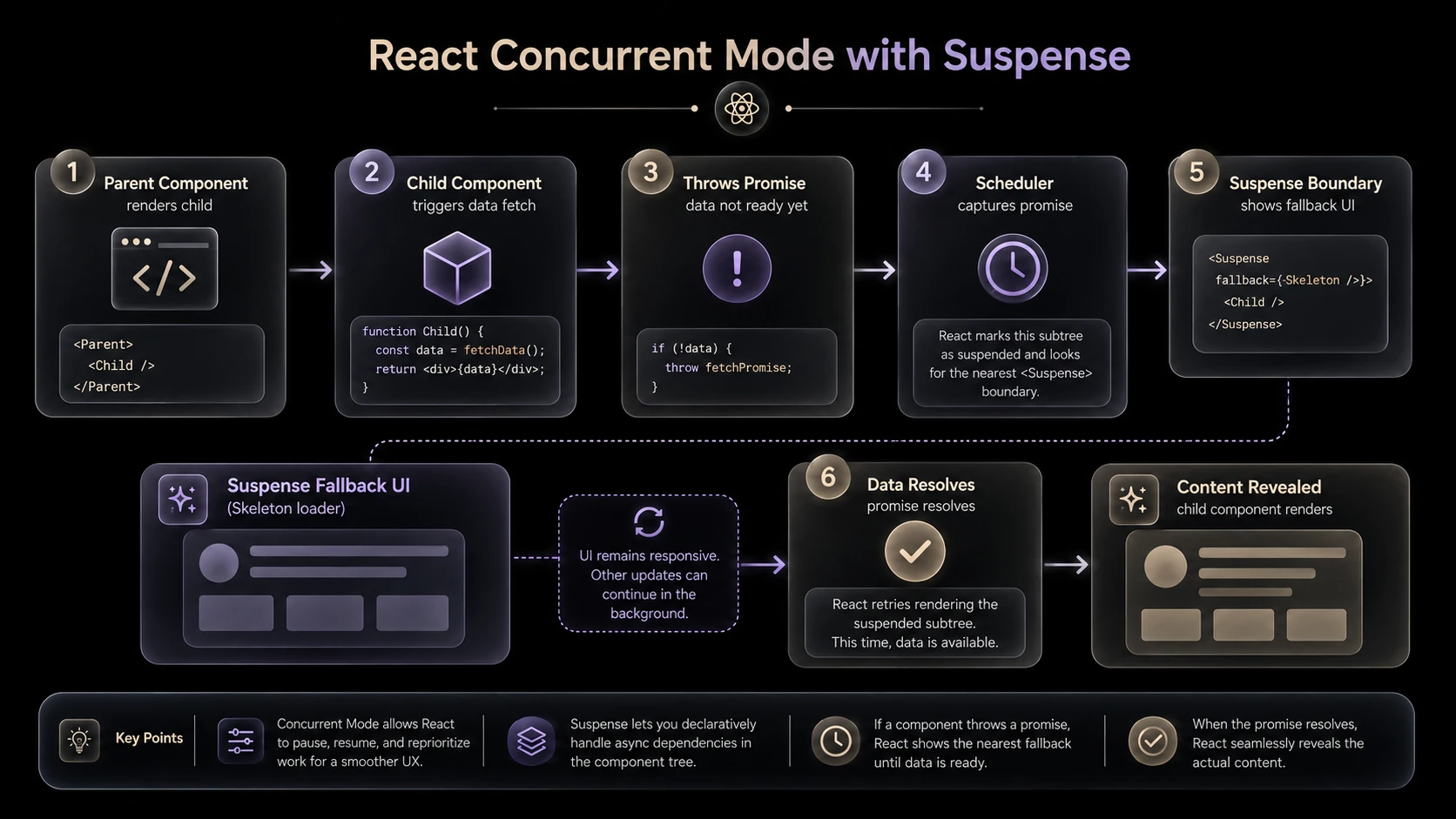
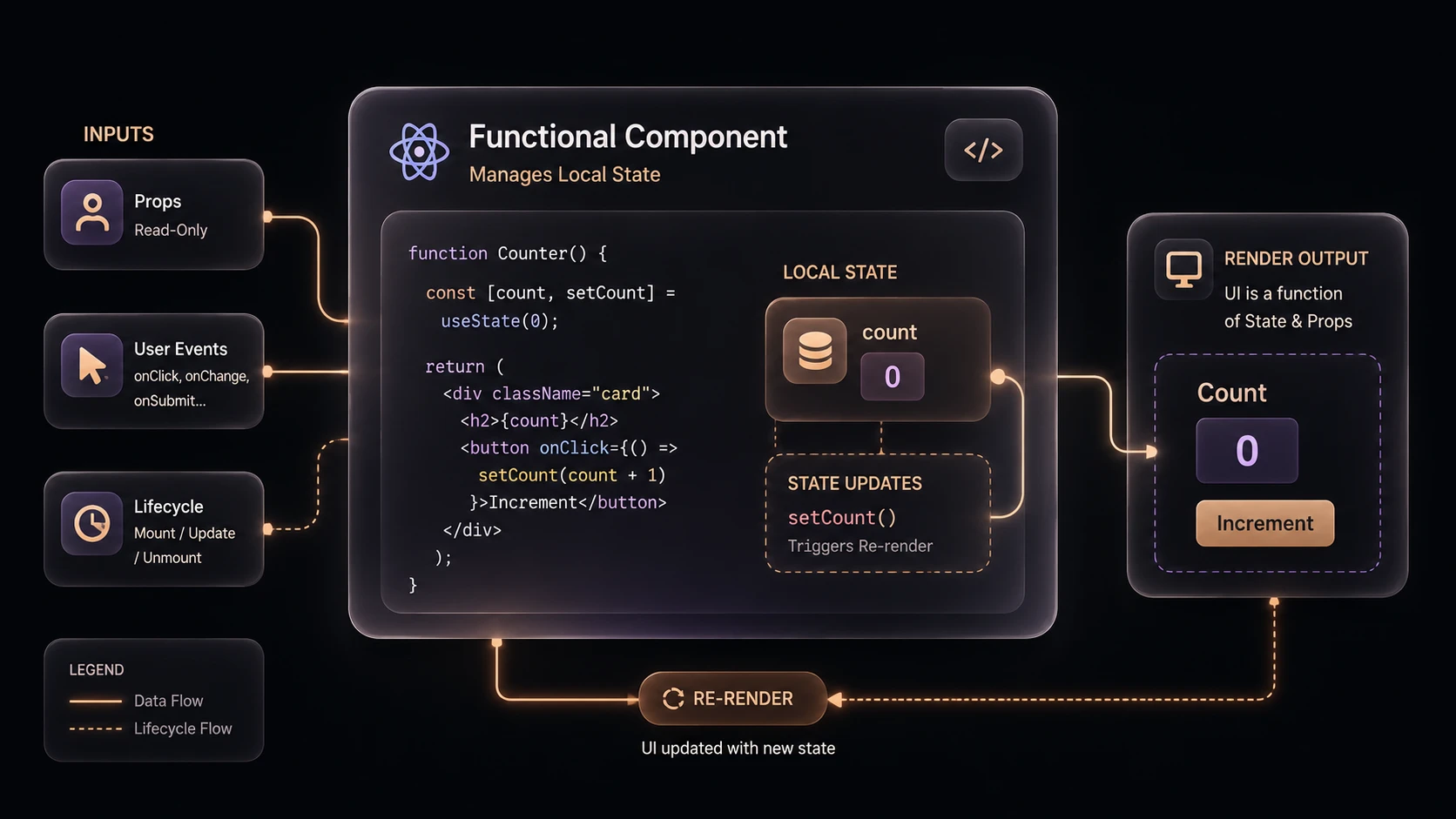
System architecture diagram and conceptual workflow layout for React Concurrent Mode.
- ◆Large background rendering
- ◆Complex list generation
- ◆Deferred interface updates
Scheduling enables important user interactions to remain responsive while less urgent rendering proceeds opportunistically.
Fiber Architecture
Concurrent Mode is enabled by the React Fiber architecture introduced in earlier React releases.
Fiber represents rendering as individual work units.
Benefits include:
- ◆Incremental rendering
- ◆Work interruption
- ◆Scheduling flexibility
- ◆Efficient reconciliation
Concurrent Mode extends these capabilities without requiring developers to redesign component architecture.
Enterprise Use Cases
| Scenario | Benefit |
|---|---|
| Analytics Dashboards | Responsive filtering during large updates |
| Financial Applications | Prioritized user interactions |
| Enterprise Portals | Smoother navigation |
| Customer Service Platforms | Improved perceived responsiveness |
| Administrative Consoles | Better rendering of large component trees |
| SaaS Applications | Cleaner asynchronous data loading |
Organizations managing complex interfaces stand to benefit most from improved rendering coordination.
Performance Considerations
Concurrent Mode primarily improves perceived responsiveness rather than raw rendering throughput.
Development teams should evaluate:
- ◆User interaction latency
- ◆Rendering interruptions
- ◆Scheduling overhead
- ◆Large component tree updates
- ◆Network latency masking
- ◆Browser responsiveness
Performance decisions should continue relying on representative production profiling.
Security Considerations
Concurrent rendering does not alter React's application security model.
Organizations should continue implementing:
- ◆Authentication
- ◆Authorization
- ◆Input validation
- ◆Secure API communication
- ◆Content Security Policy where appropriate
- ◆Dependency governance
Rendering improvements complement secure application development but do not replace established security practices.
Scalability
Concurrent Mode supports scalable frontend architecture through:
- ◆Better rendering scheduling
- ◆Improved responsiveness
- ◆Declarative asynchronous rendering
- ◆Cleaner component composition
- ◆Reduced loading-state complexity
These characteristics become increasingly valuable as enterprise applications continue expanding.
Best Practices
Organizations evaluating Concurrent Mode should:
- ◆Limit experimentation to development and pilot projects.
- ◆Continue designing components with clear separation of concerns.
- ◆Use Suspense boundaries thoughtfully around asynchronous operations.
- ◆Profile rendering behavior before optimization.
- ◆Avoid assumptions regarding automatic performance improvements.
- ◆Monitor ecosystem compatibility.
- ◆Educate frontend teams on concurrent rendering concepts.
- ◆Continue following established React architectural practices.
Controlled experimentation provides valuable experience while minimizing production risk.
Common Mistakes
Development teams should avoid:
- ◆Assuming Concurrent Mode introduces traditional multithreading.
- ◆Treating preview APIs as production-ready.
- ◆Rewriting mature applications without measurable business value.
- ◆Ignoring component rendering costs.
- ◆Expecting Suspense to eliminate all asynchronous programming concerns.
- ◆Adopting preview capabilities without ecosystem compatibility validation.
Successful adoption depends upon understanding React's scheduling model rather than focusing solely on new APIs.
Technology Comparison
| Capability | Traditional React Rendering | Concurrent Mode Preview |
|---|---|---|
| Rendering Execution | Primarily synchronous | Interruptible and schedulable |
| Rendering Priority | Limited | Priority-based scheduling |
| Suspense for Code Splitting | Yes | Yes |
| Suspense for Data Fetching | Experimental | Expanded Preview |
| User Interaction Responsiveness | Good | Improved under heavy rendering workloads |
| Production Recommendation | Established | Evaluation and experimentation |
Concurrent Mode extends React's rendering architecture while preserving the component programming model.
Adoption Strategy
Organizations should approach Concurrent Mode through incremental experimentation.
A recommended strategy includes:
- 1.Upgrade development environments to preview-compatible React releases.
- 2.Evaluate Concurrent Mode in isolated applications.
- 3.Experiment with Suspense for data fetching in non-production projects.
- 4.Profile rendering performance under realistic workloads.
- 5.Review third-party library compatibility.
- 6.Train engineering teams on concurrent rendering principles.
- 7.Continue monitoring React's evolving recommendations before planning production adoption.
This measured approach allows organizations to gain architectural experience while minimizing operational risk.
Limitations
As of December 2019, several considerations remain.
Current observations include:
- ◆Concurrent Mode remains a preview capability.
- ◆Suspense for data fetching continues evolving.
- ◆Ecosystem support is still maturing.
- ◆Third-party libraries may require updates before full compatibility.
- ◆Production adoption should await broader stabilization and guidance.
Organizations should therefore treat these capabilities as opportunities for architectural exploration rather than immediate migration targets.
Looking Ahead
React Concurrent Mode represents one of the most significant architectural evolutions in the framework's history by introducing interruptible rendering, scheduling priorities, and a more flexible rendering pipeline. Combined with the expanding role of Suspense for data fetching, React is moving toward a declarative model that simplifies asynchronous UI development while improving responsiveness under demanding workloads.
As of December 2019, enterprise architects and frontend engineering teams should begin evaluating these preview capabilities through controlled pilot projects and performance experiments. Organizations that invest in understanding concurrent rendering concepts today will be better prepared as these technologies mature into stable components of the React ecosystem.