Introduction
React has become one of the dominant technologies for building modern web applications. As organizations increasingly adopt component-driven architectures, they also face growing challenges involving server-side rendering, code splitting, routing, search engine optimization, production optimization, and deployment consistency.
Next.js has emerged as a practical framework that builds upon React while providing sensible defaults for server-side rendering, routing, production builds, and application deployment. Rather than requiring developers to assemble multiple tools manually, Next.js integrates them into a cohesive development experience.
The release of Next.js 7.0 represents an important step in the framework's evolution. By adopting Webpack 4 as the default bundler and introducing improvements across compilation, TypeScript support, Babel configuration, and build performance, Next.js continues focusing on developer productivity while improving production readiness.
For enterprise architects, Next.js 7.0 provides a stronger foundation for developing scalable React applications that balance development simplicity with production performance.
Industry Background
Enterprise web applications increasingly include:
- ◆Customer portals
- ◆E-commerce platforms
- ◆SaaS products
- ◆Marketing websites
- ◆Business dashboards
- ◆Progressive Web Applications
- ◆Server-rendered React applications
- ◆API-driven user interfaces
Organizations expect fast page rendering, maintainable codebases, and efficient deployment pipelines.
The Business Problem
Large React projects commonly encounter:
- ◆Complex Webpack configuration
- ◆Long build times
- ◆Large JavaScript bundles
- ◆Difficult server-side rendering setup
- ◆Multiple build tool dependencies
- ◆Deployment inconsistency
Development teams require frameworks that simplify infrastructure while maintaining flexibility.
Understanding Next.js 7.0
Next.js 7.0 is a React framework designed to simplify production application development.
Primary objectives include:
- ◆Automatic server-side rendering
- ◆Production-ready routing
- ◆Webpack 4 integration
- ◆Faster builds
- ◆Smaller bundles
- ◆Simplified developer experience
Rather than replacing React, Next.js extends it with production-oriented capabilities.
Core Architecture
| Component | Responsibility |
|---|---|
| React | User interface library |
| Next.js Router | File-system based routing |
| Webpack 4 | Module bundling |
| Babel | JavaScript transpilation |
| Node.js Server | Application execution |
| Static Assets | Client resources |
| Production Compiler | Optimized application bundles |
These components work together to streamline modern React application development.
How Next.js 7.0 Works
- 1.Developers build pages using React components.
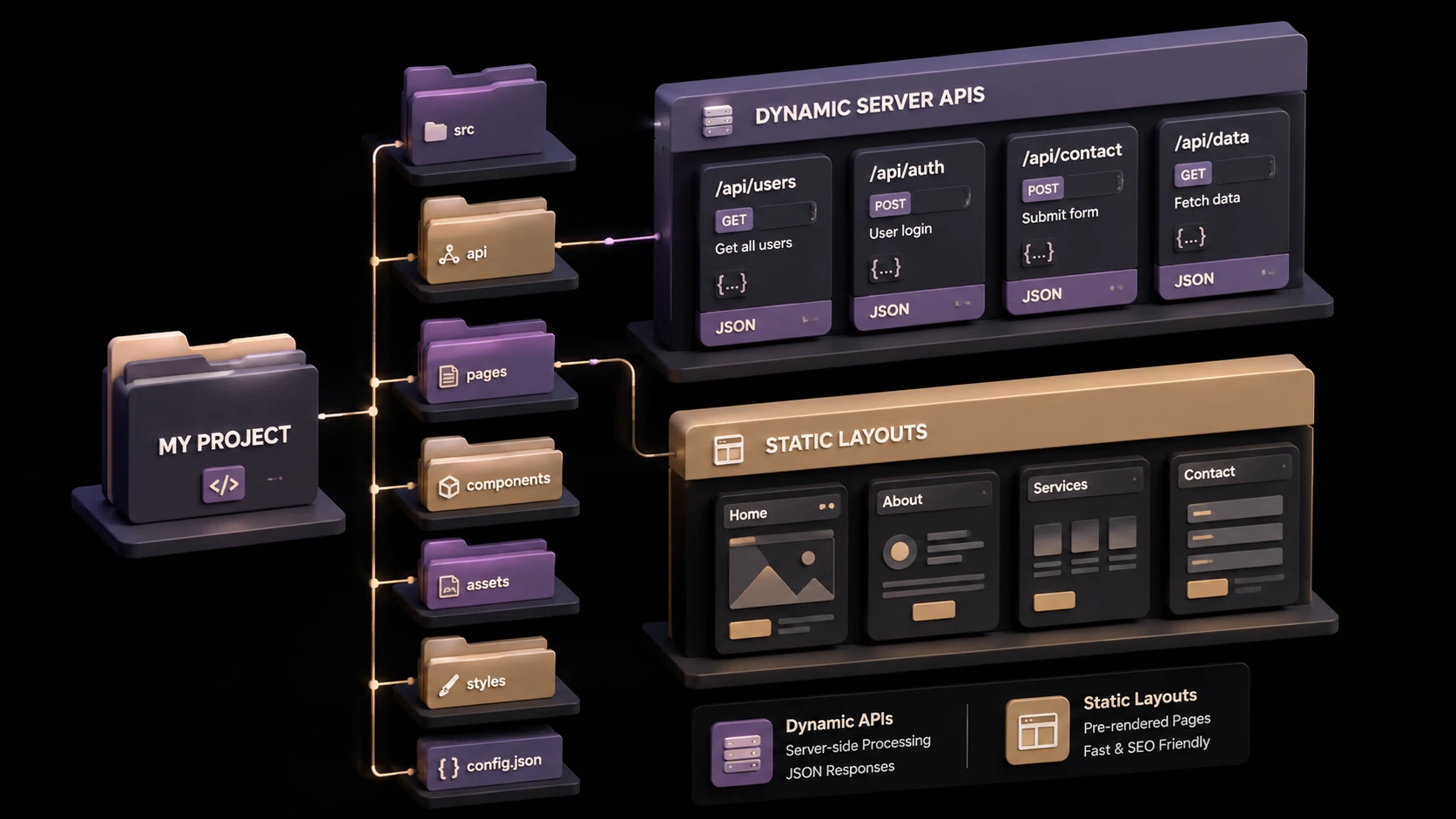
- 2.Next.js automatically generates routes from the file system.
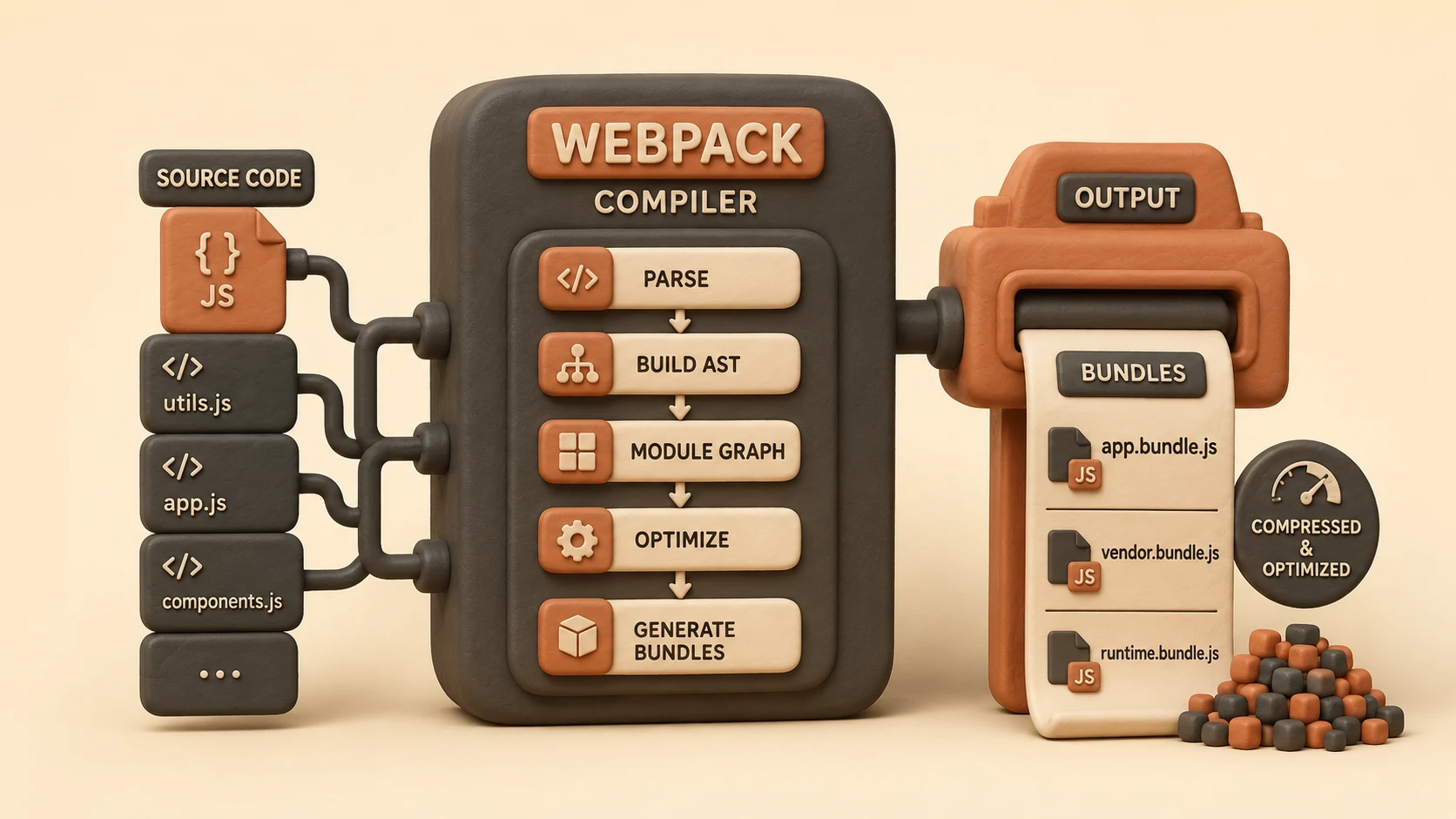
- 3.Webpack 4 analyzes application dependencies.
- 4.Babel transforms JavaScript where required.
- 5.Production bundles are optimized.
- 6.The application is rendered on the server or delivered to the browser.
- 7.Client-side navigation provides a seamless user experience.
This workflow minimizes manual configuration while supporting production deployment.
Webpack 4 Integration
// next.config.js customized Webpack 4 optimizations in Next.js 7.0
module.exports = {
  webpack: (config, { dev, isServer }) => {
    if (!dev && !isServer) {
      // Customize Webpack 4.0 splitChunks optimization configurations
      config.optimization.splitChunks.cacheGroups.commons = {
        name: 'commons',
        chunks: 'all',
        minChunks: 2
      };
    }
    return config;
  }
};
One of the most significant improvements in Next.js 7 is its adoption of Webpack 4.
Benefits include:
- ◆Improved compilation performance
- ◆Better production optimization
- ◆Enhanced tree shaking support
- ◆Reduced bundle size
- ◆Modern module handling
Developers benefit from Webpack 4 improvements without maintaining extensive configuration files.
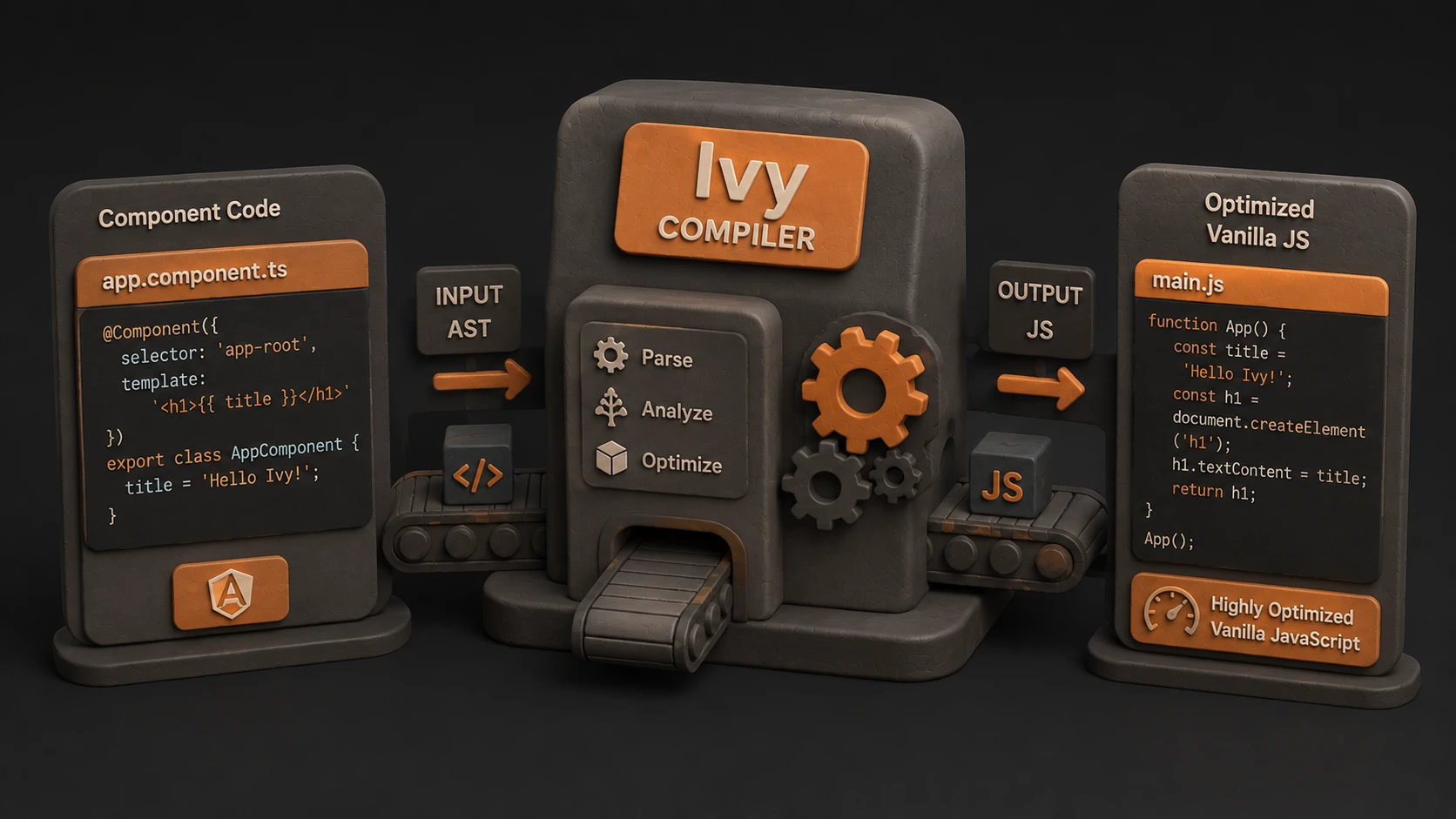
Optimized Bundle Compilation
Production builds emphasize delivering only the resources necessary for application execution.
Optimization techniques include:
- ◆Code splitting
- ◆Dead code elimination where applicable
- ◆Efficient module resolution
- ◆Production mode optimizations
- ◆Improved dependency analysis
These capabilities contribute to faster application startup and reduced network transfers.
Additional Improvements
Next.js 7 also introduces enhancements across the development workflow.
Better TypeScript Support
Developers can integrate TypeScript more naturally into Next.js applications.
Improved Babel Configuration
Simplified configuration reduces project setup complexity.
Faster Development Builds
Webpack improvements reduce waiting time during iterative development.
Simplified Upgrade Path
Existing applications can migrate while benefiting from newer build tooling.
Key Features
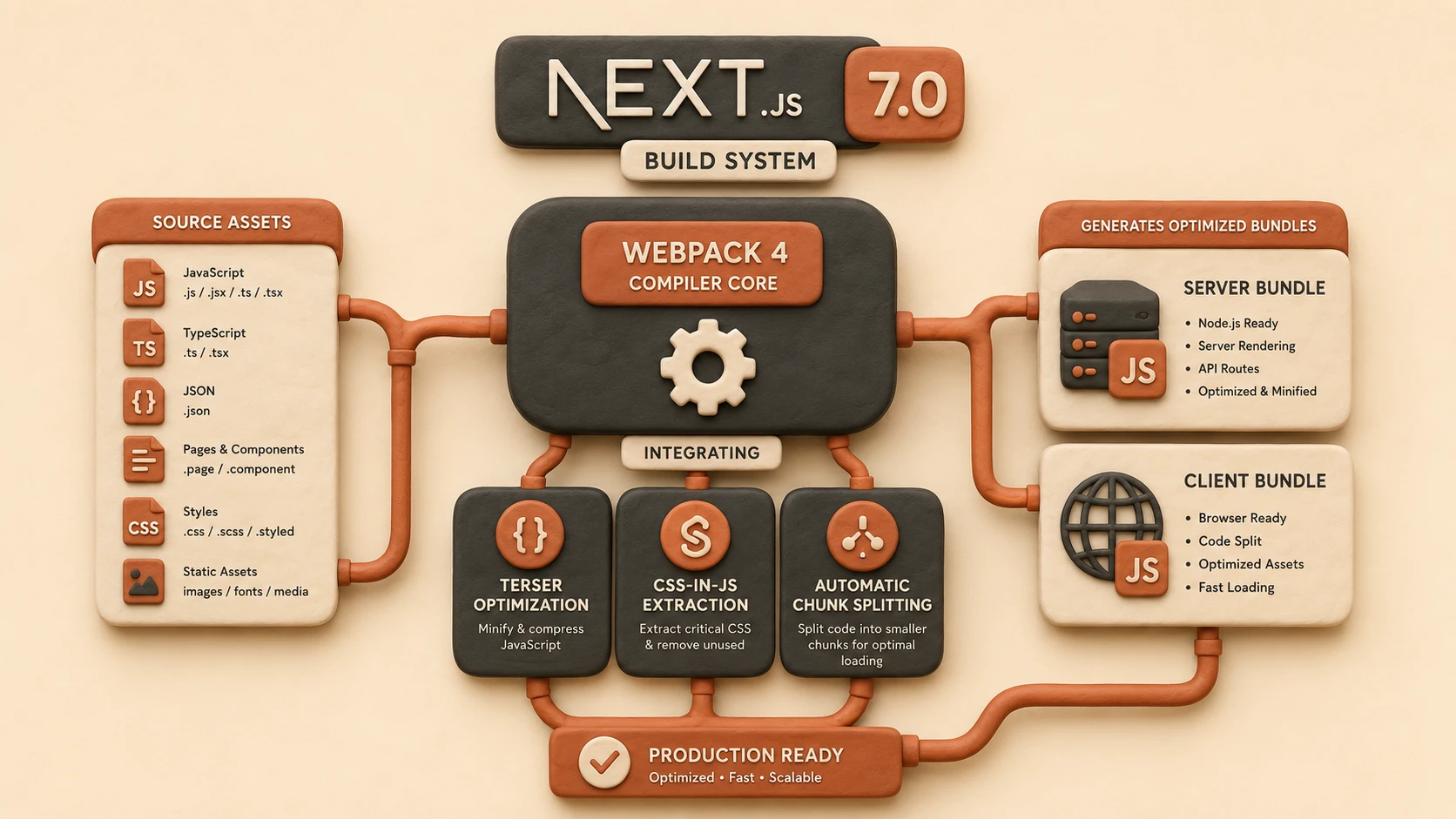
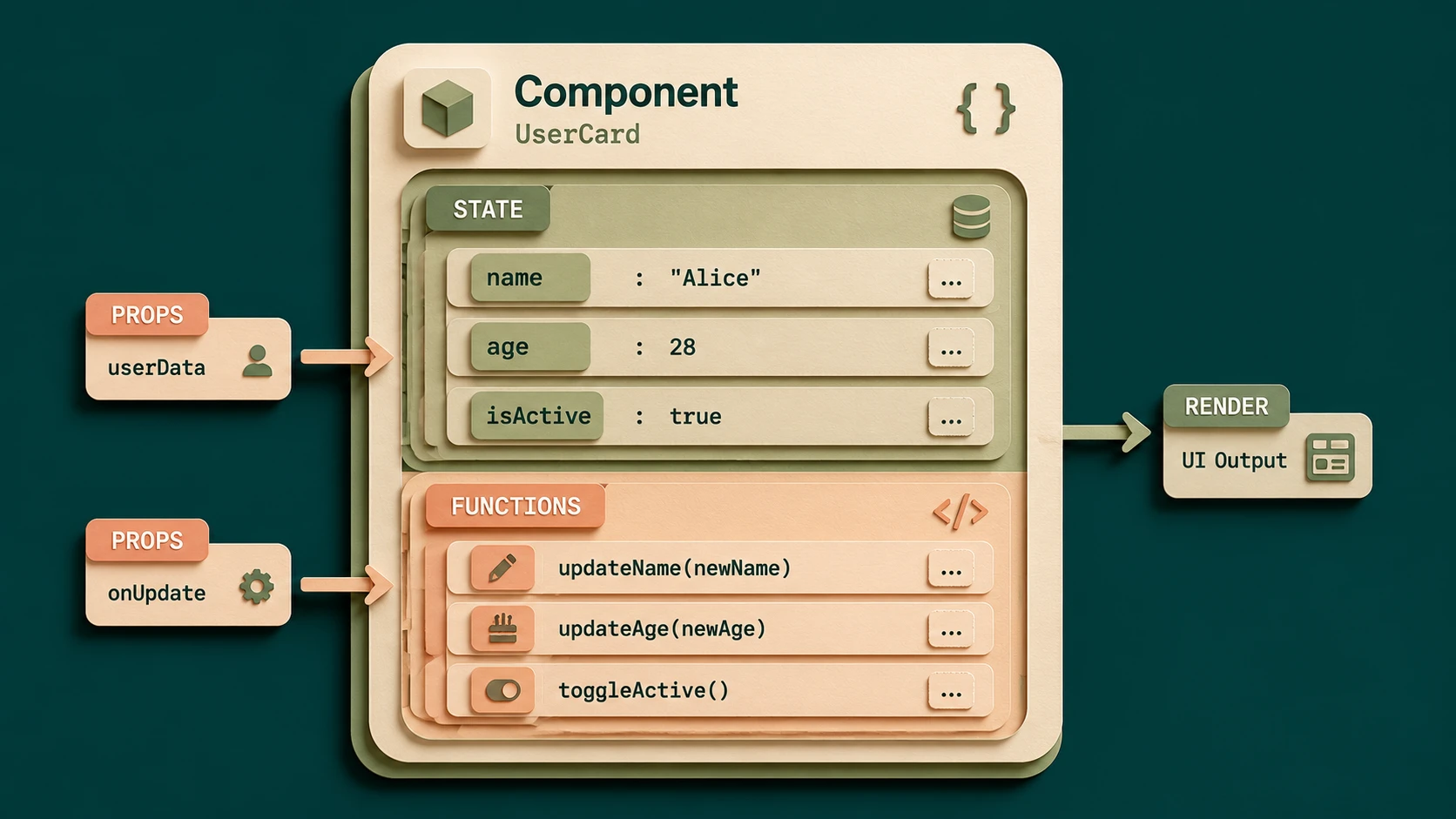
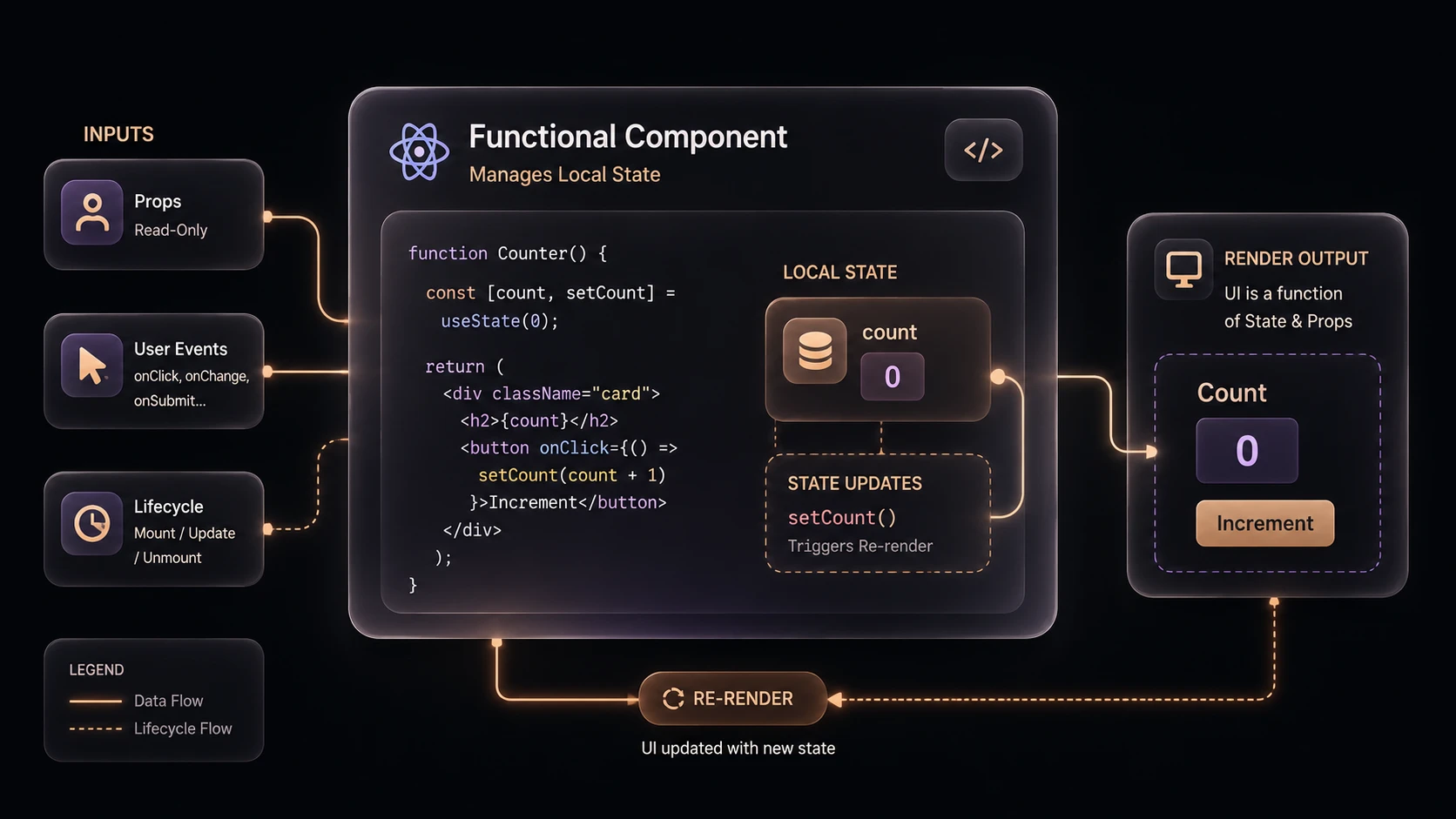
System architecture diagram and conceptual workflow layout for Next.js 7.0: Webpack 4.0 Integration and Optimized Bundle Compilation.
Automatic Routing
Pages continue using file-system-based routing without additional configuration.
Server-Side Rendering
Applications can improve initial page rendering and search engine visibility.
Webpack 4 Integration
Modern bundling capabilities become the default development experience.
Production Optimization
Applications receive optimized deployment bundles with minimal manual configuration.
Developer Productivity
Reduced configuration allows teams to focus more on application development.
Enterprise Use Cases
Enterprise Customer Portals
Server-side rendering improves perceived performance and search engine indexing.
SaaS Platforms
Optimized bundles reduce bandwidth usage while improving application responsiveness.
E-Commerce Applications
Fast initial rendering supports product discovery and browsing experiences.
Internal Business Applications
Standardized project structure simplifies long-term maintenance.
Marketing Websites
Server-rendered pages provide improved content delivery for public-facing sites.
Performance Considerations
Next.js 7 emphasizes both development and production efficiency.
Organizations should evaluate:
- ◆Build duration
- ◆Bundle size
- ◆Initial page rendering
- ◆Server response time
- ◆Client-side navigation
- ◆Asset caching
Performance should be measured under representative production workloads.
Security Considerations
Next.js complements existing web security practices.
Enterprise deployments should continue implementing:
- ◆HTTPS
- ◆Authentication
- ◆Authorization
- ◆Secure API communication
- ◆Input validation
- ◆Dependency management
Framework optimizations should be combined with established security standards.
Scalability
Next.js supports enterprise scalability through:
- ◆Modular React architecture
- ◆Efficient production builds
- ◆Server-side rendering
- ◆Static asset optimization
- ◆Reusable components
- ◆Automated build workflows
These capabilities simplify development across distributed engineering teams.
Best Practices
- ◆Upgrade to Webpack 4 after validating dependencies.
- ◆Organize pages into logical feature groups.
- ◆Keep React components modular.
- ◆Monitor bundle size during development.
- ◆Enable production builds for deployment.
- ◆Automate testing and build verification.
- ◆Keep dependencies updated.
- ◆Benchmark performance after framework upgrades.
Common Mistakes
| Mistake | Enterprise Impact |
|---|---|
| Upgrading without dependency validation | Build failures |
| Shipping development builds | Larger bundles |
| Ignoring bundle analysis | Performance degradation |
| Excessive client-side dependencies | Slower startup |
| Mixing inconsistent project structures | Lower maintainability |
| Skipping production performance testing | Deployment risk |
Technology Comparison
| Capability | Next.js 6 | Next.js 7 |
|---|---|---|
| Default Bundler | Webpack 3 | Webpack 4 |
| Build Performance | Strong | Improved |
| Production Optimization | Good | Better |
| TypeScript Integration | Basic | Improved |
| Bundle Optimization | Good | Enhanced |
| Developer Experience | Mature | More Streamlined |
Adoption Strategy
- 1.Audit existing Next.js projects.
- 2.Validate third-party dependency compatibility with Webpack 4.
- 3.Upgrade development environments.
- 4.Benchmark build performance.
- 5.Compare production bundle sizes.
- 6.Validate server-side rendering behavior.
- 7.Update continuous integration pipelines.
- 8.Roll out upgrades incrementally across production applications.
Limitations
As of November 2018, organizations upgrading to Next.js 7 should validate compatibility with existing Webpack plugins, Babel configurations, and third-party packages. While the framework simplifies modern React development, migration planning remains important for large enterprise applications with customized build processes.
Looking Ahead
From the perspective of November 2018, Next.js 7.0 represents a significant advancement in production-ready React development. The adoption of Webpack 4, improved compilation performance, enhanced TypeScript integration, and stronger production optimization demonstrate the framework's continued focus on enterprise scalability and developer productivity. As React applications continue increasing in complexity, frameworks that combine sensible defaults with modern build tooling are expected to play an increasingly important role in enterprise web development.