Introduction
Cloud computing has fundamentally changed how enterprise software is developed and deployed. Organizations are increasingly expected to deliver applications rapidly while maintaining consistent environments across development, testing, and production. Although virtualization has dramatically improved infrastructure utilization, application deployment remains a complex operational challenge.
Development teams frequently encounter inconsistencies between environments, dependency conflicts, lengthy provisioning processes, and difficulties reproducing production systems. Infrastructure automation has improved deployment reliability, but packaging applications together with their runtime dependencies continues to require significant operational effort.
Docker is emerging as an important technology designed to address these challenges. Built upon Linux container technology, Docker introduces a standardized approach for packaging applications into lightweight, portable containers that can execute consistently across compatible Linux systems.
As Docker approaches its 1.0 release, enterprise architects are evaluating whether containers represent a practical alternative to many traditional deployment approaches.
Industry Background
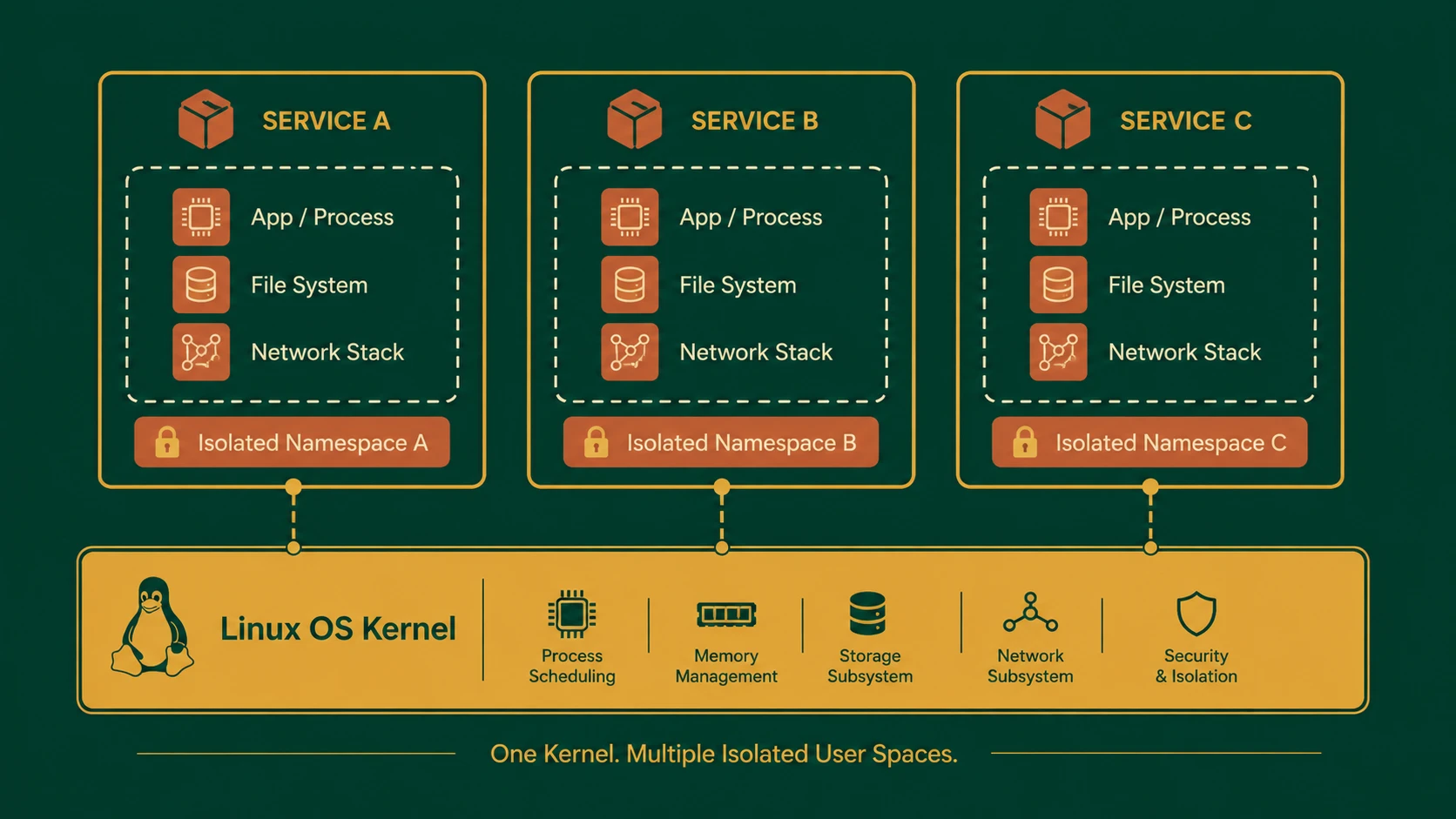
Operating-system-level virtualization has existed within Linux for several years through technologies such as Linux Containers (LXC), namespaces, and control groups (cgroups). These technologies provide process isolation while allowing multiple application environments to share the same operating system kernel.
Historically, however, working directly with container technologies often required considerable Linux expertise. Building reusable container images, distributing them across environments, and managing application dependencies involved significant manual effort.
Docker builds upon these existing kernel capabilities while introducing a standardized image format, layered filesystem model, command-line tooling, and registry-based distribution model that simplify container lifecycle management.
This higher level of abstraction is attracting attention from both developers and operations teams.
The Business Problem
Enterprise software deployment commonly encounters several operational challenges.
These include:
- ◆Environment inconsistencies
- ◆Dependency conflicts
- ◆Slow application deployment
- ◆Complex release processes
- ◆Resource overhead associated with virtual machines
- ◆Difficult application portability
- ◆Manual server configuration
Organizations often invest significant engineering effort ensuring applications behave consistently across multiple environments.
Docker seeks to reduce these operational differences by packaging applications together with their runtime dependencies.
Understanding Docker
Docker is an application container platform that packages software, libraries, configuration, and runtime dependencies into portable images.
Containers created from these images execute as isolated processes while sharing the underlying Linux kernel.
Unlike traditional virtual machines, Docker containers do not require a separate guest operating system for every application instance.
This architecture allows containers to start rapidly while consuming fewer system resources.
Core Architecture
Docker combines several architectural components.
| Component | Responsibility |
|---|---|
| Docker Client | Issues management commands |
| Docker Daemon | Builds and manages containers |
| Docker Image | Read-only application template |
| Docker Container | Running application instance |
| Registry | Stores and distributes images |
| Linux Kernel | Provides namespaces and cgroups |
| Union Filesystem | Supports layered image storage |
Together, these components create a consistent workflow for building, distributing, and executing applications.
Linux Containers
Docker relies on Linux container technology for process isolation.
Isolation is achieved through Linux kernel capabilities including:
- ◆Namespaces
- ◆Control groups (cgroups)
- ◆Filesystem isolation
- ◆Process isolation
- ◆Network isolation
Applications execute inside isolated environments while sharing the host operating system kernel.
This architecture differs from hardware virtualization, where each virtual machine includes a complete guest operating system.
Docker Images
Docker images represent reusable application templates.
An image typically includes:
- ◆Application binaries
- ◆Runtime libraries
- ◆Configuration
- ◆Required dependencies
- ◆Metadata
Images remain immutable after creation, allowing development teams to distribute consistent application packages across multiple environments.
Layered Filesystem
One of Docker's distinguishing capabilities is its layered image architecture.
Rather than storing every image independently, Docker organizes images into reusable filesystem layers.
Advantages include:
- ◆Reduced storage requirements
- ◆Faster image distribution
- ◆Improved build efficiency
- ◆Layer reuse across applications
Applications sharing common operating system or runtime layers can reuse existing components instead of duplicating them.
Building Containers
# Production-grade multi-stage Dockerfile for a Go application
# Stage 1: Build the binary in a compiling environment
FROM golang:1.12-alpine AS builder
WORKDIR /app
COPY . .
RUN CGO_ENABLED=0 GOOS=linux go build -o main .

# Stage 2: Build the final clean, minimal execution container
FROM alpine:latest
RUN apk --no-cache add ca-certificates
WORKDIR /root/
COPY --from=builder /app/main .
EXPOSE 8080
CMD ["./main"]
Docker supports automated image construction through Dockerfiles.
A typical workflow includes:
- 1.Define application dependencies.
- 2.Create a Dockerfile.
- 3.Build an image.
- 4.Store the image locally or within a registry.
- 5.Deploy containers from the image.
- 6.Execute the application.
Automated builds improve deployment consistency while reducing manual configuration.
Image Distribution
Docker introduces registry-based image distribution.
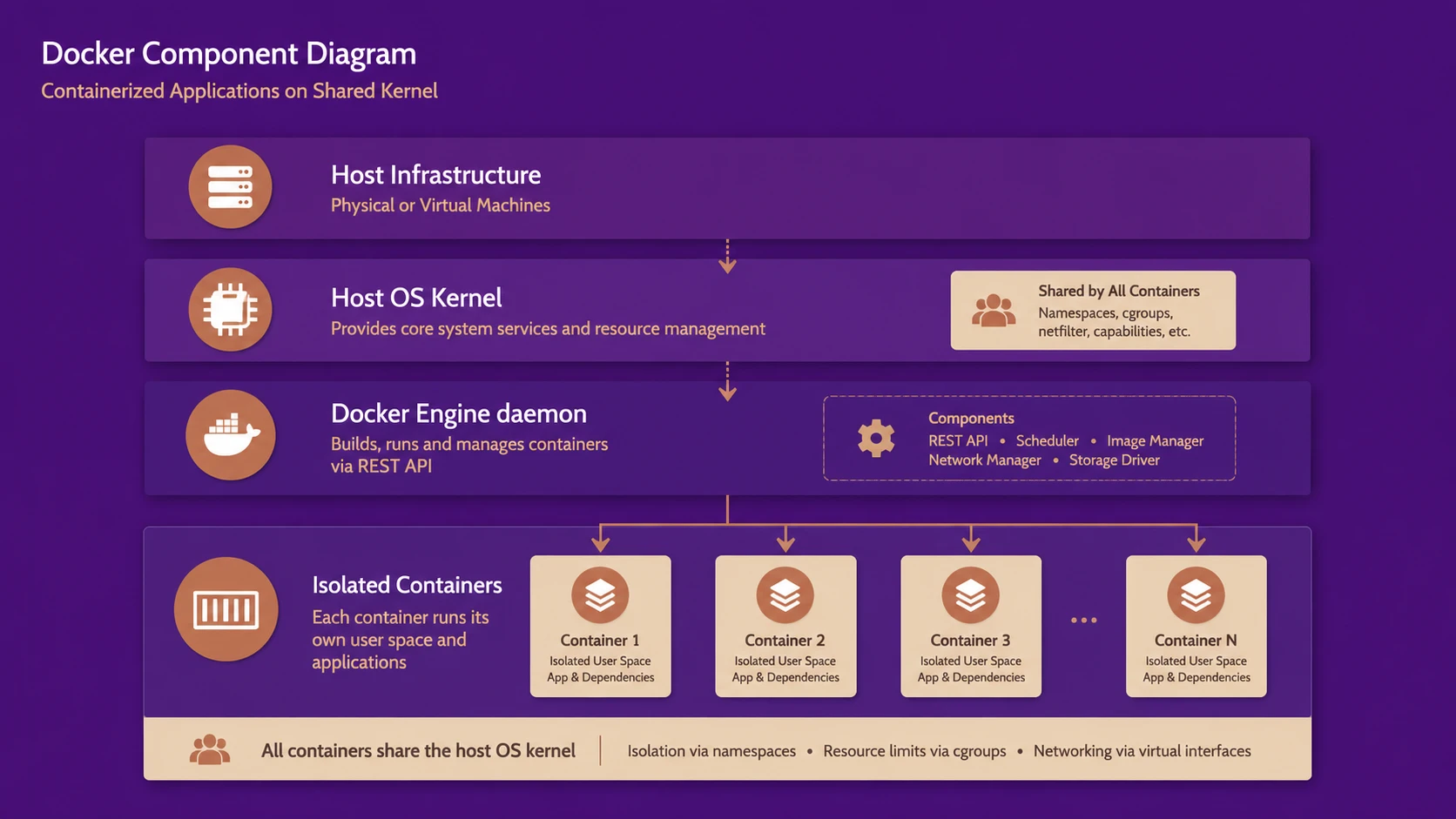
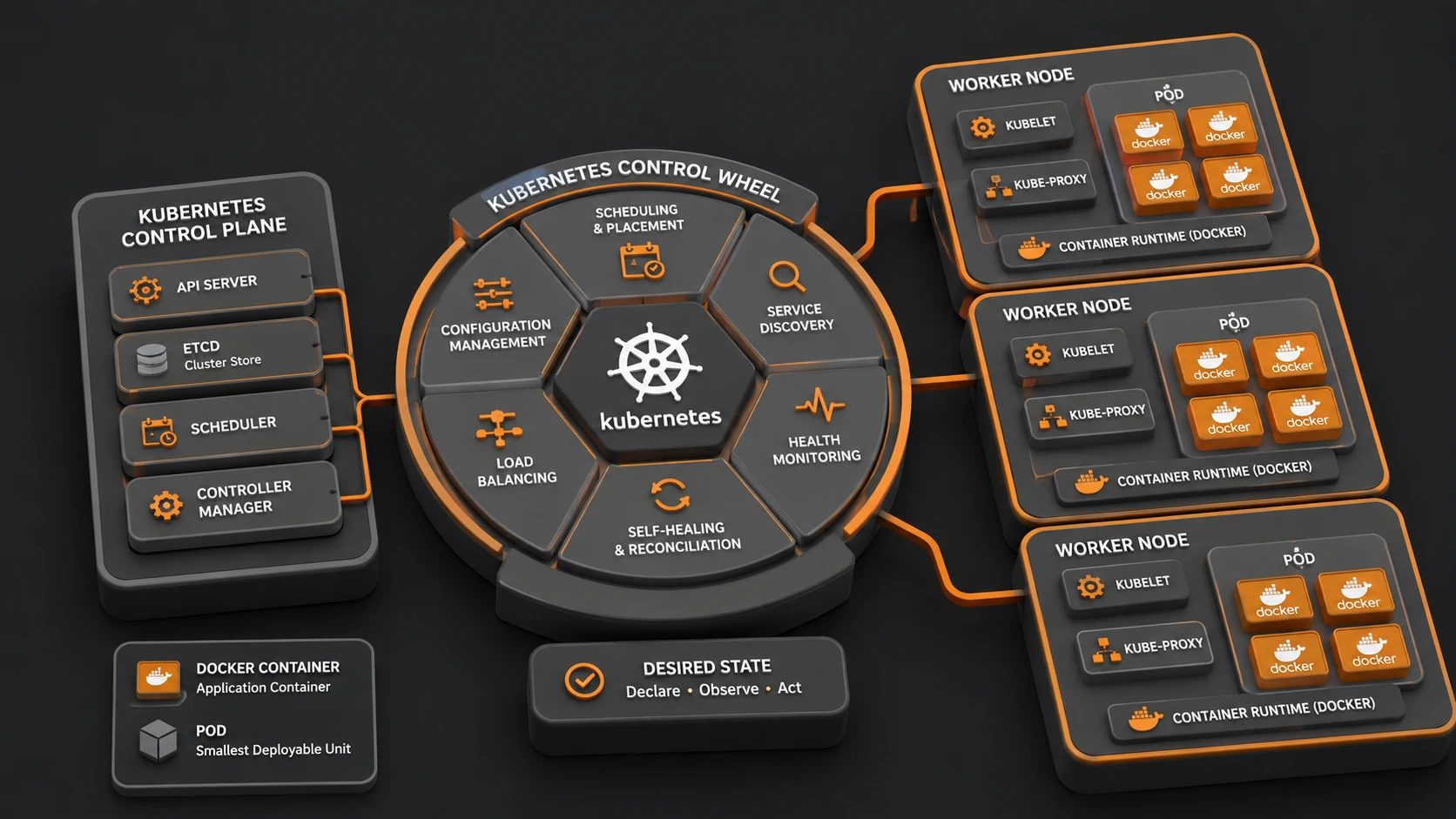
System architecture diagram and conceptual workflow layout for Docker 1.0: Establishing the Standard Container Runtime for Enterprise Cloud.
Instead of manually copying application packages between servers, development teams can publish images to a centralized registry.
Deployment systems retrieve the required image version directly from the registry.
Potential benefits include:
- ◆Simplified deployment
- ◆Version consistency
- ◆Reusable application packages
- ◆Centralized distribution
Organizations may evaluate both public and private registry strategies depending on operational requirements.
Enterprise Use Cases
# docker-compose.yml file orchestrating web service and db backend
version: '3'
services:
  web:
    build: .
    ports:
      - "8080:8080"
    depends_on:
      - db
  db:
    image: postgres:9.4
    environment:
      POSTGRES_DB: shivam_db
      POSTGRES_PASSWORD: secret_password
Docker supports numerous enterprise deployment scenarios.
| Scenario | Benefit |
|---|---|
| Continuous Integration | Consistent build environments |
| Web Applications | Simplified deployment |
| Microservice-style architectures | Independent application packaging |
| Development Environments | Reproducible configurations |
| Test Automation | Isolated execution |
| Cloud Deployments | Portable application images |
Development teams seeking repeatable deployments may find containers particularly valuable.
Performance Considerations
Because Docker containers share the host operating system kernel, they generally require fewer resources than traditional virtual machines.
Performance considerations include:
- ◆Container startup time
- ◆Memory utilization
- ◆Storage performance
- ◆Filesystem layer efficiency
- ◆Network configuration
Organizations should benchmark representative workloads before large-scale adoption.
Security Considerations
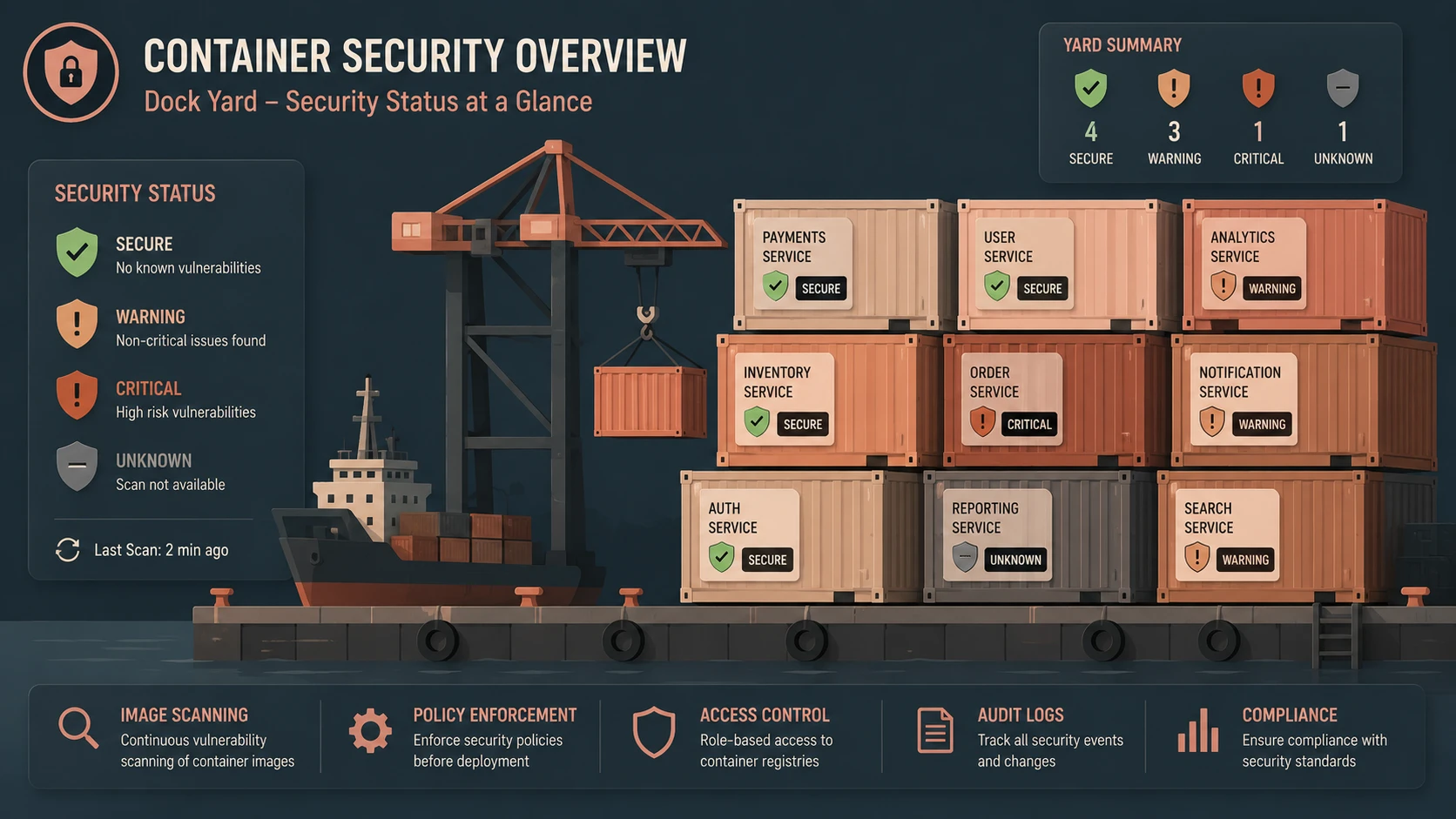
Containers provide process isolation but share the underlying kernel.
Enterprise deployments should therefore implement:
- ◆Least-privilege execution
- ◆Secure image sources
- ◆Host operating system hardening
- ◆Network isolation where appropriate
- ◆Access control for registries
- ◆Regular image updates
Container security should be considered alongside existing operating system security practices.
Scalability
Docker's lightweight architecture supports rapid deployment of multiple application instances.
Scalability advantages include:
- ◆Faster provisioning
- ◆Efficient resource utilization
- ◆Simplified application replication
- ◆Portable workloads
- ◆Consistent deployment artifacts
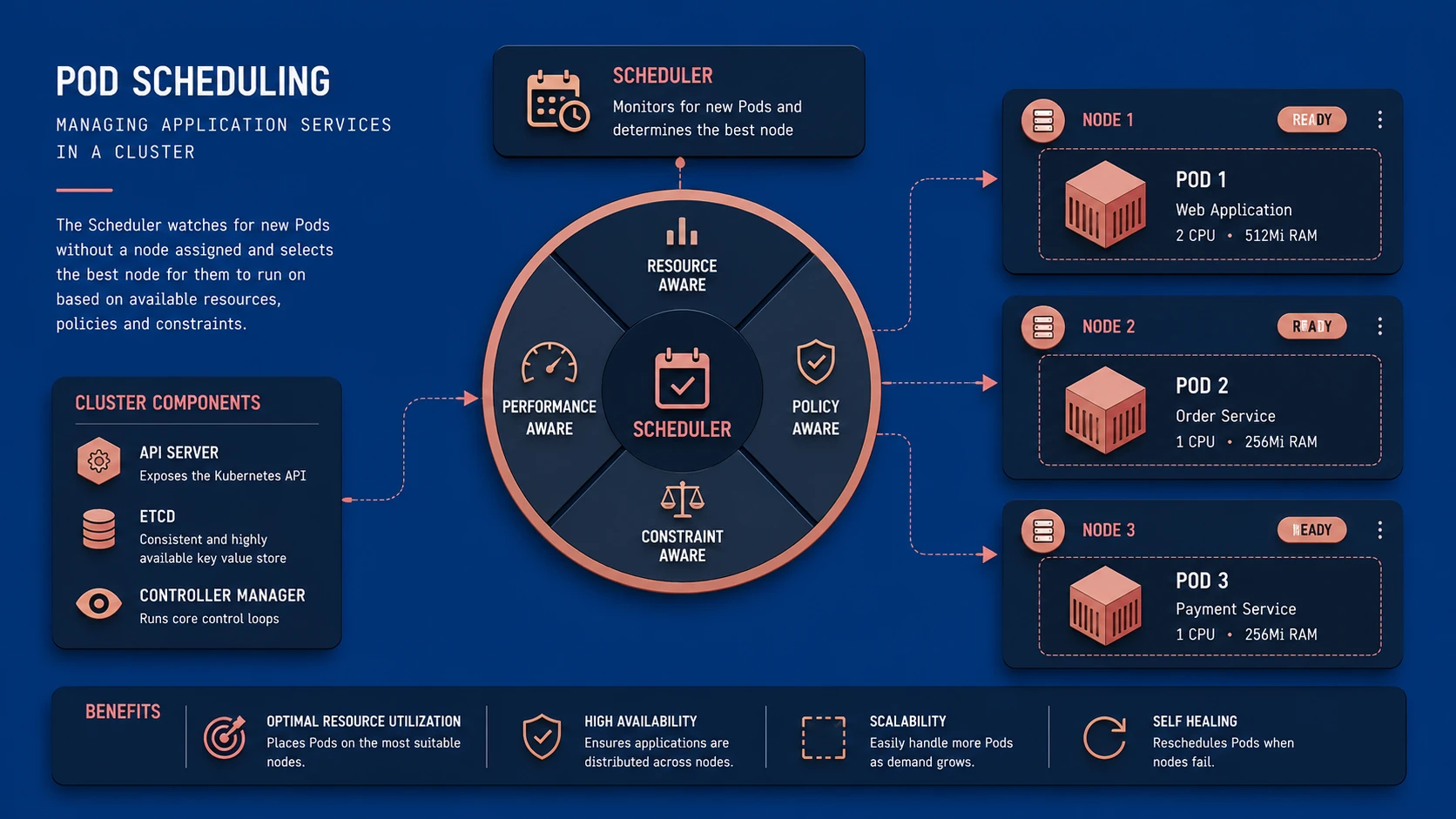
Operational automation becomes increasingly important as container counts grow.
Best Practices
Organizations evaluating Docker should establish operational standards early.
Recommended practices include:
- ◆Build images from trusted base images.
- ◆Keep images focused on a single application.
- ◆Version images consistently.
- ◆Automate image builds.
- ◆Store images in controlled registries.
- ◆Minimize unnecessary software within containers.
- ◆Test images before production deployment.
- ◆Monitor container resource utilization.
Operational consistency is essential for long-term success.
Common Mistakes
Early Docker adopters should avoid several implementation pitfalls.
Common mistakes include:
- ◆Treating containers as complete virtual machines.
- ◆Building excessively large images.
- ◆Performing manual configuration inside running containers.
- ◆Ignoring image versioning.
- ◆Mixing unrelated applications within one container.
- ◆Neglecting host operating system maintenance.
Containerization should simplify deployment rather than introduce unmanaged operational practices.
Technology Comparison
| Capability | Traditional Virtual Machines | Docker Containers |
|---|---|---|
| Guest Operating System | Required | Shared host kernel |
| Startup Time | Slower | Typically much faster |
| Resource Overhead | Higher | Lower |
| Application Portability | Good | Excellent across compatible Linux hosts |
| Image Size | Larger | Typically smaller |
| Deployment Density | Lower | Higher |
Both technologies remain valuable, with containers emphasizing application portability and efficient resource utilization.
Adoption Strategy
Organizations should introduce Docker through controlled pilot projects.
A practical approach includes:
- 1.Identify suitable stateless applications.
- 2.Build Docker images using automated processes.
- 3.Establish an internal image registry if required.
- 4.Integrate container builds into continuous integration workflows.
- 5.Benchmark operational performance.
- 6.Expand adoption gradually across additional application services.
Incremental adoption allows engineering teams to develop operational experience before broader deployment.
Limitations
Although Docker demonstrates significant promise, organizations should evaluate several considerations.
Current observations include:
- ◆Docker currently targets Linux environments.
- ◆Container management practices are still evolving.
- ◆Existing operational tooling may require adaptation.
- ◆Stateful workloads require careful planning.
- ◆Production governance remains an important consideration.
As a rapidly evolving technology approaching its 1.0 milestone, Docker should be evaluated through measured production pilots.
Looking Ahead
Docker's approach to application packaging represents an important step toward standardizing software deployment across development, testing, and production environments. By combining Linux container technology with reusable images, layered filesystems, and standardized tooling, Docker simplifies many of the operational challenges associated with modern cloud application delivery.
As of January 2014, Docker has attracted significant interest from developers, cloud providers, and enterprise architects seeking more efficient deployment models. If the platform continues to mature following its 1.0 release, container-based application packaging has the potential to become an increasingly important component of enterprise cloud infrastructure and modern software delivery practices.